
woocommerce
WooCommerce for Flutter 的 SDK。
入门
将包添加到你的 pubspec.yaml 并导入。
import 'package:woocommerce/woocommerce.dart';
为你的项目创建一个 WooCommerce 实例。
示例
WooCommerce woocommerce = WooCommerce(
  baseUrl: yourBaseUrl,
  consumerKey: yourConsumerKey,
  consumerSecret: consumerSecret);
参数 [baseUrl] 是你的网站的基准 URL。例如,http://me.com、https://me.com 或 http://my.me.com
参数 [consumerKey] 是 WooCommerce 提供的消费者密钥,例如 ck_12abc34n56j。
参数 [consumerSecret] 是 WooCommerce 提供的消费者密钥,例如 cs_1uab8h3s3op。
可选参数 [apiPath] 是从你的 baseUrl 到你的 WooCommerce 端点的直接 URL。例如:“/wp-json/wc/v3/” 如果你只更改了默认的 WordPress Woocommerce 路径,则很有用,否则将应用默认设置。
可选参数 [isDebug] 告知库是否应打印到调试日志。 /// 在调试或开发时很有用。
Woo Commerce SDK 的目标是尽可能轻松地使用 flutter 和 Woo Commerce 构建出色的电子商务应用程序,希望它能改善你的工作流程。
特点。
- 用户身份验证。
- 客户管理
- 购物车管理。
- 订单管理。
- 产品管理。
- 分类。
- 标签。
- 变体。
- 能够过滤返回列表的方法。
- 支持自定义端点。
- 运输、运输方式、运输地点。
- 支付。
- 税务、税务类别。
- 等等。
注意事项。
安装 Jwt Token 插件,以便能够登录。
示例
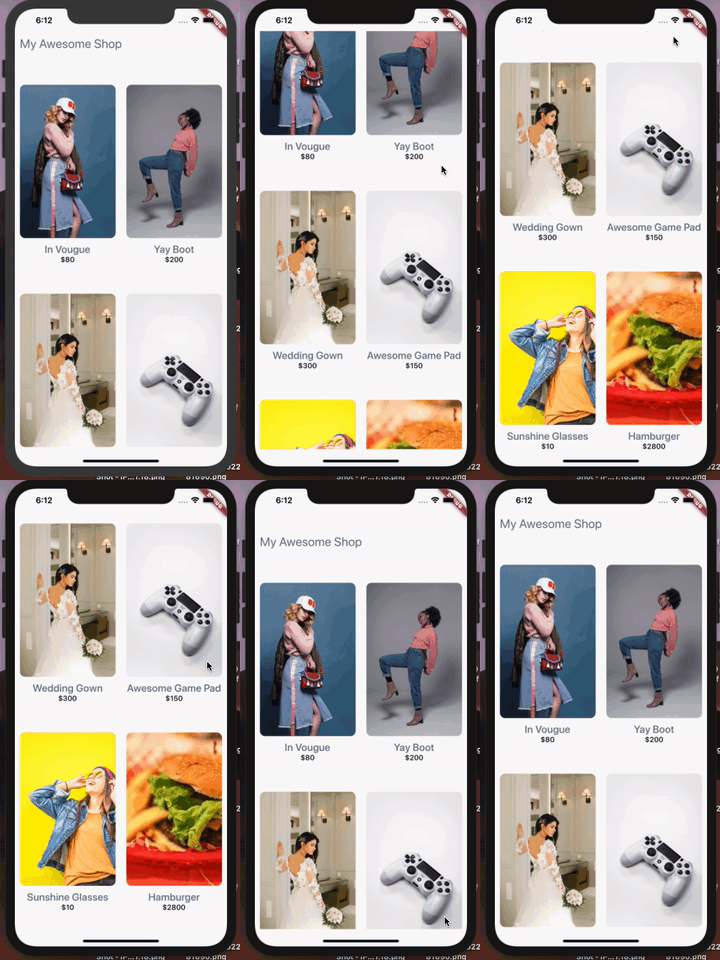
将你的凭据放入示例应用程序中以进行快速演示。
 .
.
身份验证
//Login - Returns the access token on success.

final token = woocommerce.authenticateViaJWT(username: username, password: password);

// Login - Signs a user in and returns the logged in user's (WooUser object) details.

final customer = woocommerce.loginCustomer(username: username, password: password);

// Check if a user is Logged In.

bool isLoggedIn = await woocommerce.isCustomerLoggedIn();

// Fetch Logged in user Id
int id = await fetchLoggedInUserId();

// Log User Out.
await logUserOut();

// Creates a new Woocommerce customer and returns the WooCustomer object.
WooCustomer user = WooCustomer(username: username, password: password, email: email);
final result = woocommerce.createCustomer();
产品 请参阅 SDK 参考 以获取过滤选项。
// Get All Products - Returns list of product object, default is 10 per page.

final myProducts = await woocommerce.getProducts();

//Get All Featured Products - Returns a list of featured products, see Api reference for more filter options.

final myFeaturedProducts = await woocommerce.getProducts(featured: true);

// Get All Products marked with category id '22'.

final mySpecificProduct = await getProducts(category: '22');
购物车!
// Add To Cart! - Returns the added cart item object(Accepts quantity, product id, and list of variations(id) of the product to be added)

final myCart = await woocommerce.addToMyCart(quantity: 2, id: 17);

// Create an Order. - Returns the created order object (Accepts an orderPayload object).

OrderPayload orderPayload = OrderPayload(customerId: customerId, setPaid=true);
final order = await woocommerce.CreateOrder(orderPayload);
自定义请求 – 向 WooCommerce API 发起你自己的自定义身份验证请求。
final response = await woocommerce.put(endpoint, data);

final anotherResponse = await woocommerce.get(endpoint);
更新
- 添加文档。
- 添加 Token 持久化。
- 添加更多搜索过滤功能。
- 多个示例。
WooCommerce SDK 文档参考
[WooCommerce SDK 文档] (https://pub.dev/documentation/woocommerce/latest/)
WooCommerce API 文档参考
[WooCommerce 文档] (https://woocommerce.github.io/woocommerce-rest-api-docs/)
问题和反馈
如果你觉得有用?请随意点击 ⭐。你可以随时创建 Github 问题。代码和文档的 Pull Request 也受到欢迎,请 ?. 你也可以发送邮件至 [email protected]。
有关 Flutter 入门的帮助,请参阅 在线文档,其中提供了教程、示例、移动开发指南和完整的 API 参考。


