
宠物领养App?
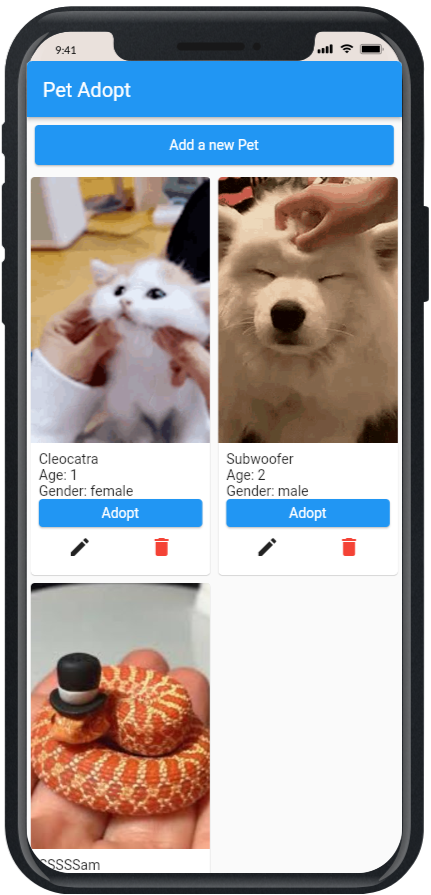
说明
- 将此存储库 Fork并克隆到您的
Development文件夹。 - 端点
Get pets, type: Get, https://coded-pets-api-crud.herokuapp.com/pets
Create a new pet, type: Post, https://coded-pets-api-crud.herokuapp.com/pets
Update a pet, type: Put, https://coded-pets-api-crud.herokuapp.com/pets/{petId}
Delete a pet, type: Delete, https://coded-pets-api-crud.herokuapp.com/pets/{petId}
Adopt a pet, type: Post, https://coded-pets-api-crud.herokuapp.com/pets/adopt/{petId}
第一部分:获取数据
- 将
dio安装到您的项目中
flutter pub add dio
- 创建一个名为
services的文件夹,并在其中创建一个名为pets_services.dart的文件。 - 在
pets_services.dart中导入dio包。
import "package:dio/dio.dart";
- 创建一个新的
DioClient类并初始化一个新的dio实例。 - 创建一个函数来获取宠物列表,并将其命名为
getPets。 - 我们的端点是
Get, https://coded-pets-api-crud.herokuapp.com/pets
- 不要忘记添加async和await
- 将请求的响应存储在
Response对象中。 - 在您的
PetsProvider中,创建一个新函数来调用getPets。 - 让home_page中的按钮调用provider函数。
- 在debug控制台中打印响应。
第二部分:使用数据
- 添加以下包
flutter pub add json_serializable , build_runner - 转到宠物模型,并在类之前添加此代码
import 'package:json_annotation/json_annotation.dart';

part 'pet.g.dart';
@JsonSerializable()
- 在终端中运行
flutter pub run build_runner build - 在宠物模型中添加以下代码
factory Pet.fromJson(Map<String, dynamic> json) => _$PetFromJson(json);
  Map<String, dynamic> toJson() => _$PetToJson(this);
- 在
pets_services.dart中,将响应存储在宠物列表中,并将JSON转换为宠物List<Pet> pets =(res.data as List).map((pet) => Pet.fromJson(pet)).toList(); - 在DioError的情况下添加try和catch try{…}on DioError catch(error){…}
- 将返回类型更改为List,并修复该函数,使其返回一个未来的宠物列表
- 最后,通过添加async和await来修复provider


