
动画凹槽底部导航栏





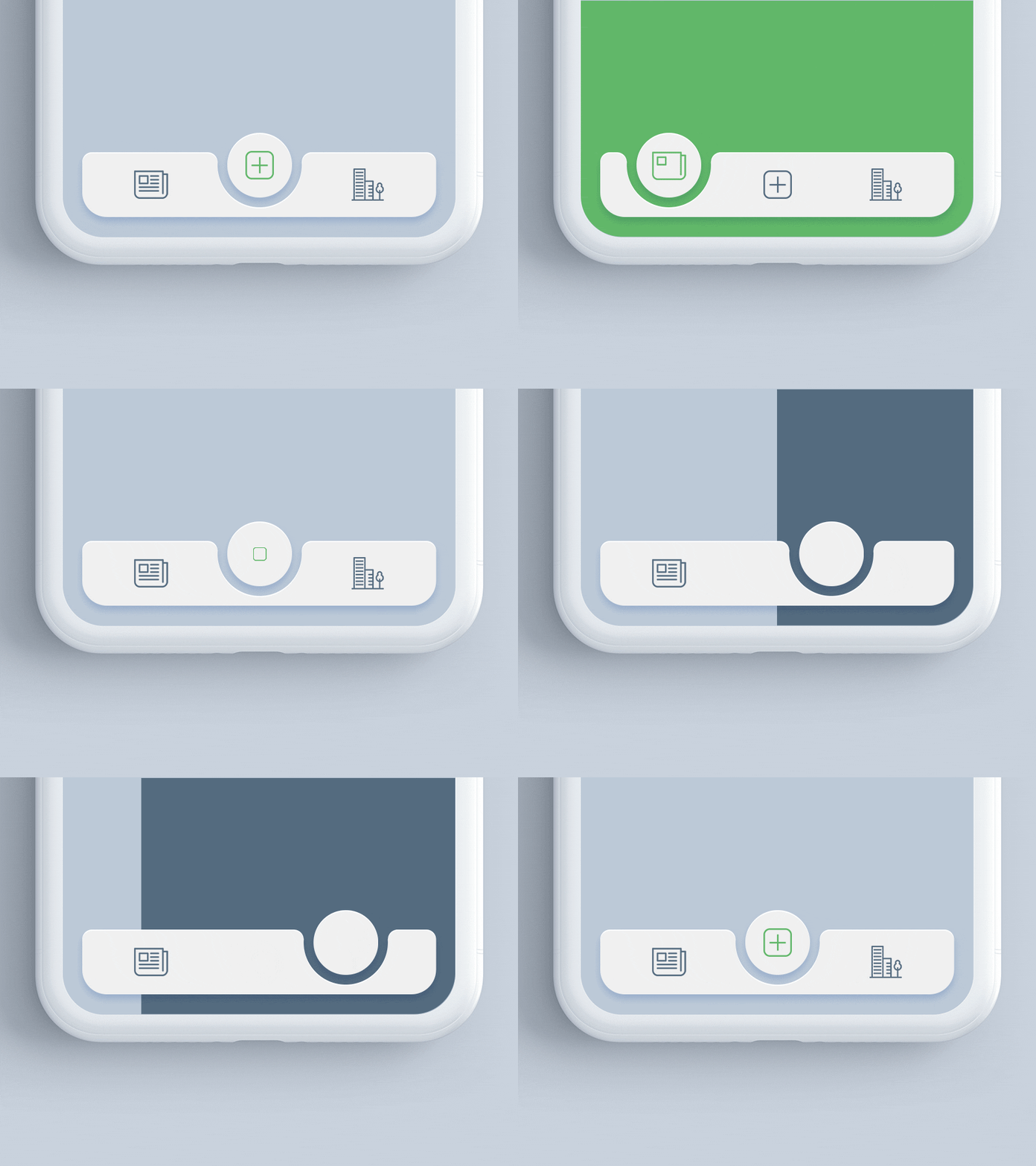
一个 Flutter 包,用于在带有凹槽设计的 bottomNavigationBar 中为选定项目的位置添加动画。灵感来自 react-native-tabbar-interaction 插件。
特点
- 支持任何小部件作为底部导航栏子项。
- 为凹槽到选定项目添加动画。
- 创建具有精美动画的优化底部导航栏。
- 支持类似 iOS Tab View 的模糊效果。
入门
将依赖项添加到 pubspec.yaml
dependencies:
  ...
  animated_notch_bottom_bar: ^0.0.1
基本用法
将 AnimatedNotchBottomBar 放在 Scaffold 小部件的 bottomNavigationBar 参数中,并将 PageController 提供给 AnimatedNotchBottomBar。
bottomNavigationBar:  AnimatedNotchBottomBar(
 pageController: _pageController,
  ...
)
使用任何 Widget 作为底部导航栏项
您也可以设置任何动画小部件。
bottomNavigationBar:  AnimatedNotchBottomBar(
  pageController: _pageController,
  bottomBarItems: [
    const BottomBarItems(
        inActiveItem: Icon(
           Icons.home_filled,
            color: Colors.blueGrey,
        ),
        activeItem: Icon(
          Icons.home_filled,
          color: Colors.blueAccent,
        ),
        itemLabel: 'Page 1',
  ),
    const BottomBarItems(
        inActiveItem: Icon(
            Icons.star,
            color: Colors.blueGrey,
          ),
        activeItem: Icon(
            Icons.star,
            color: Colors.blueAccent,
        ),
        itemLabel: 'Page 2',
  ),

     ///svg item
    BottomBarItems(
        inActiveItem: SvgPicture.asset(
          'assets/search_icon.svg',
           color: Colors.blueGrey,
       ),
       activeItem: SvgPicture.asset(
          'assets/search_icon.svg',
           color: Colors.black,
       ),
       itemLabel: 'Page 3',
    ),
     ...
)
自定义模糊效果 (iOS Tab View)
bottomNavigationBar:  AnimatedNotchBottomBar(
    ...
    showBlurBottomBar: true,
    blurOpacity: 0.2,
    blurFilterX: 5.0,
    blurFilterY: 10.0,
    ...
)
显示/隐藏项目标签和样式
bottomNavigationBar:  AnimatedNotchBottomBar(
     ...
     showLabel: true,
     itemLabelStyle: TextStyle(
                      color: Colors.black,
                      fontSize: 16.0
                    ),
     ...
)
AnimatedNotchBottomBar
pageController– 页面控制器。bottomBarItems– 导航项,需要一个以上且少于六个项目。onTap– 需要监听项目点击事件,它会提供选定项目的索引。color– 底部导航栏的背景颜色。showLabel:显示或隐藏底部导航栏项目下方的标签。itemLabelStyle– 底部导航栏的项目文本样式。showShadow– 如果为 false,则会移除底部导航栏的阴影。showBlurBottomBar– 如果为 true,底部导航栏将显示模糊效果。blurOpacity– 设置模糊效果的不透明度。blurFilterX– 创建一个高斯模糊滤镜,在 x 轴上应用。blurFilterY– 创建一个高斯模糊滤镜,在 y 轴上应用。
BottomBarItems
title– 底部导航栏项的标签activeItem– 选定项目。inActiveItem– 未选定项目。
贡献者指南
我们始终欢迎对我们仓库的贡献,我们要求贡献者仅将拉取请求发送到 develop 分支。
许可证!
Animated Segment 是 MIT 许可。
告诉我们!
如果您向我们发送您使用我们组件的项目链接,我们将非常高兴。只需发送电子邮件至 [email protected],如果您对我们的工作有任何疑问或建议,请告知我们。


