
getx_bottom_nav_sample
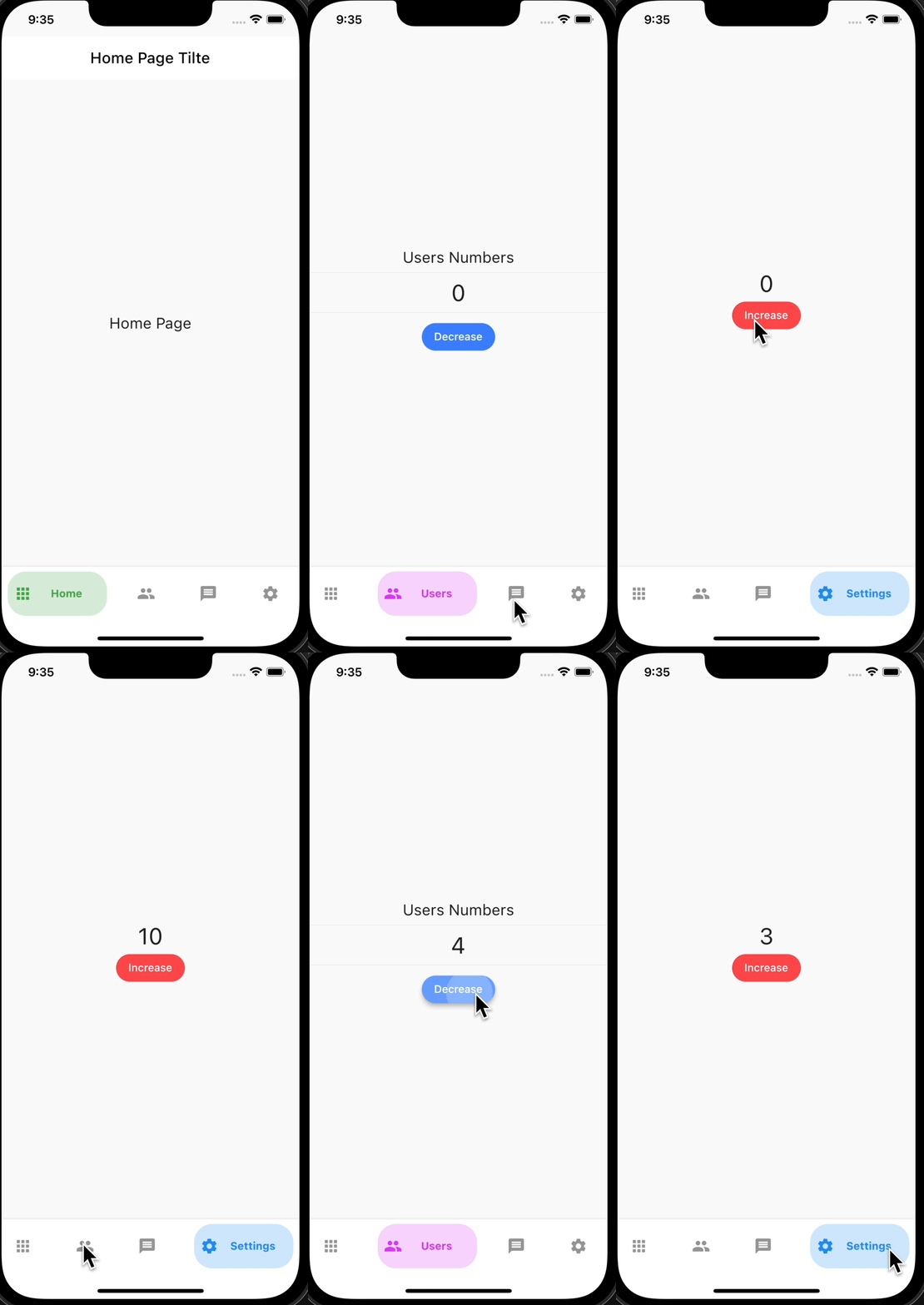
GetX AnimatedBottomNavBar 示例
主要 Package 说明
1.url_launcher
- 一个可以在 Flutter 中打开应用内或外部浏览器的插件。
Android 设置
如果 build.gradle 文件中的 compileSdkVersion 设置为 30,则可能会出现 Web 应用无法打开的情况。
<!-- project 내에 /android/app/src/profile/AndroidMainfest.xml -->
<!-- 아래의 코드를 추가해 줍니다 -->
<queries>
  <!-- If your app opens https URLs -->
  <intent>
    <action android:name="android.intent.action.VIEW" />
    <data android:scheme="https" />
  </intent>
  <!-- If your app makes calls -->
  <intent>
    <action android:name="android.intent.action.DIAL" />
    <data android:scheme="tel" />
  </intent>
  <!-- If your sends SMS messages -->
  <intent>
    <action android:name="android.intent.action.SENDTO" />
    <data android:scheme="smsto" />
  </intent>
  <!-- If your app sends emails -->
  <intent>
    <action android:name="android.intent.action.SEND" />
    <data android:mimeType="*/*" />
  </intent>
</queries>
iOS 设置
// in ios/Runner/info.plist

<dict>
	<key>LSApplicationQueriesSchemes</key>
	<array>
    <string>http</string>
    <string>https</string>
	</array>
........
</dict>
应用
import 'package:url_launcher/url_launcher.dart';

// 비동기로 접속 하고 getx controller 에 연결된 변수 url 을 string 타입으로 연결 해 준다
 GestureDetector(
    onTap: () async {
      await launch(
        controller.jacobkoInfo,
        // 안드로이드 webview 연결 (인앱)
        forceWebView: true,
        // iOS Safari webview 연결 (인앱)
        forceSafariVC: true,
      );
    },
      child: Text(....),
2.YouTube API
底部工作表
components -> bottom_sheet.dart
Sliver Appbar
- 当列表滚动时 AppBar 会消失,再次向上滚动时 AppBar 会立即出现的功能。


