
Riverpod 消息监听器
大家好,这是 riverpod_messages 包的主页,一个为使用 Riverpod 构建的应用程序的消息通知监听器。
这个包是为谁准备的
这个包对于向用户显示由我们的 StateNotifiers 或 ChangeNotifiers 发送的错误或信息消息很有用。
这个包的一些使用方式包括
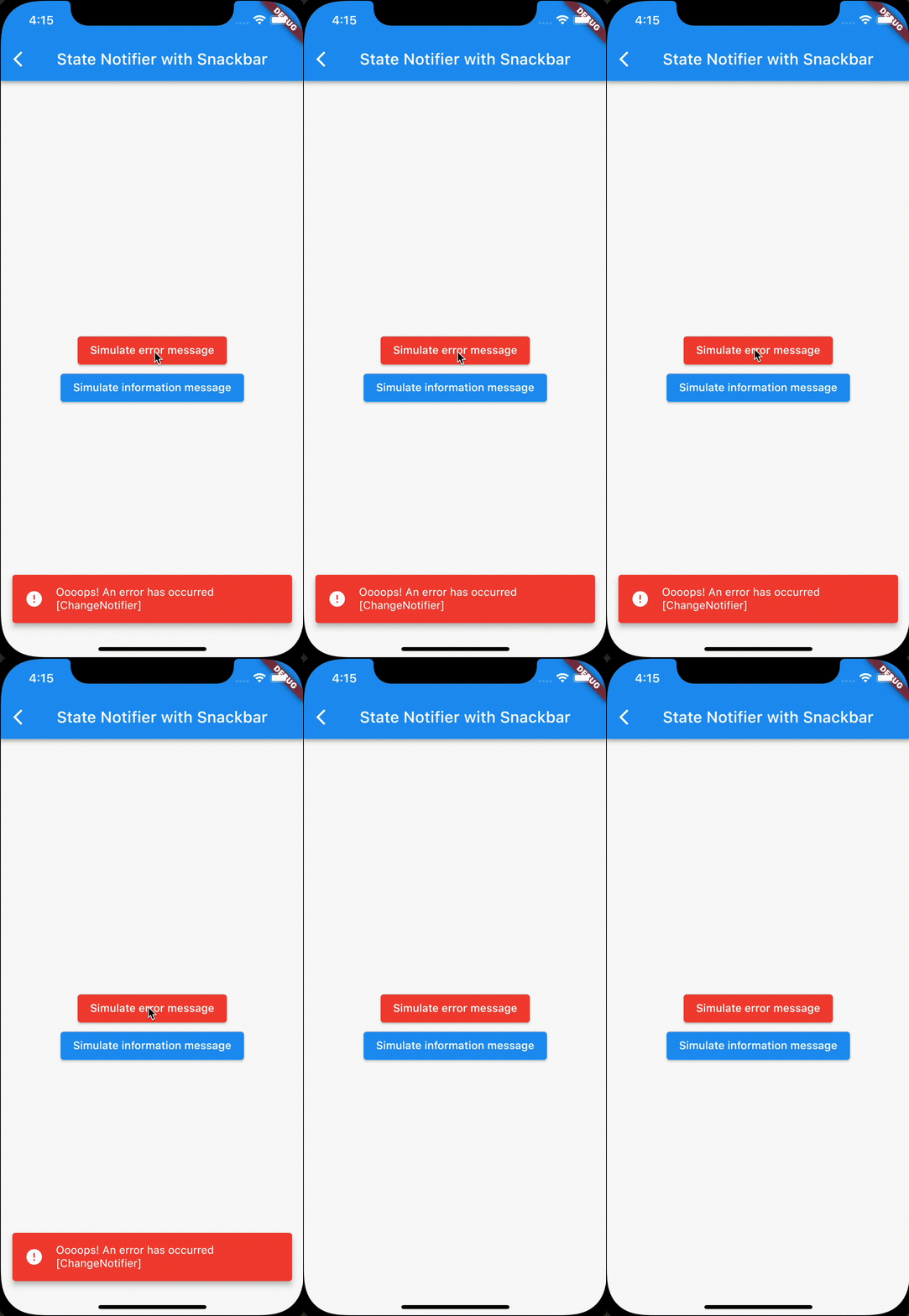
错误处理(本地或全局)
这个包有助于管理所有可以抛出的异常,例如我们的StateNotifiers 或 ChangeNotifiers 中的内部错误或 API 调用。
该包会自动监听 Notifier,并知道何时向用户显示消息。
我们可以使用任意数量的 MessageListener,因此我们可以为每个 Notifier 使用一个 MessageListener,或者通过创建一个合适的 Notifier 来进行全局错误处理,然后用 MessageListener 包裹整个应用程序。
应用内通知
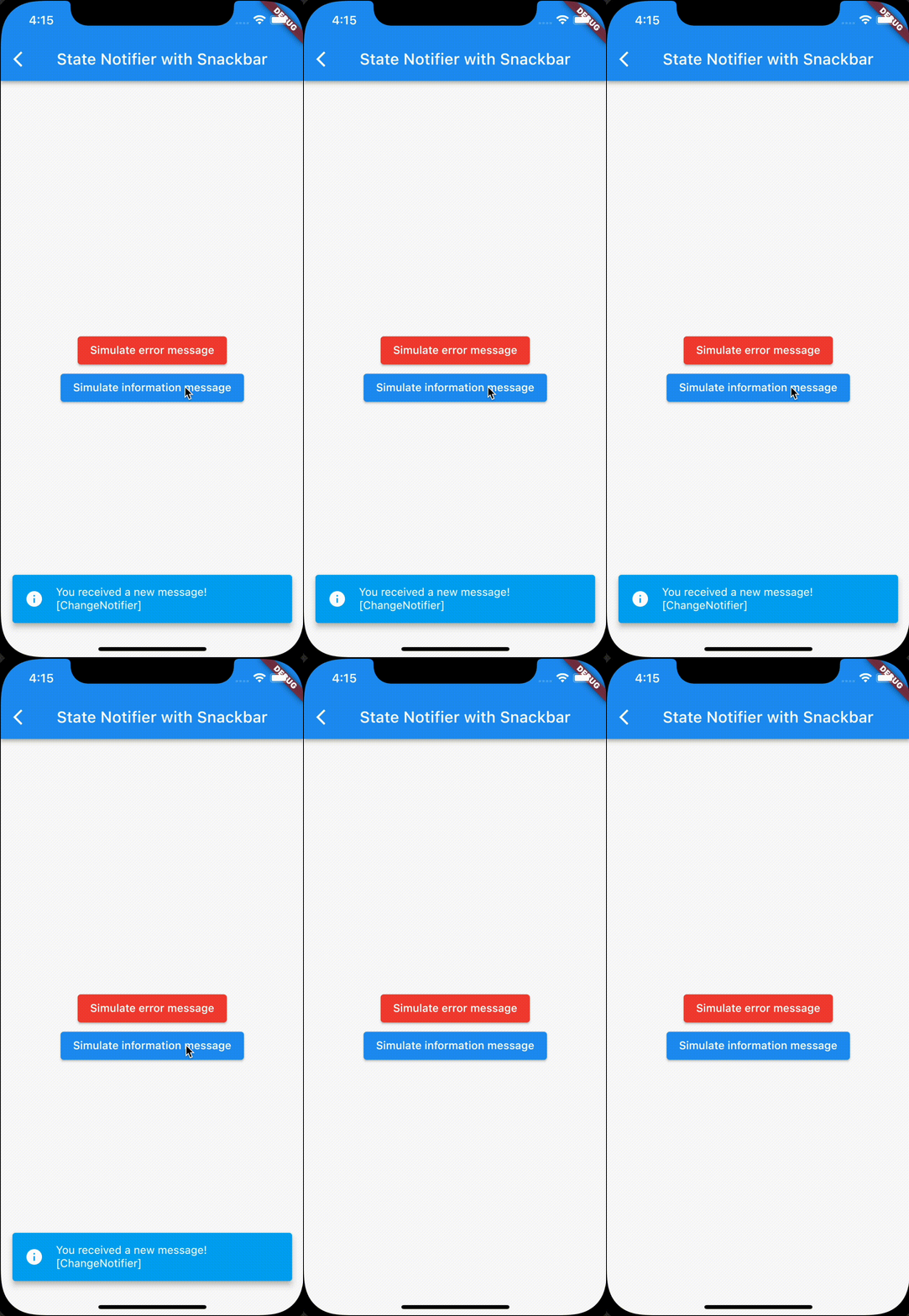
如果我们想从我们的 Notifier 向用户发送成功消息或通知,这个包可以帮助我们。感谢 Riverpod,无论我们从哪里发送消息,都会显示给用户。
工作原理
这个包暴露了一个小部件,即 MessageListener,它要求我们提供一个 provider,可以是 StateNotifierProvider 或 ChangeNotifierProvider,并为我们提供了两种方法,在发生错误或生成信息消息时执行操作。
内部此小部件会查找名为“error”的变量来显示错误,以及名为“info”的变量来显示信息,它会在 StateNotifier 的情况下搜索 State 中的该变量,或在 ChangeNotifier 的情况下搜索类中的该变量。
此行为可以通过 MessageListener 公开的“errorExtractor”和
“infoExtractor”方法来自定义,我们可以通过这些方法告诉 MessageListener 如何搜索要显示的错误和信息。
这样,这个包就不会强制我们用 mixins 或抽象类来编写 State/Change Notifiers,而是尝试自动查找要显示的消息。
UI
该包已经提供了 MessageListener 小部件的两个实现
- MessageSnackbarListener 将使用 Snackbar 来显示消息。
- MessageOverlayListener 将使用 Overlay API 来显示消息。
当然,如果你想使用其他方式显示消息,可以 fork 并发送 PR!这仅仅是包裹 MessageListener 并自定义 showError 和 showInfo 方法!
示例
您可以下载该项目并在其中运行示例项目
StateNotifier
这是一个 StateNotifier 示例
class ExampleStateNotifierState {
  final String? error;
  final String? info;
  /// .... other properties of the state
  final bool loading;

  const ExampleStateNotifierState({this.loading = false, this.error, this.info});

  ExampleStateNotifierState copyWith({
    String? error,
    String? info,
    bool? loading
  }) {
    return ExampleStateNotifierState(
      error: error ?? this.error,
      info: info ?? this.info,
      loading: loading ?? this.loading
    );
  }

}

class ExampleStateNotifier extends StateNotifier<ExampleStateNotifierState> {
  ExampleStateNotifier(): super(const ExampleStateNotifierState());

  Future<void> simulateError() async {
    state = state.copyWith(loading: true, error: '');

    // simulate a job
    await Future.delayed(const Duration(seconds: 1));

    state = state.copyWith(loading: false, error: 'Ooops! An error has occurred! [StateNotifier]');
  }

  Future<void> simulateInfo() async {
    state = state.copyWith(loading: true, info: '');

    // simulate a job
    await Future.delayed(const Duration(seconds: 1));
    state = state.copyWith(loading: false, info: 'You received a new message! [StateNotifier]');
  }
}

final exampleStateNotifierProvider = StateNotifierProvider<ExampleStateNotifier, ExampleStateNotifierState>((_) => ExampleStateNotifier());
然后在你的页面中
class StateNotifierSnackbarPage extends ConsumerWidget {
  const StateNotifierSnackbarPage({Key? key}) : super(key: key);

  @override
  Widget build(BuildContext context, WidgetRef ref) {
    return Scaffold(
        appBar: AppBar(
          title: const Text('State Notifier with Snackbar'),
        ),
        body: MessageSnackbarListener( // This is the listener
            provider: exampleStateNotifierProvider,
            child: Center(
                child: Column(mainAxisSize: MainAxisSize.min, children: [
              ElevatedButton(
                  child: const Text('Simulate error message'),
                  style: ElevatedButton.styleFrom(primary: Colors.red),
                  onPressed: () {
                    ref.read(exampleStateNotifierProvider.notifier).simulateError();
                  }),
              ElevatedButton(
                  child: const Text('Simulate information message'),
                  onPressed: () {
                    ref.read(exampleStateNotifierProvider.notifier).simulateInfo();
                  }),
              ref.watch(exampleStateNotifierProvider.select((value) => value.loading))
                  ? const CircularProgressIndicator()
                  : Container()
            ]))));
  }
}


