
响应式小部件前缀允许您为需要缩放或字体大小增加的任何小部件添加“响应式”前缀(以适应不同的设备屏幕尺寸)。
特点
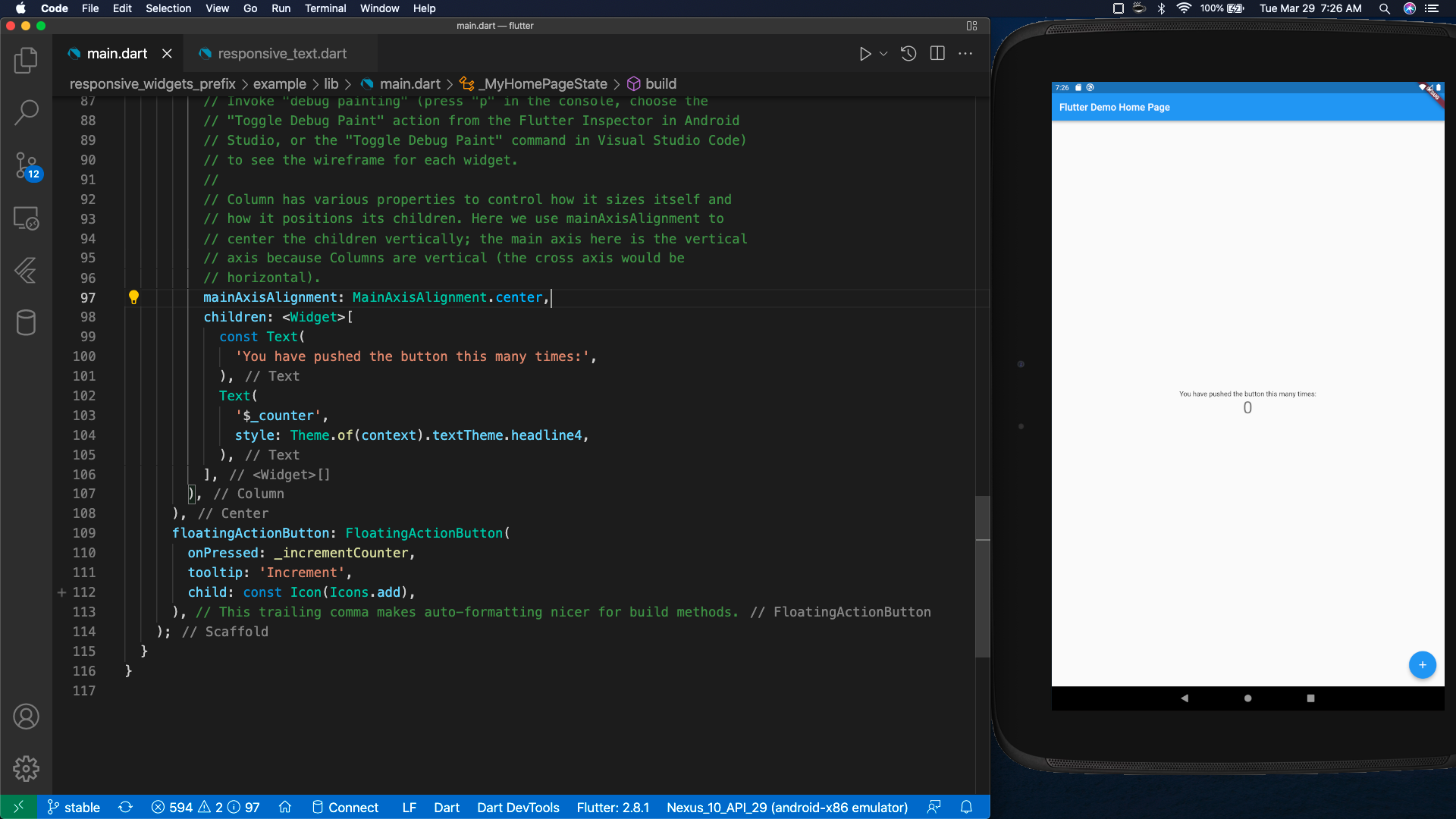
当不使用响应式小部件时,您可能会遇到缩放问题,例如:
非响应式文本
          ...
          children: <Widget>[
            Text(
              'You have pushed the button this many times:',
            ),
            Text(
              '$_counter',
              style: Theme.of(context).textTheme.headline4,
            ),
          ],
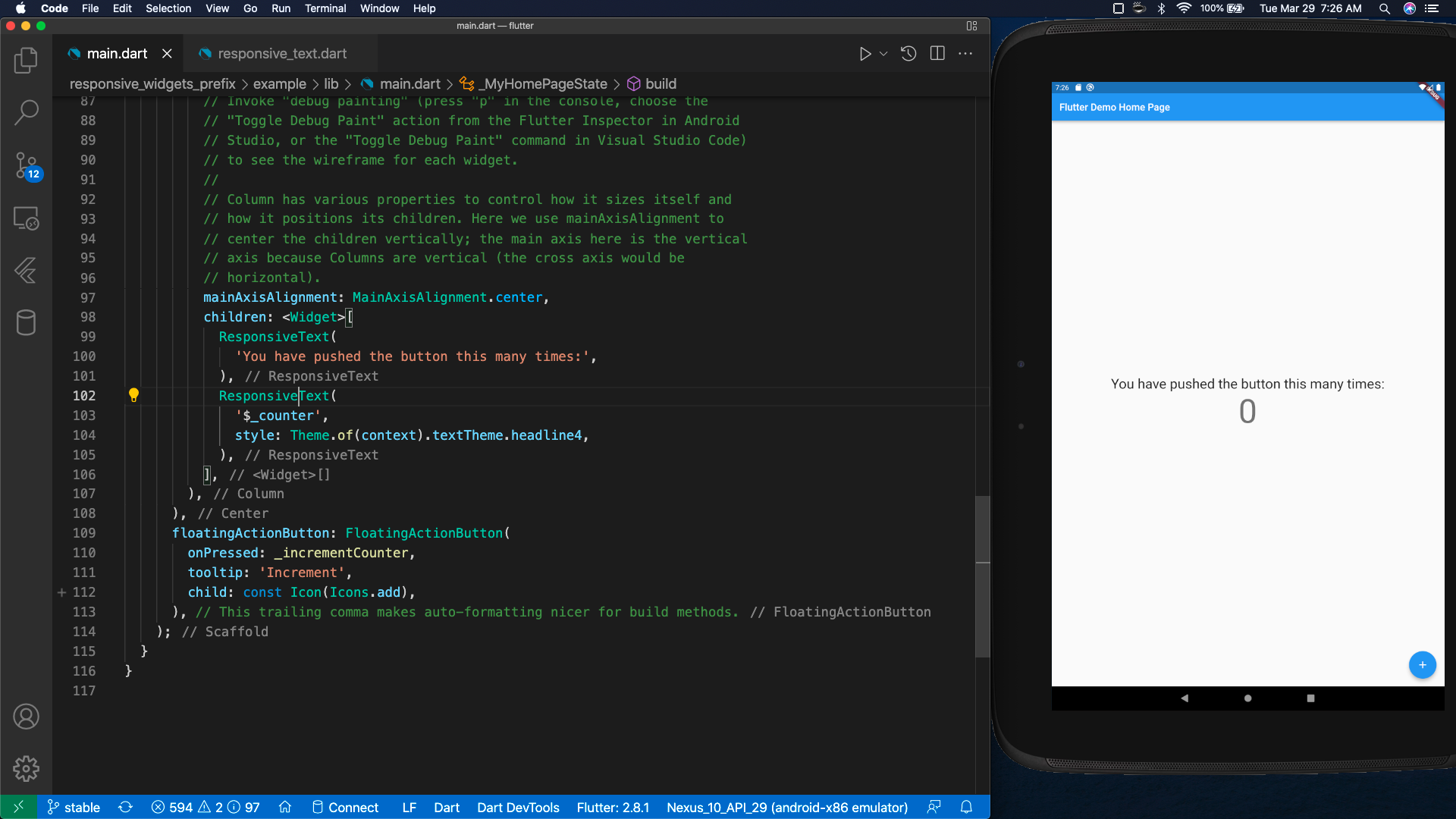
默认响应式文本
          ...
          children: <Widget>[
            ResponsiveText(
              'You have pushed the button this many times:',
            ),
            ResponsiveText(
              '$_counter',
              style: Theme.of(context).textTheme.headline4,
            ),
          ],
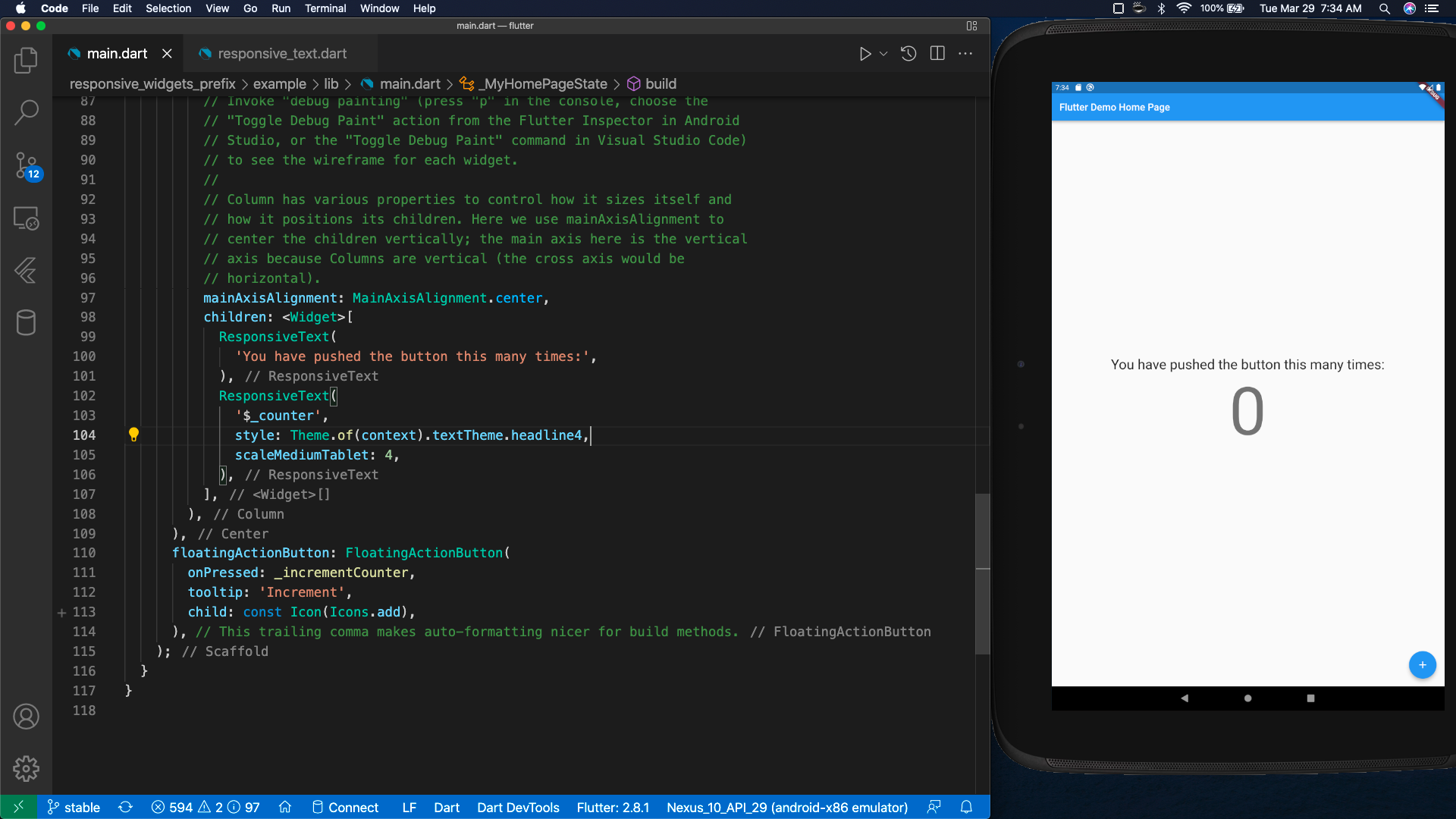
自定义响应式文本 (scaleMediumTablet)
          ...
          children: <Widget>[
            ResponsiveText(
              'You have pushed the button this many times:',
            ),
            ResponsiveText(
              '$_counter',
              style: Theme.of(context).textTheme.headline4,
              scaleMediumTablet: 4,
            ),
          ],
注意:以下小部件目前受支持,但我们欢迎 提供新响应式小部件的请求。
| 视觉 | 结构性 | 交互式 | 平台 |
|---|---|---|---|
| AssetImage | Container | IconButton | MaterialApp |
| 文本 | Padding | FloatingActionButton | CupertinoApp |
| Card | ButtonTheme | AppBar | |
| Icon | |||
入门
安装响应式小部件前缀
flutter pub get responsive_widgets_prefix
或在 pubspec.yaml 中安装响应式小部件前缀
    ...

dependencies:
  flutter:
    sdk: flutter

    ...

  responsive_widgets_prefix: <latest_version>
添加响应式小部件前缀导入
import 'package:responsive_widgets_prefix/responsive_widgets_prefix.dart';
最后,创建一个响应式应用
对于 MaterialApp,您只需要添加 Responsive 前缀即可。
  // This widget is the root of your application.
  @override
  Widget build(BuildContext context) {
    return ResponsiveMaterialApp(
      title: 'Flutter Demo',
      theme: ThemeData(
        // This is the theme of your application.
        //
        // Try running your application with "flutter run". You'll see the
        // application has a blue toolbar. Then, without quitting the app, try
        // changing the primarySwatch below to Colors.green and then invoke
        // "hot reload" (press "r" in the console where you ran "flutter run",
        // or simply save your changes to "hot reload" in a Flutter IDE).
        // Notice that the counter didn't reset back to zero; the application
        // is not restarted.
        primarySwatch: Colors.blue,
      ),
      home: const MyHomePage(title: 'Flutter Demo Home Page'),
    );
  }
}
注意:或者,如果您使用的是 CupertinoApp,也可以添加相同的 Responsive 前缀。
  // This widget is the root of your application.
  @override
  Widget build(BuildContext context) {
    return ResponsiveCupertinoApp(
      title: 'Flutter Demo',
      theme: CupertinoThemeData(
        // This is the theme of your application.
        //
        // Try running your application with "flutter run". You'll see the
        // application has a blue toolbar. Then, without quitting the app, try
        // changing the primaryColor below to Colors.green and then invoke
        // "hot reload" (press "r" in the console where you ran "flutter run",
        // or simply save your changes to "hot reload" in a Flutter IDE).
        // Notice that the counter didn't reset back to zero; the application
        // is not restarted.
        primaryColor: Colors.blue,
      ),
      home: const MyHomePage(title: 'Flutter Demo Home Page'),
    );
  }
}
用法
我们的第一个示例将是 Counter Sample 项目。通过这个项目,我们可以集成响应式小部件前缀来为适当的屏幕尺寸缩放 UI(并预览结果)。
创建 platforms 文件 (lib/platforms.dart)
import 'package:flutter/cupertino.dart';
import 'package:flutter/material.dart';

class PlatformApp extends PlatformWidget {

  PlatformApp({
    Key? key,
    required MaterialApp androidApp,
    required CupertinoApp iosApp,
    required TargetPlatform defaultPlatform,
  }) : super(key: key,
      androidBuilder: (BuildContext context) => androidApp,
      iosBuilder:  (BuildContext context) => iosApp
    ) {
      PlatformWidget.setPlatform(defaultPlatform);
  }

}

class PlatformWidget extends StatefulWidget {

  static TargetPlatform? _defaultPlatform;

  static get platform {
      if(_defaultPlatform == null) {
        return TargetPlatform.android;
      }
      return _defaultPlatform;
  }

  static get isAndroid {
      return _defaultPlatform == TargetPlatform.android;
  }

  static get isIOS {
      return _defaultPlatform == TargetPlatform.iOS;
  }

  static void setPlatform(TargetPlatform platform) {
      _defaultPlatform = platform;
  }

  static void reassembleApplication() {
      WidgetsBinding.instance!.reassembleApplication();
  }

  const PlatformWidget({
    Key? key,
    required this.androidBuilder,
    required this.iosBuilder,
  }) : super(key: key);

  final WidgetBuilder androidBuilder;
  final WidgetBuilder iosBuilder;

  @override
  State<PlatformWidget> createState() => _PlatformWidgetState();
}

class _PlatformWidgetState extends State<PlatformWidget> {
  @override
  Widget build(context) {
    switch (PlatformWidget._defaultPlatform) {
      case TargetPlatform.android:
        return widget.androidBuilder(context);
      case TargetPlatform.iOS:
        return widget.iosBuilder(context);
      default:
        assert(false, 'Unexpected platform ${PlatformWidget._defaultPlatform}');
        return Container();
    }
  }
}
创建 main 文件 (lib/main.dart)
import 'package:flutter/cupertino.dart';
import 'package:flutter/material.dart';
import 'package:responsive_widgets_prefix/responsive_widgets_prefix.dart';

import 'platforms.dart';

void main() => runApp(setupMainWidget());

Widget setupMainWidget() {
  WidgetsFlutterBinding.ensureInitialized();
  return const MyApp();
}
class MyApp extends StatelessWidget {
  const MyApp({Key? key}) : super(key: key);

  @override Widget build(BuildContext context) {
    return PlatformApp(
        defaultPlatform: PlatformWidget.platform,
        androidApp: ResponsiveMaterialApp(
          theme: ThemeData(primarySwatch: Colors.blue),
          home: const MyHomePage(title: 'Counter Sample')
        ),
        iosApp: ResponsiveCupertinoApp(
            theme: const CupertinoThemeData(primaryColor: Colors.blue),
            home: const MyHomePage(title: 'Counter Sample'),
        )
    );
  }
}

class MyHomePage extends StatefulWidget {
  final String title;
  const MyHomePage({Key? key, required this.title}) : super(key: key);
  @override State<MyHomePage> createState() => _MyHomePageState();
}

class _MyHomePageState extends State<MyHomePage> {
  int _counter = 0;

  void _incrementCounter() {
    setState(() {
      _counter++;
    });
  }
  @override Widget build(BuildContext context) {
    return Scaffold(
      appBar: AppBar(title: Text(widget.title)),
      body: Center(
        child: Column(
          mainAxisAlignment: MainAxisAlignment.center,
          children: <Widget>[
            ResponsiveText('You have pushed the button this many times:'),
            ResponsiveText('$_counter', style: Theme.of(context).textTheme.headline4, scaleMediumTablet: 4),
          ],
        ),
      ),
      floatingActionButton: FloatingActionButton(
        onPressed: _incrementCounter, tooltip: 'Increment', child: const Icon(Icons.add),
      ),
    );
  }
}
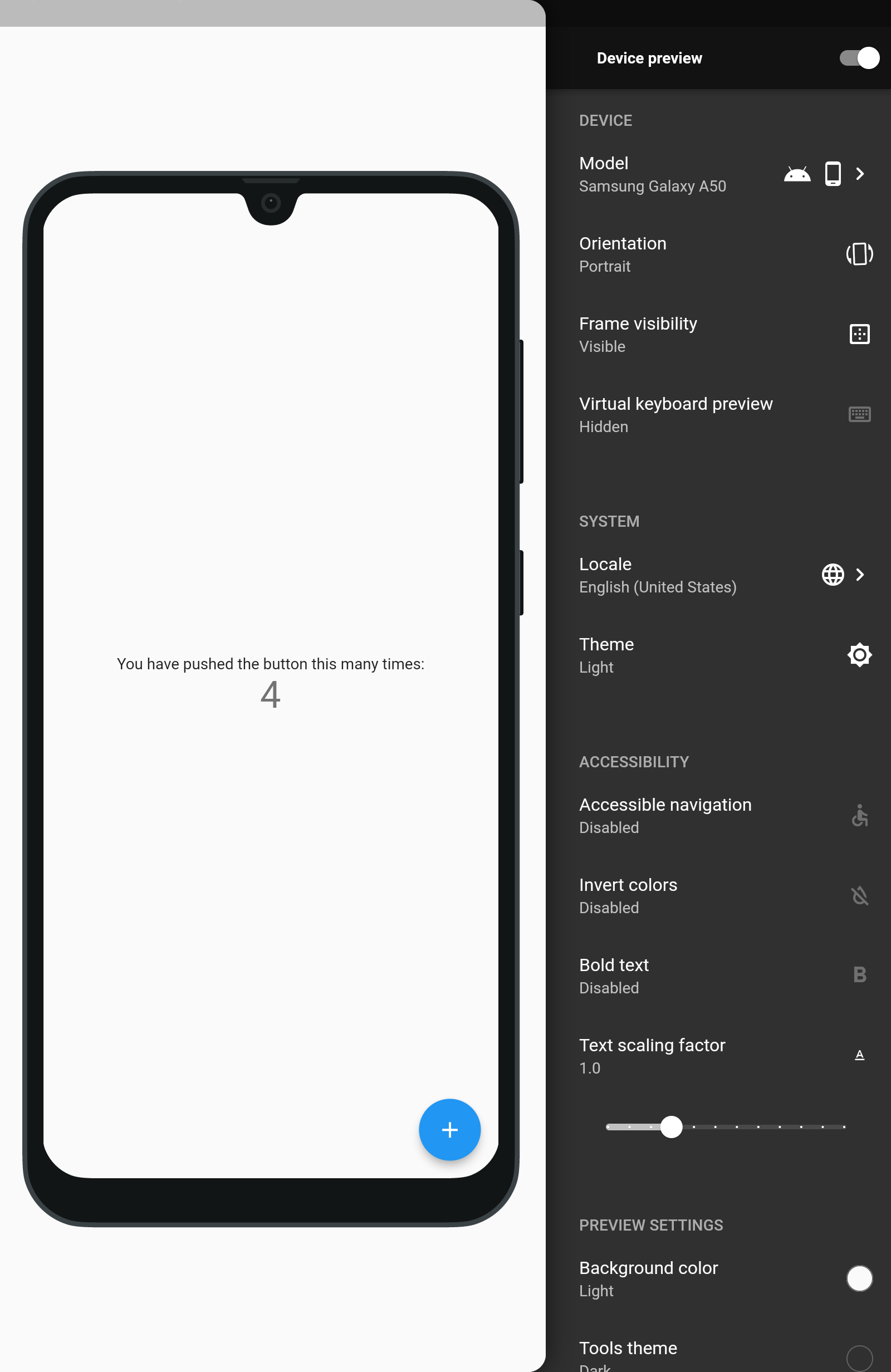
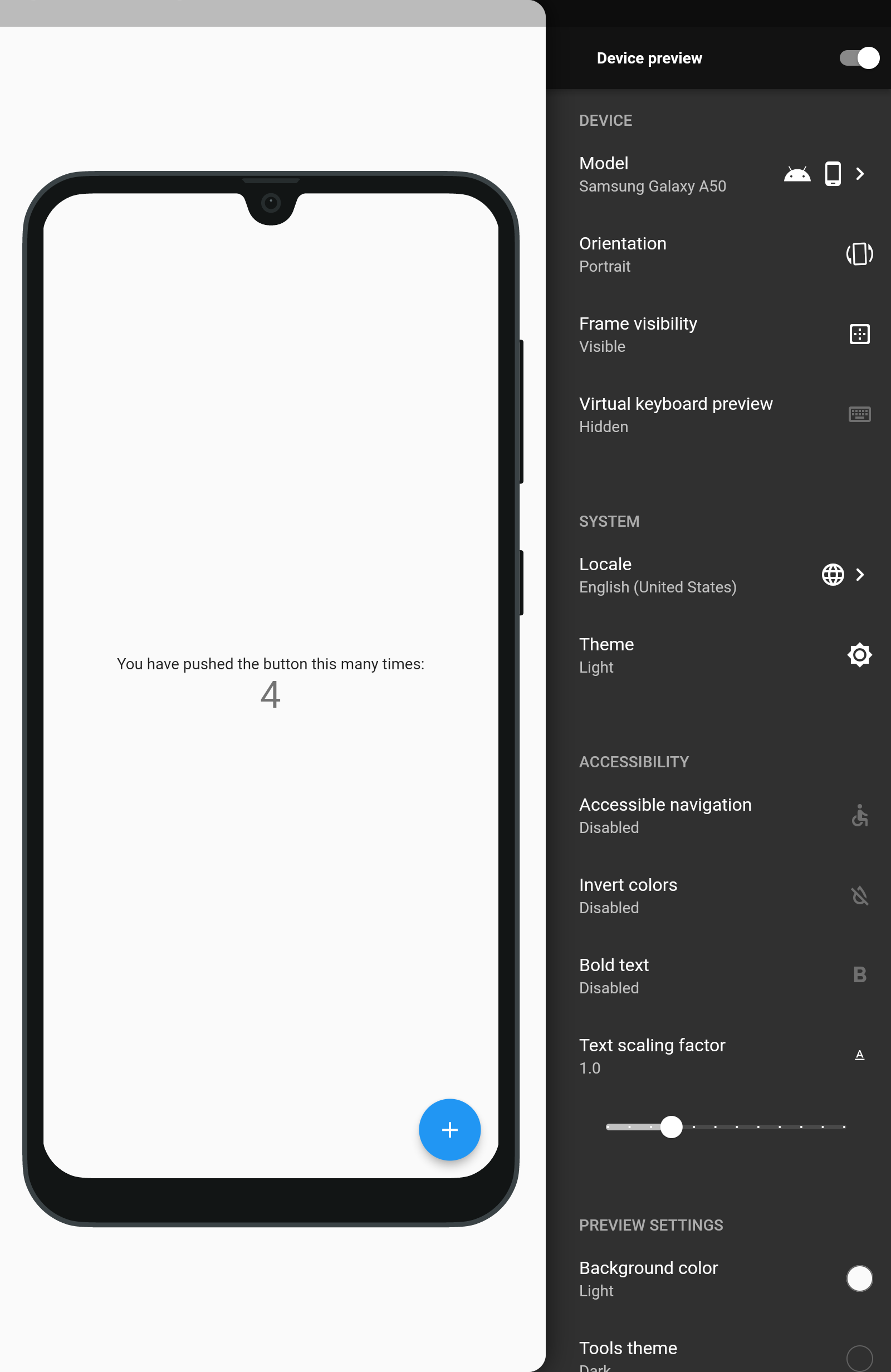
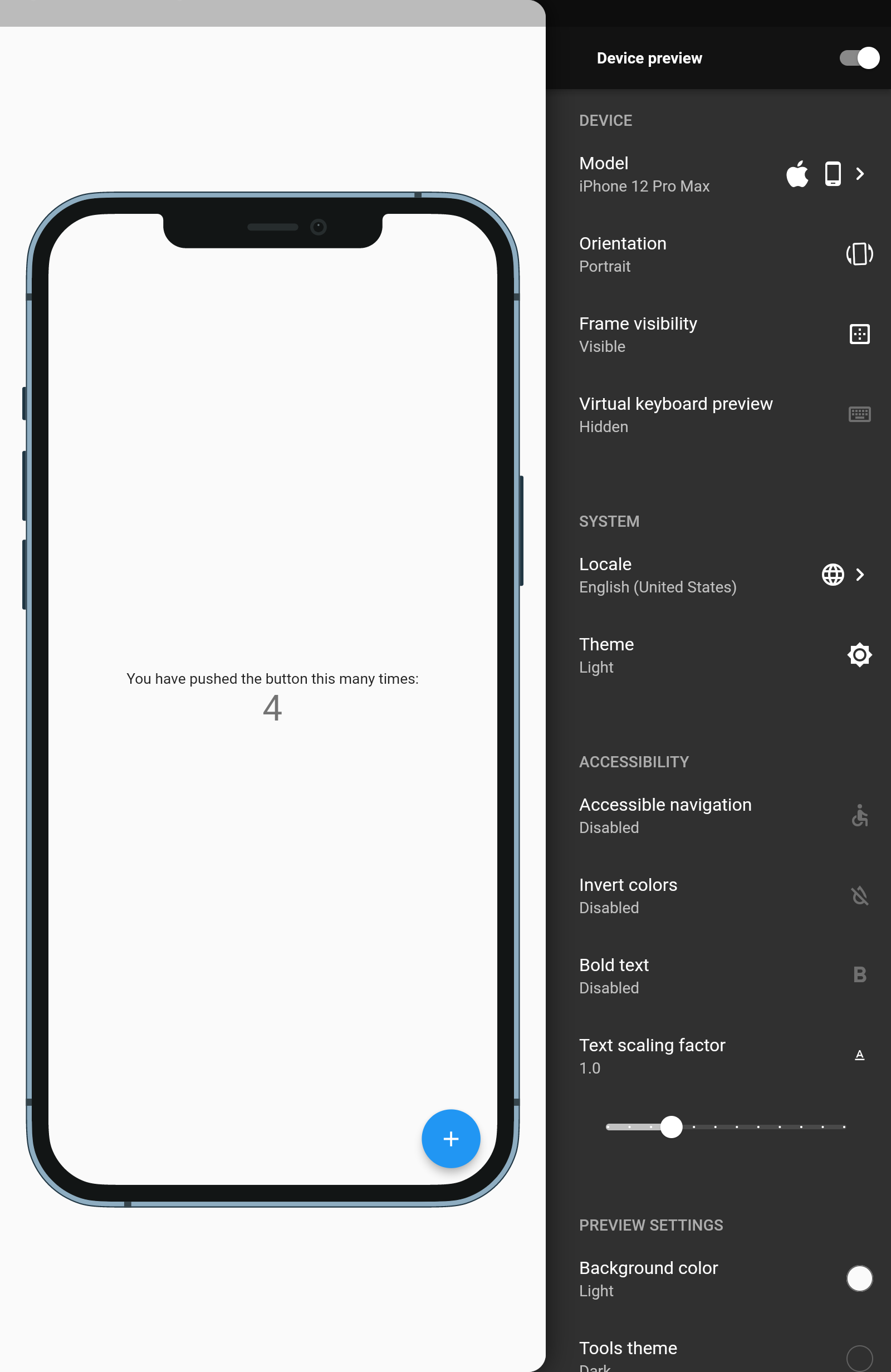
比较结果如下:
 |
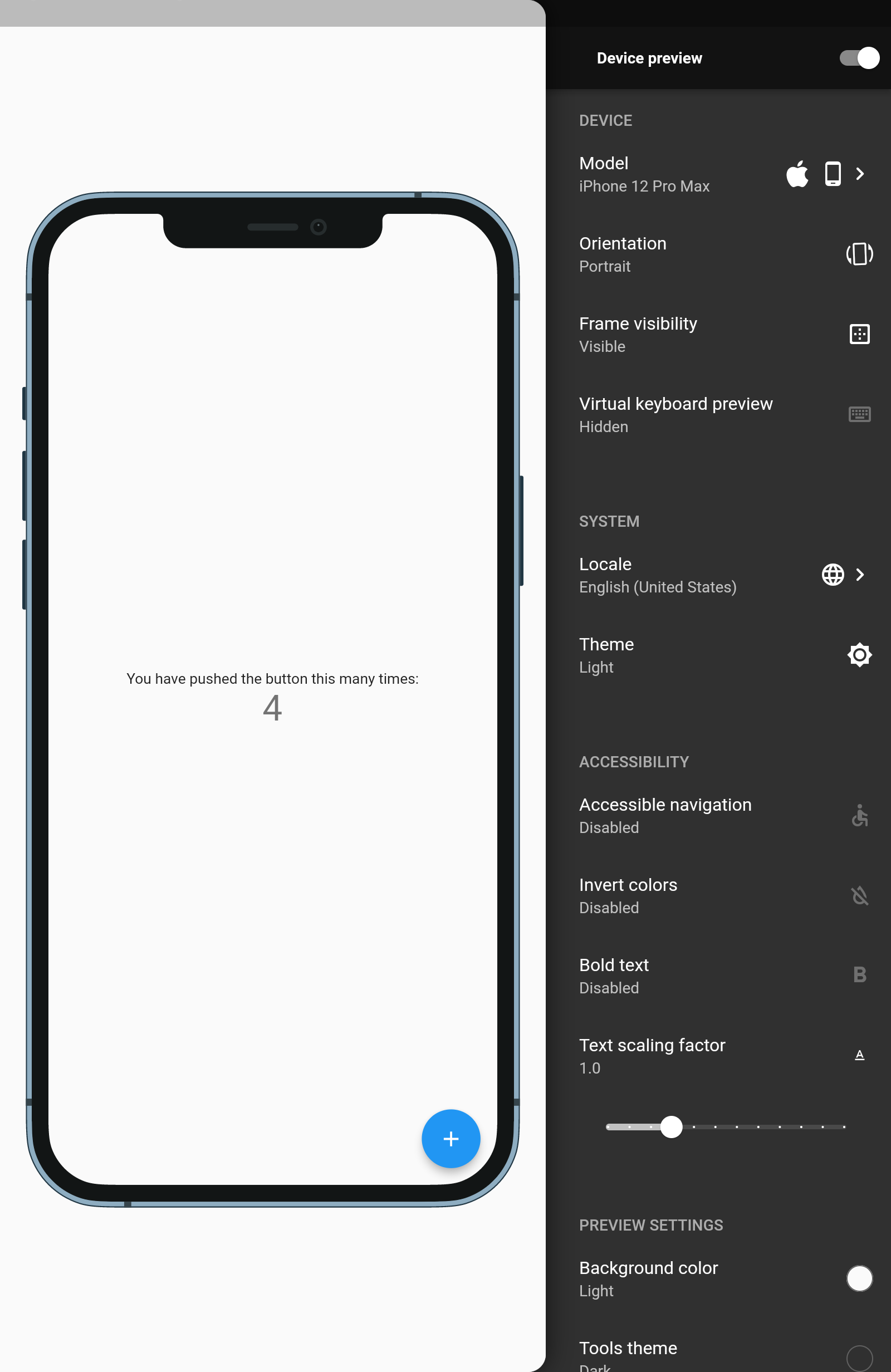 |
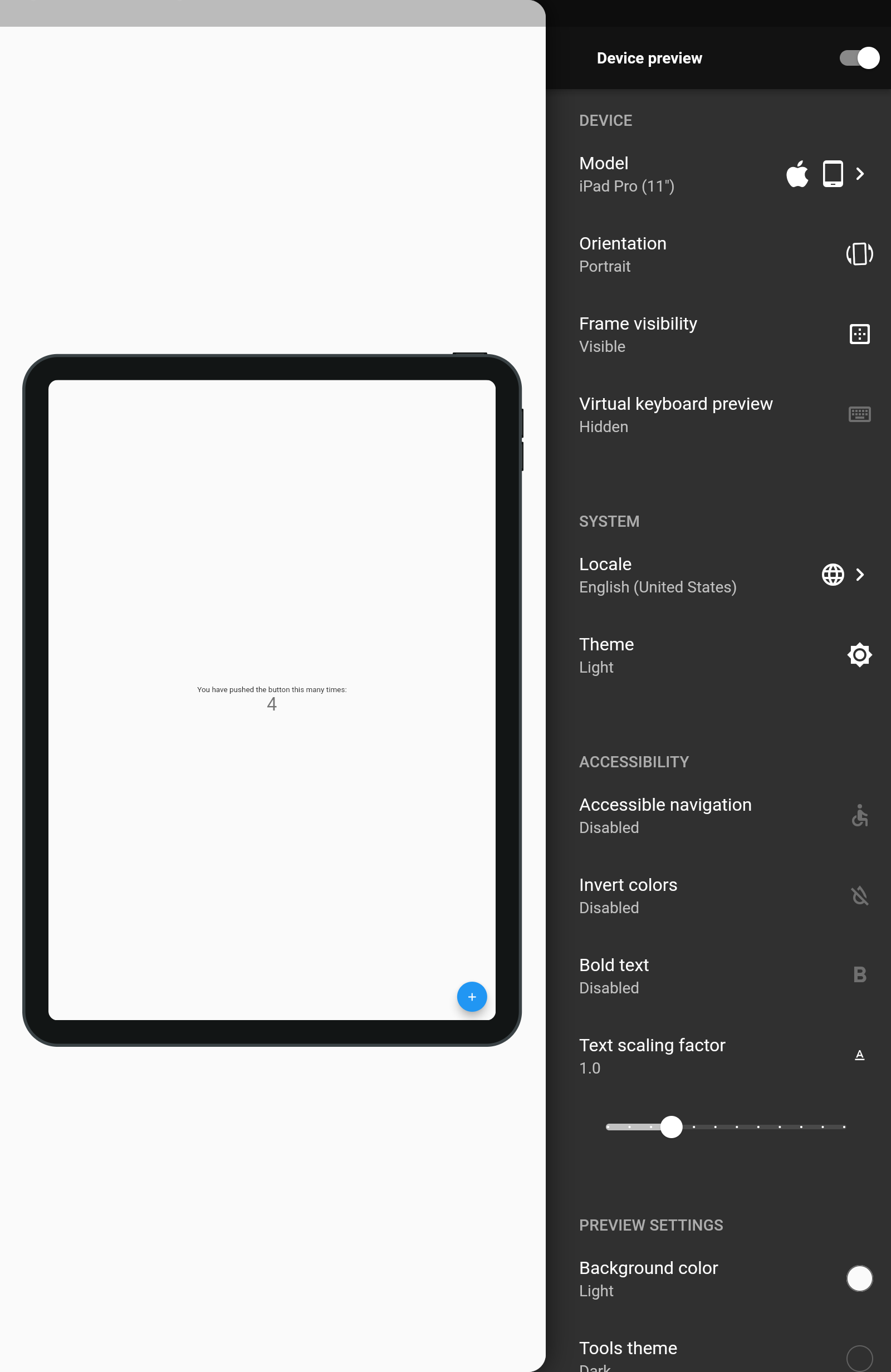 |
|
三星 A50 |
iPhone 12 Max Pro |
iPad Pro 11 英寸 |
 |
 |
 |
附加信息
包支持
要支持此存储库,请查看 SUPPORT.md 文件。
包文档
要查看包的文档,请点击此链接


