
可重排控件
可重排的表格、行、列、流式布局和 sliver 列表,允许拖放子项。
各种可重排(也称为拖放)的 Flutter 小部件,包括可重排的表格、行、列、流式布局和 Sliver 列表,使它们的子项可拖动并在小部件内重新排序。父小部件只需提供一个 `onReorder` 函数,该函数在被重排的子项的旧索引和新索引时被调用。
用法
要使用此 package,请在您的 `pubspec.yaml` 文件中将 `reorderables` 添加为 依赖项。
dependencies:
  reorderables:
并在您的代码中导入该包。
import 'package:reorderables/reorderables.dart';
示例
此包包含 `ReorderableSliverList`、`ReorderableTable`、`ReorderableWrap`、`ReorderableRow` 和 `ReorderableColumn`,它们分别是 Flutter 的 `SliverList`、`Table`、`Wrap`、`Row` 和 `Column` 的可重排版本。



ReorderableSliverList
`ReorderableSliverList` 的行为与 `SliverList` 完全相同,但其子项是可拖动的。
要使 `SliverList` 可重排,请将其替换为 `ReorderableSliverList`,并将 `SliverChildListDelegate`/`SliverChildBuilderDelegate` 替换为 `ReorderableSliverChildListDelegate`/`ReorderableSliverChildBuilderDelegate`。
请确保包含 `ReorderableSliverList` 的 `ScrollView` 已附加了 `ScrollController`,否则在拖动列表项时会引发错误。
class _SliverExampleState extends State<SliverExample> {
  List<Widget> _rows;

  @override
  void initState() {
    super.initState();
    _rows = List<Widget>.generate(50,
        (int index) => Text('This is sliver child $index', textScaleFactor: 2)
    );
  }

  @override
  Widget build(BuildContext context) {
    void _onReorder(int oldIndex, int newIndex) {
      setState(() {
        Widget row = _rows.removeAt(oldIndex);
        _rows.insert(newIndex, row);
      });
    }
    // Make sure there is a scroll controller attached to the scroll view that contains ReorderableSliverList.
    // Otherwise an error will be thrown.
    ScrollController _scrollController = PrimaryScrollController.of(context) ?? ScrollController();

    return CustomScrollView(
      // A ScrollController must be included in CustomScrollView, otherwise
      // ReorderableSliverList wouldn't work
      controller: _scrollController,
      slivers: <Widget>[
        SliverAppBar(
          expandedHeight: 210.0,
          flexibleSpace: FlexibleSpaceBar(
            title: Text('ReorderableSliverList'),
            background: Image.network(
              'https://upload.wikimedia.org/wikipedia/commons/thumb/6/68/Yushan'
                '_main_east_peak%2BHuang_Chung_Yu%E9%BB%83%E4%B8%AD%E4%BD%91%2B'
                '9030.png/640px-Yushan_main_east_peak%2BHuang_Chung_Yu%E9%BB%83'
                '%E4%B8%AD%E4%BD%91%2B9030.png'),
          ),
        ),
        ReorderableSliverList(
          delegate: ReorderableSliverChildListDelegate(_rows),
          // or use ReorderableSliverChildBuilderDelegate if needed
//          delegate: ReorderableSliverChildBuilderDelegate(
//            (BuildContext context, int index) => _rows[index],
//            childCount: _rows.length
//          ),
          onReorder: _onReorder,
        )
      ],
    );
  }
}
ReorderableSliverList 演示
ReorderableTable
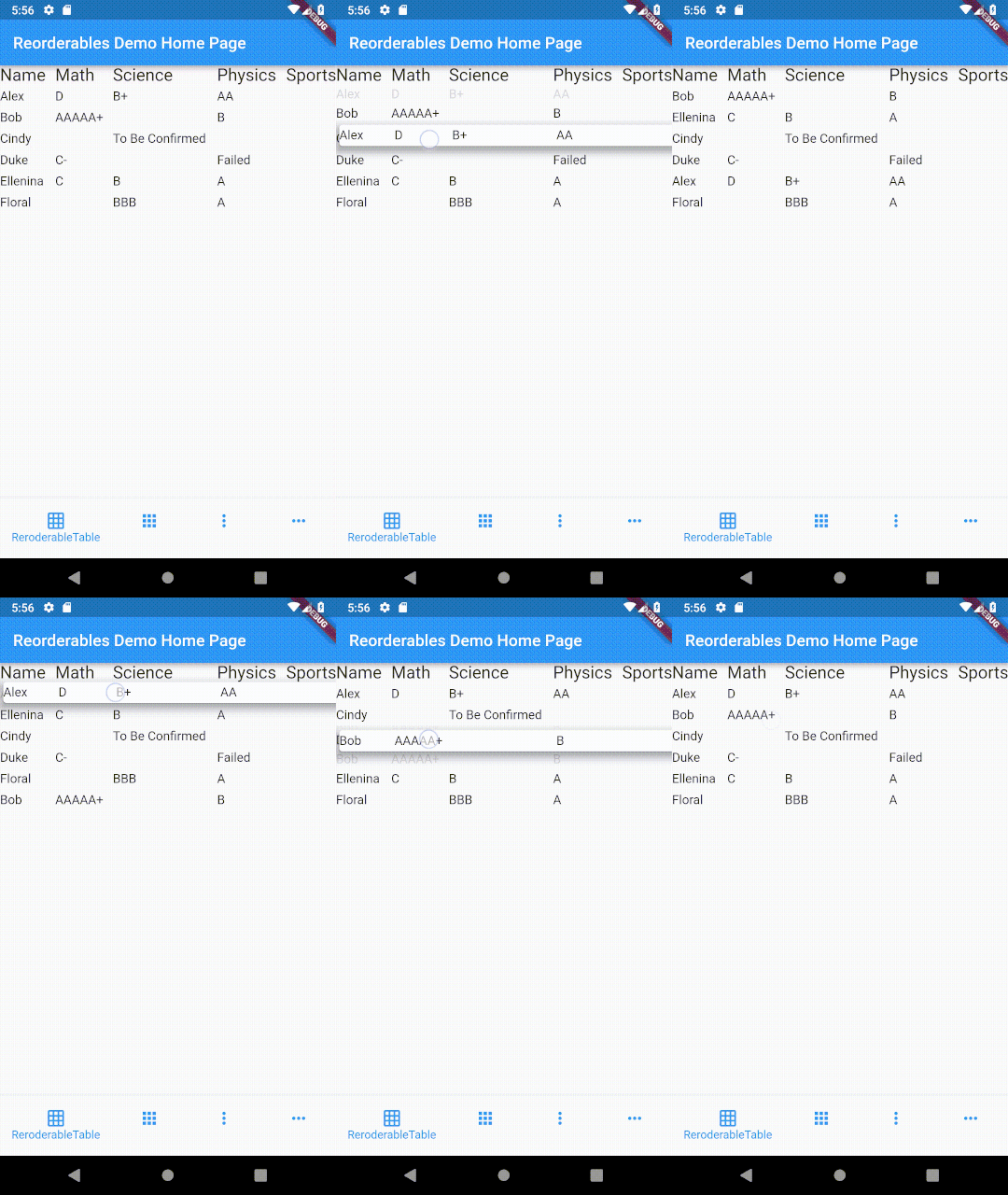
表格和列表的区别在于,表格中的单元格是水平对齐的,而在列表中,每个列表项可以包含子项,但这些子项与另一个列表项中的子项不对齐。
要使一行可拖动,需要将单元格包含在单个小部件中。这在使用 `Table` 或 `GridView` 小部件时无法实现,因为它们的子项是作为小部件的单元格而不是小部件的行进行布局的。
class _TableExampleState extends State<TableExample> {
  List<ReorderableTableRow> _itemRows;

  @override
  void initState() {
    super.initState();
    var data = [
      ['Alex', 'D', 'B+', 'AA', ''],
      ['Bob', 'AAAAA+', '', 'B', ''],
      ['Cindy', '', 'To Be Confirmed', '', ''],
      ['Duke', 'C-', '', 'Failed', ''],
      ['Ellenina', 'C', 'B', 'A', 'A'],
      ['Floral', '', 'BBB', 'A', 'A'],
    ];

    Widget _textWithPadding(String text) {
      return Padding(
        padding: EdgeInsets.symmetric(vertical: 4),
        child: Text(text, textScaleFactor: 1.1),
      );
    }

    _itemRows = data.map((row) {
      return ReorderableTableRow(
        //a key must be specified for each row
        key: ObjectKey(row),
        mainAxisSize: MainAxisSize.max,
        mainAxisAlignment: MainAxisAlignment.spaceBetween,
        children: <Widget>[
          _textWithPadding('${row[0]}'),
          _textWithPadding('${row[1]}'),
          _textWithPadding('${row[2]}'),
          _textWithPadding('${row[3]}'),
//          Text('${row[4]}'),
        ],
      );
    }).toList();
  }

  @override
  Widget build(BuildContext context) {
    var headerRow = ReorderableTableRow(
      mainAxisSize: MainAxisSize.max,
      mainAxisAlignment: MainAxisAlignment.spaceBetween,
      children: [
        Text('Name', textScaleFactor: 1.5),
        Text('Math', textScaleFactor: 1.5),
        Text('Science', textScaleFactor: 1.5),
        Text('Physics', textScaleFactor: 1.5),
        Text('Sports', textScaleFactor: 1.5)
      ]
    );

    void _onReorder(int oldIndex, int newIndex) {
      setState(() {
        ReorderableTableRow row = _itemRows.removeAt(oldIndex);
        _itemRows.insert(newIndex, row);
      });
    }

    return ReorderableTable(
      header: headerRow,
      children: _itemRows,
      onReorder: _onReorder,
    );
  }
}
在表格中,每行的单元格与其它行的单元格在列的基础上对齐,
而在列表视图的行中,单元格不与其它行对齐。
ReorderableTable 演示
ReorderableWrap
除了 `Wrap` 算法中的基于大小的策略外,此小部件还可以限制每个运行中的子项的最小和最大数量。有关更多详细信息,请参阅 API 参考。
*自 v0.2.5 起,`ReorderableWrap` 的子项不再需要显式指定 key。
class _WrapExampleState extends State<WrapExample> {
  final double _iconSize = 90;
  List<Widget> _tiles;

  @override
  void initState() {
    super.initState();
    _tiles = <Widget>[
      Icon(Icons.filter_1, size: _iconSize),
      Icon(Icons.filter_2, size: _iconSize),
      Icon(Icons.filter_3, size: _iconSize),
      Icon(Icons.filter_4, size: _iconSize),
      Icon(Icons.filter_5, size: _iconSize),
      Icon(Icons.filter_6, size: _iconSize),
      Icon(Icons.filter_7, size: _iconSize),
      Icon(Icons.filter_8, size: _iconSize),
      Icon(Icons.filter_9, size: _iconSize),
    ];
  }

  @override
  Widget build(BuildContext context) {
    void _onReorder(int oldIndex, int newIndex) {
      setState(() {
        Widget row = _tiles.removeAt(oldIndex);
        _tiles.insert(newIndex, row);
      });
    }

    var wrap = ReorderableWrap(
      spacing: 8.0,
      runSpacing: 4.0,
      padding: const EdgeInsets.all(8),
      children: _tiles,
      onReorder: _onReorder,
       onNoReorder: (int index) {
        //this callback is optional
        debugPrint('${DateTime.now().toString().substring(5, 22)} reorder cancelled. index:$index');
      },
      onReorderStarted: (int index) {
        //this callback is optional
        debugPrint('${DateTime.now().toString().substring(5, 22)} reorder started: index:$index');
      }
    );

    var column = Column(
      crossAxisAlignment: CrossAxisAlignment.start,
      children: <Widget>[
        wrap,
        ButtonBar(
          alignment: MainAxisAlignment.start,
          children: <Widget>[
            IconButton(
              iconSize: 50,
              icon: Icon(Icons.add_circle),
              color: Colors.deepOrange,
              padding: const EdgeInsets.all(0.0),
              onPressed: () {
                var newTile = Icon(Icons.filter_9_plus, size: _iconSize);
                setState(() {
                  _tiles.add(newTile);
                });
              },
            ),
            IconButton(
              iconSize: 50,
              icon: Icon(Icons.remove_circle),
              color: Colors.teal,
              padding: const EdgeInsets.all(0.0),
              onPressed: () {
                setState(() {
                  _tiles.removeAt(0);
                });
              },
            ),
          ],
        ),
      ],
    );

    return SingleChildScrollView(
      child: column,
    );

  }
}
ReorderableWrap 演示
嵌套的 ReorderableWrap
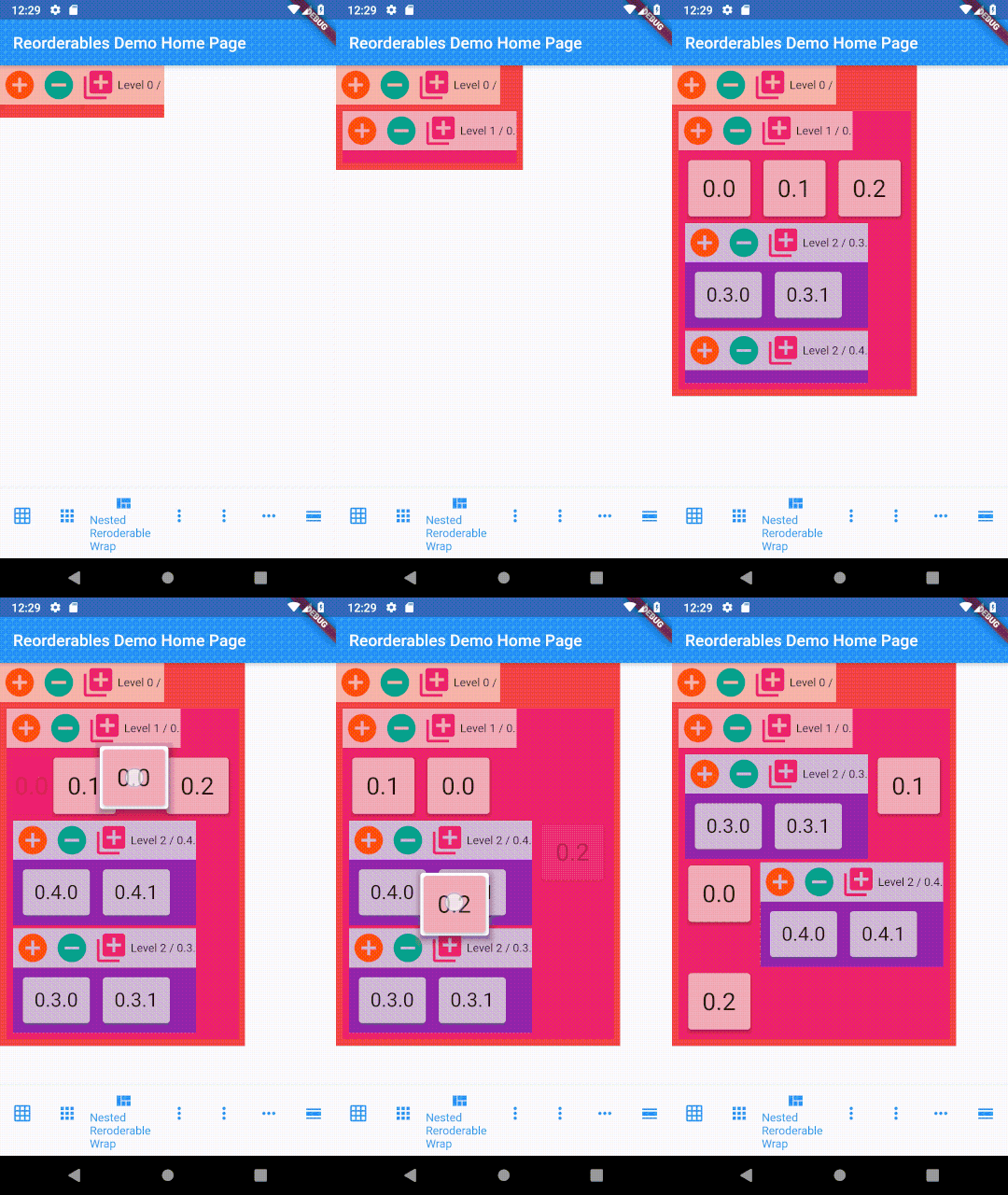
也可以嵌套多个级别的 `ReorderableWrap`。有关完整的示例代码,请参阅 `example/lib/nested_wrap_example.dart`。
class _NestedWrapExampleState extends State<NestedWrapExample> {
//  List<Widget> _tiles;
  Color _color;
  Color _colorBrighter;

  @override
  void initState() {
    super.initState();
    _color = widget.color ?? Colors.primaries[widget.depth % Colors.primaries.length];
    _colorBrighter = Color.lerp(_color, Colors.white, 0.6);
  }

  @override
  Widget build(BuildContext context) {
    void _onReorder(int oldIndex, int newIndex) {
      setState(() {
        widget._tiles.insert(newIndex, widget._tiles.removeAt(oldIndex));
      });
    }

    var wrap = ReorderableWrap(
      spacing: 8.0,
      runSpacing: 4.0,
      padding: const EdgeInsets.all(8),
      children: widget._tiles,
      onReorder: _onReorder
    );

    var buttonBar = Container(
      color: _colorBrighter,
      child: Row(
        mainAxisSize: MainAxisSize.min,
        mainAxisAlignment: MainAxisAlignment.start,
        children: <Widget>[
          IconButton(
            iconSize: 42,
            icon: Icon(Icons.add_circle),
            color: Colors.deepOrange,
            padding: const EdgeInsets.all(0.0),
            onPressed: () {
              setState(() {
                widget._tiles.add(
                  Card(
                    child: Container(
                      child: Text('${widget.valuePrefix}${widget._tiles.length}', textScaleFactor: 3 / math.sqrt(widget.depth + 1)),
                      padding: EdgeInsets.all((24.0 / math.sqrt(widget.depth + 1)).roundToDouble()),
                    ),
                    color: _colorBrighter,
                    elevation: 3,
                  )
                );
              });
            },
          ),
          IconButton(
            iconSize: 42,
            icon: Icon(Icons.remove_circle),
            color: Colors.teal,
            padding: const EdgeInsets.all(0.0),
            onPressed: () {
              setState(() {
                widget._tiles.removeAt(0);
              });
            },
          ),
          IconButton(
            iconSize: 42,
            icon: Icon(Icons.add_to_photos),
            color: Colors.pink,
            padding: const EdgeInsets.all(0.0),
            onPressed: () {
              setState(() {
                widget._tiles.add(NestedWrapExample(depth: widget.depth + 1, valuePrefix: '${widget.valuePrefix}${widget._tiles.length}.',));
              });
            },
          ),
          Text('Level ${widget.depth} / ${widget.valuePrefix}'),
        ],
      )
    );

    var column = Column(
      crossAxisAlignment: CrossAxisAlignment.start,
      children: [
        buttonBar,
        wrap,
      ]
    );

    return SingleChildScrollView(
      child: Container(child: column, color: _color,),
    );
  }
}
嵌套 ReorderableWrap 演示
ReorderableColumn 示例 #1
class _ColumnExample1State extends State<ColumnExample1> {
  List<Widget> _rows;

  @override
  void initState() {
    super.initState();
    _rows = List<Widget>.generate(50,
        (int index) => Text('This is row $index', key: ValueKey(index), textScaleFactor: 1.5)
    );
  }

  @override
  Widget build(BuildContext context) {
    void _onReorder(int oldIndex, int newIndex) {
      setState(() {
        Widget row = _rows.removeAt(oldIndex);
        _rows.insert(newIndex, row);
      });
    }

    return ReorderableColumn(
      header: Text('THIS IS THE HEADER ROW'),
      footer: Text('THIS IS THE FOOTER ROW'),
      crossAxisAlignment: CrossAxisAlignment.start,
      children: _rows,
      onReorder: _onReorder,
    );
  }
}
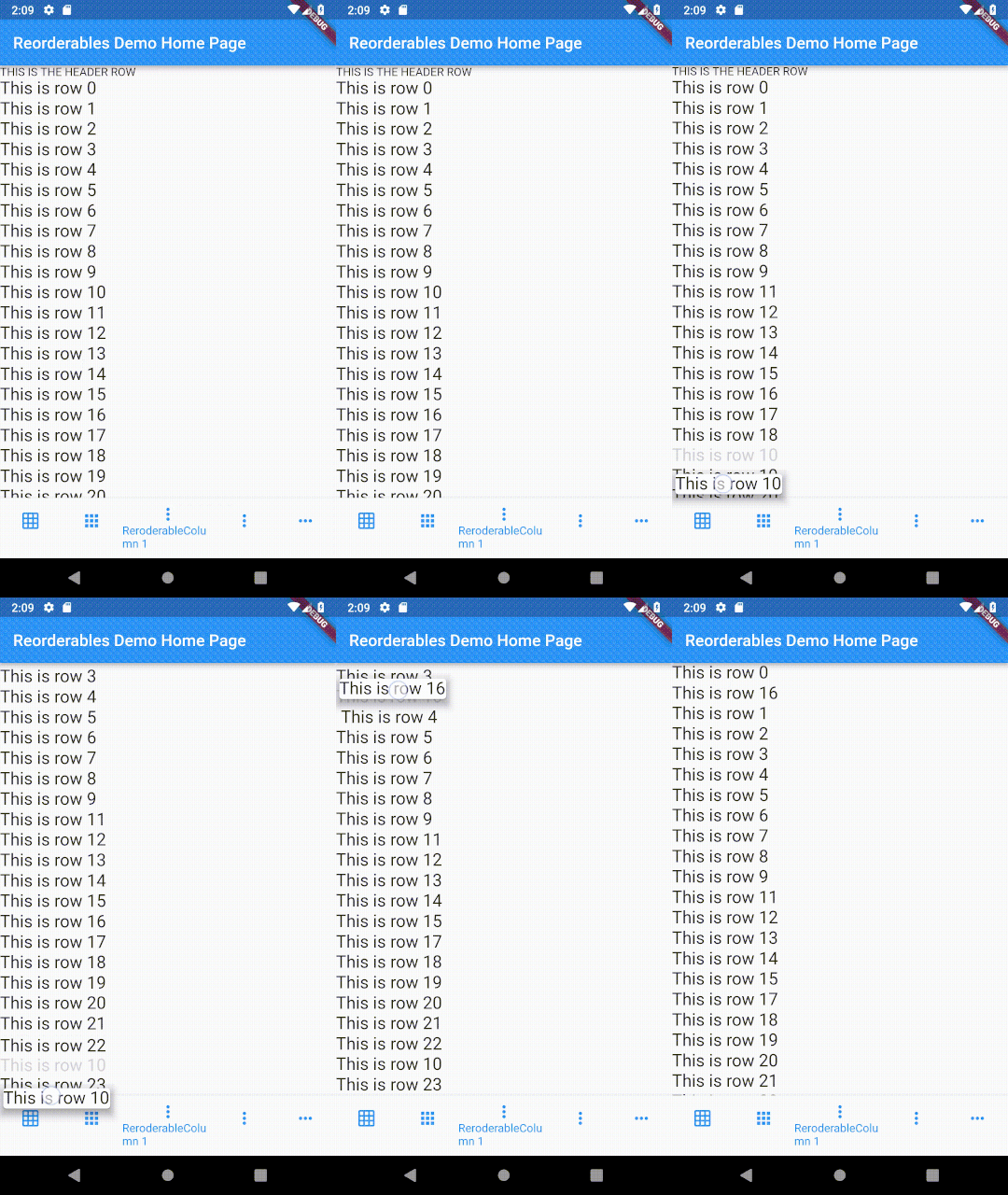
ReorderableColumn 示例 #1 演示
ReorderableColumn 示例 #2
class _ColumnExample2State extends State<ColumnExample2> {
  List<Widget> _rows;

  @override
  void initState() {
    super.initState();
    _rows = List<Widget>.generate(10,
        (int index) => Text('This is row $index', key: ValueKey(index), textScaleFactor: 1.5)
    );
  }

  @override
  Widget build(BuildContext context) {
    void _onReorder(int oldIndex, int newIndex) {
      setState(() {
        Widget row = _rows.removeAt(oldIndex);
        _rows.insert(newIndex, row);
      });
    }

    Widget reorderableColumn = IntrinsicWidth(
      child: ReorderableColumn(
        header: Text('List-like view but supports IntrinsicWidth'),
//        crossAxisAlignment: CrossAxisAlignment.start,
        children: _rows,
        onReorder: _onReorder,
      )
    );

    return Transform(
      transform: Matrix4.rotationZ(0),
      alignment: FractionalOffset.topLeft,
      child: Material(
        child: Card(child: reorderableColumn),
        elevation: 6.0,
        color: Colors.transparent,
        borderRadius: BorderRadius.zero,
      ),
    );
  }
}
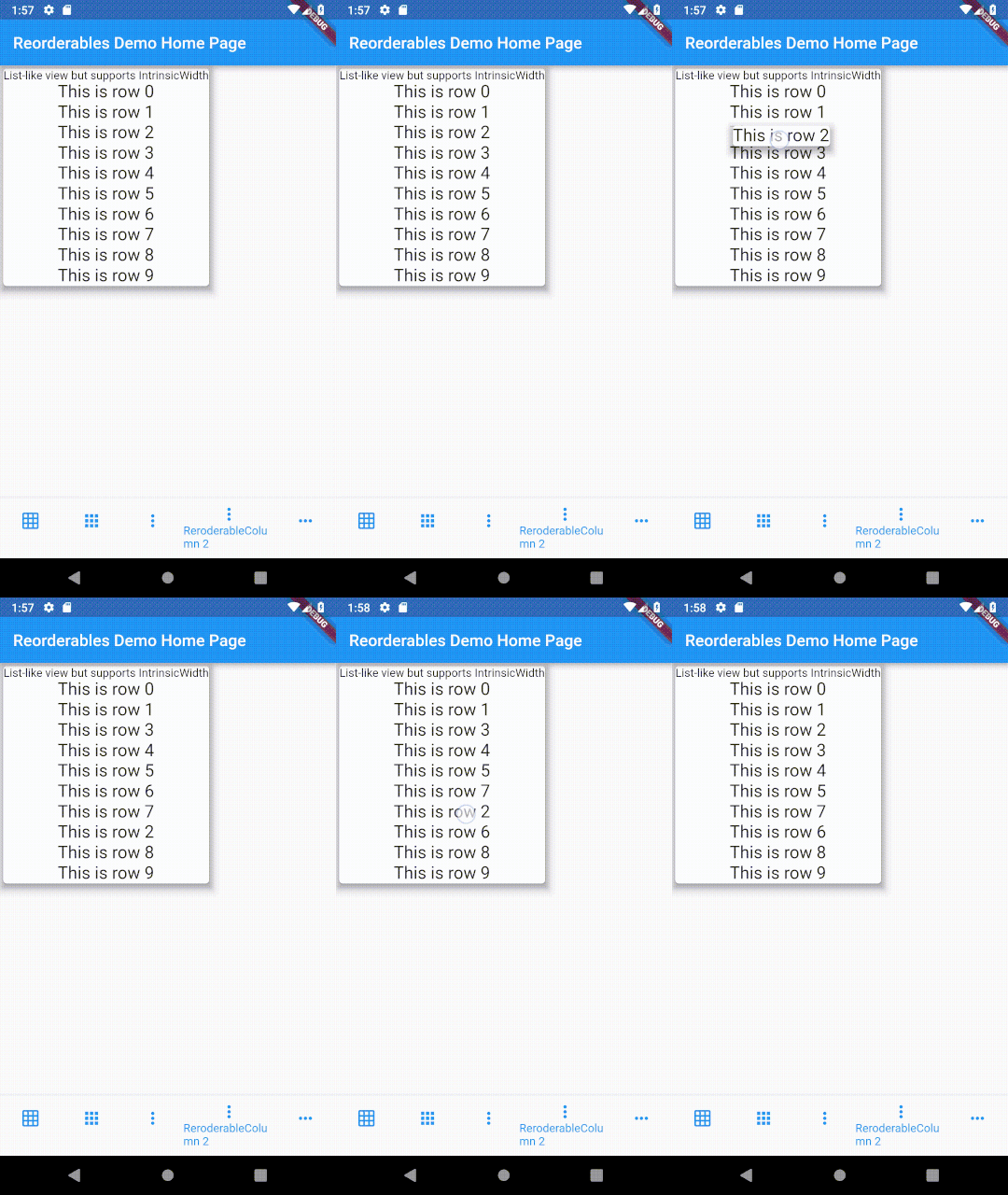
ReorderableColumn 示例 #2 演示
ReorderableRow
请参阅 `exmaple/lib/row_example.dart`
ReorderableRow 演示


