
neon_circular_timer
制作一个具有炫酷霓虹效果和精美 UI 的计时器应用程序
v0.0.3 及以上版本 现在计时器还有一个拟物风格边框
示例预览
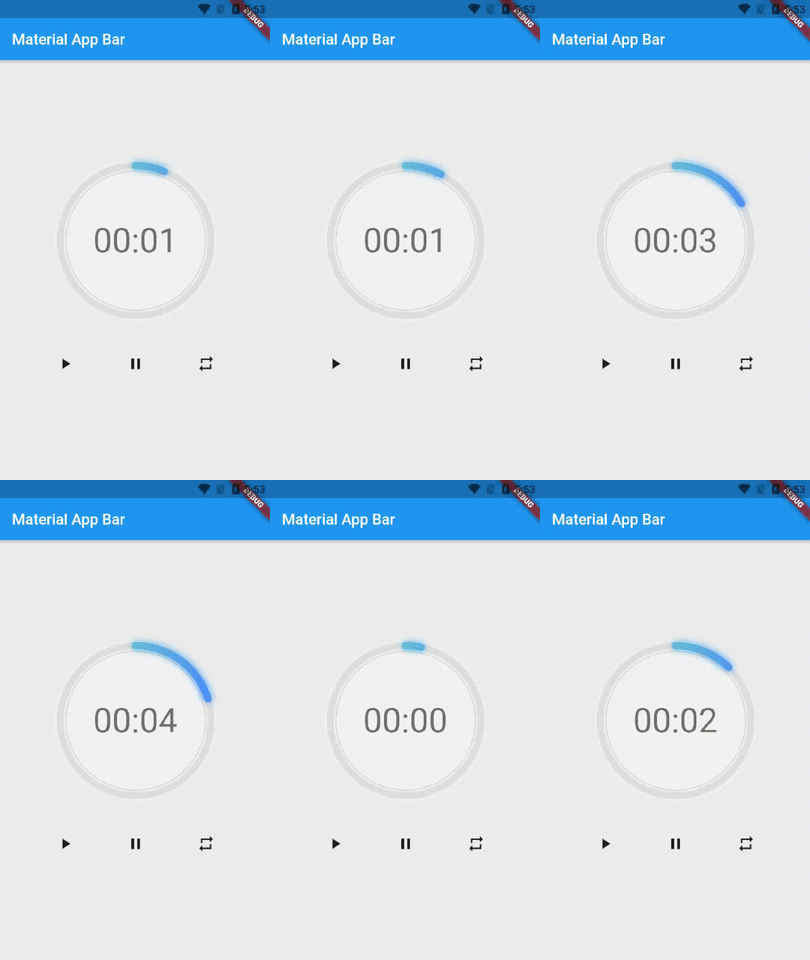
用法
  NeonCircularTimer(
                width: 200,
                    duration: 20,
                    strokeWidth: 10,
                    textFormat: TextFormat.MM_SS,
                    isTimerTextShown: true,
                    neumorphicEffect: true,
                    textStyle: Theme.of(context).textTheme.headline3,
                    outerStrokeColor: Colors.grey.shade100,
                    fillGradient: LinearGradient(colors: [
                      Colors.greenAccent.shade200,
                      Colors.blueAccent.shade400
                    ]),
                    neonGradient: LinearGradient(colors: [
                      Colors.greenAccent.shade200,
                      Colors.blueAccent.shade400
                    ]),
                    strokeCap: StrokeCap.round,
                    fillColor: Colors.black12,
                    backgroudColor: Colors.grey.shade100,
                    neonColor: Colors.blue.shade900),
使用 neumorphicEffect 来显示或隐藏拟物风格边框
使用 isTimerTextShown 来显示或隐藏文本
当 neumorphicEffect 为 true 且 isTimerTextShown 为 false 时
  NeonCircularTimer(
                width: 200,
                    duration: 20,
                    strokeWidth: 10,
                    textFormat: TextFormat.MM_SS,
                    isTimerTextShown: false,
                    neumorphicEffect: true,
                    textStyle: Theme.of(context).textTheme.headline3,
                    outerStrokeColor: Colors.grey.shade100,
                    fillGradient: LinearGradient(colors: [
                      Colors.greenAccent.shade200,
                      Colors.blueAccent.shade400
                    ]),
                    neonGradient: LinearGradient(colors: [
                      Colors.greenAccent.shade200,
                      Colors.blueAccent.shade400
                    ]),
                    strokeCap: StrokeCap.round,
                    fillColor: Colors.black12,
                    backgroudColor: Colors.grey.shade100,
                    neonColor: Colors.blue.shade900),
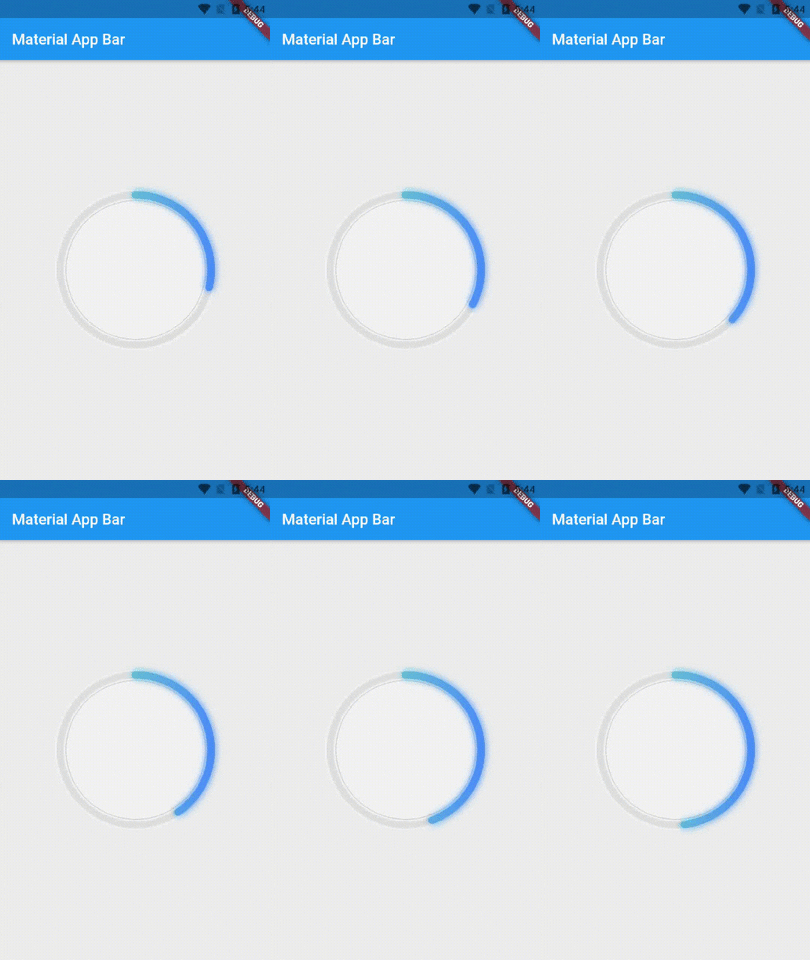
当 neumorphicEffect 为 false 且 isTimerTextShown 为 false 时
  NeonCircularTimer(
                width: 200,
                    duration: 20,
                    strokeWidth: 10,
                    textFormat: TextFormat.MM_SS,
                    isTimerTextShown: false,
                    neumorphicEffect: false,
                    outerStrokeColor: Colors.grey.shade100,
                    fillGradient: LinearGradient(colors: [
                      Colors.greenAccent.shade200,
                      Colors.blueAccent.shade400
                    ]),
                    neonGradient: LinearGradient(colors: [
                      Colors.greenAccent.shade200,
                      Colors.blueAccent.shade400
                    ]),
                    strokeCap: StrokeCap.round,
                    fillColor: Colors.black12,
                    neonColor: Colors.blue.shade900),

参数
| 名称 | 类型 | 默认值 | 描述 |
|---|---|---|---|
key |
按键 |
空 | 倒计时器的关键参数。 |
duration |
整数 |
空 | 倒计时的秒数。 |
initialDuration |
整数 |
0 | 倒计时的初始已用时长(秒)。 |
控制器 |
CountDownController |
空 | 控制(例如开始、暂停、恢复、重置)倒计时器。 |
width |
双精度 |
空 | 围绕圆圈的矩形的宽度(倒计时器的直径)。 |
neonColor |
颜色 |
空 | 倒计时小部件的霓虹色。 |
neonGradient |
渐变 |
空 | 倒计时小部件的霓虹渐变色。请注意,如果提供了渐变色,则 ringColor 将无效。 |
neumorphicEffect |
布尔值 |
真 | 显示拟物风格边框 |
fillColor |
颜色 |
空 | 倒计时小部件的填充颜色。 |
fillGradient |
渐变 |
空 | 倒计时小部件的填充渐变色。请注意,如果提供了渐变色,则 fillColor 将无效。 |
outerStrokeColor |
颜色 |
空 | 倒计时小部件的边框颜色。 |
backgroundColor |
颜色 |
空 | 如果选择使用拟物效果,则必须提供此参数。 |
outerStrokeGradient |
渐变 |
空 | 倒计时小部件的边框渐变色。请注意,如果提供了渐变色,则 backgroundColor 将无效。 |
strokeWidth |
双精度 |
5.0 | 倒计时圆环的边框厚度。 |
strokeCap |
StrokeCap |
StrokeCap.butt | 在边缘和末尾使用平坦的边缘,不进行扩展。 |
文本样式 |
TextStyle |
TextStyle(fontSize: 16.0,color: Colors.black,) | 倒计时文本的文本样式。 |
textFormat |
字符串 |
空 | 倒计时文本的格式。 |
isReverse |
布尔值 |
假 | 处理倒计时器(true 表示倒计时(从最大值到 0),false 表示正计时(从 0 到最大值))。 |
isReverseAnimation |
布尔值 |
假 | 处理动画方向(true 表示反向动画,false 表示正向动画)。 |
isTimerTextShown |
布尔值 |
真 | 处理倒计时文本的可见性。 |
autoStart |
布尔值 |
真 | 处理计时器启动。 |
onStart |
VoidCallback |
空 | 当倒计时开始时,将执行此回调。 |
onComplete |
VoidCallback |
空 | 当倒计时结束时,将执行此回调。 |


