

Flutter Stripe SDK
Stripe 的原生 Dart 包。有许多其他 Flutter 插件封装了现有的 Stripe 库,
但这个包采用了一种不同的方法。
它不封装现有的 Stripe 库,而是直接访问 Stripe API。
Flutter 支持
- iOS
- Android
- Web
有关其他简短示例,请参阅 *example/main.dart*。
有关完整的演示应用程序,请参阅 https://github.com/ezet/stripe-sdk/tree/master/example,
其中包含一个可正常工作的示例后端。
演示后端: https://github.com/ezet/stripe-sdk-demo-api
功能
- 支持所有类型的 SCA,包括 3DS、3DS2、BankID 等。
- 使用完整的 SCA 支持处理付款。
- 添加、删除和更新付款方式、来源和卡片,也可选择使用 SCA。
- 管理客户信息。
- 创建所有类型的 Stripe Token。
- 提供可以直接使用的表单、小部件和实用程序,或创建您自己的 UI!
实验性功能
- 使用 SetupIntent 的受管 UI 流程添加付款方式。
支持的 API
- PaymentIntent,含 SCA
- SetupIntent,含 SCA
- PaymentMethod
- Customer
- 卡片
- Sources
- Tokens
计划功能
- 提供用于结账的受管 UI 流程
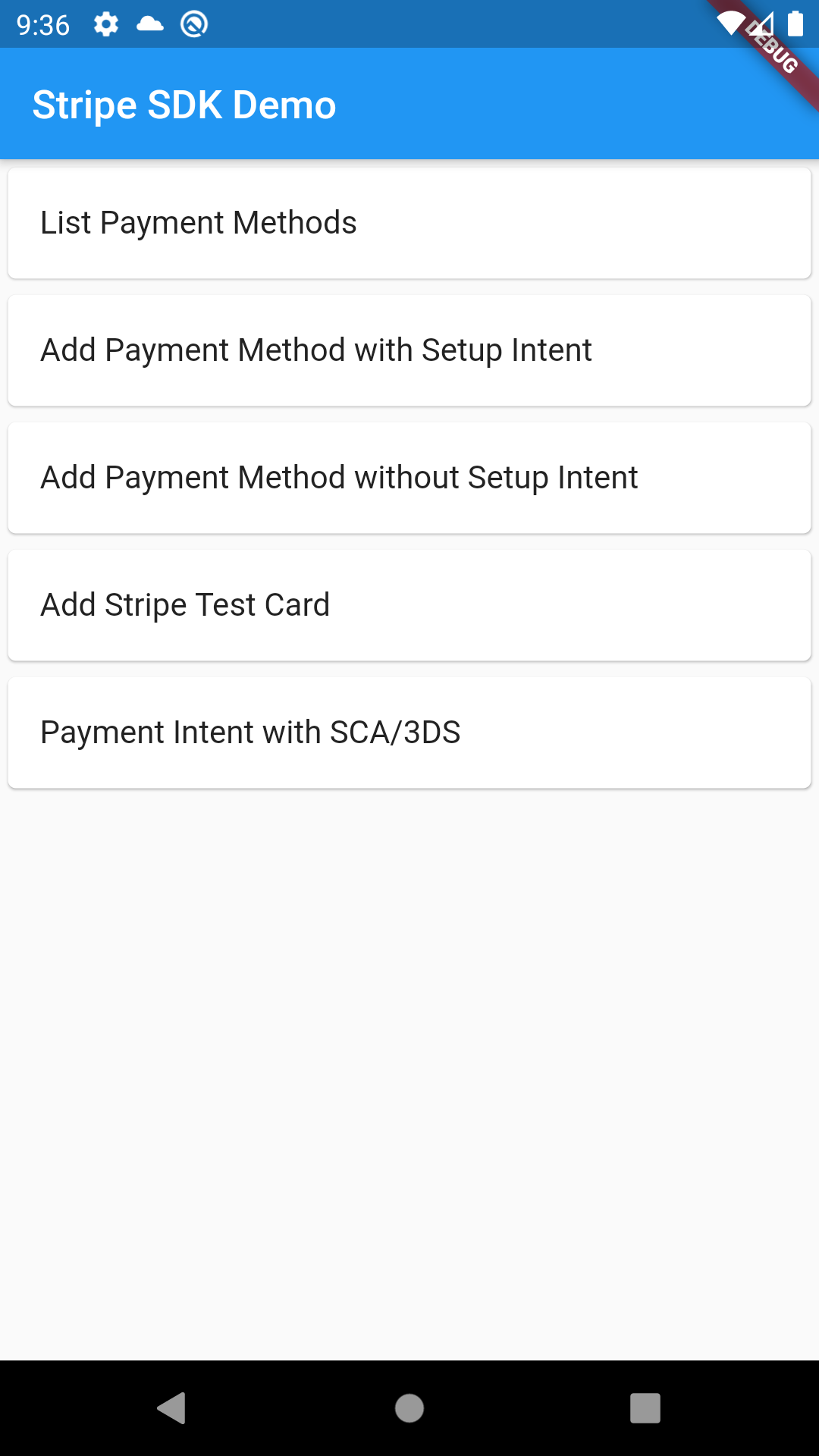
演示应用程序
完整的演示应用程序可在 https://github.com/ezet/stripe-sdk/tree/master/example/app 找到。
概述
- 每个函数的返回类型为
Future<Map<String, dynamic>>,其值取决于 Stripe API 版本。
该库包含三个类来访问 Stripe API:
Stripe用于通用的、非客户特定的 API,使用发布密钥。CustomerSession用于客户特定的 API,使用 Stripe 临时密钥。StripeApi允许直接对 Stripe API 进行原始 REST 调用。
Stripe
旨在提供与官方移动 Stripe SDK 类似的高级功能。
CustomerSession
需要 Stripe 临时密钥。
- https://stripe.com/docs/mobile/android/customer-information
- https://stripe.com/docs/mobile/android/standard
提供与 Stripe Android SDK 中的 CustomerSession 类似的功能。
StripeApi
提供基本的低级方法来访问 Stripe REST API。
- 仅限于可以使用公共密钥或临时密钥的 API。
- 库方法映射到同名的 Stripe API 调用。
- 其他参数可作为可选参数提供。
Stripe 和 CustomerSession 在内部使用此功能。
初始化
所有类都提供一个单例实例,可以通过调用 init(...) 方法进行初始化,然后通过 .instance 访问。
也可以使用构造函数创建常规实例,这样就可以例如由依赖注入进行管理。
Stripe
Stripe.init('pk_xxx');
// or, to manage your own instance, or multiple instances
final stripe = Stripe('pk_xxx');
CustomerSession
检索临时密钥的函数必须将 JSON 响应作为纯字符串返回。
CustomerSession.init((apiVersion) => server.getEphemeralKeyFromServer(apiVersion));
// or, to manage your own instances
final session = CustomerSession((apiVersion) => server.getEphemeralKeyFromServer(apiVersion));
StripeApi
StripeApi.init('pk_xxx');
// or, to manage your own instances
final stripeApi = StripeApi('pk_xxx');
UI
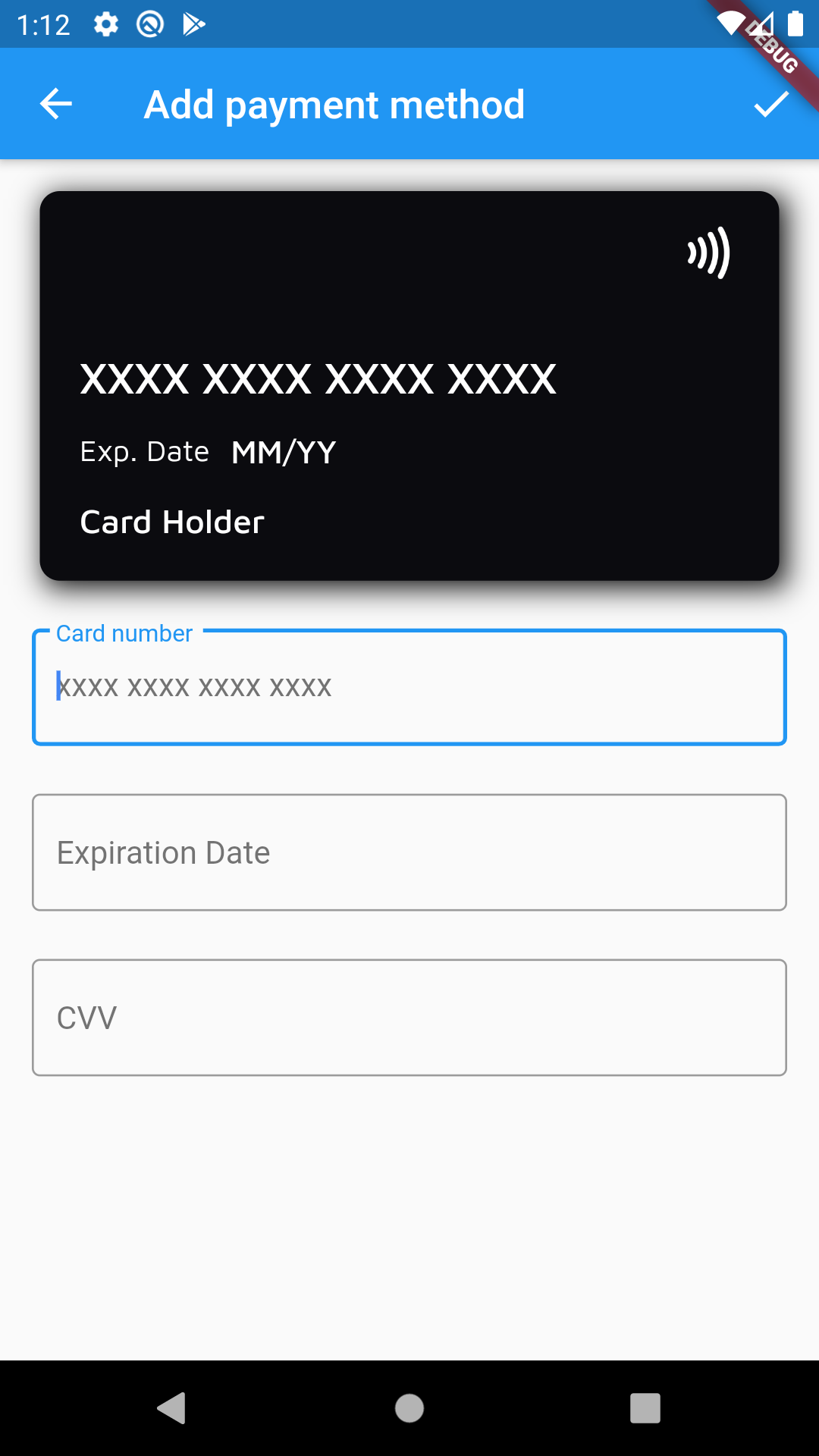
使用 CardForm 添加或编辑信用卡详细信息,或使用预先构建的 FormFields 构建您自己的表单。
final formKey = GlobalKey<FormState>();
final card = StripeCard();

final form = CardForm(card: card, formKey: formKey);

onPressed: () {
  if (formKey.currentState.validate()) {
    formKey.currentState.save();
  }
}
SCA/PSD2
该库为 iOS 和 Android 上的 SCA 提供完整支持。
它处理所有类型的 SCA,包括 3DS、3DS2、BankID 等。
它通过在 Web 浏览器中启动身份验证流程来处理 SCA,并将结果返回给应用程序。returnUrlForSca 参数必须与您的 AndroidManifest.xml 和 Info.plist 的配置匹配,如后续步骤所示。
Stripe.init('pk_xxx', returnUrlForSca: 'stripesdk://3ds.stripesdk.io');
final clientSecret = await server.createPaymentIntent(Stripe.instance.getReturnUrlForSca());
final paymentIntent = await Stripe.instance.confirmPayment(clientSecret, paymentMethodId: 'pm_card_visa');
Android
您需要在 android/app/src/main/AndroidManifest.xml 中声明以下意图过滤器。
此示例适用于 URL stripesdk://3ds.stripesdk.io
<manifest ...>
  <!-- ... other tags -->
  <application ...>
    <activity ...>

      <!-- The launchMode should be singleTop or singleTask,
        to avoid launching a new instance of the app when SCA has been completed. -->
      android:launchMode="singleTop"


      <!-- ... other tags -->

      <!-- Deep Links -->
      <intent-filter>
        <action android:name="android.intent.action.VIEW" />
        <category android:name="android.intent.category.DEFAULT" />
        <category android:name="android.intent.category.BROWSABLE" />
        <data
          android:scheme="stripesdk"
          android:host="3ds.stripesdk.io" />
      </intent-filter>
    </activity>
  </application>
</manifest>
iOS
对于 iOS,您需要在 ios/Runner/Info.plist (或通过 Xcode 的 Target Info 编辑器
在 URL Types 下) 中声明该方案。此示例适用于 URL stripesdk://3ds.stripesdk.io
<!-- ... other tags -->
<plist>
    <dict>
    <!-- ... other tags -->
    <key>CFBundleURLTypes</key>
    <array>
        <dict>
        <key>CFBundleTypeRole</key>
        <string>Editor</string>
        <key>CFBundleURLName</key>
        <string>3ds.stripesdk.io</string>
        <key>CFBundleURLSchemes</key>
        <array>
            <string>stripesdk</string>
        </array>
        </dict>
    </array>
    <!-- ... other tags -->
    </dict>
</plist>
实验性功能
实验性功能被标记为 deprecated,并且在被认为稳定之前,API 可能会发生变化。
欢迎使用这些功能,但请注意,在次要更新中可能会引入重大更改。
添加付款方式
使用 AddPaymentMethodScreen.withSetupIntent(...) 启动一个用于添加付款方式的受管 UI 流程。
如果需要,这还将处理 SCA。
付款方式
PaymentMethodsScreen 提供了一个预构建的 UI,可以
- 列出所有当前付款方式
- 添加新的付款方式,使用 setup intents
- 删除现有的付款方式
更多示例
Glappen
这是一个完整的应用程序,包含移动客户端和后端 API。
文档有所欠缺,但它可以作为更高级用法的示例。
应用: https://github.com/ezet/glappen-client
后端: https://github.com/ezet/glappen-firebase-api


