
Flutter 腕表应用 UI 设计
一个崭新的 Flutter 项目。
入门


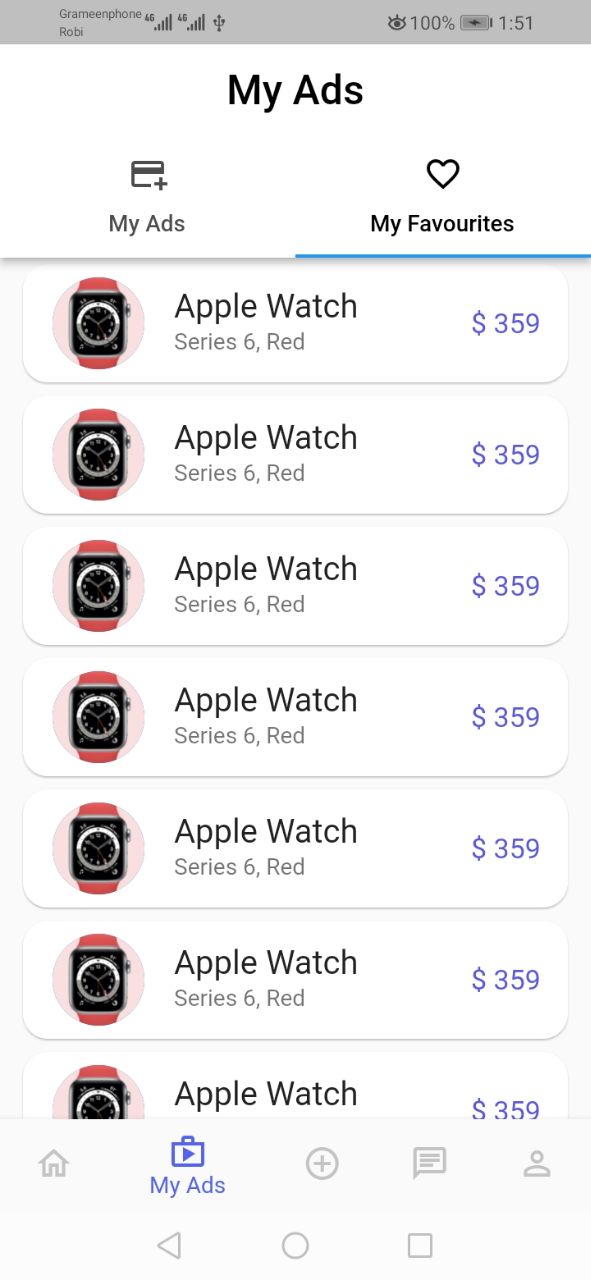


本项目是 Flutter 应用程序的起点。
如果您这是您的第一个 Flutter 项目,这里有一些入门资源
要开始使用 Flutter,请查看我们的 在线文档,其中提供了教程、示例、移动开发指南和完整的 API 参考。
# Flutter-watch-app-ui-design
NestedScrollView(嵌套滚动视图)
import 'package:flutter/material.dart';
import 'sectionone.dart';

class Myhomepage extends StatefulWidget {
  const Myhomepage({Key? key}) : super(key: key);

  @override
  State<Myhomepage> createState() => _MyhomepageState();
}

class _MyhomepageState extends State<Myhomepage> {
  @override
  Widget build(BuildContext context) {
    return SafeArea(
      child: Scaffold(
        body: NestedScrollView(
          physics: NeverScrollableScrollPhysics(),
          headerSliverBuilder: (context, isScolled) {
            return [
              SliverAppBar(
                collapsedHeight: 282,
                expandedHeight: 282,
                flexibleSpace: Sectionone(),
              )
            ];
          },
          body: Padding(
            padding: const EdgeInsets.all(20.0),
            child: Container(
              height: 500,
              color: Colors.blue,
              child: GridView.builder(
                  gridDelegate: SliverGridDelegateWithFixedCrossAxisCount(
                    crossAxisCount: 2,
                    crossAxisSpacing: 10,
                    mainAxisSpacing: 10,
                  ),
                  itemCount: 110,
                  itemBuilder: (_, index) {
                    return Container(
                      child: Center(
                        child: Text(
                          "This is grid",
                          style: TextStyle(
                            color: Colors.white,
                          ),
                        ),
                      ),
                      color: Colors.black,
                    );
                  }),
            ),
          ),
        ),
      ),
    );
  }
}


