Flutter 骨架屏
Flutter 骨架屏。
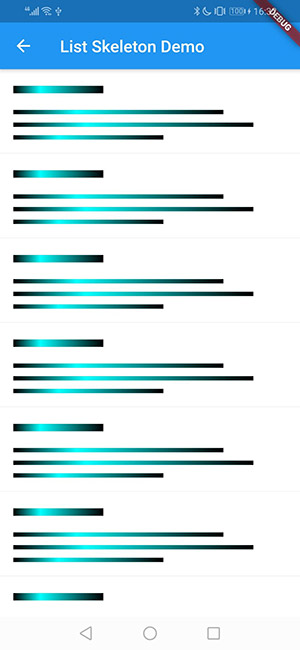
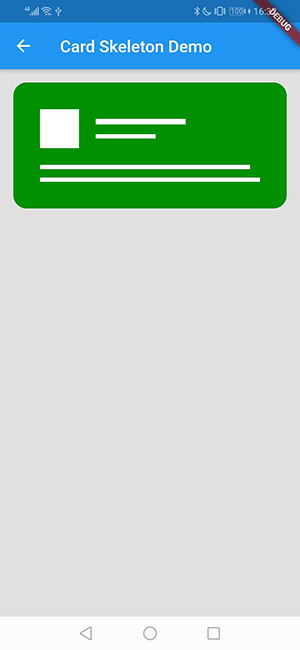
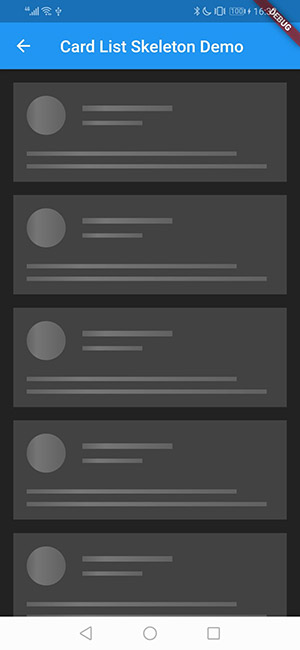
用法
1. 依赖
将此添加到您的软件包的 pubspec.yaml 文件中
dependencies:
  flutter_skeleton: ^0.1.0+1
2. 安装
运行命令
$ flutter packages get
3. 导入
在 Dart 代码中导入
import 'package:flutter_skeleton/flutter_skeleton.dart';
4. 显示小部件
// list skeleton
ListSkeleton(
  style: SkeletonStyle(
    theme: SkeletonTheme.Light,
    isShowAvatar: false,
    barCount: 3,
    colors: [Color(0xff333333), Color(0xffffff45), Color(0xff333333)],
    isAnimation: true,
  ),
);

// card skeleton
CardSkeleton(
  style: SkeletonStyle(
    theme: SkeletonTheme.Light,
    isShowAvatar: true,
    isCircleAvatar: false,
    borderRadius: BorderRadius.all(Radius.circular(16.0)),
    padding: EdgeInsets.all(32.0),
    barCount: 2,
    colors: [Color(0xffffffff)],
    backgroundColor: Color(0xFF009000),
    isAnimation: false,
  ),
);

// card list skeleton
CardListSkeleton(
  style: SkeletonStyle(
    theme: SkeletonTheme.Dark,
    isShowAvatar: true,
    isCircleAvatar: true,
    barCount: 2,
  ),
);
SkeletonStyle 属性
| 名称 | 类型 | 含义 | 默认值 |
|---|---|---|---|
| isAnimation | 布尔值 | 是否显示动画 | 真 |
| isShowAvatar | 布尔值 | 是否显示头像 | 真 |
| isCircleAvatar | 布尔值 | 头像是否为圆形 | 真 |
| barCount | 整数 | 条的数量 | 2 |
| borderRadius | BorderRadius | 容器的半径 | 0 |
| padding | EdgeInsets | 容器的内边距 | 16 |
| colors | 列表 | 条的渐变色 | null,由主题指定 |
| backgroundColor | 颜色 | 容器的背景色 | null,由主题指定 |
| theme | SkeletonTheme | 预装主题 | SkeletonTheme.Light |
示例