
地图启动器
Map Launcher 是一个 Flutter 插件,用于查找设备上安装的可用地图,并使用标记启动它们以指定位置。
| Android | iOS |
|---|---|
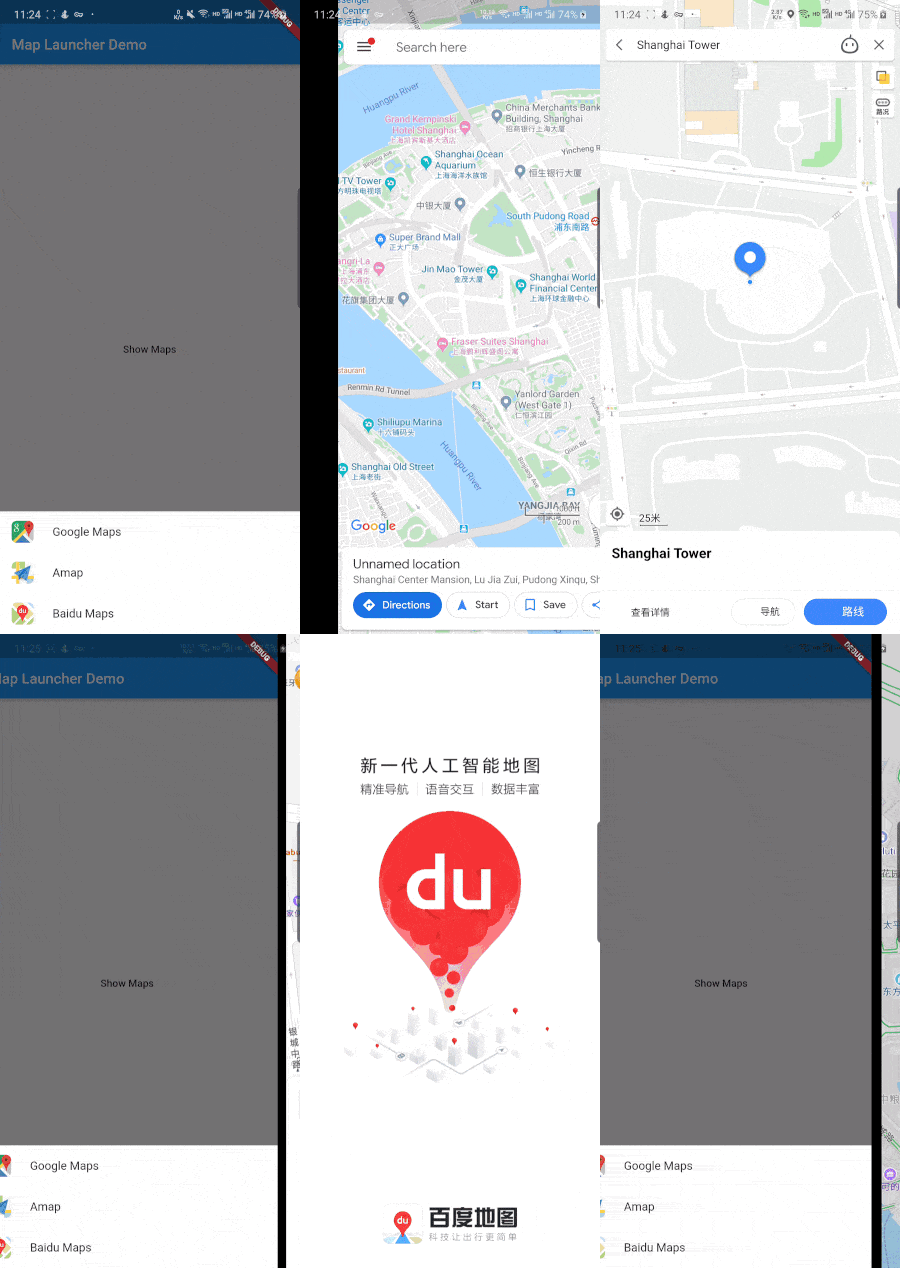 |
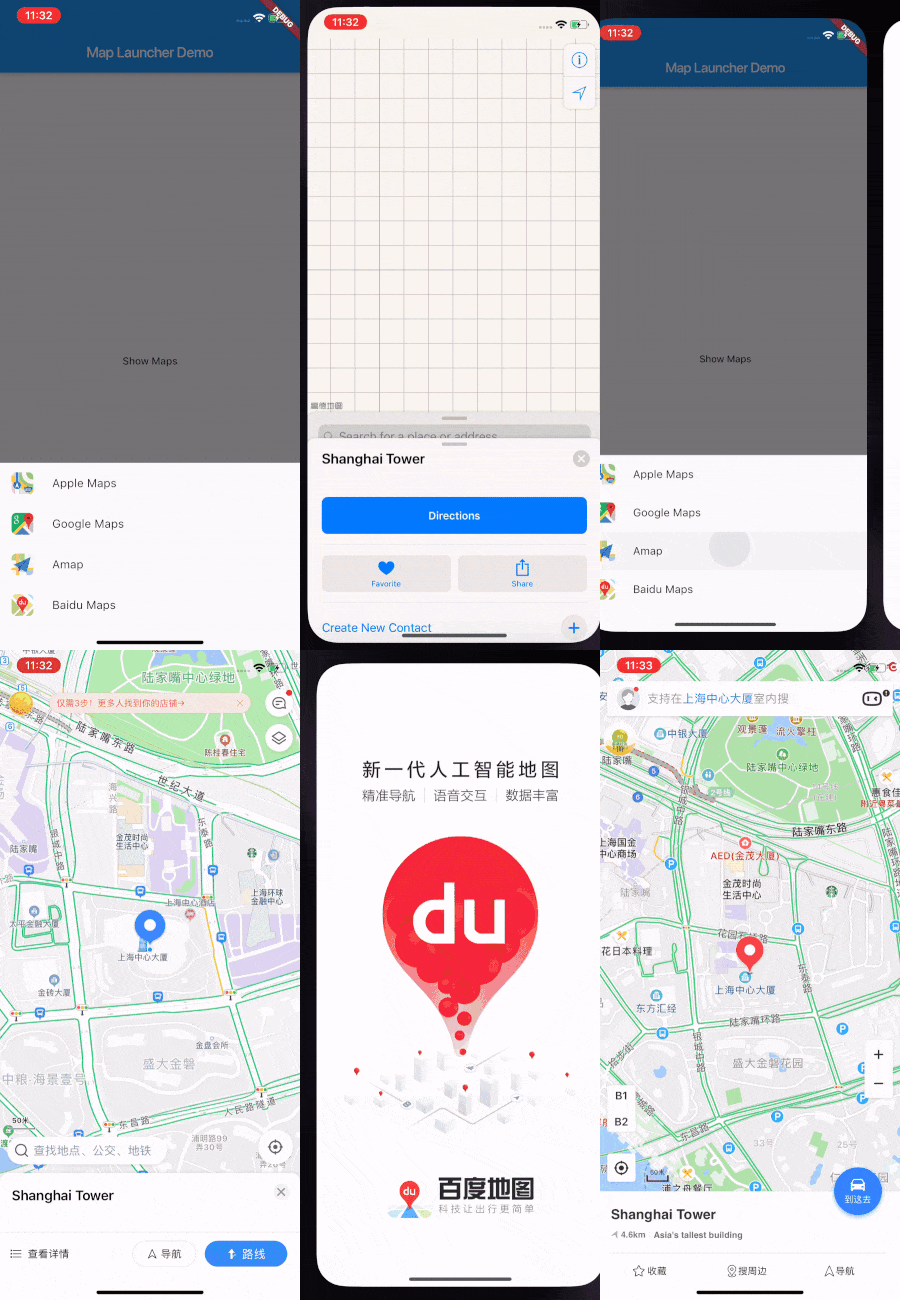 |
当前支持的地图
- 谷歌地图
- 百度地图
- 高德地图
- Apple Maps (仅限iOS)
开始
添加依赖
dependencies:
  map_launcher: any
对于iOS,请在Info.plist文件中添加URL Schemes
<key>LSApplicationQueriesSchemes</key>
<array>
    <string>comgooglemaps</string>
    <string>baidumap</string>
    <string>iosamap</string>
</array>
用法
获取已安装的地图列表并启动第一个
import 'package:map_launcher/map_launcher.dart';

final availableMaps = await MapLauncher.installedMaps;
print(availableMaps); // [AvailableMap { mapName: Google Maps, mapType: google }, ...]

await availableMaps.first.showMarker(
  coords: Coords(31.233568, 121.505504),
  title: "Shanghai Tower",
  description: "Asia's tallest building",
);
检查地图是否已安装并启动它
import 'package:map_launcher/map_launcher.dart';

if (await MapLauncher.isMapAvailable(MapType.google)) {
  await MapLauncher.launchMap(
    mapType: MapType.google,
    coords: coords,
    title: title,
    description: description,
  );
}
使用底部工作表示例
import 'package:flutter/material.dart';
import 'package:map_launcher/map_launcher.dart';

void main() => runApp(MapLauncherDemo());

class MapLauncherDemo extends StatelessWidget {
  openMapsSheet(context) async {
    try {
      final title = "Shanghai Tower";
      final description = "Asia's tallest building";
      final coords = Coords(31.233568, 121.505504);
      final availableMaps = await MapLauncher.installedMaps;

      showModalBottomSheet(
        context: context,
        builder: (BuildContext context) {
          return SafeArea(
            child: SingleChildScrollView(
              child: Container(
                child: Wrap(
                  children: <Widget>[
                    for (var map in availableMaps)
                      ListTile(
                        onTap: () => map.showMarker(
                          coords: coords,
                          title: title,
                          description: description,
                        ),
                        title: Text(map.mapName),
                        leading: Image(
                          image: map.icon,
                          height: 30.0,
                          width: 30.0,
                        ),
                      ),
                  ],
                ),
              ),
            ),
          );
        },
      );
    } catch (e) {
      print(e);
    }
  }

  @override
  Widget build(BuildContext context) {
    return MaterialApp(
      home: Scaffold(
        appBar: AppBar(
          title: const Text('Map Launcher Demo'),
        ),
        body: Center(child: Builder(
          builder: (context) {
            return MaterialButton(
              onPressed: () => openMapsSheet(context),
              child: Text('Show Maps'),
            );
          },
        )),
      ),
    );
  }
}


