
可滑动按钮视图


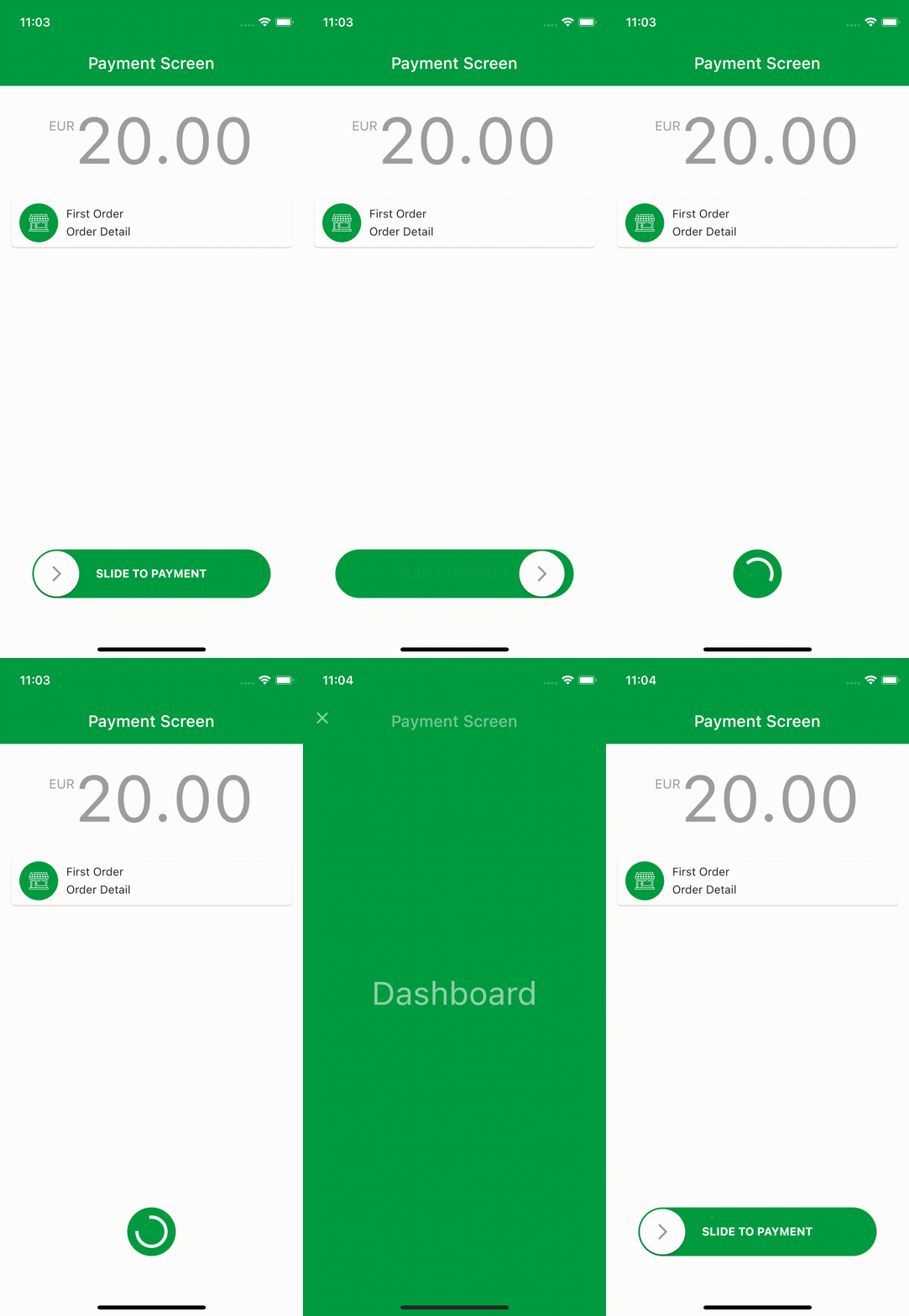
您可以使用可滑动按钮视图创建具有涟漪动画的页面。
安装
将 swipeable_button_view: 添加到您的 pubspec.yaml 依赖项,然后运行 flutter pub get
dependencies:
  swipeable_button_view:
然后导入该包以供使用
import 'package:swipeable_button_view/swipeable_button_view.dart';
示例
import 'package:swipeable_button_view/swipeable_button_view.dart';

SwipeableButtonView(
    buttonText: 'SLIDE TO PAYMENT',
    buttonWidget: Container(
        child: Icon(Icons.arrow_forward_ios_rounded,
            color: Colors.grey,
                ),),
    activeColor: Color(0xFF009C41),
    isFinished: isFinished,
    onWaitingProcess: () {
    Future.delayed(Duration(seconds: 2), () {
            setState(() {
                isFinished = true;
                      });
                    });
                  },
    onFinish: () async {
        await Navigator.push(context,
                        PageTransition(
                            type: PageTransitionType.fade,
                            child: DashboardScreen()));

                    //TODO: For reverse ripple effect animation
                    setState(() {
                      isFinished = false;
                    });
                  },
)
屏幕录制
Props
| props | types | 默认值 | isRequired |
|---|---|---|---|
| onFinish | VoidCallback |
真 |
|
| onWaitingProcess | VoidCallback |
真 |
|
| activeColor | 颜色 |
真 |
|
| buttonWidget | Widget |
真 |
|
| buttonText | 字符串 |
真 |
|
| isFinished | 布尔值 |
假 |
|
| isActive | 布尔值 |
真 |
|
| disableColor | 颜色 |
Colors.grey |
|
| 按钮颜色 | 颜色 |
Colors.white |
|
| buttontextstyle | TextStyle |
TextStyle(color: Colors.white, fontWeight: FontWeight.bold) |
|
| indicatorColor | Animation<Color?> |
AlwaysStoppedAnimation<Color>(Colors.white)}) |


