
字段建议
为 Flutter 创建高度可定制、简单且可控的自动完成字段。
附加来源
- 关于FieldSuggestion的Medium文章 - Flutter中的自动完成字段

安装
参考官方安装指南 - field_suggestion/install
使用 & 概述
通过创建FieldSuggestion所需的选项来准备您的主屏幕小部件。
final textEditingController = TextEditingController();

// And
List<String> suggestionList = [
 '[email protected]',
 '[email protected]',
 '[email protected]',
];

// Or
List<int> numSuggestions = [
  13187829696,
  13102743803,
  15412917703,
];

// Or
// Note: Take look at [Class suggestions] part.
List<UserModel> userSuggestions = [
  UserModel(email: '[email protected]', username: 'user1', password: '1234567'),
  UserModel(email: '[email protected]', username: 'user2', password: 'test123'),
  UserModel(email: '[email protected]', username: 'user3', password: 'test123')
];
通过解决#31,我们可以突出显示匹配项(建议)。
因此,为了做到这一点,字段建议包含一个特殊制作的包highlightable。
但是,您也可以在没有字段建议的情况下使用它。
请参阅附加来源部分和highlightable的官方仓库,了解如何在字段建议中使用它,以及如何在没有字段建议的情况下使用它。
基本用法。
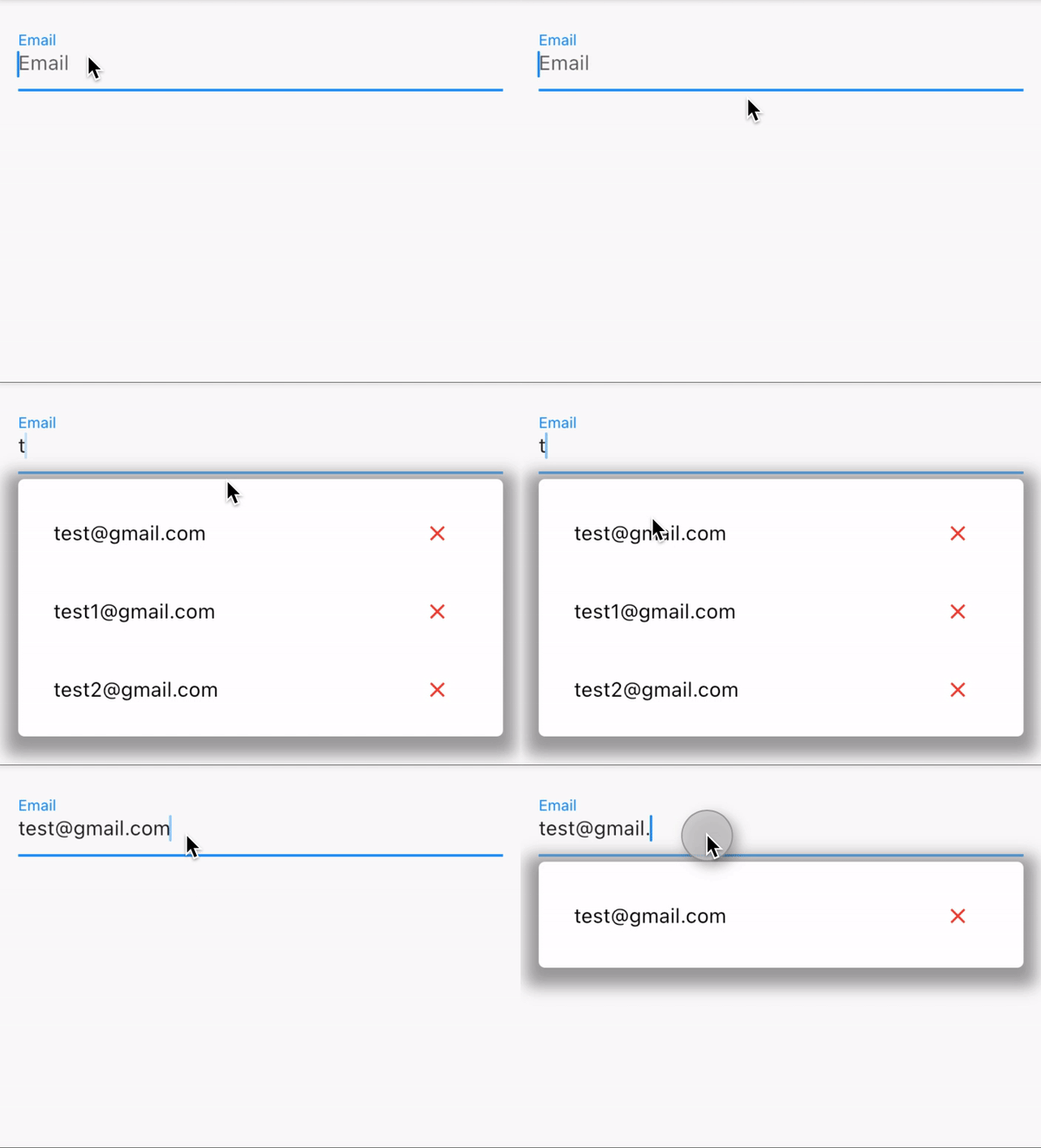
FieldSuggestion(
  textController: textEditingController,
  suggestionList: suggestionList,
  hint: 'Email',
),
自定义用法。
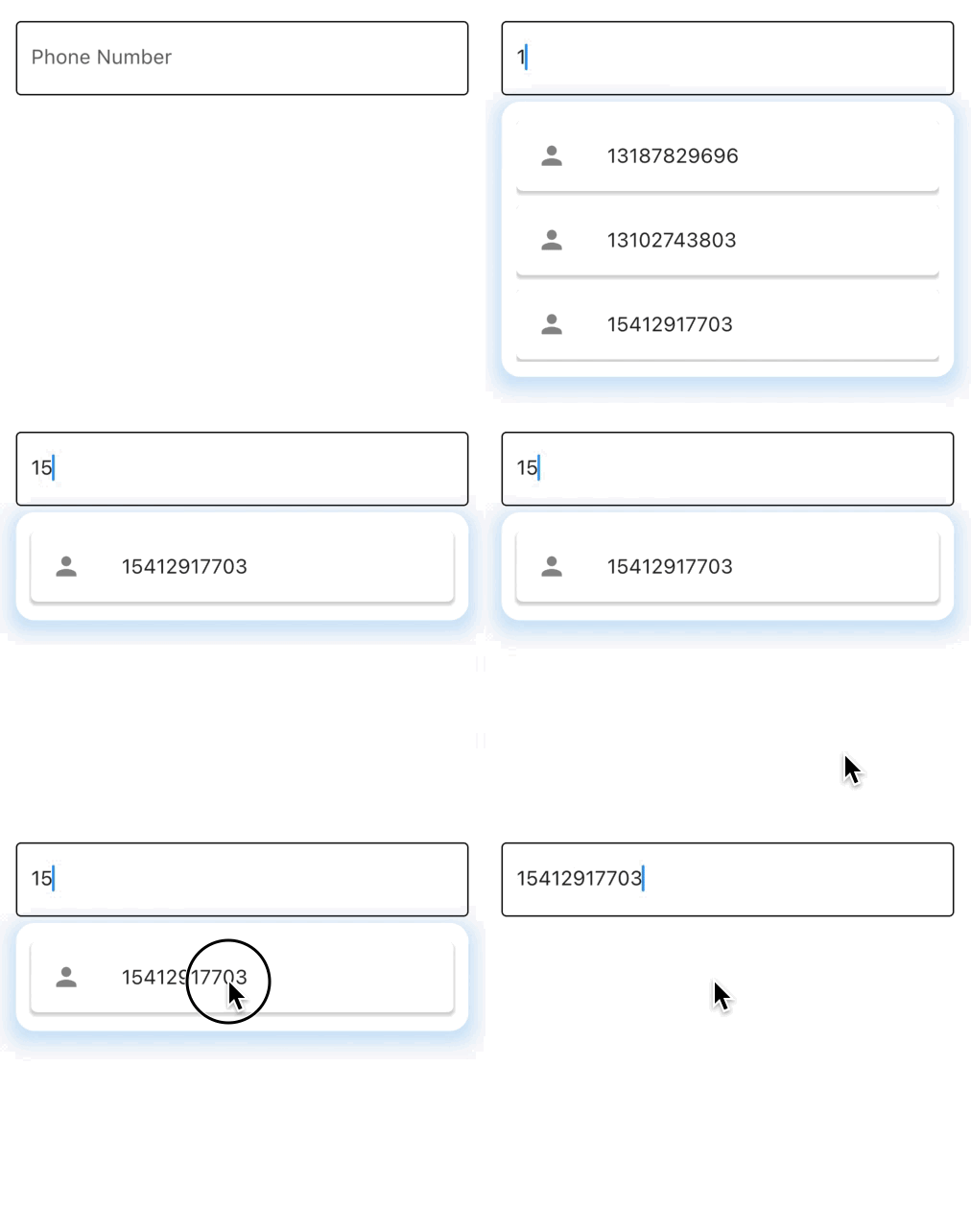
FieldSuggestion(
  textController: secondTextController,
  suggestionList: numSuggestions,
  boxController: secondBoxController,
  onItemSelected: (value) {
    // Do Something...
  },
  fieldDecoration: InputDecoration(
    hintText: "Phone Number",
    enabledBorder: const OutlineInputBorder(),
    focusedBorder: const OutlineInputBorder(),
  ),
  wDivider: true,
  divider: const SizedBox(height: 5),
  wSlideAnimation: true,
  slideAnimationStyle: SlideAnimationStyle.LTR,
  slideCurve: Curves.linearToEaseOut,
  animationDuration: const Duration(milliseconds: 300),
  itemStyle: SuggestionItemStyle(
    leading: const Icon(Icons.person),
    borderRadius: const BorderRadius.all(Radius.circular(5)),
    boxShadow: [
      const BoxShadow(
        blurRadius: 1,
        spreadRadius: 1,
        offset: Offset(0, 2),
        color: Color(0xffD5D5D5),
      ),
    ],
  ),
  disableItemTrailing: true,
  boxStyle: SuggestionBoxStyle(
    backgroundColor: Colors.white,
    borderRadius: BorderRadius.circular(15),
    boxShadow: [
      BoxShadow(
        color: Colors.blue.withOpacity(.2),
        spreadRadius: 5,
        blurRadius: 10,
        offset: const Offset(0, 5),
      ),
    ],
  ),
),
构建器
您也可以使用FieldSuggestion.builder()创建自己的建议项。
需要提供suggestionList、textController和itemBuilder。
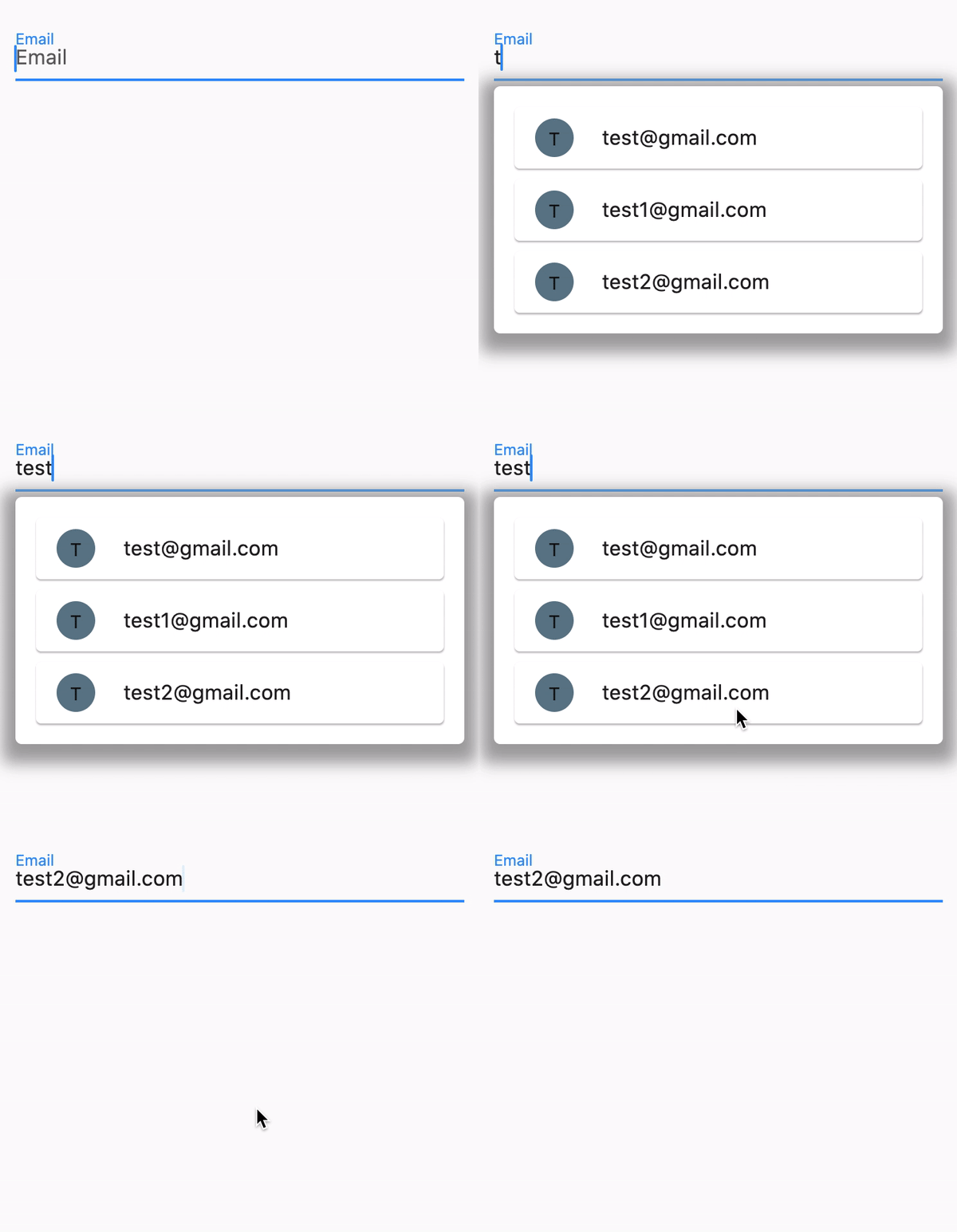
class BuilderExample extends StatelessWidget {
  final textEditingController = TextEditingController();
  List<String> suggestionsList = ['[email protected]', '[email protected]'];

  @override
  Widget build(BuildContext context) {
    return Scaffold(
      body: FieldSuggestion.builder(
        hint: 'Email',
        textController: textEditingController,
        suggestionList: suggestionsList,
        itemBuilder: (BuildContext context, int index) {
          return GestureDetector(
            onTap: () => textEditingController.text = suggestionsList[index],
            child: Card(
              child: ListTile(
                title: Text(suggestionsList[index]),
                leading: Container(
                  height: 30,
                  width: 30,
                  decoration: BoxDecoration(
                    color: Colors.blueGrey,
                    shape: BoxShape.circle,
                  ),
                  child: Center(
                    child: Text(suggestionsList[index][0].toUpperCase()),
                  ),
                ),
              ),
            ),
          );
        },
      ),
    );
  }
}
外部控制
这里我们只是用GestureDetector包装了我们的Scaffold以处理屏幕上的手势。
现在,当我们点击屏幕时,我们可以关闭框。(您可以在任何使用BoxController的FieldSuggestion的地方做到这一点。)
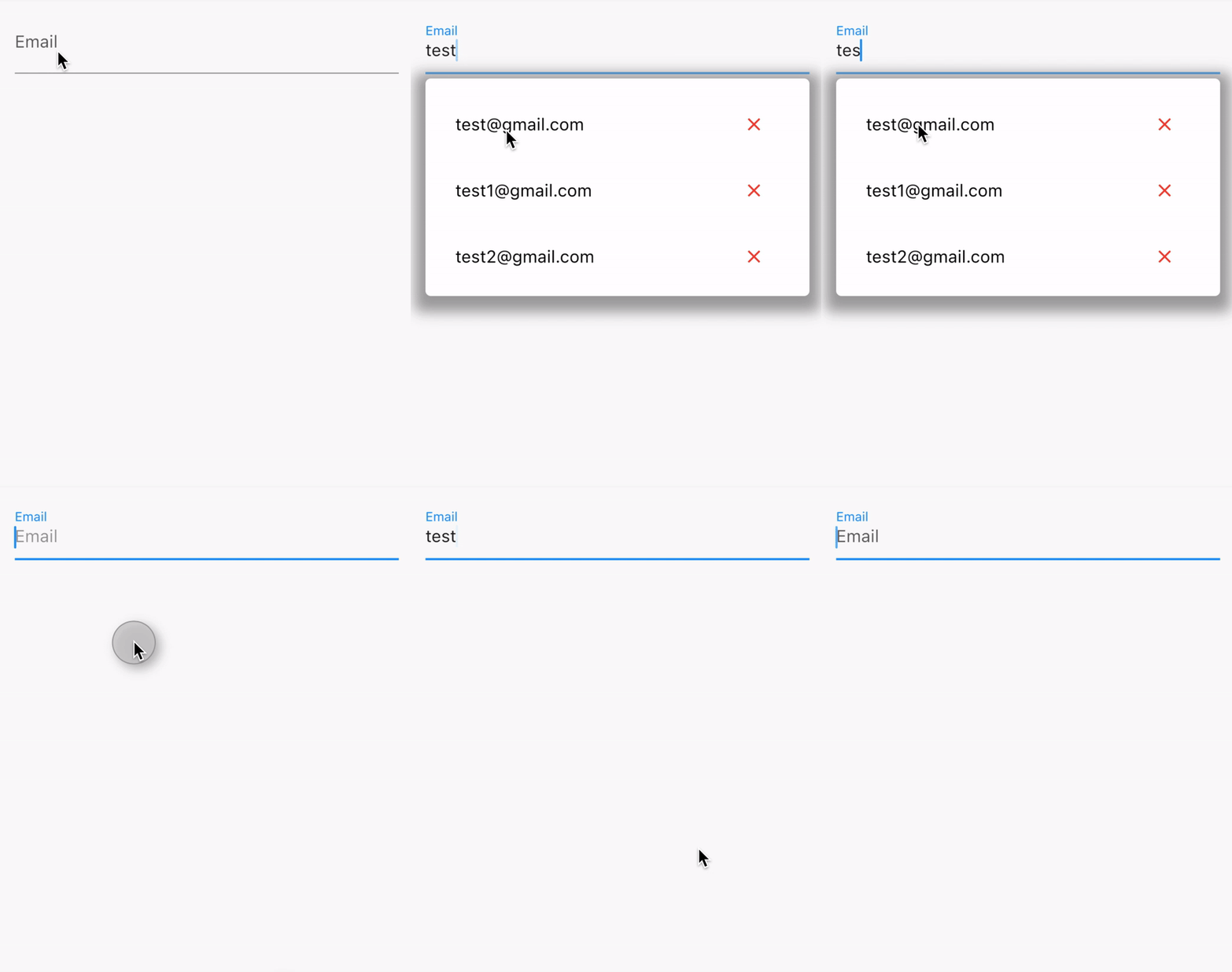
 class Example extends StatelessWidget {
   final _textController = TextEditingController();
   final _boxController = BoxController();

   @override
   Widget build(BuildContext context) {
     return GestureDetector(
       onTap: () => _boxController.close(),
       child: Scaffold(
         body: Center(
           child: FieldSuggestion(
             hint: 'test',
             suggestionList: [], // Your suggestions list here...
             boxController: _boxController,
             textController: _textController,
           ),
         ),
       ),
     );
   }
 }
类建议
UserModel类,我们将在suggestionList中使用它。
注意:您的模型类中必须有一个toJson方法。
class UserModel {
  final String? email;
  final String? username;
  final String? password;

  const UserModel({this.email, this.username, this.password});

  // If we wanna use this model class into FieldSuggestion,
  // then we must to have toJson method. Like that:
  Map<String, dynamic> toJson() => {
        'email': this.email,
        'username': this.username,
        'password': this.password,
      };
}
如果我们提供了userSuggestions,这是一个List<UserModel>。
那么我们必须添加searchBy属性。否则,我们将收到一个类似这样的错误:
如果给定的suggestionList的运行时类型不是List<String>、List<int>或List<double>。这意味着您提供了一个包含dart类的列表。那么[searchBy]就不能为null。
我们的模型有email、username和password,对吗?那么我们可以这样实现:
searchBy: ['email']或searchBy: ['email', 'username']。
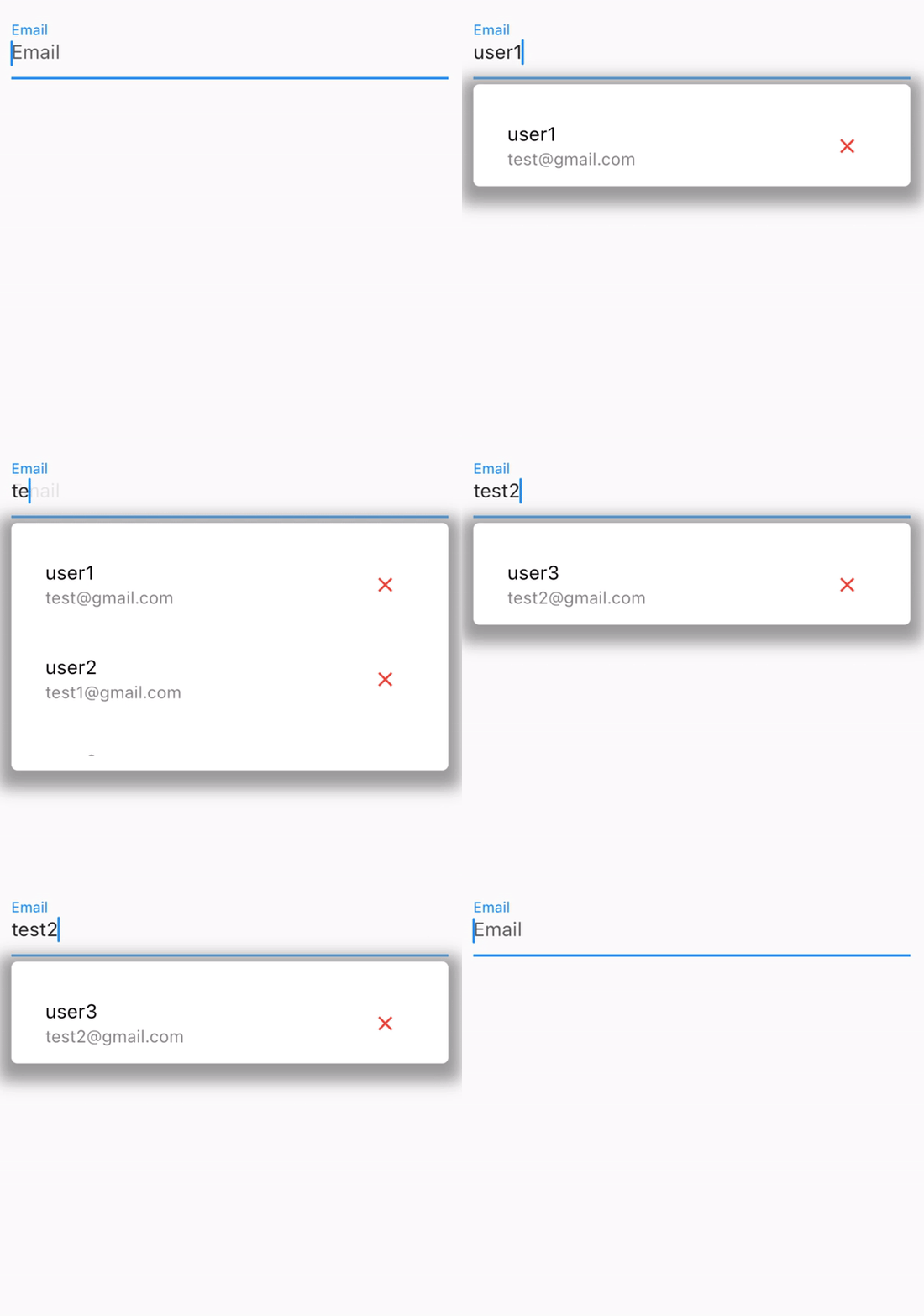
FieldSuggestion(
  hint: 'Email',
  // If y're using list where are classes,
  // Don't forget adding search by property.
  searchBy: ['email', 'username'],
  itemTitleBy: 'username',
  // If you provide [itemSubtitleBy] then suggestion
  // item's subtitle automaticallty will be enabled.
  itemSubtitleBy: 'email',
  boxController: thirdBoxController,
  textController: thirdTextController,
  suggestionList: userSuggestions,
  onItemSelected: (value) {
    // The field suggestion needs toJson mehtod inside your model right?
    // So that's mean it converts your model to json.
    // Then the output has to be JSON (Map). So now we can get our value's email.
    print(value['passoword']);
  },
),


