
背景
Flutter 中的背景实现。
此小部件目前处于活跃开发中。请等待稳定的v1.0.0版本。欢迎任何贡献、想法、批评或反馈。

用法
BackdropScaffold
在您的应用程序中,请使用BackdropScaffold代替标准的Scaffold。
为了使背景生效,必须定义backLayer和frontLayer。
BackdropScaffold(
    title: Text("Backdrop Example"),
    backLayer: Center(
        child: Text("Back Layer"),
    ),
    frontLayer: Center(
        child: Text("Front Layer"),
    ),
    iconPosition: BackdropIconPosition.leading,
)

带背景的导航
要将背景用于导航,请使用提供的BackdropNavigationBackLayer作为backLayer。
BackdropNavigationBackLayer包含一个items属性,该属性表示在背景层显示的列表元素。根据当前索引,“手动”设置前景层,该索引可以通过onTap回调访问。
class _MyAppState extends State<MyApp> {
  int _currentIndex = 0;
  final List<Widget> _frontLayers = [Widget1(), Widget2()];

  @override
  Widget build(BuildContext context) {
    return new MaterialApp(
      title: 'Backdrop Demo',
      home: BackdropScaffold(
        title: Text("Backdrop Navigation Example"),
        iconPosition: BackdropIconPosition.leading,
        actions: <Widget>[
          BackdropToggleButton(
            icon: AnimatedIcons.list_view,
          ),
        ],
        frontLayer: _frontLayers[_currentIndex],
        backLayer: BackdropNavigationBackLayer(
          items: [
            ListTile(title: Text("Widget 1")),
            ListTile(title: Text("Widget 2")),
          ],
          onTap: (int position) => {setState(() => _currentIndex = position)},
        ),
      ),
    );
  }
}
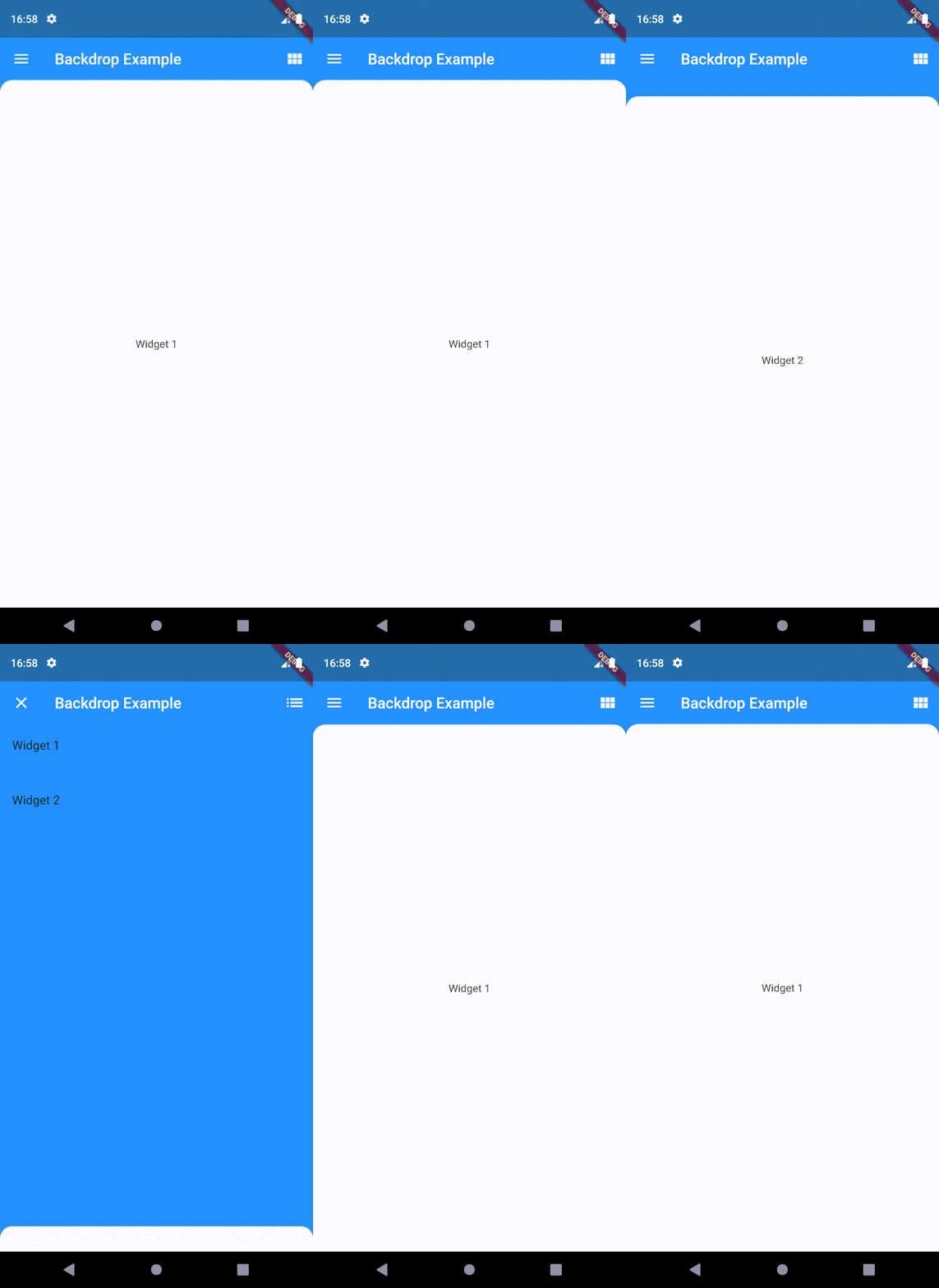
有关更多信息,请查看示例目录中的示例代码。


