
flutter_asset_generator
自动为 pubspec.yaml 生成 dart 文件
此库的目的是帮助 Flutter 开发人员自动生成相应的 Dart 资源文件,从而解放他们从这项无意义的工作中。开源社区也有许多相同功能的库。
此库基于 dartlang 的 build 库。
截图
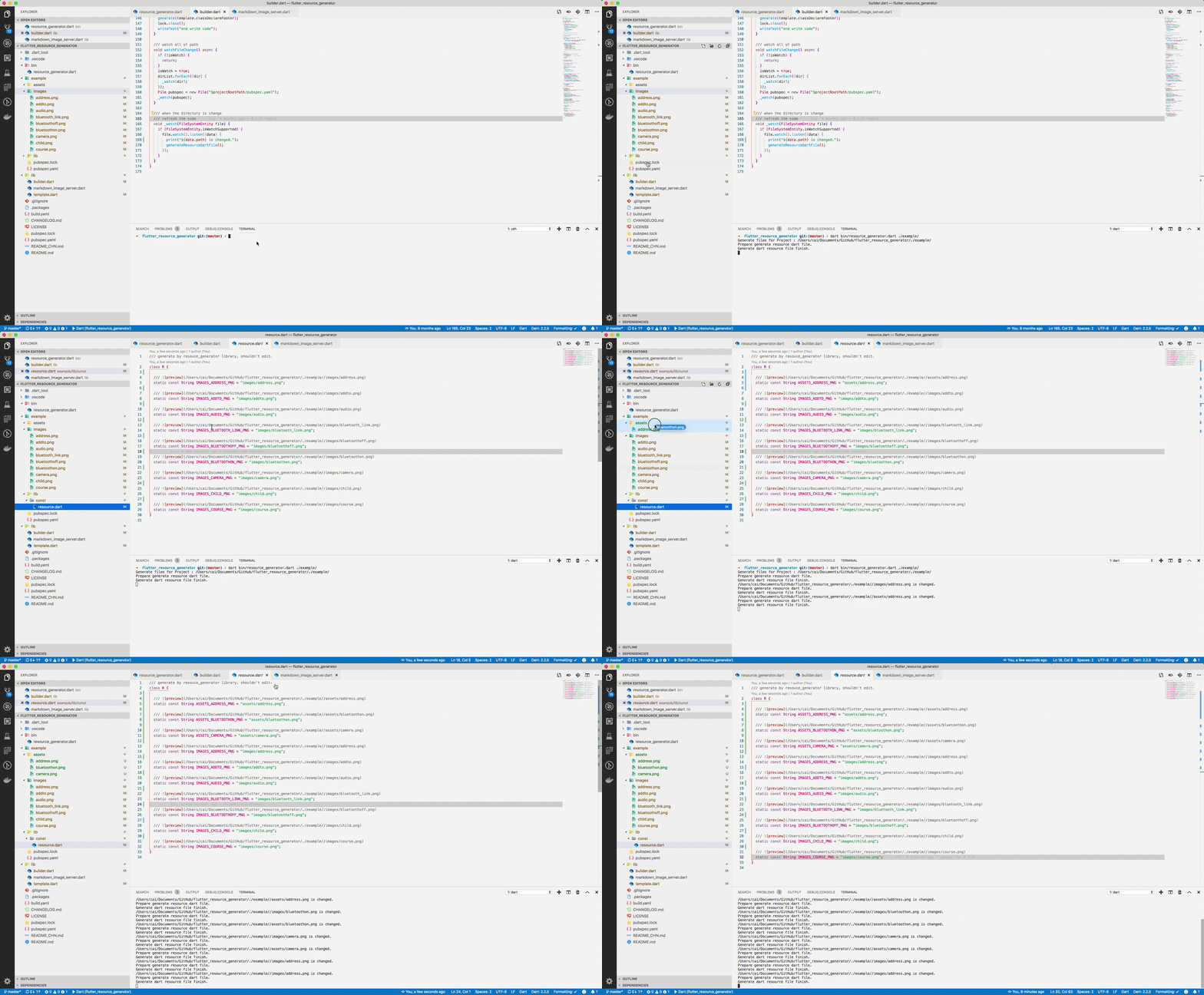
用法
使用源
将 dart、pub 添加到 $PATH 环境变量。
git clone https://github.com/CaiJingLong/flutter_resource_generator.git
cd flutter_resource_generator
pub get
dart bin/resource_generator.dart $flutter_project
pub global
安装
pub global activate flutter_asset_generator
使用
fgen 或 fgen -s $flutter_project
支持的选项
使用 $ fgen -h 或 $ fgen --help 查看使用文档。
fgen -h
-w, --[no-]watch    Continue to monitor changes after execution of orders.
                    (defaults to on)

-p, --[no-]preview  Generate file with preview comments.
                    (defaults to on)

-o, --output        Your resource file path.
                    If it\'s a relative path, the relative flutter root directory
                    (defaults to "lib/const/resource.dart")

-s, --src           Flutter project root path
                    (defaults to ".")

-n, --name          The class name for the constant.
                    (defaults to "R")

-h, --[no-]help     Help usage

-d, --[no-]debug    debug info
文件名
路径中的 空格、‘.’ 和 ‘-’ 将被转换为 _。@ 将被转换为 _AT_。
转换文件名示例
    images/1.png => IMAGES_PNG
    images/hello_world.jpg => IMAGES_HELLO_WORLD_JPG
    images/hello-world.jpg => IMAGES_HELLO_WORLD_JPG
以下情况会发生错误
  images/
    main_login.png
    main/
      login.png
因为两个字段名将完全相同。
配置文件
配置文件位置是约定俗成的。不支持 通过命令进行配置。指定路径为 Flutter 项目根目录下的 fgen.yaml。
排除和包含规则
文件是 yaml 格式,每个元素都是 glob 风格。
要排除的文件名在 exclude 节点下,类型为字符串数组。如果不包含任何规则,则表示不排除任何文件。
include 节点是需要导入的文件名,类型为字符串数组。如果不包含任何规则,则允许所有文件。
在优先级方面,排除高于包含,换句话说
首先根据 include 节点导入文件,然后排除文件。
示例
exclude:
  - "**/add*.png"
  - "**_**"

include:
  - "**/a*.png"
  - "**/b*"
  - "**/c*"
assets
├── address.png   # exclude by "**/add*.png"
├── [email protected]  # exclude by "**/add*.png"
├── bluetoothon-fjdfj.png
├── bluetoothon.png
└── camera.png

images
├── address space.png  # exclude by "**/add*.png"
├── address.png  # exclude by "**/add*.png"
├── addto.png  # exclude by "**/add*.png"
├── audio.png
├── bluetooth_link.png  # exclude by **_**
├── bluetoothoff.png
├── child.png
└── course.png
/// Generate by [resource_generator](https://github.com/CaiJingLong/flutter_resource_generator) library.
/// PLEASE DO NOT EDIT MANUALLY.
class R {
/// 
static const String ASSETS_BLUETOOTHON_FJDFJ_PNG = 'assets/bluetoothon-fjdfj.png';
/// 
static const String ASSETS_BLUETOOTHON_PNG = 'assets/bluetoothon.png';
/// 
static const String ASSETS_CAMERA_PNG = 'assets/camera.png';
/// 
static const String IMAGES_AUDIO_PNG = 'images/audio.png';
/// 
static const String IMAGES_BLUETOOTHOFF_PNG = 'images/bluetoothoff.png';
/// 
static const String IMAGES_CHILD_PNG = 'images/child.png';
/// 
static const String IMAGES_COURSE_PNG = 'images/course.png';
}


