
open_route_service
该包是为Dart和Flutter项目围绕openrouteservice API进行的封装/包装。
该包能够轻松地将openrouteservice API与相关数据模型集成,用于生成地图上的路线和方向、等时线、时距矩阵、Pelias地理编码、POI、高程、路由优化等,利用其出色的API。
通过捐赠来贡献openrouteservice API,以帮助保持服务的免费和对所有人的可访问性。有关API的更多信息,请查看openrouteservice API文档。
特点
目标是开发一个包罗万象的包,能够封装openrouteservice API提供的所有功能。
凭借其所有内部优化,包括
-
操作步骤:
为任何运输模式在任意两个或多个坐标之间生成路线。例如,从起点到目的地,使用'foot-walking'。例如,
ORSDirections.getRouteCoordinates会给出一个Coordinates列表,然后可以轻松地在Flutter应用程序的地图上绘制折线路线,或者任何你能想到的东西。地图上的路线(使用坐标绘制) 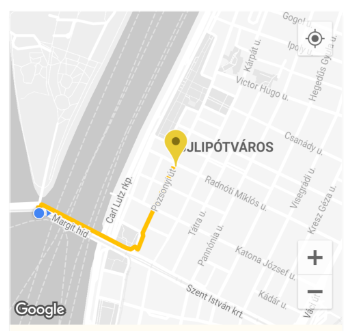
-
高程:
获取坐标或坐标列表的高程。通过获取2D坐标或平面线几何图形,并从各种数据集中丰富其高程信息,来获取ElevationData。收到高程响应 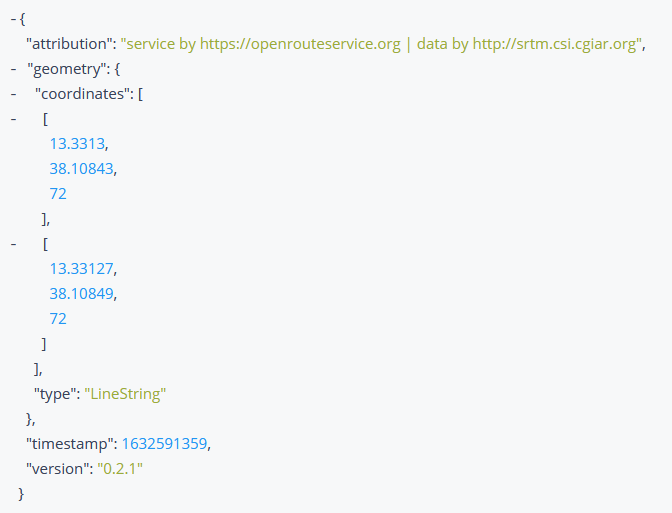
-
等时线:
获取给定地点的等时线(可达区域)数据。等时线是围绕给定点并以给定时间为边界的多边形。等时线数据可以在Flutter应用程序的地图上绘制,或者任何你能想到的东西。
地图上的等时线 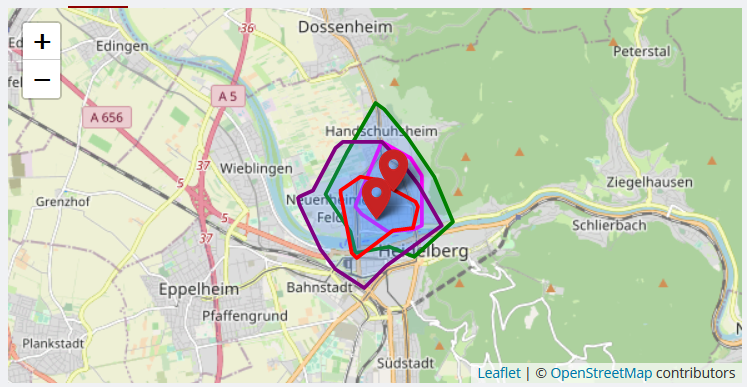
-
时距矩阵:
获取一对多、多对一和多对多的时间距离矩阵。为多个起点和终点返回持续时间或距离矩阵。 -
Pelias地理编码
-
POI:
获取关于几何图形周围区域内的兴趣点(POI)的信息,该几何图形可以是边界框、多边形、缓冲线串或点。兴趣点可以在Flutter应用程序的地图上标记,或者以各种方式可视化其属性和信息,或者任何你能想到的东西。
地图上的兴趣点 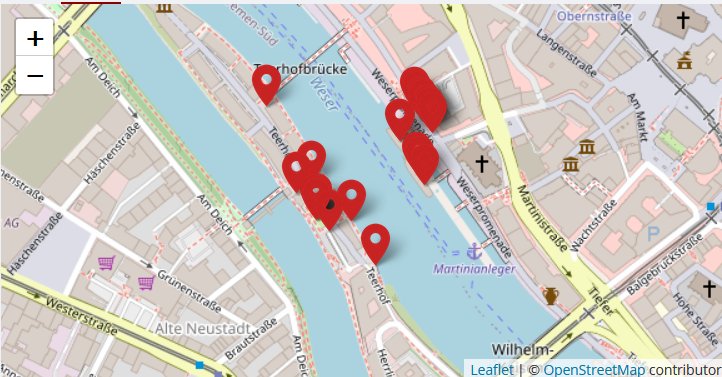
-
路由优化:
优化端点解决车辆路线问题,并可用于调度多个车辆和作业,同时尊重时间窗口、容量和所需技能。此服务基于出色的 Vroom 项目。请也参考 其API文档。
为Vroom作业和车辆提取的优化数据,并在控制台中打印其路线信息 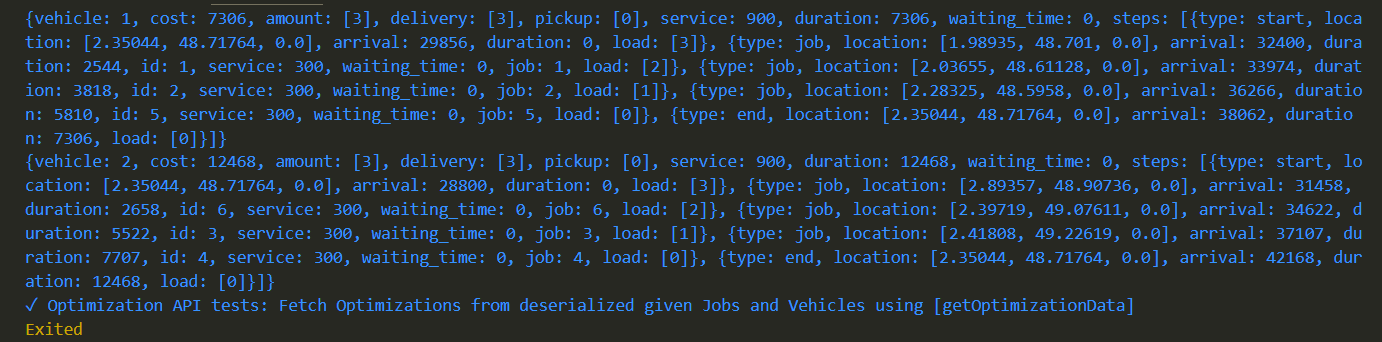
还为上述每个API编写了相应的测试,可用于检查包和/或API是否正常运行。
入门
在您的Dart/Flutter项目目录中运行dart pub add open_route_service或flutter pub add open_route_service来安装该包。
使用步骤
-
在需要的地方导入包
import 'package:open_route_service/open_route_service.dart'; -
使用您的 openrouteservice API密钥 创建类的新实例
OpenRouteService openrouteservice = OpenRouteService(apiKey: 'YOUR-API-KEY'); -
使用方便的类方法轻松生成方向、等时线、时距矩阵、Pelias地理编码、POI、高程和路由优化等,让包在后台为您处理所有复杂的HTTP请求。
用法示例
要在Flutter应用程序中使用该包的 Directions API 来生成和绘制地图路线
import 'package:open_route_service/open_route_service.dart';

Future<void> main() async {
  // Initialize the openrouteservice with your API key.
  final OpenRouteService client = OpenRouteService(apiKey: 'YOUR-API-KEY');

  // Example coordinates to test between
  const double startLat = 37.4220698;
  const double startLng = -122.0862784;
  const double endLat = 37.4111466;
  const double endLng = -122.0792365;

  // Form Route between coordinates
  final List<Coordinate> routeCoordinates = await client.getRouteCoordinates(
    startCoordinate: Coordinate(latitude: startLat, longitude: startLng),
    endCoordinate: Coordinate(latitude: endLat, longitude: endLng),
  );

  // Print the route coordinates
  routeCoordinates.forEach(print);

  // Map route coordinates to a list of LatLng (requires google_maps_flutter package)
  // to be used in the Map route Polyline.
  final List<LatLng> routePoints = routeCoordinates
      .map((coordinate) => LatLng(coordinate.latitude, coordinate.longitude))
      .toList();

  // Create Polyline (requires Material UI for Color)
  final Polyline routePolyline = Polyline(
    polylineId: PolylineId('route'),
    visible: true,
    points: routePoints,
    color: Colors.red,
    width: 4,
  );

  // Use Polyline to draw route on map or do anything else with the data :)
}


