
notification_builder 

? 一个通过 build context 发送通知来构建的 widget。
关于
通知 — 是 Flutter 用来将数据传递到 widget 树层级更上层的一个工具。在你的 widget 树深处,你可以触发一个通知,它会像气泡一样向上冒泡。在顶部,你可以使用 NotificationBuilder 来捕获它以构建你的 UI。
问题
想象一下以下 widget 树
MyWidget(
  color: // I want this to be changed once the button below is clicked!
  child: const SomeChild(
    child: AnotherChild(
      // More and more widgets...
      child: ChildWithTheButton(),
    ),
  ),
);

class ChildWithTheButton extends StatelessWidget {
  @override
  Widget build(BuildContext context) {
    return TextButton(
      title: 'Change colour',
      onPressed: // Here! I want the colour to be changed on this button pressed!
    );
  }
}
你可以传递类似 ChangeNotifier<Color> 的东西,或者传递一个回调函数来设置状态,甚至使用 InheritedWidget。另一种选择是使用 NotificationListener。
解决方案
查看完整示例。
结果
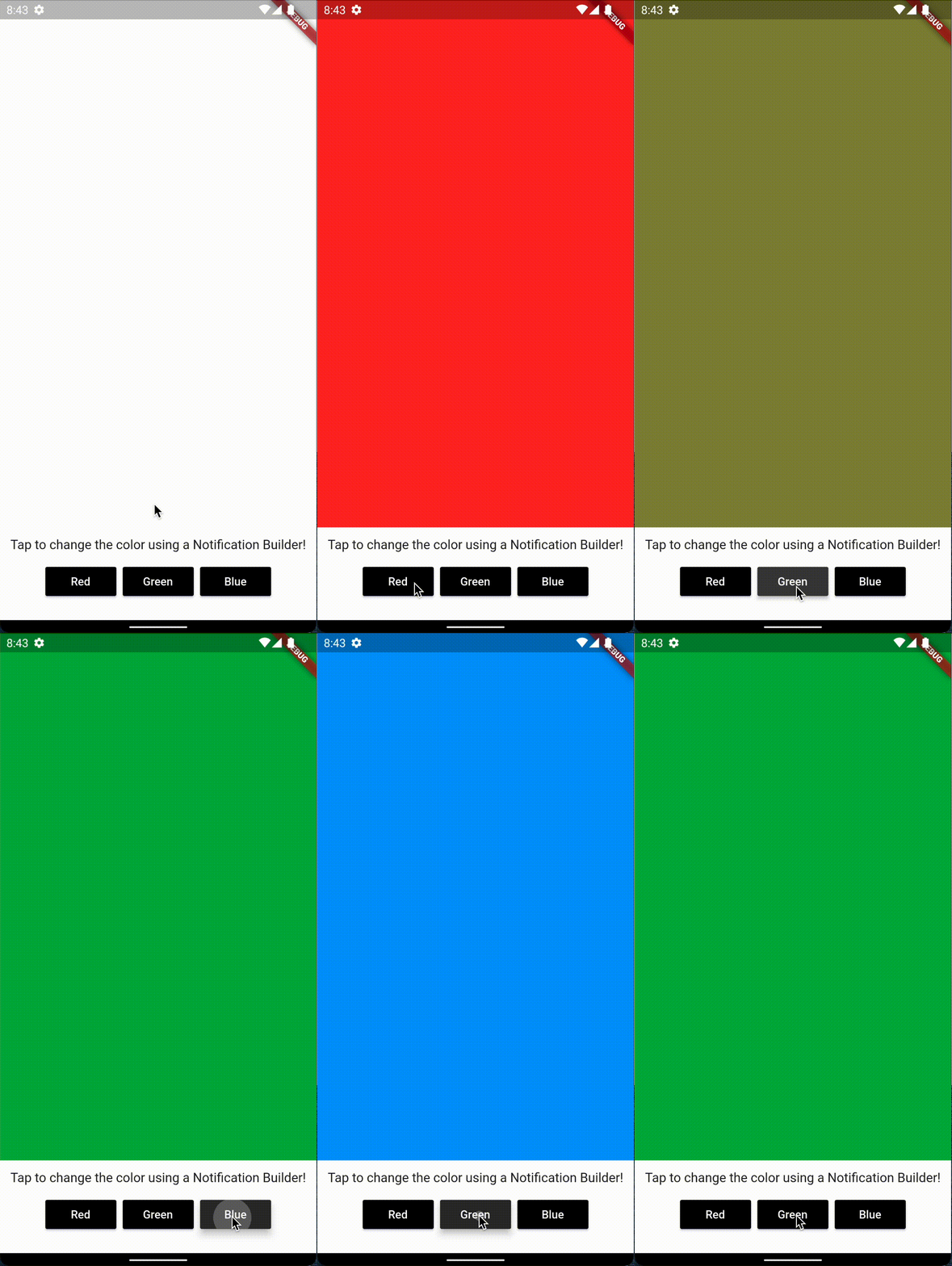
如果你不想让某些通知触发重建…
那么你可以使用 buildWhen 参数!
buildWhen: (notification) {
  // Now if the passed notification will have a red color it will be ignored!
  return notification.color != Colors.red,
}
入门
pub
将包添加到 pubspec.yaml
dependencies:
  notification_builder:
导入
将依赖项添加到你的文件中
import 'package:notification_builder/notification_builder.dart';


