
这个项目是为了实现一个像rhymit那样的锚点标签面板。
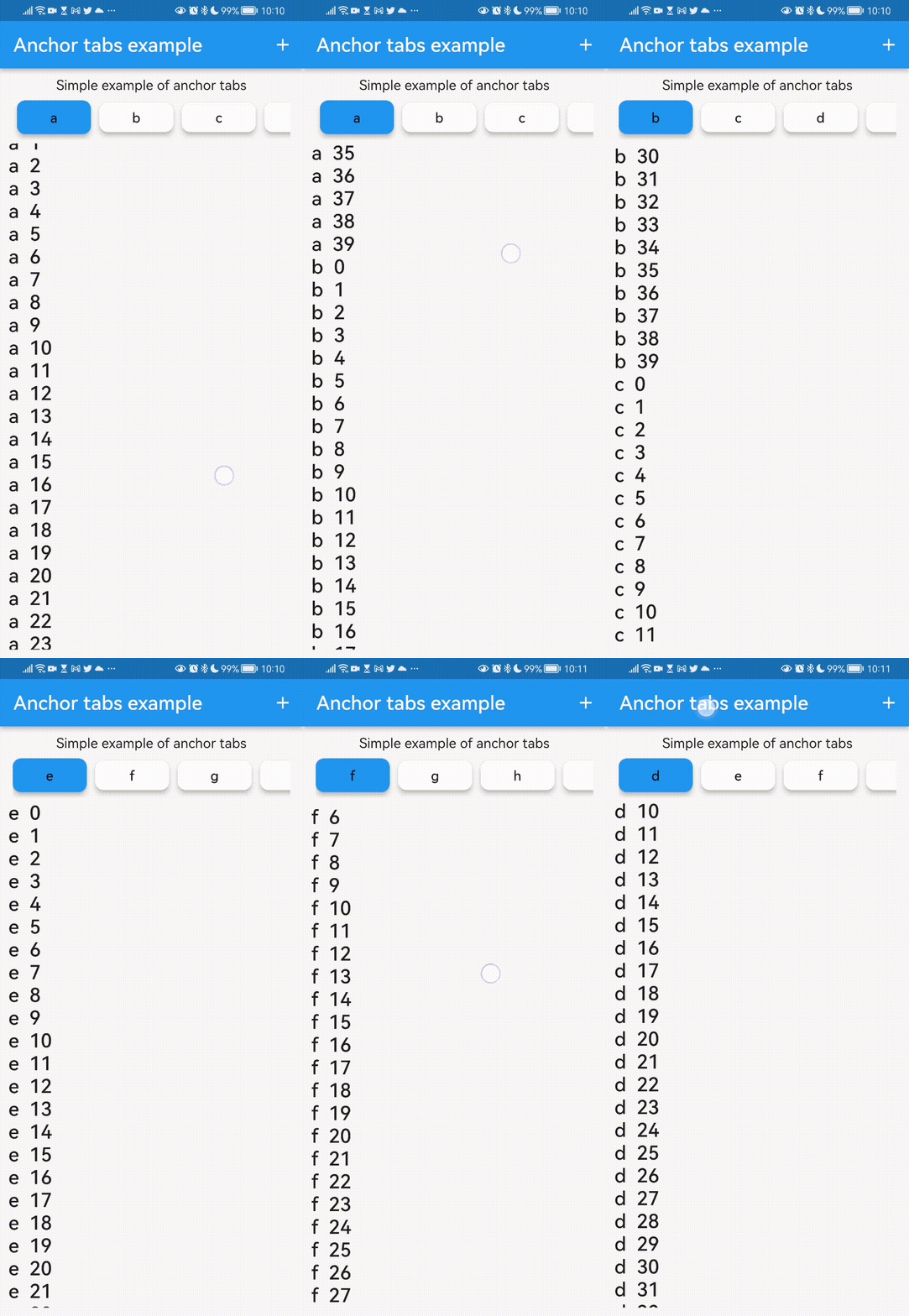
特点
标签按钮滚动到区块,滚动会更新选定的标签按钮
入门
将依赖项添加到您的 pubspec.yaml
anchor_tabs: ^0.0.1
用法
class SimpleExample extends StatelessWidget {
  const SimpleExample({Key? key}) : super(key: key);

  @override
  Widget build(BuildContext context) {
    List<String> tabsText = ['a', 'b', 'c', 'd', 'e', 'f', 'g', 'h', 'i', 'j'];

    List<Widget> tabs = [];
    List<Widget> body = [];

    for (var element in tabsText) {
      // Create a tab item
      tabs.add(Text(element));

      // Create a target item
      body.add(ListView.builder(
          scrollDirection: Axis.vertical,
          shrinkWrap: true,
          controller: ScrollController(),
          itemCount: 40,
          itemBuilder: (BuildContext ctxt, int i) {
            return Text('$element  $i',
                style: Theme.of(ctxt).textTheme.headline6);
          }));
    }

    return Container(
      margin: const EdgeInsets.all(10),
      child: Column(
        children: [
          const Text('Simple example of anchor tabs'),
          Expanded(child: AnchorTabPanel(tabs: tabs, body: body)),
        ],
      ),
    );
  }
}
附加信息
这个AnchorTabPanel组件有更多的字段,比如配置标签按钮大小的字段。
在pub.dev上关注我们
包网址: https://pub.dev/packages/anchor_tabs
在github上贡献
如果您遇到这个包无法解决的问题,欢迎在github上贡献 https://github.com/ivofernandes/anchor_tabs
将包发布到pub.dev的说明
dart pub publish


