
Flutter DropdownSearch
Flutter 简单而健壮的DropdownSearch,具有项目搜索功能,可使用离线项目列表或过滤 URL 进行轻松自定义。
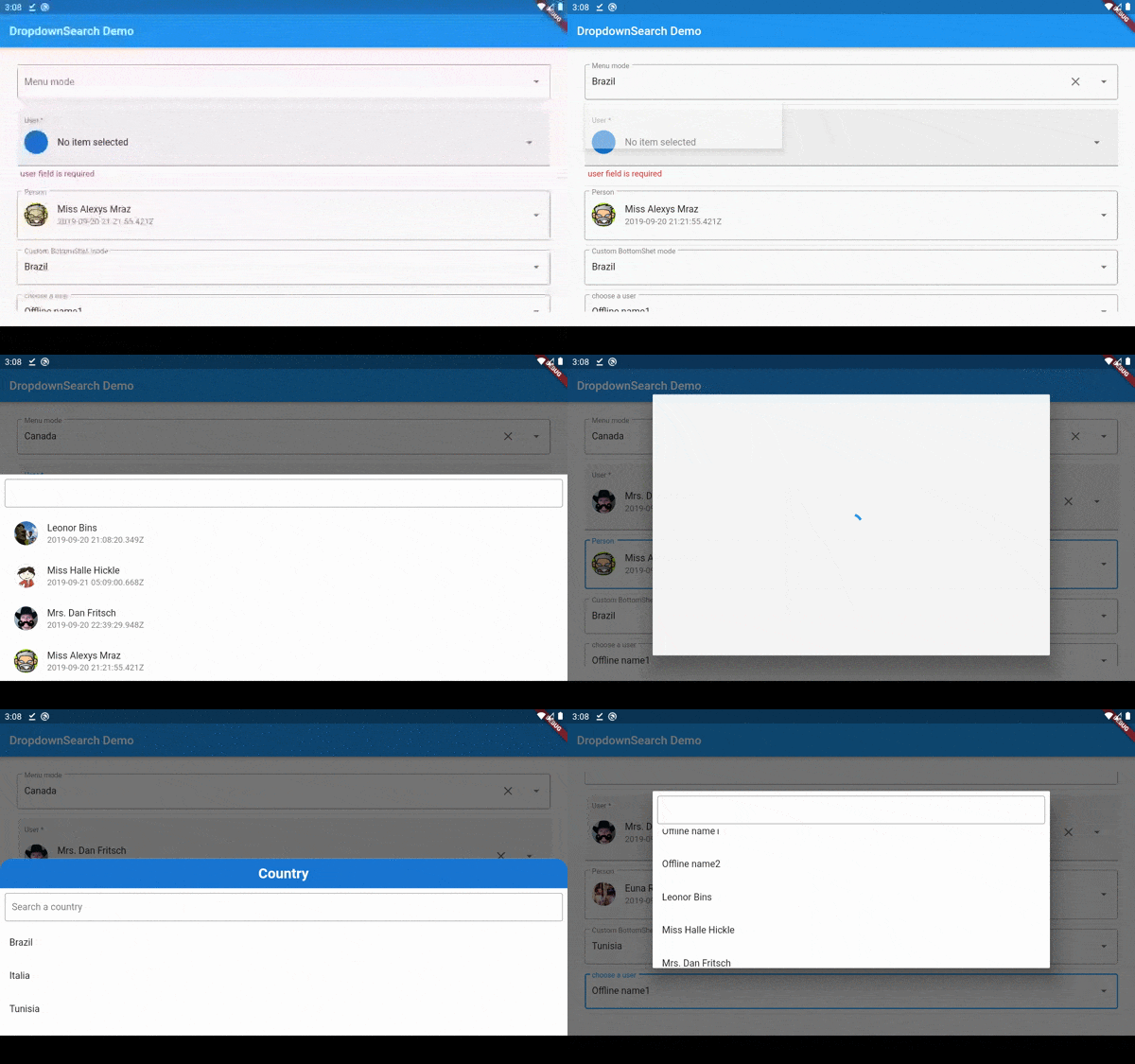
主要特点
- 同步和/或异步项目(在线、离线、数据库等)
- 可搜索下拉框
- 三种下拉模式:菜单/底部表单/模态底部表单/对话框
- 单选和多选
- Material 下拉框
- 易于定制的 UI
- 处理浅色和深色主题
- 在 StatelessWidget 中轻松实现
- 支持多级项目
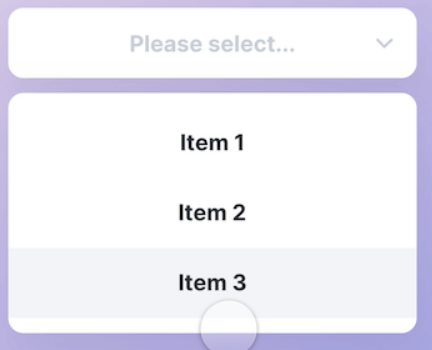
|
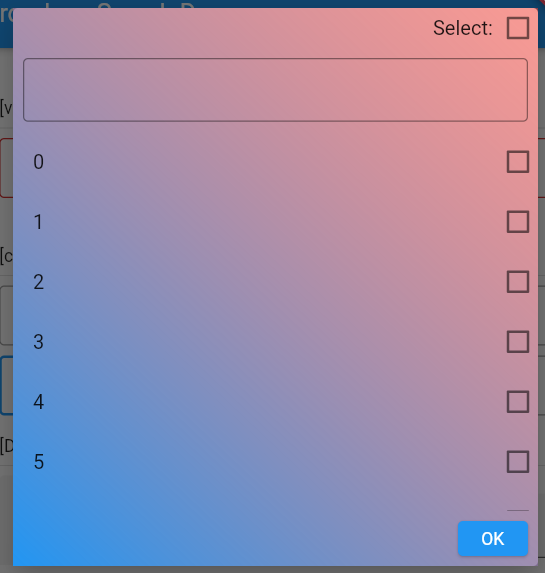
|
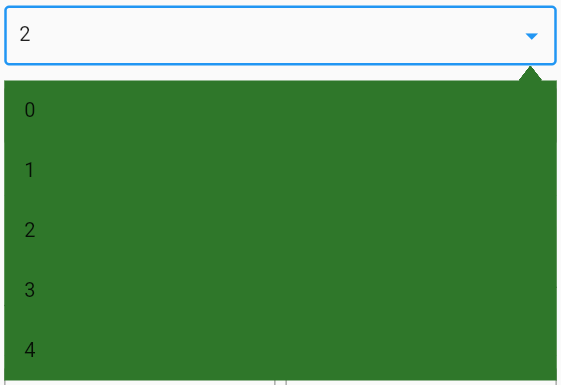
|
|
packages.yaml
dropdown_search: <lastest version>
导入
import 'package:dropdown_search/dropdown_search.dart';
简单实现
DropdownSearch<String>(
    popupProps: PopupProps.menu(
        showSelectedItems: true,
        disabledItemFn: (String s) => s.startsWith('I'),
    ),
    items: ["Brazil", "Italia (Disabled)", "Tunisia", 'Canada'],
    dropdownDecoratorProps: DropDownDecoratorProps(
        dropdownSearchDecoration: InputDecoration(
            labelText: "Menu mode",
            hintText: "country in menu mode",
        ),
    ),
    onChanged: print,
    selectedItem: "Brazil",
)

DropdownSearch<String>.multiSelection(
    items: ["Brazil", "Italia (Disabled)", "Tunisia", 'Canada'],
    popupProps: PopupPropsMultiSelection.menu(
        showSelectedItems: true,
        disabledItemFn: (String s) => s.startsWith('I'),
    ),
    onChanged: print,
    selectedItems: ["Brazil"],
)
自定义显示的字段(itemAsString)
DropdownSearch<UserModel>(
    asyncItems: (String filter) => getData(filter),
    itemAsString: (UserModel u) => u.userAsStringByName(),
    onChanged: (UserModel? data) => print(data),
    dropdownDecoratorProps: DropDownDecoratorProps(
        dropdownSearchDecoration: InputDecoration(labelText: "User by name"),
    ),
)

DropdownSearch<UserModel>(
    asyncItems: (String filter) => getData(filter),
    itemAsString: (UserModel u) => u.userAsStringById(),
    onChanged: (UserModel? data) => print(data),
    dropdownDecoratorProps: DropDownDecoratorProps(
        dropdownSearchDecoration: InputDecoration(labelText: "User by id"),
    ),
)
自定义过滤函数
DropdownSearch<UserModel>(
    filterFn: (user, filter) =>
    user.userFilterByCreationDate(filter),
    asyncItems: (String filter) => getData(filter),
    itemAsString: (UserModel u) => u.userAsStringByName(),
    onChanged: (UserModel? data) => print(data),
    dropdownDecoratorProps: DropDownDecoratorProps(
        dropdownSearchDecoration: InputDecoration(labelText: "Name"),
    ),
)
自定义搜索模式
DropdownSearch<UserModel>(
    popupProps: PopupProps.bottomSheet(),
    dropdownSearchDecoration: InputDecoration(labelText: "Name"),
    asyncItems: (String filter) => getData(filter),
    itemAsString: (UserModel u) => u.userAsString(),
    onChanged: (UserModel? data) => print(data),
)
验证
DropdownSearch(
    items: ["Brazil", "France", "Tunisia", "Canada"],
    dropdownSearchDecoration: InputDecoration(labelText: "Name"),
    onChanged: print,
    selectedItem: "Tunisia",
    validator: (String? item) {
    if (item == null)
      return "Required field";
    else if (item == "Brazil")
      return "Invalid item";
    else
      return null;
    },
)
接口实现(使用 Dio 包)
DropdownSearch<UserModel>(
    dropdownSearchDecoration: InputDecoration(labelText: "Name"),
    asyncItems: (String filter) async {
        var response = await Dio().get(
            "http://5d85ccfb1e61af001471bf60.mockapi.io/user",
            queryParameters: {"filter": filter},
        );
        var models = UserModel.fromJsonList(response.data);
        return models;
    },
    onChanged: (UserModel? data) {
      print(data);
    },
)
布局自定义
您可以自定义 DropdownSearch 及其项目的布局。 示例
完整文档 在此
注意
要将模板用作项目类型,而您不想使用自定义函数 itemAsString 和 compareFn,您需要实现 toString、equals 和 hashcode,如下所示
class UserModel {
  final String id;
  final DateTime createdAt;
  final String name;
  final String avatar;

  UserModel({this.id, this.createdAt, this.name, this.avatar});

  factory UserModel.fromJson(Map<String, dynamic> json) {
    if (json == null) return null;
    return UserModel(
      id: json["id"],
      createdAt:
          json["createdAt"] == null ? null : DateTime.parse(json["createdAt"]),
      name: json["name"],
      avatar: json["avatar"],
    );
  }

  static List<UserModel> fromJsonList(List list) {
    if (list == null) return null;
    return list.map((item) => UserModel.fromJson(item)).toList();
  }

  ///this method will prevent the override of toString
  String userAsString() {
    return '#${this.id} ${this.name}';
  }

  ///this method will prevent the override of toString
  bool userFilterByCreationDate(String filter) {
    return this.createdAt.toString().contains(filter);
  }

  ///custom comparing function to check if two users are equal
  bool isEqual(UserModel model) {
    return this.id == model.id;
  }

  @override
  String toString() => name;
}
查看更多示例
支持
如果此插件对您有用,帮助您交付了应用程序,为您节省了大量时间,或者您只是想支持该项目,我将非常感激如果您请我喝杯咖啡。

许可证
MIT


