
国际电话号码输入
一个简单且可定制的 Flutter 包,用于以 intl / 国际格式输入电话号码,使用 Google 的 libphonenumber
| CustomDecoration | CustomBorder | 默认值 |
|---|---|---|
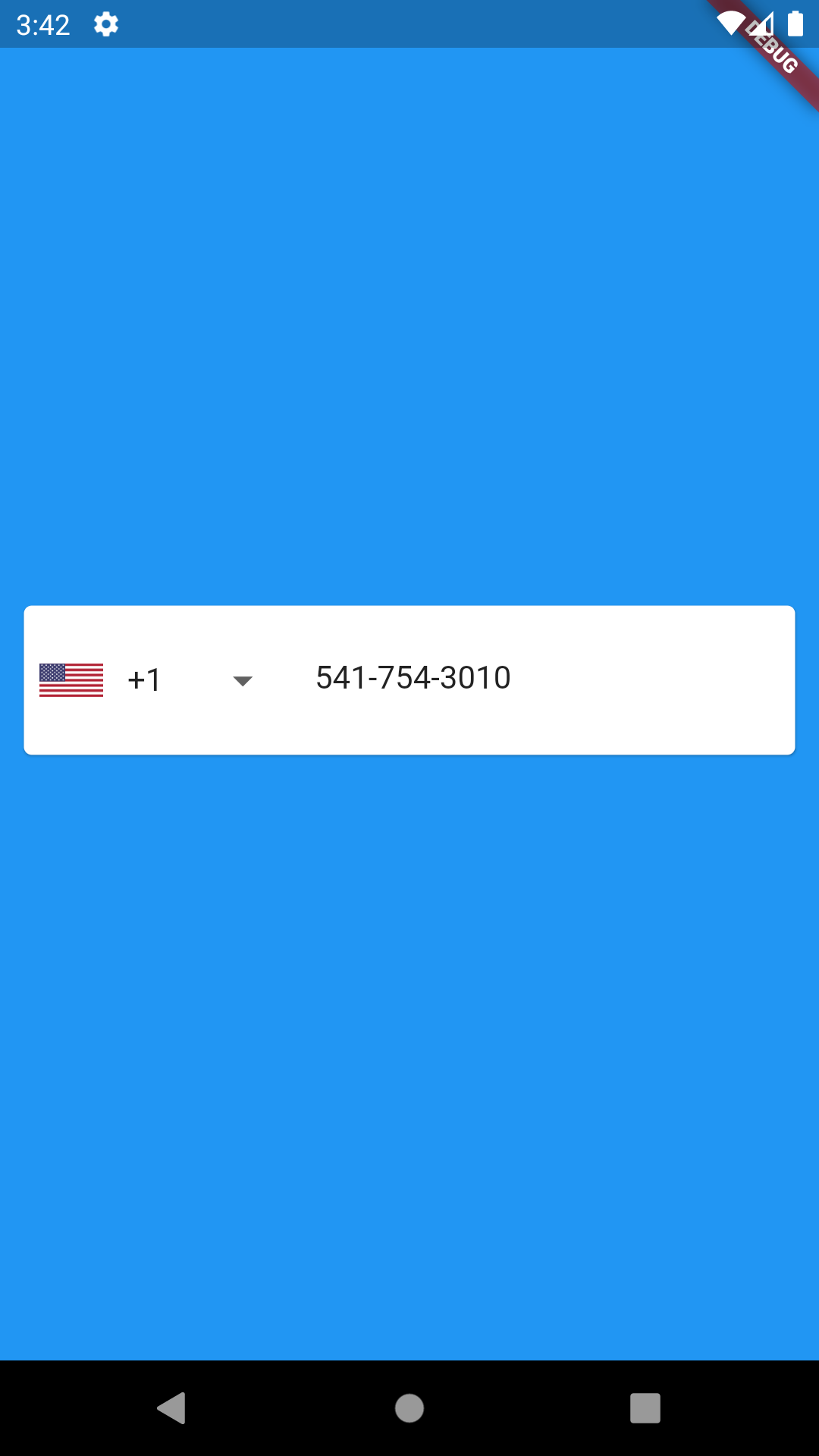 |
 |
 |
| Web |
|---|
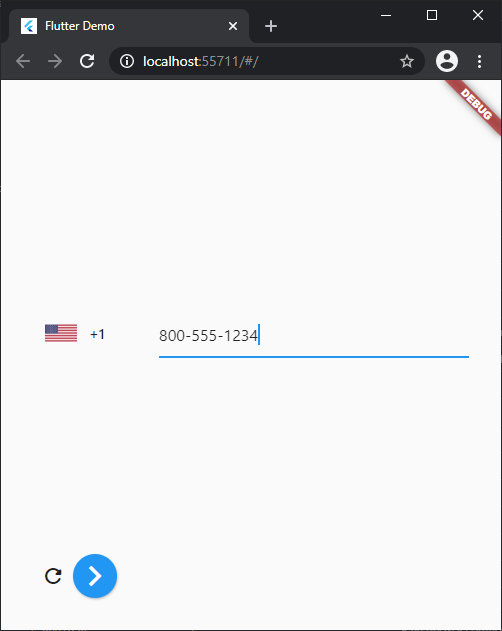 |
有什么新鲜事
- 增加了对Flutter Web的支持 ? ? ? ? ? ? .
- 添加了textAlign, textAlignVertical。
- 修正了埃及的法语翻译。
- 在
SelectorConfig中添加了将选择器按钮设置为前缀图标的选项。 - 添加了
cursorColor选项。 - 添加了
scrollPadding选项。 - 为塞尔维亚添加了新的语言翻译,包含两种书写系统。
- 将onSaved更新为
ValueChange<PhoneNumber>。现在onSaved返回一个PhoneNumber对象。 - 添加了
keyboardType选项,并对iOS键盘进行了改进,详情请参阅#147,#148。 - 添加了locale zh-TW。
- 添加了对nb和nn locale的支持。
- 修复了在输入北美号码段电话号码时,AsYouType格式化器在每次输入时都注入国家拨号代码的问题。
- 修复了当enable为false时,选择器按钮的onTap问题。
- 重大变更对于v0.7.0,
SelectorConfig.backgroundColor将被移除,并替换为Theme.of(context).canvasColor。 - 添加了
spaceBetweenSelectorAndTextField,用于设置选择器按钮和文本字段之间的间距。 - 修复了输入时游标位置的bug,详情和更多信息请参阅#130。
- 修复了更新/更改值后,选择器按钮国家恢复到初始值的bug,更多信息请参阅#155。
- 点击
selectorType为PhoneInputSelectorType.BOTTOM_SHEET之外的区域现在会关闭对话框。
功能
- Web 支持。
- 支持 RTL 语言
- 选择器模式下拉、底部工作表和对话框
- 键入时格式化:将输入格式化为选定的国际格式
- 使用 PhoneNumber.getRegionInfoFromPhoneNumber(String phoneNumber, [String isoCode]); 获取地区信息;
- 使用
PhoneNumber.getParsableNumber(String phoneNumber, String isoCode)或PhoneNumber Reference.parseNumber() 格式化电话号码 - 自定义国家/地区列表,例如 ['NG', 'GH', 'BJ' 'TG', 'CI']
    String phoneNumber =  '+234 500 500 5005';
    PhoneNumber number = await PhoneNumber.getRegionInfoFromPhoneNumber(phoneNumber);
    String parsableNumber = number.parseNumber();
    `controller reference`.text = parsableNumber
Web支持
在您的应用程序目录中,编辑 web/index.html 以添加以下内容
<!DOCTYPE html>
<html>
    <head>
        ...
    </head>
    <body>

        ...

        <script src="packages/libphonenumber_plugin/js/libphonenumber.js"></script>
        <script src="packages/libphonenumber_plugin/js/stringbuffer.js"></script>

        ...

        <script src="main.dart.js" type="application/javascript"></script>
    </body>
</html>
或从 Github 签出 /example 文件夹。
注意
PhoneNumber.getRegionInfoFromPhoneNumber(String phoneNumber, [String isoCode])
如果电话号码未被识别,可能会抛出异常,因此将国家/地区的 isoCode 传递或在字符串开头添加“+”是一个好模式
如果未识别电话号码,isoCode 可能为 null
用法
构造函数
| s/n | 构造函数 |
|---|---|
| 1 | InternationalPhoneNumberInput |
可用参数
InternationalPhoneNumberInput({
    Key key,
      this.selectorConfig = const SelectorConfig(),
      @required this.onInputChanged,
      this.onInputValidated,
      this.onSubmit,
      this.onFieldSubmitted,
      this.validator,
      this.onSaved,
      this.textFieldController,
      this.keyboardAction,
      this.keyboardType = TextInputType.phone,
      this.initialValue,
      this.hintText = 'Phone number',
      this.errorMessage = 'Invalid phone number',
      this.selectorButtonOnErrorPadding = 24,
      this.spaceBetweenSelectorAndTextField = 12,
      this.maxLength = 15,
      this.isEnabled = true,
      this.formatInput = true,
      this.autoFocus = false,
      this.autoFocusSearch = false,
      this.autoValidateMode = AutovalidateMode.disabled,
      this.ignoreBlank = false,
      this.countrySelectorScrollControlled = true,
      this.locale,
      this.textStyle,
      this.selectorTextStyle,
      this.inputBorder,
      this.inputDecoration,
      this.searchBoxDecoration,
      this.textAlign = TextAlign.start,
      this.textAlignVertical = TextAlignVertical.center,
      this.scrollPadding = const EdgeInsets.all(20.0),
      this.focusNode,
      this.cursorColor,
      this.autofillHints,
      this.countries
    });
```|

```dart
SelectorConfig({
    this.selectorType = PhoneInputSelectorType.DROPDOWN,
    this.showFlags = true,
    this.useEmoji = false,
    this.backgroundColor,
    this.countryComparator,
    this.setSelectorButtonAsPrefixIcon = false,
});
| 参数 | 数据类型 | 初始值 |
|---|---|---|
| onInputChanged | function(PhoneNumber) | 空 |
| onSaved | function(PhoneNumber) | 空 |
| onInputValidated | function(bool) | 空 |
| focusNode | FocusNode | 空 |
| textFieldController | TextEditingController | TextEditingController() |
| onSubmit | Function() | 空 |
| keyboardAction | TextInputAction | 空 |
| keyboardType | TextInputType | TextInputType.phone |
| countries | 列表 | 空 |
| 文本样式 | TextStyle | 空 |
| selectorTextStyle | TextStyle | 空 |
| inputBorder | InputBorder | 空 |
| inputDecoration | InputDecoration | 空 |
| initialValue | PhoneNumber | 空 |
| hintText | 字符串 | 手机号码 |
| selectorButtonOnErrorPadding | 双精度 | 24 |
| spaceBetweenSelectorAndTextField | 双精度 | 12 |
| maxLength | integer | 15 |
| isEnabled | boolean | 真 |
| autoFocus | boolean | 假 |
| autoValidateMode | AutoValidateMode | AutoValidateMode.disabled |
| formatInput | boolean | 真 |
| errorMessage | 字符串 | 无效的电话号码 |
| selectorConfig | SelectorConfig | SelectorConfig() |
| ignoreBlank | boolean | 假 |
| locale | 字符串 | 空 |
| searchBoxDecoration | InputDecoration | 空 |
| textAlign | TextAlign | TextAlign.start |
| textAlignVertical | TextAlignVertical | TextAlignVertical.center |
| scrollPadding | EdgeInsets | EdgeInsets.all(20.0) |
| countrySelectorScrollControlled | boolean | 真 |
| cursorColor | String \ | 空 |
| autofillHints | Iterable | 空 |
选择器类型
| DROPDOWN | BOTTOMSHEET | DIALOG |
|---|---|---|
 |
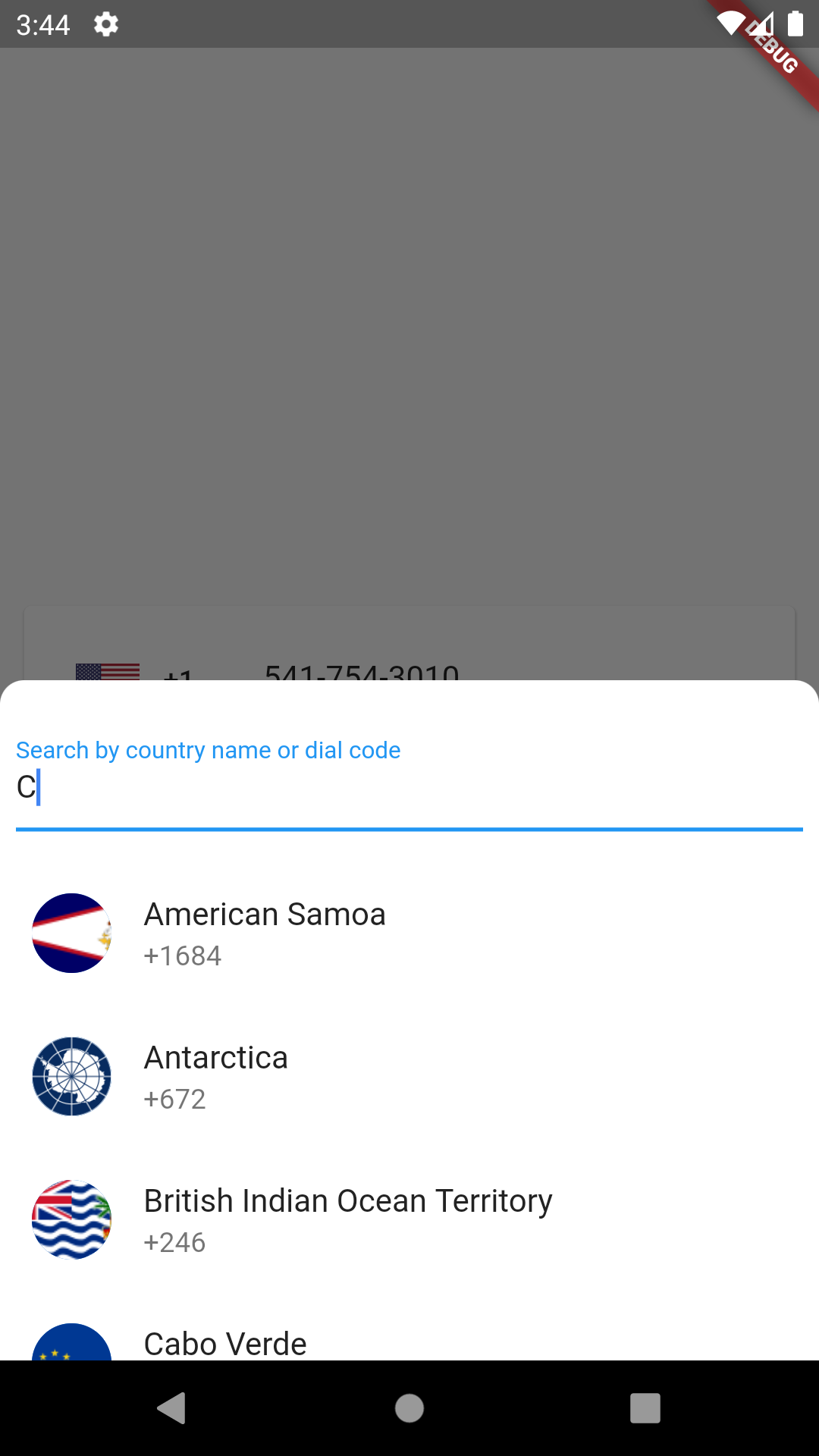 |
 |
测试
Widget Key 参数和助手类现已可用于集成测试,请查看此示例? 集成测试示例
贡献
如果您遇到任何问题或库缺少功能,请随时打开一个 issue。随时 fork、改进包并提交 pull request。
贡献者
使用 contributors-img 制作。
依赖项
鸣谢
特别感谢 niinyarko
常见问题
- 有关讨论以及常见问题和疑虑,请在此处查看


