
simple_loading_dialog
Flutter 的一个简单的全屏加载对话框。
特点
- 一个非常简单的全屏加载对话框。
- 在等待 Future 完成时可以阻止用户输入。
- 错误时重新抛出异常。
- 可自定义的对话框外观。
- 返回 Future 的结果。
演示
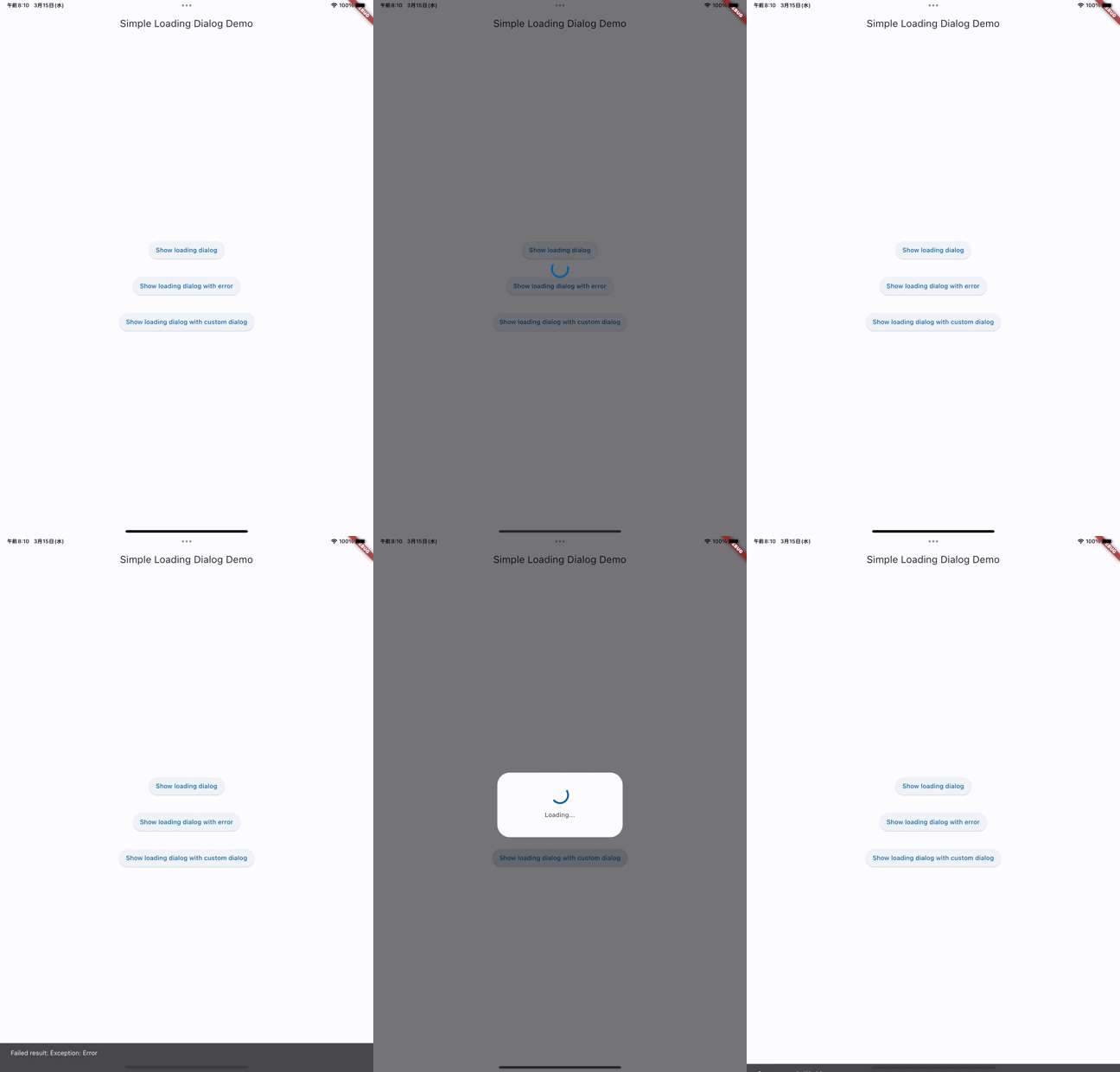
用法
要使用此包,请在 pubspec.yaml 文件中将 simple_loading_dialog 添加为依赖项。
显示对话框
要显示对话框,请使用 showSimpleLoadingDialog 函数。
final result = showSimpleLoadingDialog<String>(
  context: context,
  future: myFutureFunction,
);
这将显示一个全屏进度对话框,直到 myFutureFunction 完成。一旦 Future 完成,结果将被返回,对话框将被关闭。
自定义外观
可以通过传递 dialogBuilder 来自定义对话框的外观。
showSimpleLoadingDialog<void>(
  context: context,
  future: myFutureFunction,
  dialogBuilder: (context, _) => AlertDialog(
    content: Column(
      mainAxisSize: MainAxisSize.min,
      children: [
        CircularProgressIndicator(),
        SizedBox(height: 16),
        Text('Custom message'),
      ],
    ),
  ),
);
使用 SimpleLoadingDialogTheme(推荐)
要使用 SimpleLoadingDialogTheme 扩展来自定义对话框的外观,请在您的应用中定义一个主题,并将其传递给 showSimpleProgressDialog 函数。
MaterialApp(
  title: 'My App',
  theme: ThemeData(
    useMaterial3: true,
    colorSchemeSeed: Colors.blue,
    // Set default theme like this
    extensions: [
      SimpleLoadingDialogTheme(
        dialogBuilder: (context, message) {
          return AlertDialog(
            content: Column(
              mainAxisSize: MainAxisSize.min,
              children: [
                const SizedBox(height: 16),
                const CircularProgressIndicator(),
                const SizedBox(height: 16),
                Text(message),
                const SizedBox(height: 16),
              ],
            ),
          );
        },
      ),
    ],
  ),
  home: MyHomePage(),
);

~~~

final result = showSimpleLoadingDialog<String>(
  context: context,
  future: myFutureFunction,
  message: "Saving...",
);
处理错误
如果在等待 Future 完成时发生错误,异常将被重新抛出。要处理错误,请使用 try-catch 块。
try {
  await showSimpleLoadingDialog<void>(
    context: context,
    future: myFutureFunction,
  );
} catch (e) {
  // Handle the error.
}
许可证
此包根据 MIT 许可证授权。有关详细信息,请参阅 LICENSE 文件。


