flutter_adapter
一个适应Flutter应用程序到不同平台的插件,允许您的Flutter应用程序在同一个Flutter项目中灵活高效地适应各种平台,最大限度地利用UI复用,并在不同平台之间共享业务逻辑代码。
预览
用法
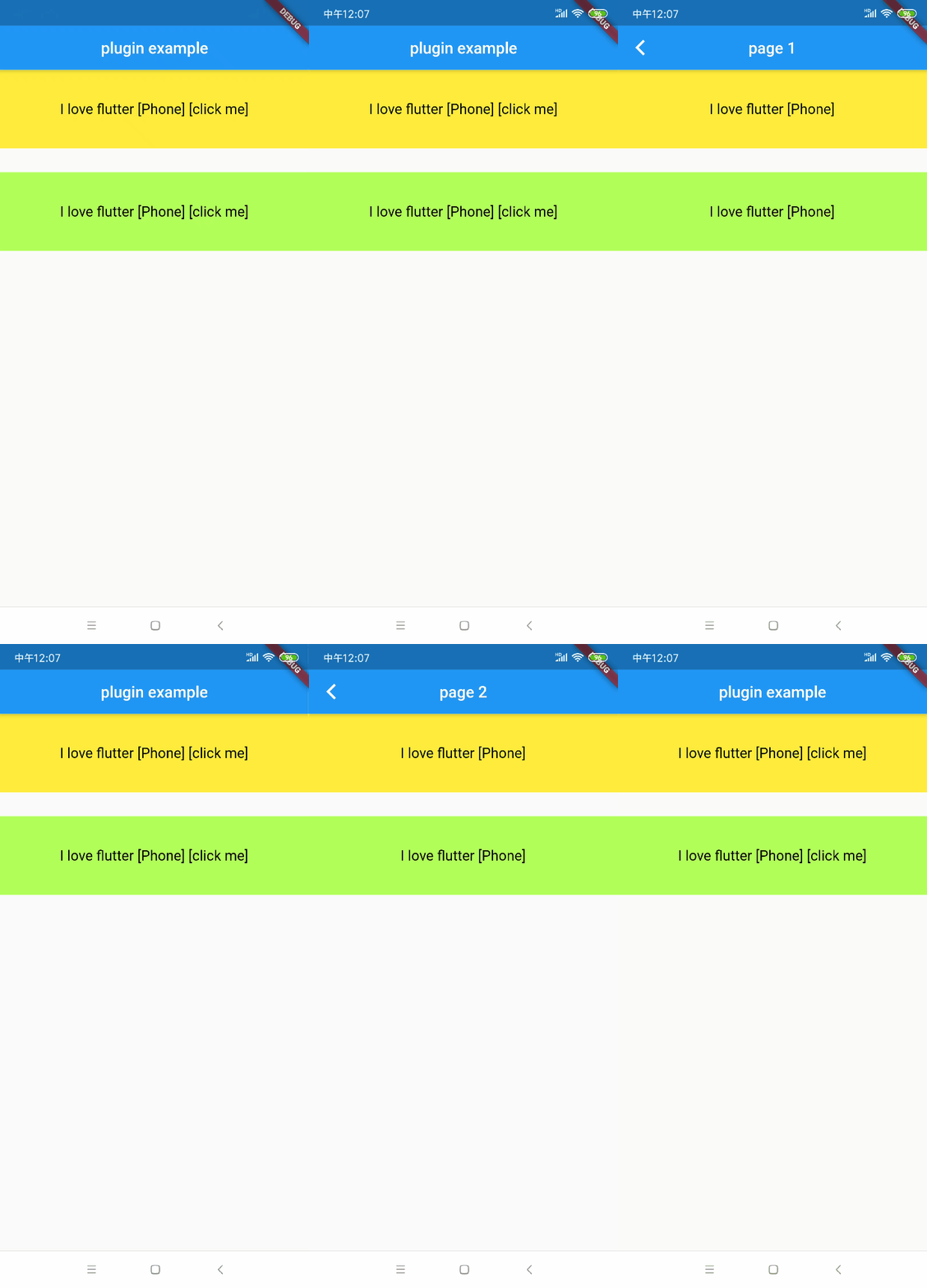
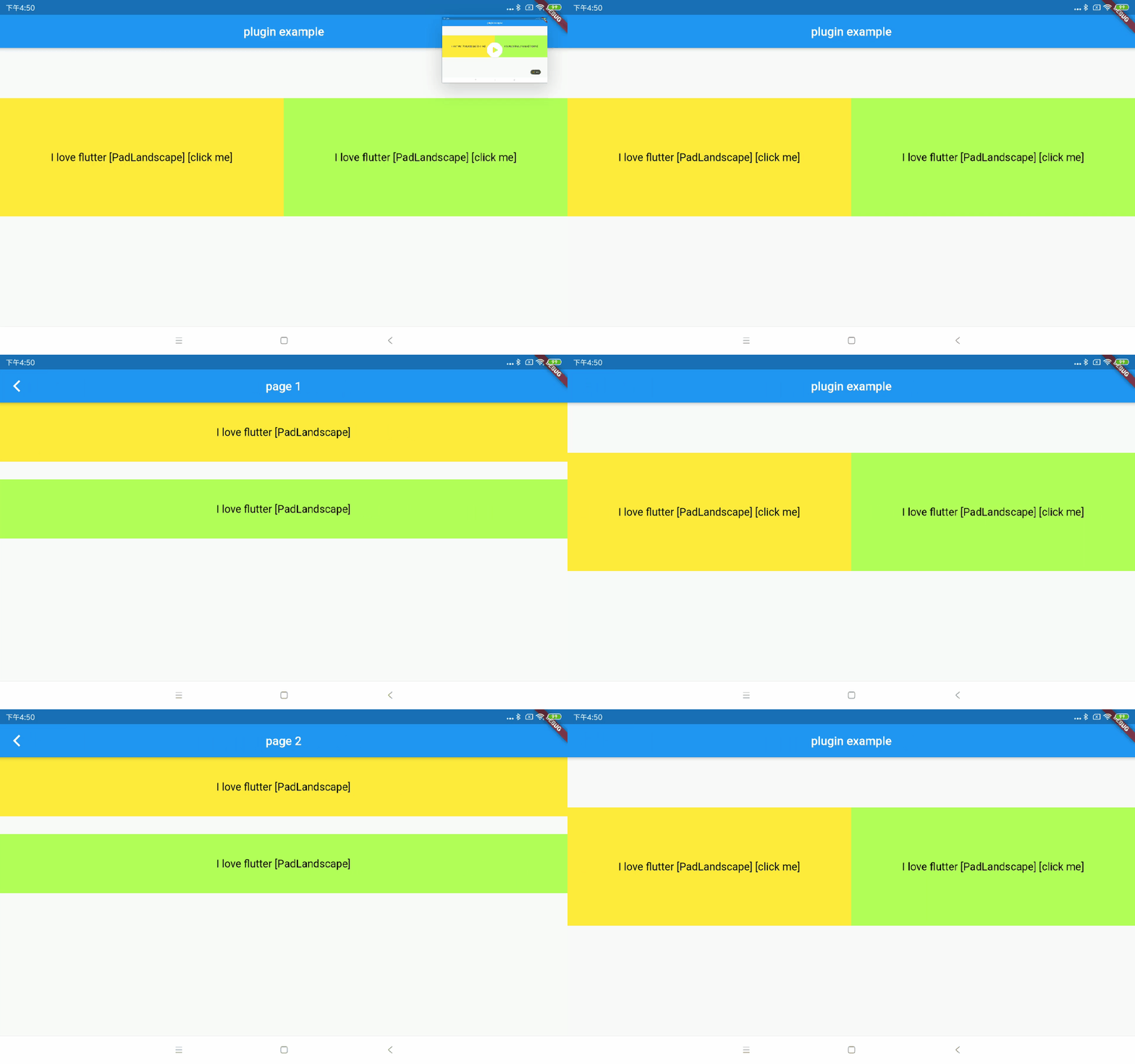
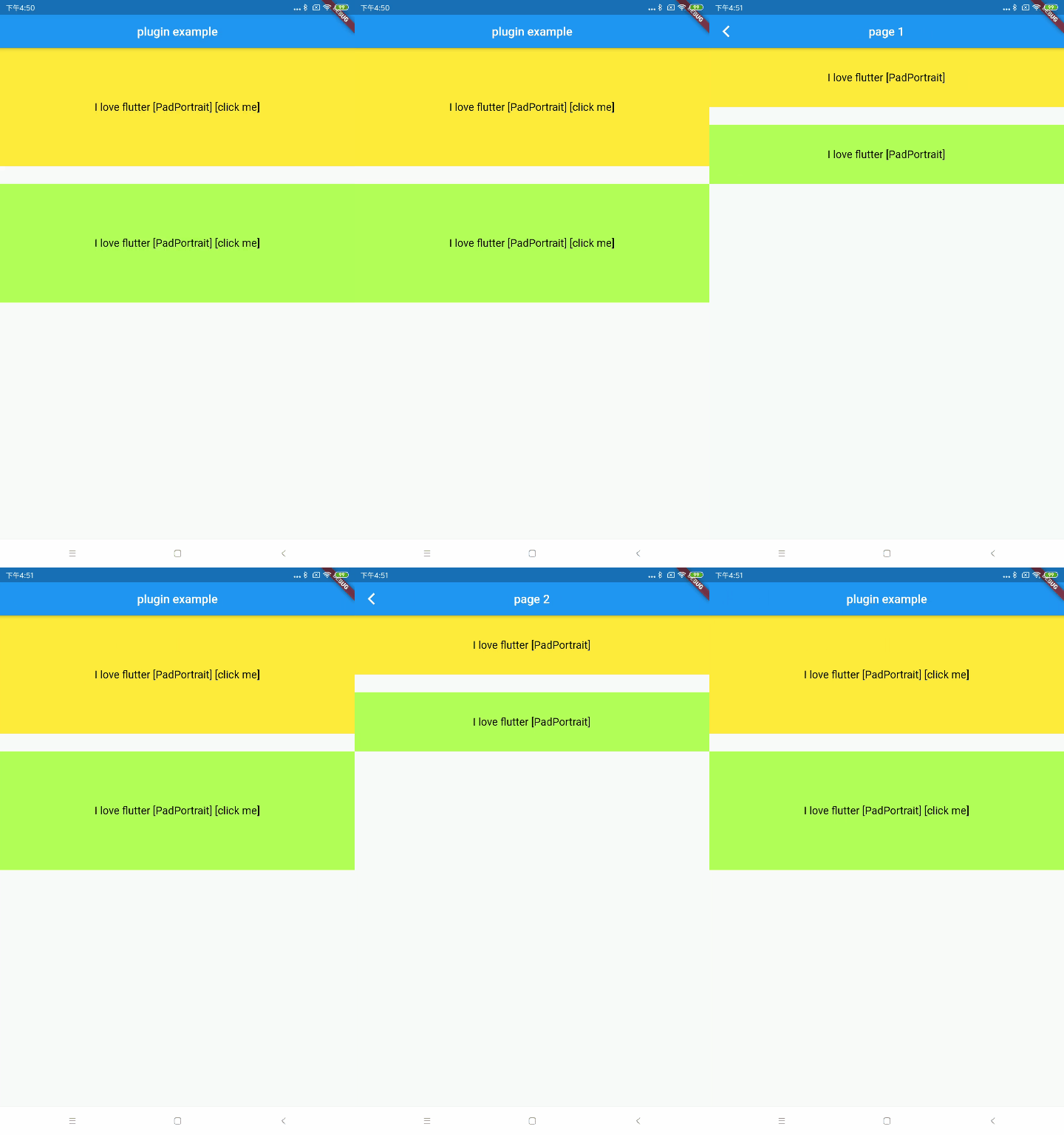
flutter_adapter插件内置三种平台:手机(TEAdaptPlatform.phone)、Pad横屏(TEAdaptPlatform.padLandscape)、Pad竖屏(TEAdaptPlatform.padPortrait)。如果只需要适应部分平台,只需让Widget实现特定平台的build函数即可。其他不适用的平台将默认返回Phone样式。
如果您需要扩展已适应的平台,只需实现一个继承自FlexibleStatelessWidget的抽象类作为StatelessWidget,然后实现新平台的build函数并注册该平台。对于StatefulWidget,只需实现一个继承自FlexibleState的抽象类,然后实现新平台的build函数并注册该平台。
示例
当您使用flutter_adapter时,只需在应用程序入口处使用ScreenAdaptWidget,然后设置当前APP需要适应的平台名称。
ScreenAdaptWidget(
    platform: TEAdaptPlatform.phone.toString(),
    child: any widget
)),
StatelessWidget 示例
如果您的某个StatelessWidget需要适应特定平台,只需从FlexibleStatelessWidget传入该Widget并实现特定平台的build函数。
class MyStatelessPage extends FlexibleStatelessWidget {

  @override
  Widget buildPhone(BuildContext context) {
    return Text('Phone',style: TextStyle(fontSize: 18.0),);
  }

  @override
  Widget buildPadPortrait(BuildContext context) {
    return Text('PadPortrait',style: TextStyle(fontSize: 22.0),);
  }

  @override
  Widget buildPadLandscape(BuildContext context) {
    return Text('PadLandscape',style: TextStyle(fontSize: 30.0),);
  }
}
StatefulWidget 示例
如果您的某个StatefulWidget需要适应特定平台,您只需继承该StatefulWidget对应的State为FlexibleState,然后实现特定平台的build函数。
class MyStatefulPageState extends FlexibleState<MyStatefulPage> {

  @override
  Widget buildPhone(BuildContext context) {
    return Text('Phone',style: TextStyle(fontSize: 18.0),);
  }

  @override
  Widget buildPadPortrait(BuildContext context) {
    return Text('PadPortrait',style: TextStyle(fontSize: 22.0),);
  }

  @override
  Widget buildPadLandscape(BuildContext context) {
    return Text('PadLandscape',style: TextStyle(fontSize: 30.0),);
  }
}
普通 Widget 示例
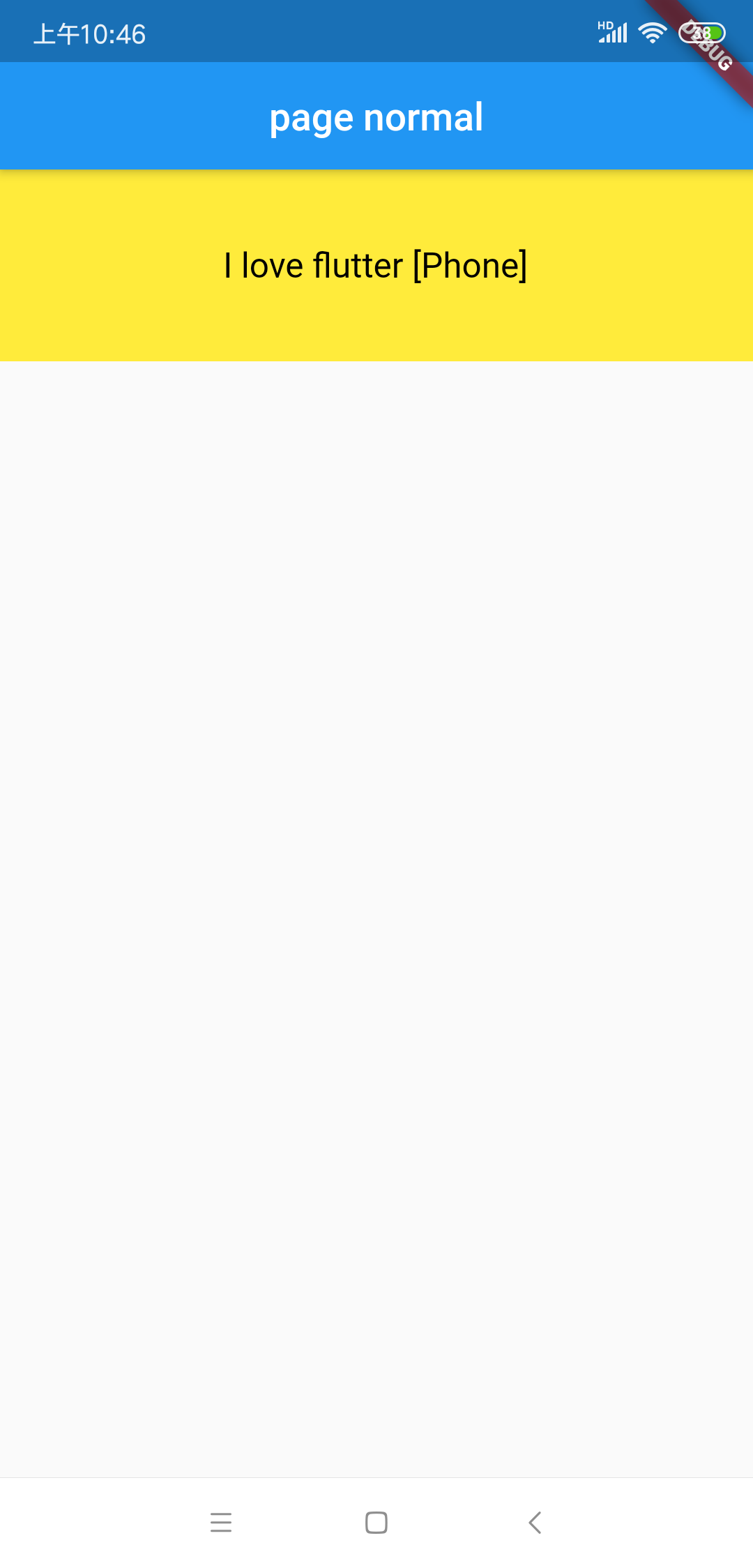
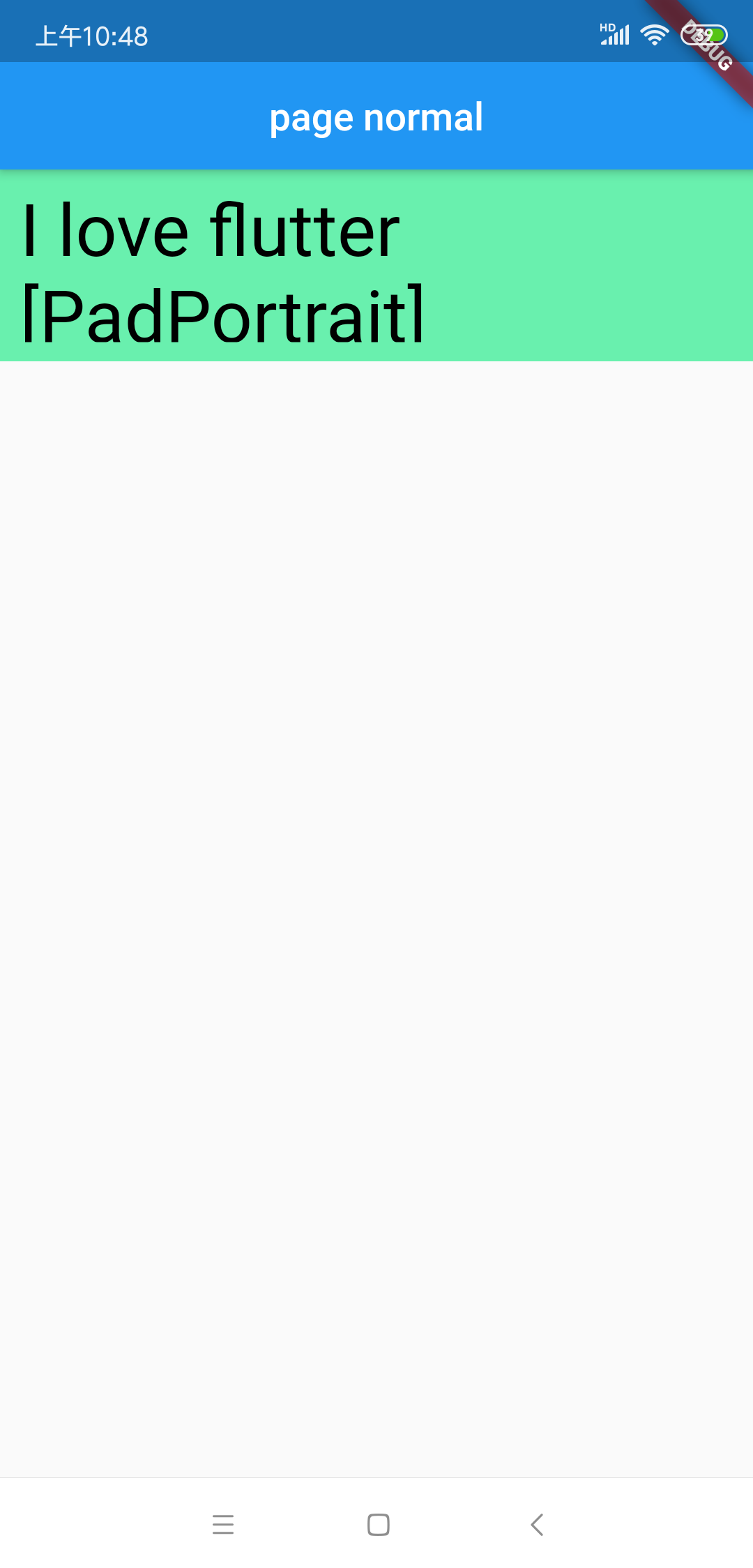
如果您的某个Widget在不同平台只需要改变单个属性值,那么只需要对特定属性进行跨平台适配。flutter_adapter提供了一个superObjectAdapter函数来解决属性值的跨平台适配问题。
class MyNormalPage extends StatelessWidget {
  final String textStr;

  MyNormalPage(this.textStr);

  @override
  Widget build(BuildContext context) {
    return Scaffold(
      appBar: AppBar(
        title: const Text('page normal'),
      ),
      body: Column(
        children: <Widget>[
          Container(
            padding: EdgeInsets.all(10.0),
            margin: EdgeInsets.only(bottom: 30.0),
            width: double.infinity,
            height: 100.0,
            color: superObjectAdapter(context, {TEAdaptPlatform.phone.toString(): Colors.yellow, TEAdaptPlatform.padPortrait.toString(): Colors.greenAccent}),
            child: Center(
              child: Text(
                '$textStr ${superObjectAdapter(context, {
                  TEAdaptPlatform.phone.toString(): "[Phone]",
                  TEAdaptPlatform.padPortrait.toString(): "[PadPortrait]"
                })}',
                style: TextStyle(
                    fontSize: superObjectAdapter(context, {TEAdaptPlatform.phone.toString(): 18.0, TEAdaptPlatform.padPortrait.toString(): 38.0}),
                    color: Colors.black),
              ),
            ),
          ),
        ],
      ),
    );
  }
}
 |
 |
扩展需要适配的平台
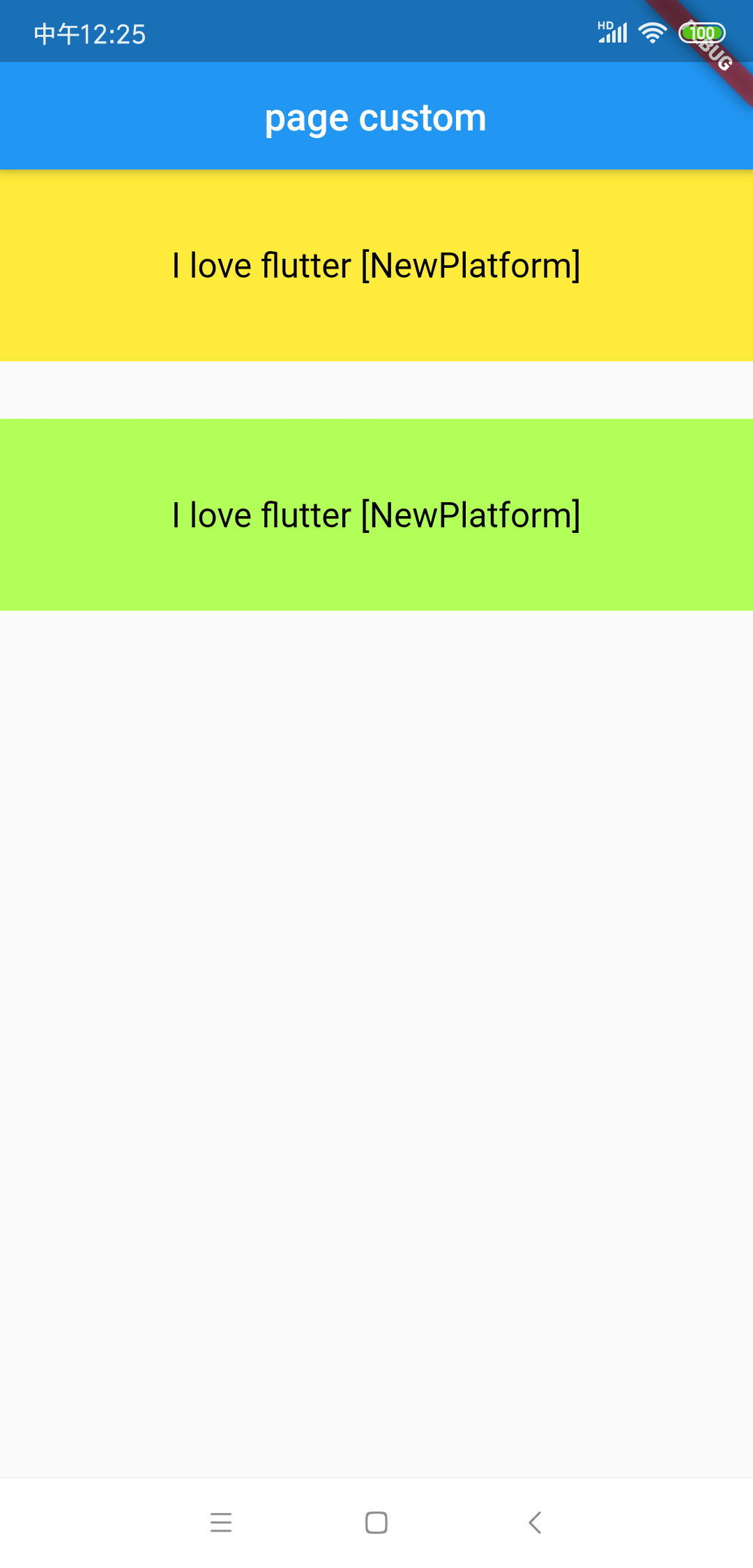
插件内置的三种平台在实际使用过程中可能不够,因此我们为用户自定义平台提供了适配方案。
StatelessWidget 适应新平台
对于StatelessWidget,您只需实现一个继承自FlexibleStatelessWidget的抽象类,然后实现新平台的build函数,然后注册该平台。
abstract class CustomFlexibleStatelessWidget extends FlexibleStatelessWidget {
  @protected
  Widget buildNewPlatform(BuildContext context) {
    return buildPhone(context); // by default, you can return the phone's style
  }

  @protected
  void initAdapter() {
    super.initAdapter();
    addAdapter(Constant.newPlatform, buildNewPlatform);// register new Platform
  }
}
StatelessWidget 适配新平台示例
class MyStatelessPage extends CustomFlexibleStatelessWidget {

  @override
  Widget buildPhone(BuildContext context) {
    return Text('Phone',style: TextStyle(fontSize: 18.0),);
  }

  @override
  Widget buildPadPortrait(BuildContext context) {
    return Text('PadPortrait',style: TextStyle(fontSize: 22.0),);
  }

  @override
  Widget buildNewPlatform(BuildContext context) {
    return Text('buildNewPlatform',style: TextStyle(fontSize: 30.0),);
  }
}
StatefulWidget 适应新平台
对于StatefulWidget,您只需实现一个继承自FlexibleState的抽象类,然后实现新平台的build函数,然后注册该平台。
abstract class CustomFlexibleState<T extends StatefulWidget> extends FlexibleState<T> {
  @protected
  Widget buildNewPlatform(BuildContext context) {
    return buildPhone(context); // by default, you can return the phone's style
  }

  @protected
  void initAdapter() {
    super.initAdapter();
    addAdapter(Constant.newPlatform, buildNewPlatform);// register new Platform
  }
}
StatefulWidget 适配新平台示例
class MyStatefulPageState extends CustomFlexibleState<MyStatefulPage> {

  @override
  Widget buildPhone(BuildContext context) {
    return Text('Phone',style: TextStyle(fontSize: 18.0),);
  }

  @override
  Widget buildPadPortrait(BuildContext context) {
    return Text('PadPortrait',style: TextStyle(fontSize: 22.0),);
  }

  @override
  Widget buildNewPlatform(BuildContext context) {
    return Text('NewPlatform',style: TextStyle(fontSize: 30.0),);
  }
}