overscroll_pop
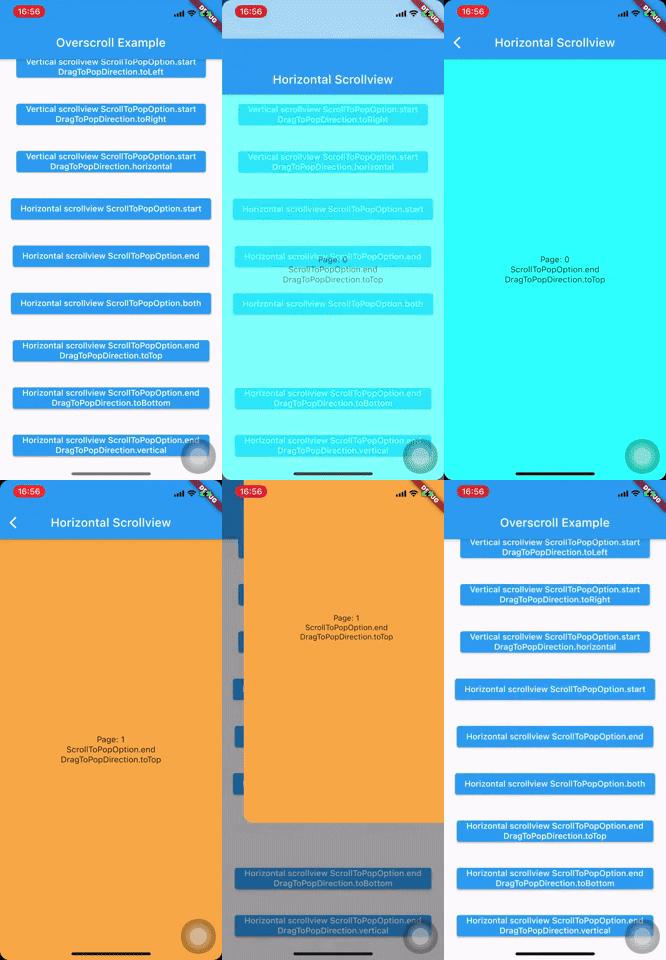
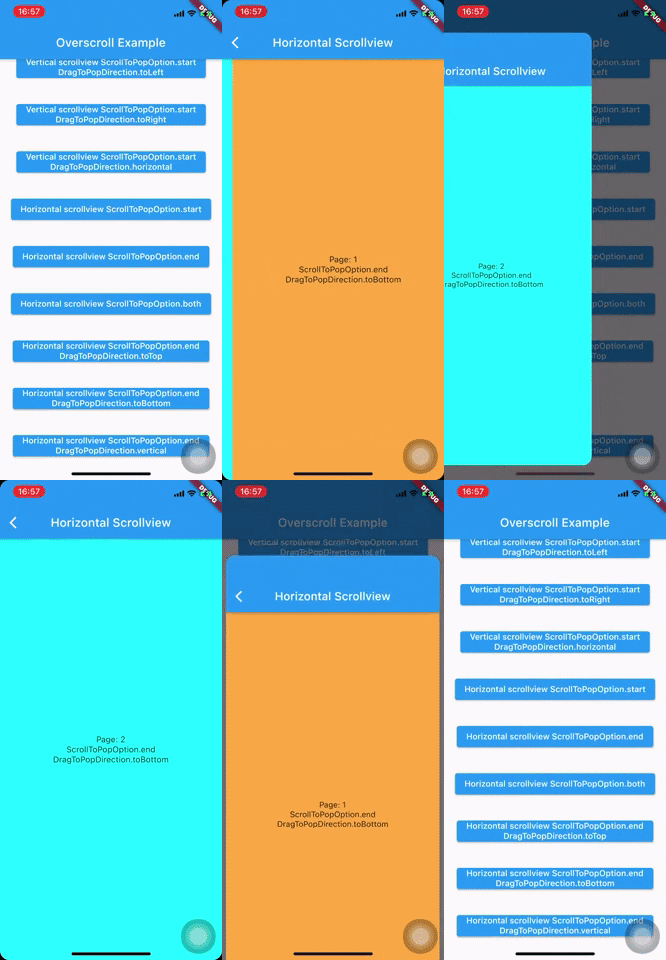
用于 Scrollview 的 Flutter 小部件,滚动时像 Instagram、Pinterest 一样弹出。


入门
- 将该软件包作为依赖添加到您的项目中
dependencies:
  	overscroll_pop: <latest version>
- 使用小部件
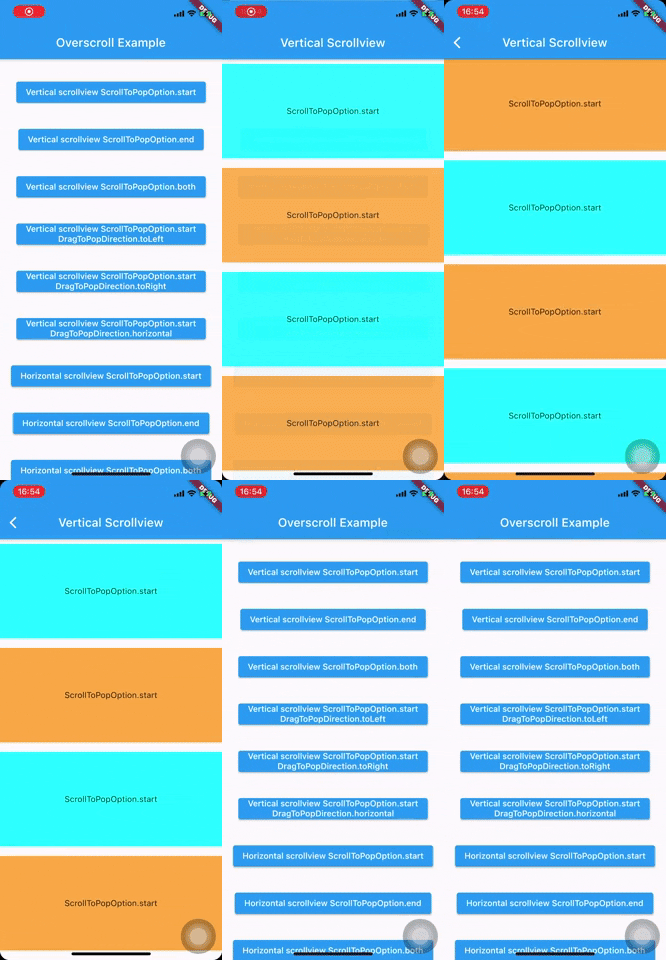
使用 OverscrollPop 包裹您的 Scaffold 或顶级小部件,每一个具有 ClampingScrollPhysics(重要)滚动物理效果的 ScrollView 小部件(Listview、GridView、PageView、CustomScrollView 等)将具有回弹以退出效果。
    MaterialApp(
      home: Scaffold(
        appBar: AppBar(
          title: const Text('Overscroll Example'),
        ),
        body: Builder(
          builder: (c) => Center(
            child: Hero(
              tag: '${ScrollToPopOption.start}${DragToPopDirection.toRight}',
              child: ElevatedButton(
                onPressed: () => pushPage(
                  c,
                  (BuildContext context, _, __) => VerticalScrollview(
                    scrollToPopOption: ScrollToPopOption.start,
                    dragToPopDirection: DragToPopDirection.toRight,
                  ),
                ),
                child: Text('Vertical scrollview ${ScrollToPopOption.start}'),
              ),
            ),
          ),
        ),
      ),
    );

    class VerticalScrollview extends StatelessWidget {
      final ScrollToPopOption scrollToPopOption;
      final DragToPopDirection? dragToPopDirection;

      const VerticalScrollview({
        Key? key,
        this.scrollToPopOption = ScrollToPopOption.start,
        this.dragToPopDirection,
      }) : super(key: key);

      @override
      Widget build(BuildContext context) {
        return OverscrollPop(
          scrollToPopOption: scrollToPopOption,
          dragToPopDirection: dragToPopDirection,
          child: Container(
            clipBehavior: Clip.hardEdge,
            decoration: BoxDecoration(borderRadius: BorderRadius.circular(16.0)),
            child: Scaffold(
              appBar: PreferredSize(
                preferredSize: Size.fromHeight(kToolbarHeight),
                child: Hero(
                  tag: '$scrollToPopOption${dragToPopDirection ?? ''}',
                  child: AppBar(
                    title: Text(
                      'Vertical Scrollview',
                      overflow: TextOverflow.visible,
                    ),
                  ),
                ),
              ),
              body: ListView.builder(
                physics: const ClampingScrollPhysics(),
                itemBuilder: (_, index) => Container(
                  height: 160.0,
                  margin: const EdgeInsets.symmetric(vertical: 8.0),
                  color: index % 2 == 0 ? Colors.cyanAccent : Colors.orangeAccent,
                  alignment: Alignment.center,
                  child: Column(
                    mainAxisAlignment: MainAxisAlignment.center,
                    children: [
                      Text(scrollToPopOption.toString()),
                      if (dragToPopDirection != null)
                        Text(dragToPopDirection.toString()),
                    ],
                  ),
                ),
                itemCount: MediaQuery.of(context).size.height ~/ 160.0 + 2,
              ),
            ),
          ),
        );
      }
    }
- 配置滚动方向并添加额外的拖动以退出
- 默认情况下,该效果仅适用于
ScrollView起始处的回弹(垂直滚动的顶部边缘,水平滚动的左侧边缘)
- 默认情况下,该效果仅适用于
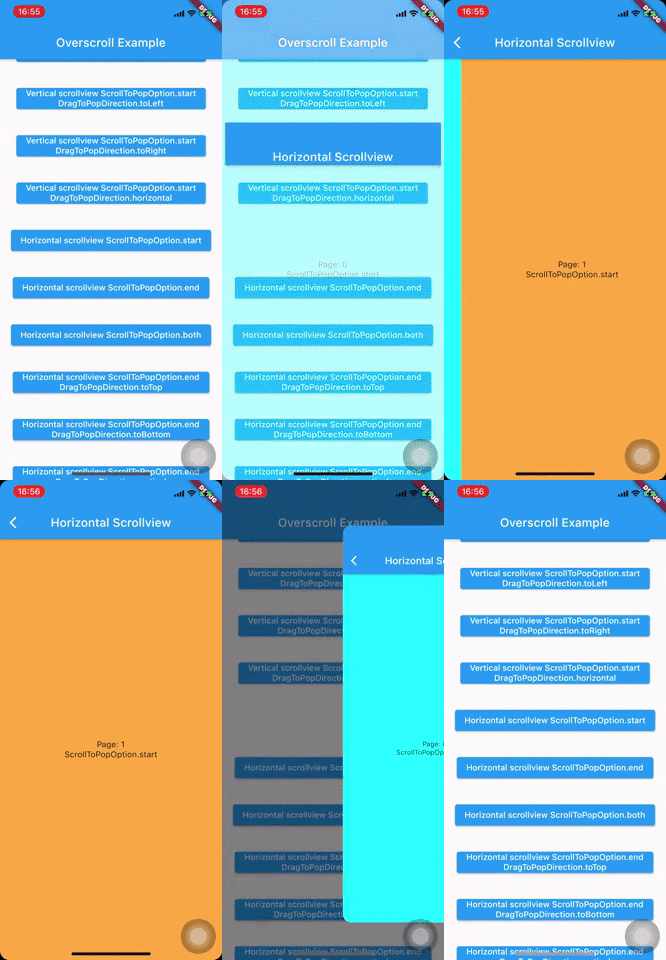
- To enable the end edge (or both edges) for overscroll to pop, set `scrollToPopOption` to `ScrollToPopOption.end` (or `ScrollToPopOption.both`)
    ```
    OverscrollPop(
      scrollToPopOption: ScrollToPopOption.end, // or ScrollToPopOption.both
      ...
    )
    ```
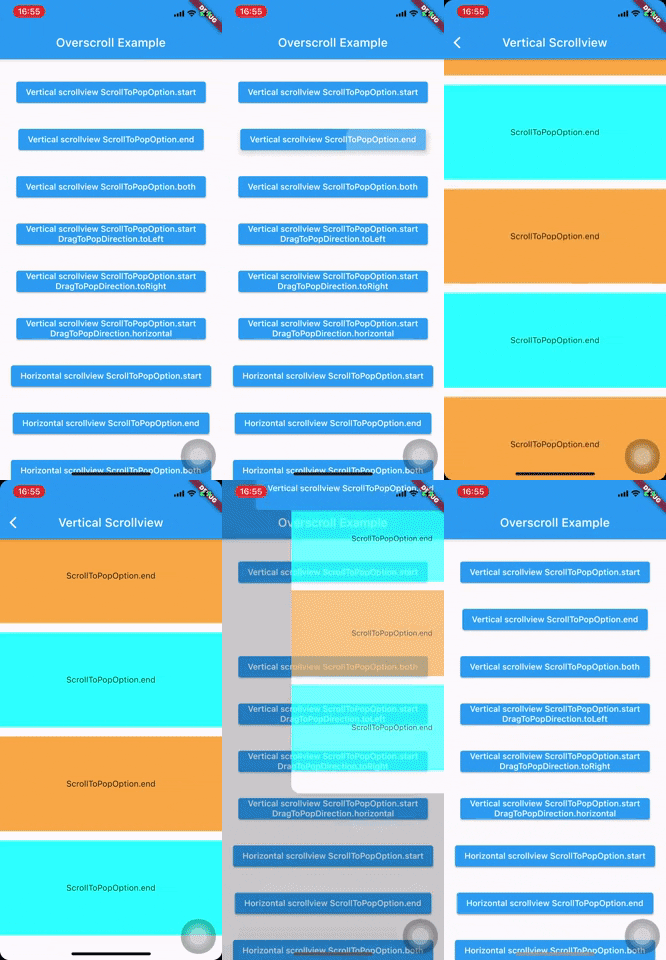
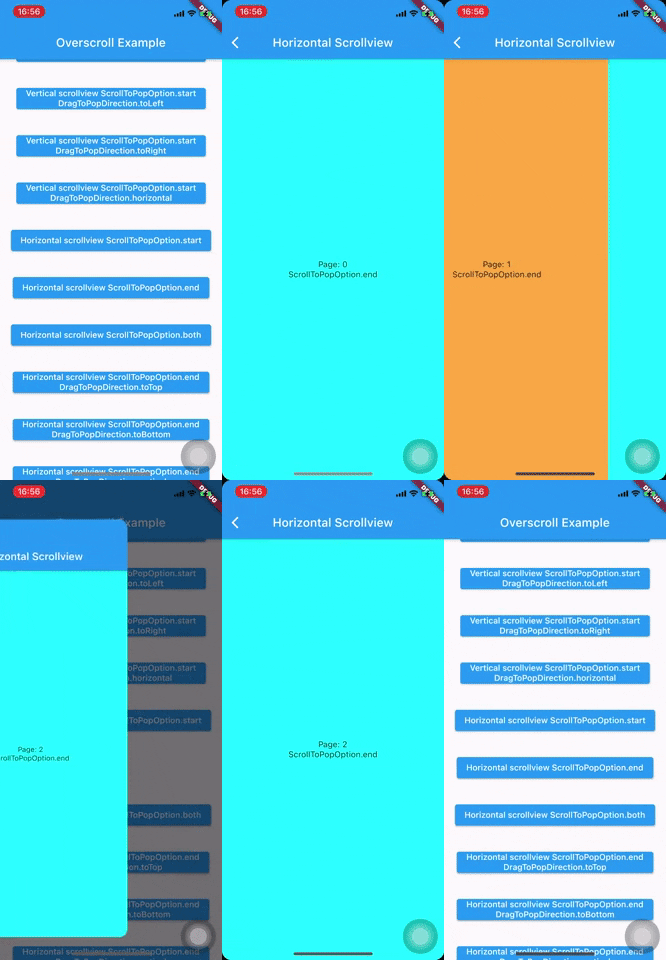
- Beside overscroll, you can config the other drag direction to achieve the pop effect by passing `dragToPopDirection`
    ```
    OverscrollPop(
      dragToPopDirection: DragToPopDirection.toTop, //  toTop, toBottom, toLeft, toRight, horizontal and vertical
      ...
    )
    ```
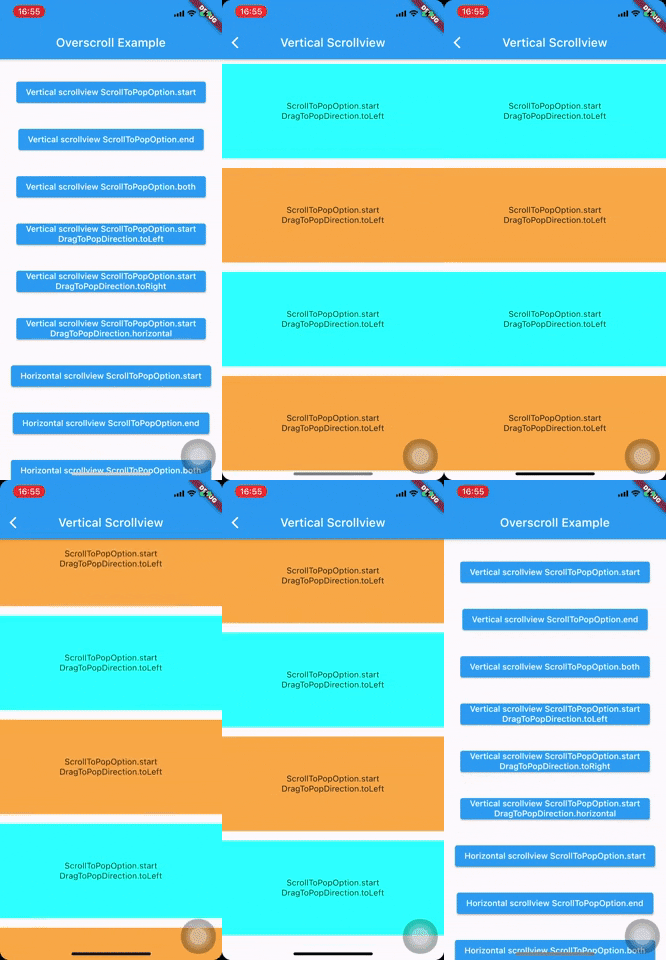
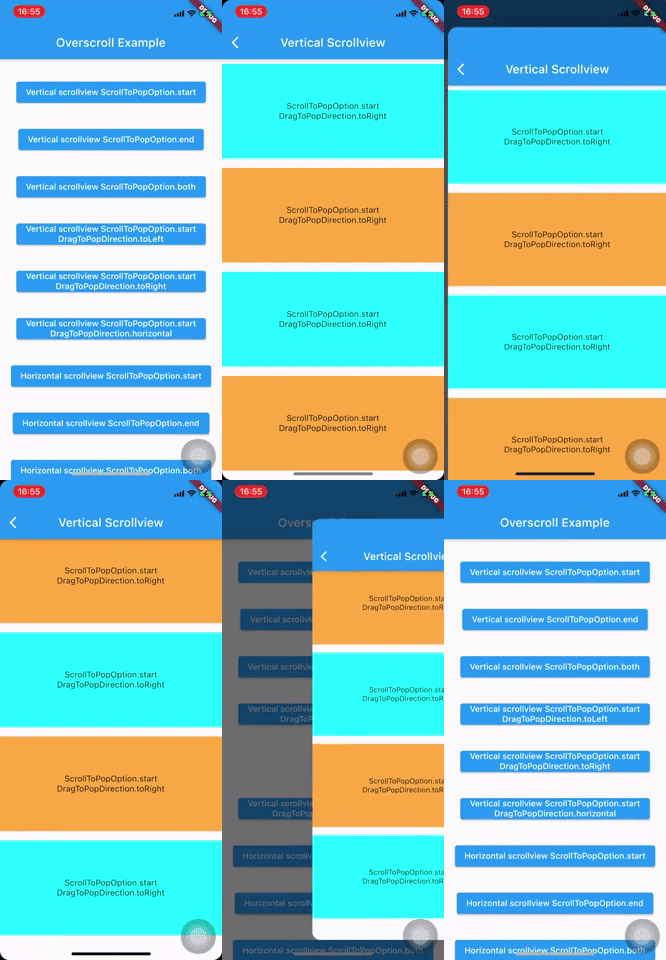
- 垂直滚动:拖动到左、右或水平(左右两侧)
- 水平滚动:拖动到顶部、底部或垂直(上下两侧)