
视频缩略图
此插件可从视频文件或URL生成缩略图。它可以在内存中返回图像或将其写入文件。它提供了丰富的选项来控制图像格式、分辨率和质量。支持iOS和Android。


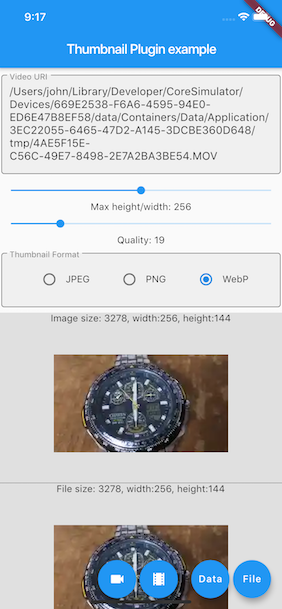
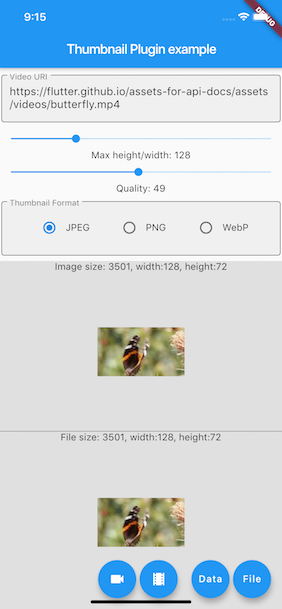
方法
| 功能 | 参数 | 描述 | 返回值 |
|---|---|---|---|
| thumbnailData | String [headers], ImageFormat [imageFormat](JPEG/PNG/WEBP), int [maxHeight](0: 视频原始分辨率,或按视频宽高比缩放), [maxWidth](0: 视频原始分辨率,或按视频宽高比缩放), int [timeMs]从指定毫秒的帧生成缩略图, int[quality]`(0-100) |
从 |
[Future<Uint8List>] |
| thumbnailFile | String [headers], String [thumbnailPath](用于存储缩略图文件的文件夹或完整路径,null则保存在视频文件相同的文件夹), ImageFormat [imageFormat](JPEG/PNG/WEBP), int [maxHeight](0: 视频原始分辨率,或按视频宽高比缩放), int [maxWidth](0: 视频原始分辨率,或按视频宽高比缩放), int [timeMs] 从指定毫秒的帧生成缩略图, int [quality](0-100) |
从 |
[Future<String>] |
警告
在Android平台上,同时提供
maxHeight和maxWidth会产生不同的结果,它实际上会将缩略图缩放到指定的 maxHeight 和 maxWidth。要从网络资源生成缩略图,video必须正确进行URL编码。
用法
安装 将 video_thumbnail 添加到您的 pubspec.yaml 文件作为依赖项。
dependencies:
  video_thumbnail: ^0.5.0
导入
import 'package:video_thumbnail/video_thumbnail.dart';
在内存中从视频文件生成缩略图
final uint8list = await VideoThumbnail.thumbnailData(
  video: videofile.path,
  imageFormat: ImageFormat.JPEG,
  maxWidth: 128, // specify the width of the thumbnail, let the height auto-scaled to keep the source aspect ratio
  quality: 25,
);
从视频URL生成缩略图文件
final fileName = await VideoThumbnail.thumbnailFile(
  video: "https://github.flutterdart.cn/assets-for-api-docs/assets/videos/butterfly.mp4",
  thumbnailPath: (await getTemporaryDirectory()).path,
  imageFormat: ImageFormat.WEBP,
  maxHeight: 64, // specify the height of the thumbnail, let the width auto-scaled to keep the source aspect ratio
  quality: 75,
);
从 pubspec.yaml 中声明的视频资源生成缩略图文件
final byteData = await rootBundle.load("assets/my_video.mp4");
Directory tempDir = await getTemporaryDirectory();

File tempVideo = File("${tempDir.path}/assets/my_video.mp4")
  ..createSync(recursive: true)
  ..writeAsBytesSync(byteData.buffer.asUint8List(byteData.offsetInBytes, byteData.lengthInBytes));

final fileName = await VideoThumbnail.thumbnailFile(
  video: tempVideo.path,
  thumbnailPath: (await getTemporaryDirectory()).path,
  imageFormat: ImageFormat.PNG,
  quality: 100,
);
注意事项
欢迎Fork或Pull Requests。目前使用libwebp通过iOS生成WebP缩略图似乎存在一些性能问题。


