
智能边缘警报
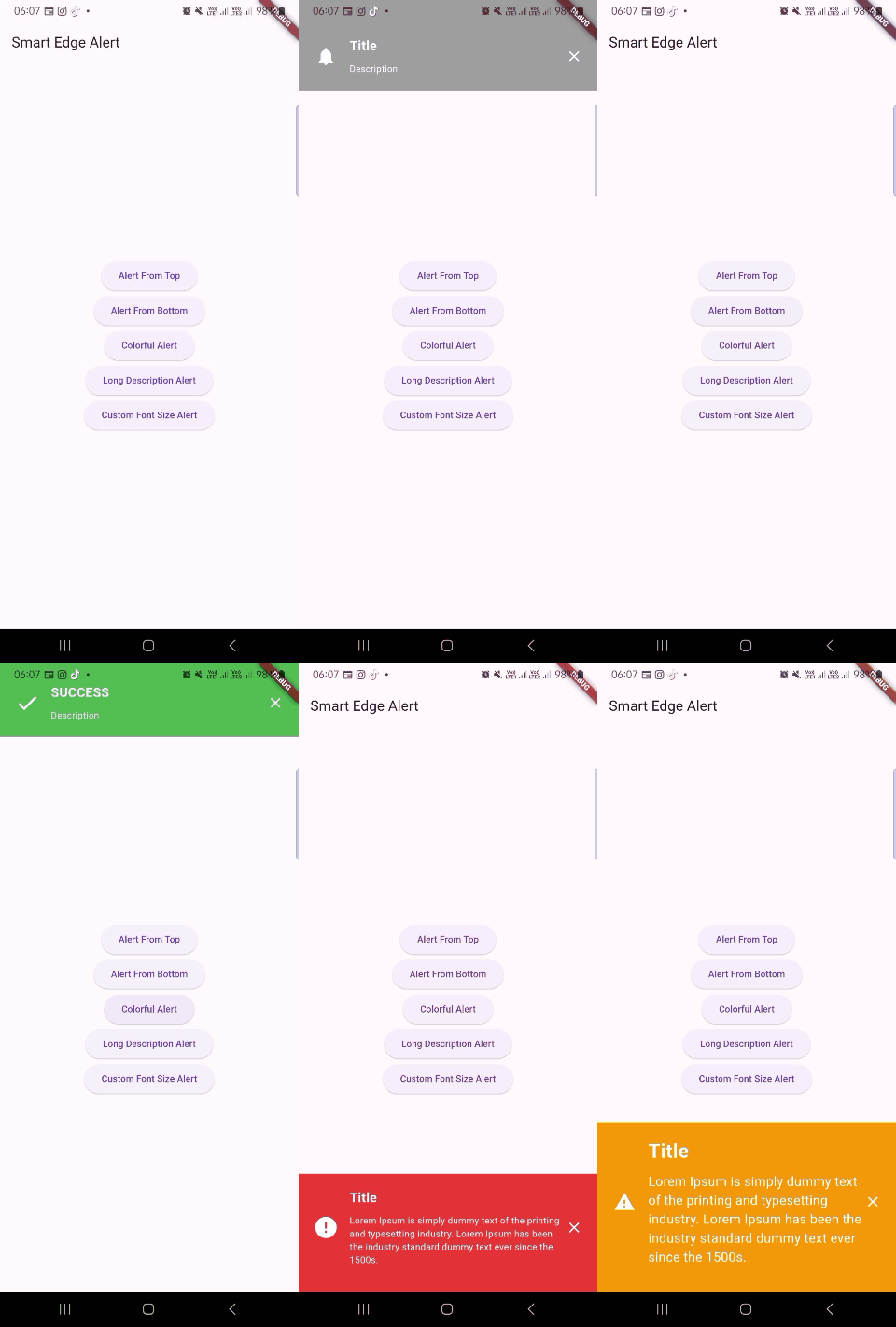
一个 Flutter 包,可以从顶部或底部显示一个中断的智能警报。该包展示了如何使用不同的图标、背景颜色、字体大小和警报持续时间。
类文档
SmartEdgeAlert
负责显示智能警报的类。
OverlayView
- 负责管理覆盖视图的类。
OverlayView.OverlayView
- 用于创建 OverlayView 类实例的工厂构造函数。
OverlayView.createView
- 用于创建和显示覆盖视图的静态方法。
OverlayView.dismiss
- 用于关闭和移除覆盖视图的静态方法。
如何使用 Smart Edge Alert
# add this line to your dependencies
smart_edge_alert: ^0.0.7
import 'package:smart_edge_alert/smart_edge_alert.dart';
SmartEdgeAlert.show(
  context,
  title: 'Title',
  titleFontSize: 20,
  description: 'Description',
  descriptionFontSize: 16,
  gravity: SmartEdgeAlert.top,
  closeButtonColor: Colors.white,
  duration: SmartEdgeAlert.lengthVeryLong,
);
示例
属性说明
| 属性 | 描述 |
|---|---|
| context | BuildContext (非空) (必需) |
| title | '您的标题在此' |
| titleFontSize | '您的标题字体大小在此' |
| 描述 | '您的描述在此' |
| descriptionFontSize | '您的描述字体大小在此' |
| icon | IconData (默认: Icons.notifications) |
| backgroundColor | Color() (默认 Colors.grey) |
| duration | SmartEdgeAlert.lengthShort (1 秒, 默认) 或 SmartEdgeAlert.lengthLong (2 秒) 或 SmartEdgeAlert.lengthVeryLong (3 秒) |
| gravity | SmartEdgeAlert.top (默认) 或 SmartEdgeAlert.bottom |
类
- smart_edge_alert
- smart_edge_alert.OverlayView
- smart_edge_alert.OverlayView.OverlayView
- smart_edge_alert.OverlayView.createView
- smart_edge_alert.OverlayView.dismiss
灵感
https://github.com/mohamed6996/EdgeAlert
许可证
MIT 许可


