
聊天视图

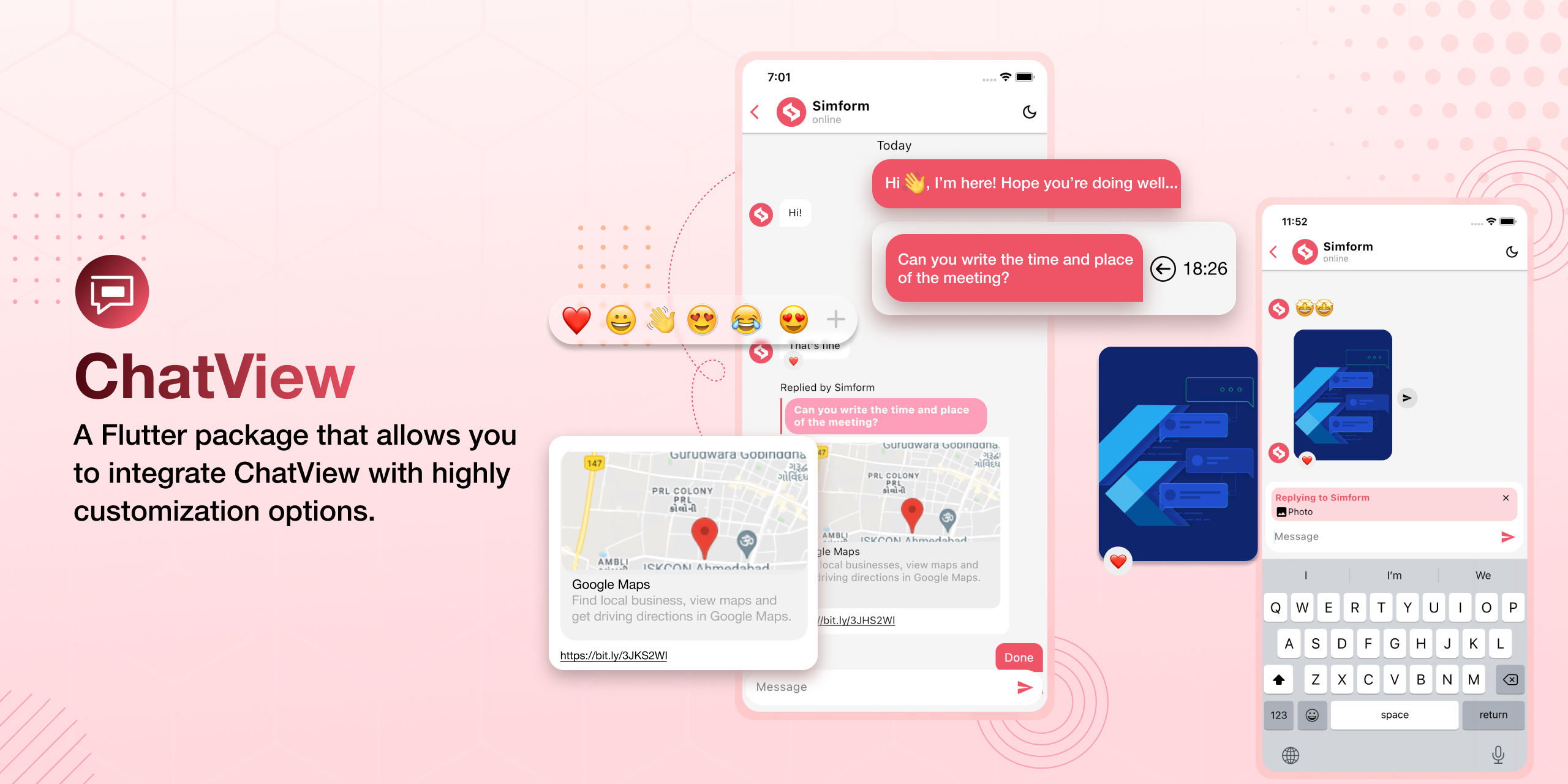
一个Flutter包,允许您集成具有高度可定制选项的聊天视图。
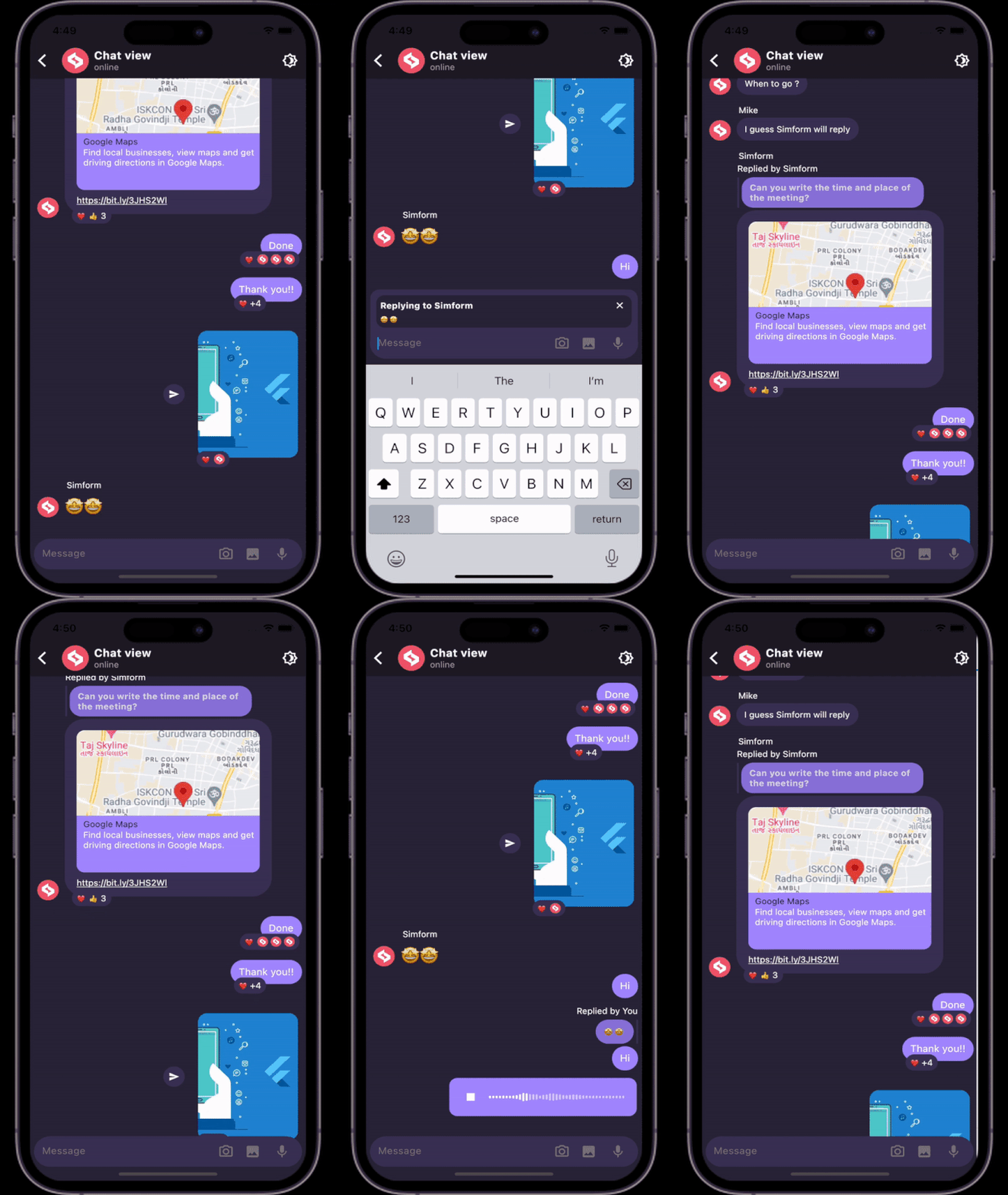
预览
安装
- 将依赖项添加到
pubspec.yaml
dependencies:
  chatview: <latest-version>
在pub.dev的“安装”选项卡中获取最新版本
- 导入包
import 'package:chatview/chatview.dart';
- 添加聊天控制器。
final chatController = ChatController(
  initialMessageList: messageList,
  scrollController: ScrollController(),
  chatUsers: [ChatUser(id: '2', name: 'Simform')],
);
- 添加
ChatView小部件。
ChatView(
  currentUser: ChatUser(id: '1', name: 'Flutter'),
  chatController: chatController,
  onSendTap: onSendTap,
  chatViewState: ChatViewState.hasMessages, // Add this state once data is available.
)
- 使用
Message类添加消息列表。
List<Message> messageList = [
  Message(
    id: '1',
    message: "Hi",
    createdAt: createdAt,
    sendBy: userId,
  ),
  Message(
    id: '2',
    message: "Hello",
    createdAt: createdAt,
    sendBy: userId,
  ),
];
- 添加
onSendTap。
void onSendTap(String message, ReplyMessage replyMessage){
  final message = Message(
    id: '3',
    message: "How are you",
    createdAt: DateTime.now(),
    sendBy: currentUser.id,
  );
  chatController.addMessage(message);
}
- 发送图片URL。
void onSendTap(String message, ReplyMessage replyMessage){
  final message = Message(
    id: '3',
    message: imageLink,
    createdAt: DateTime.now(),
    sendBy: currentUser.id,
    messageType: MessageType.image,
  );
  chatController.addMessage(message);
}
图片选择器的平台特定配置
iOS
将以下键添加到您的 Info.plist 文件中,该文件位于 <project root>/ios/Runner/Info.plist
NSPhotoLibraryUsageDescription– 描述您的应用程序为何需要照片库权限。在可视化编辑器中,这称为*隐私 – 照片库使用描述*。NSCameraUsageDescription– 描述您的应用程序为何需要访问摄像头。在可视化编辑器中,这称为*隐私 – 摄像头使用描述*。NSMicrophoneUsageDescription– 如果您打算录制视频,请描述您的应用程序为何需要访问麦克风。在可视化编辑器中,这称为*隐私 – 麦克风使用描述*。
更多可选参数
- 使用
ChatViewAppBar添加应用栏。
ChatView(
  appBar: ChatViewAppBar(
    profilePicture: profileImage,
    chatTitle: "Simform",
    userStatus: "online",
    actions: [
      Icon(Icons.more_vert),
    ],
  ),
)
- 使用
ChatBackgroundConfiguration类添加消息列表配置。
ChatView(
  ...
  chatBackgroundConfig: ChatBackgroundConfiguration(
    backgroundColor: Colors.white,
    backgroundImage: backgroundImage,
  ),
  ...
)
- 使用
SendMessageConfiguration类添加发送消息配置。
ChatView(
  ...
  sendMessageConfig: SendMessageConfiguration(
    replyMessageColor: Colors.grey,
    replyDialogColor:Colors.blue,
    replyTitleColor: Colors.black,
    closeIconColor: Colors.black,
    horizontalDragToShowMessageTime: true, // to show message created time
  ),
  ...
)
- 添加接收者的个人资料图片。
ChatView(
  ...
  showReceiverProfileCircle: true,
  profileCircleConfig: ProfileCircleConfiguration(profileImageUrl: profileImage),
  /// Add profileImage url of recevier
  ...
)
- 添加聊天气泡配置,使用
ChatBubbleConfiguration类。
ChatView(
  ...
  chatBubbleConfig: ChatBubbleConfiguration(
    onDoubleTap: (){
       // Your code goes here
    },
    outgoingChatBubbleConfig: ChatBubble(      // Sender's message chat bubble
      color: Colors.blue,
      borderRadius: const BorderRadius.only(
        topRight: Radius.circular(12),
        topLeft: Radius.circular(12),
        bottomLeft: Radius.circular(12),
      ),
    ),
    inComingChatBubbleConfig: ChatBubble(      // Receiver's message chat bubble
      color: Colors.grey.shade200,
      borderRadius: const BorderRadius.only(
        topLeft: Radius.circular(12),
        topRight: Radius.circular(12),
        bottomRight: Radius.circular(12),
      ),
    ),
  )
  ...
)
- 添加滑动回复配置,使用
SwipeToReplyConfiguration类。
ChatView(
  ...
  swipeToReplyConfig: SwipeToReplyConfiguration(
    onLeftSwipe: (message, sendBy){
        // Your code goes here
    },
    onRightSwipe: (message, sendBy){
        // Your code goes here
    },
  ),
  ...
)
- 添加消息配置,使用
MessageConfiguration类。
ChatView(
  ...
  messageConfig: MessageConfiguration(
    messageReactionConfig: MessageReactionConfiguration(),      // Emoji reaction configuration for single message
    imageMessageConfig: ImageMessageConfiguration(
      onTap: (){
          // Your code goes here
      },
      shareIconConfig: ShareIconConfiguration(
        onPressed: (){
           // Your code goes here
        },
      ),
    ),
  ),
  ...
)
- 添加反应弹出配置,使用
ReactionPopupConfiguration类。
ChatView(
  ...
  reactionPopupConfig: ReactionPopupConfiguration(
    backgroundColor: Colors.white,
    onEmojiTap: (emoji, messageId){
      chatController.setReaction(emoji,messageId);
    },
  ),
  ...
)
- 添加回复弹出配置,使用
ReplyPopupConfiguration类。
ChatView(
  ...
  replyPopupConfig: ReplyPopupConfiguration(
    backgroundColor: Colors.white,
    onUnsendTap:(message){                   // message is 'Message' class instance
       // Your code goes here
    },
    onReplyTap:(message){                    // message is 'Message' class instance
       // Your code goes here
    },
    onReportTap:(){
       // Your code goes here
    },
    onMoreTap:(){
       // Your code goes here
    },
  ),
  ...
)
- 添加已回复消息配置,使用
RepliedMessageConfiguration类。
ChatView(
  ...
  repliedMessageConfig: RepliedMessageConfiguration(
    backgroundColor: Colors.blue,
    verticalBarColor: Colors.black,
  ),
  ...
)
- 显示输入指示器并添加配置。
ChatView(
  ...
  showTypingIndicator: true, // To show idicator when receiver satrted typing
  typeIndicatorConfig: TypeIndicatorConfiguration(
    flashingCircleBrightColor: Colors.grey,
    flashingCircleDarkColor: Colors.black,
  ),
  ...
)
- 添加链接预览配置,使用
LinkPreviewConfiguration类。
ChatView(
  ...
  chatBubbleConfig: ChatBubbleConfiguration(
    linkPreviewConfig: LinkPreviewConfiguration(
      linkStyle: const TextStyle(
        color: Colors.white,
        decoration: TextDecoration.underline,
      ),
      backgroundColor: Colors.grey,
      bodyStyle: const TextStyle(
        color: Colors.grey.shade200,
        fontSize:16,
      ),
      titleStyle: const TextStyle(
        color: Colors.black,
        fontSize:20,
      ),
    ),
  )
  ...
)
- 添加分页。
ChatView(
  ...
  isLastPage: false,
  enablePagination: true,
  loadMoreData: chatController.loadMoreData,
  ...
)
- 从图片选择器获取图片路径并添加图片选择器图标配置。
ChatView(
  ...
  sendMessageConfig: SendMessageConfiguration(
    imagePickerIconsConfig: ImagePickerIconsConfiguration(
      onImageSelected: (imagePath, error){

      },
      cameraIconColor: Colors.black,
      galleryIconColor: Colors.black,
    )
  )
  ...
)
- 添加
ChatViewState自定义。
ChatView(
  ...
  chatViewStateConfig: ChatViewStateConfiguration(
    loadingWidgetConfig: ChatViewStateWidgetConfiguration(
      loadingIndicatorColor: Colors.pink,
    ),
    onReloadButtonTap: () {},
  ),
  ...
)
如何使用
请查看pub.dartlang.org上“示例”选项卡中的示例应用,或GitHub仓库的example目录,以获得更完整的示例。
主要贡献者
 Vatsal Tanna Vatsal Tanna |
 Dhvanit Vaghani Dhvanit Vaghani |
许可证
MIT License
Copyright (c) 2022 Simform Solutions
Permission is hereby granted, free of charge, to any person obtaining a copy
of this software and associated documentation files (the "Software"), to deal
in the Software without restriction, including without limitation the rights
to use, copy, modify, merge, publish, distribute, sublicense, and/or sell
copies of the Software, and to permit persons to whom the Software is
furnished to do so, subject to the following conditions:
The above copyright notice and this permission notice shall be included in all
copies or substantial portions of the Software.
THE SOFTWARE IS PROVIDED "AS IS", WITHOUT WARRANTY OF ANY KIND, EXPRESS OR
IMPLIED, INCLUDING BUT NOT LIMITED TO THE WARRANTIES OF MERCHANTABILITY,
FITNESS FOR A PARTICULAR PURPOSE AND NONINFRINGEMENT. IN NO EVENT SHALL THE
AUTHORS OR COPYRIGHT HOLDERS BE LIABLE FOR ANY CLAIM, DAMAGES OR OTHER
LIABILITY, WHETHER IN AN ACTION OF CONTRACT, TORT OR OTHERWISE, ARISING FROM,
OUT OF OR IN CONNECTION WITH THE SOFTWARE OR THE USE OR OTHER DEALINGS IN THE
SOFTWARE.


