
地图位置选择器


A FLutter package for picking a location on a map
MG 更新
- 与 Geolocator 兼容
- 使用 Google 地图 geolocator API 的 json 字段 address_component
使用官方 google_maps_flutter 的位置选择器。
我制作这个插件是因为 Google 弃用了 Place Picker。

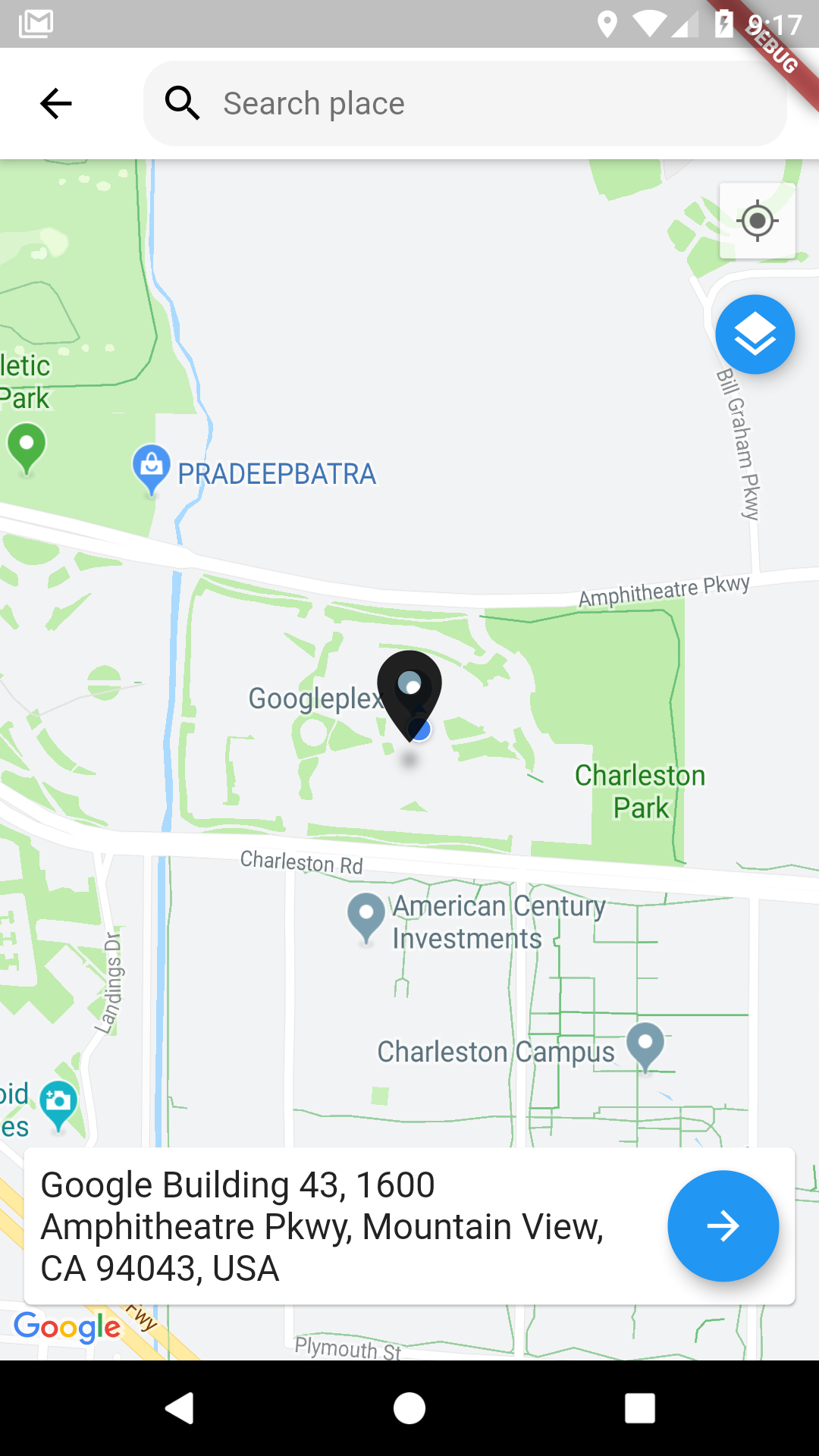
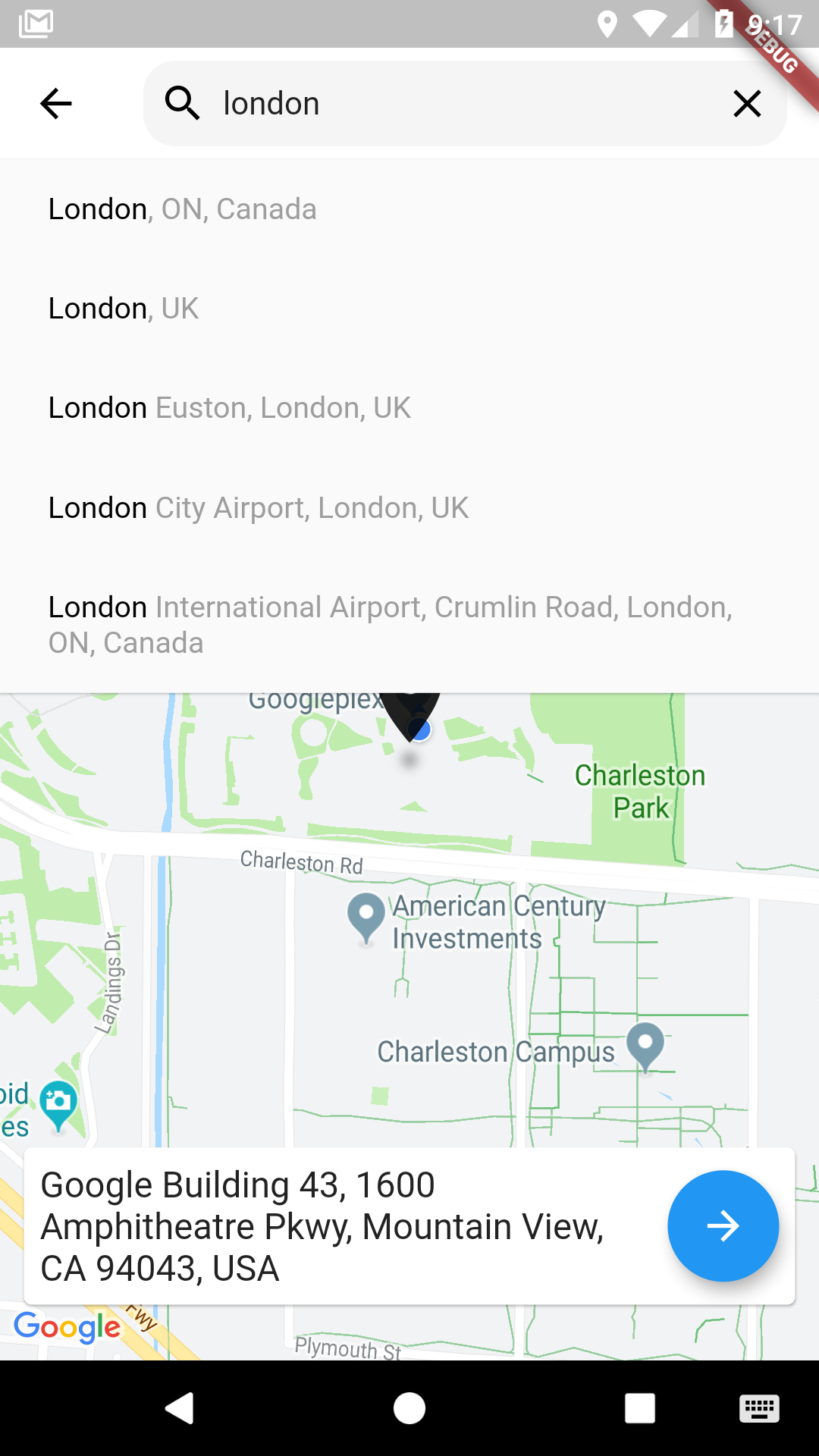
使用方法
Pubspec 更改
      dependencies:

        google_maps_flutter: latest
        map_location_picker: ^0.0.1
        flutter_localizations:
          sdk: flutter
为了在库中进行消息本地化,请添加到 MaterialApp
import 'package:map_location_picker/generated/l10n.dart' as location_picker;
import 'package:flutter_localizations/flutter_localizations.dart';

MaterialApp(
  localizationsDelegates: const [
    location_picker.S.delegate,
    GlobalMaterialLocalizations.delegate,
    GlobalWidgetsLocalizations.delegate,
    GlobalCupertinoLocalizations.delegate,
  ],
  supportedLocales: const <Locale>[
    Locale('en', ''),
    Locale('ar', ''),
  ],
  home: ...
)
import 'package:map_location_picker/map_location_picker.dart';
import 'package:google_maps_flutter/google_maps_flutter.dart';

LocationResult result = await showLocationPicker(context, apiKey);
入门
-
在 https://cloud.google.com/maps-platform/ 获取 API 密钥。
-
别忘了在 https://console.cloud.google.com/google/maps-apis/ 中启用以下 API
- 适用于Android的Maps SDK
- 适用于iOS的Maps SDK
- Places API
- 地理定位 API
- Geocoding API
-
并确保为项目启用结算。
Android
在应用程序清单 android/app/src/main/AndroidManifest.xml 中指定您的 API 密钥
<manifest ...
  <application ...
    <meta-data android:name="com.google.android.geo.API_KEY"
               android:value="YOUR KEY HERE"/>
iOS
在应用程序代理 ios/Runner/AppDelegate.m 中指定您的 API 密钥
#include "AppDelegate.h"
#include "GeneratedPluginRegistrant.h"
#import "GoogleMaps/GoogleMaps.h"

@implementation AppDelegate

- (BOOL)application:(UIApplication *)application
    didFinishLaunchingWithOptions:(NSDictionary *)launchOptions {
  [GMSServices provideAPIKey:@"YOUR KEY HERE"];
  [GeneratedPluginRegistrant registerWithRegistry:self];
  return [super application:application didFinishLaunchingWithOptions:launchOptions];
}
@end
或者在您的 Swift 代码中,在应用程序代理 ios/Runner/AppDelegate.swift 中指定您的 API 密钥
import UIKit
import Flutter
import GoogleMaps

@UIApplicationMain
@objc class AppDelegate: FlutterAppDelegate {
  override func application(
    _ application: UIApplication,
    didFinishLaunchingWithOptions launchOptions: [UIApplicationLaunchOptionsKey: Any]?
  ) -> Bool {
    GMSServices.provideAPIKey("YOUR KEY HERE")
    GeneratedPluginRegistrant.register(with: self)
    return super.application(application, didFinishLaunchingWithOptions: launchOptions)
  }
}
您还需要定义 NSLocationWhenInUseUsageDescription
  <key>NSLocationWhenInUseUsageDescription</key>
  <string>This app needs your location to test the location feature of the Google Maps location picker plugin.</string>
笔记
以下权限不是使用 Google Maps Android API v2 所必需的,但建议使用。
android.permission.ACCESS_COARSE_LOCATION 允许 API 使用 WiFi 或移动蜂窝数据(或两者)来确定设备的位置。API 返回的位置精度大致相当于一个街区。
android.permission.ACCESS_FINE_LOCATION 允许 API 从可用的位置提供商(包括全球定位系统 (GPS) 以及 WiFi 和移动蜂窝数据)确定尽可能精确的位置。
将自动完成搜索限制到特定区域
通过将国家代码数组传递给 showLocationPicker() 的 countries 参数,可以将返回的 LocationResult 限制在特定国家/地区。国家代码必须是两位字符的 ISO 3166-1 Alpha-2 兼容格式。您可以在 Wikipedia: ISO 3166 国家代码列表 或 ISO 在线浏览平台 上查找代码信息。
下面的示例将自动完成搜索限制在阿拉伯联合酋长国和尼日利亚
showLocationPicker(
context, "YOUR API KEY HERE",
initialCenter: LatLng(31.1975844, 29.9598339),
myLocationButtonEnabled: true,
layersButtonEnabled: true,
countries: ['AE', 'NG'],
);
鸣谢
来自 Flutter 的 google_maps_flutter 包的 Google 地图
来自 BaseflowIT 的 flutter-geolocator 包的当前位置和权限。
来自 Degreat 的 locationpicker 包的搜索栏。
从 davemg3/google_map_location_picker 更新了 Null Safety 和 Android_v2


