
选择器滚轮


一个用于创建可自定义选择器滚轮小部件的 Flutter 包。
特点
- 可自定义的选择器滚轮小部件
- 支持可变的滚轮大小、项目宽度、项目高度等
- 遵循Flutter最佳实践构建,性能优越
- 支持触觉反馈、淡出效果等
- 可用于任何数据类型
入门
通过运行以下命令将 selector_wheel 添加到您的 pubspec.yaml 文件中
flutter pub add selector_wheel
用法
导入包
import 'package:selector_wheel/selector_wheel.dart';
基本用法
在您的应用中使用 SelectorWheel 小部件
SizedBox(
  width: 200,
  height: 200,
  child: SelectorWheel(
    childCount: 10,
    // convertIndexToValue is a function that converts the index of the
    // child to a value that is displayed on the selector wheel. In this
    // case, we are converting the index to a string. I.e we'll have
    // 0, 1, 2, 3, 4, 5, 6, 7, 8, 9 on the selector wheel.
    convertIndexToValue: (int index) {
      return SelectorWheelValue(
        label: index.toString(),
        value: index,
        index: index,
      );
    },
    onValueChanged: (SelectorWheelValue<int> value) {
      // print the value that was selected
      print(value);
    },
  ),
)
自定义选择器滚轮
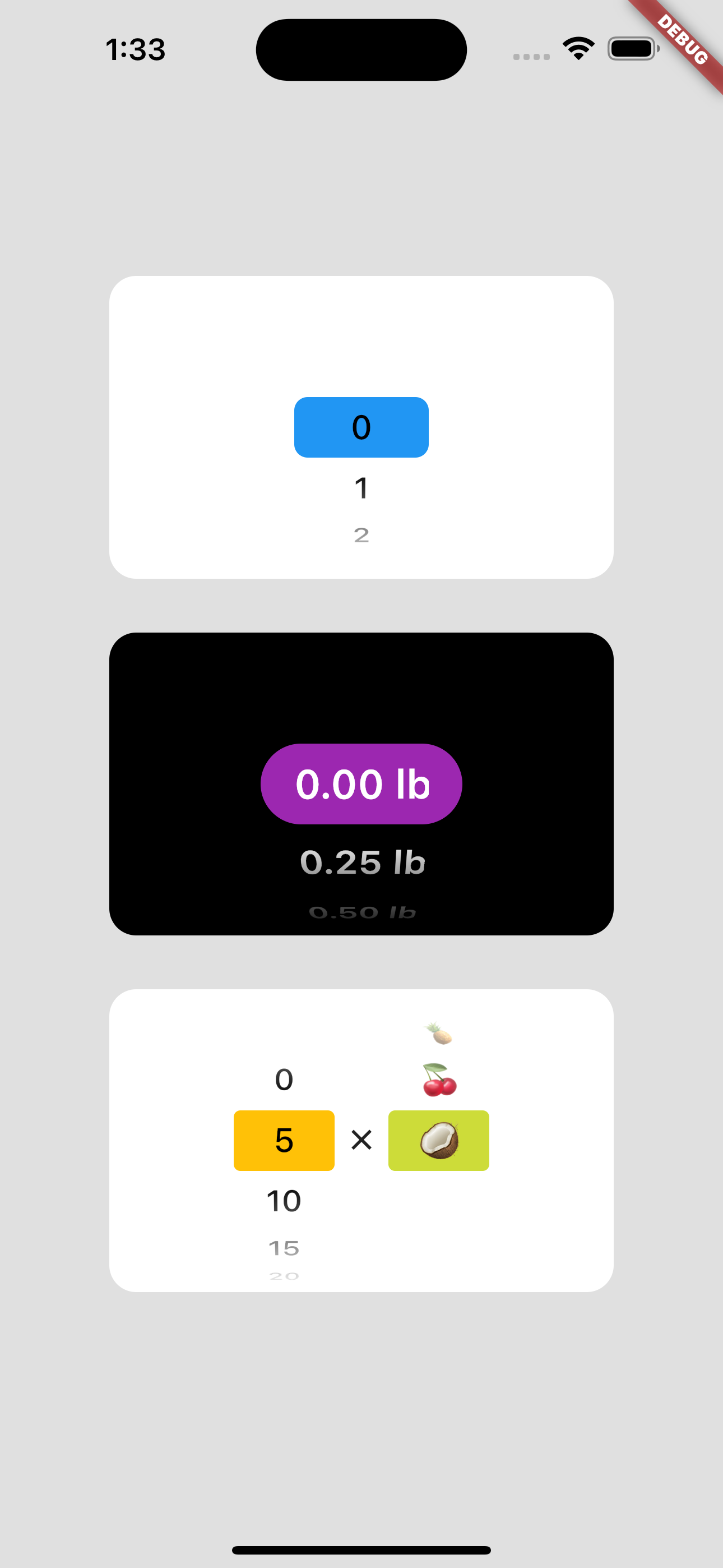
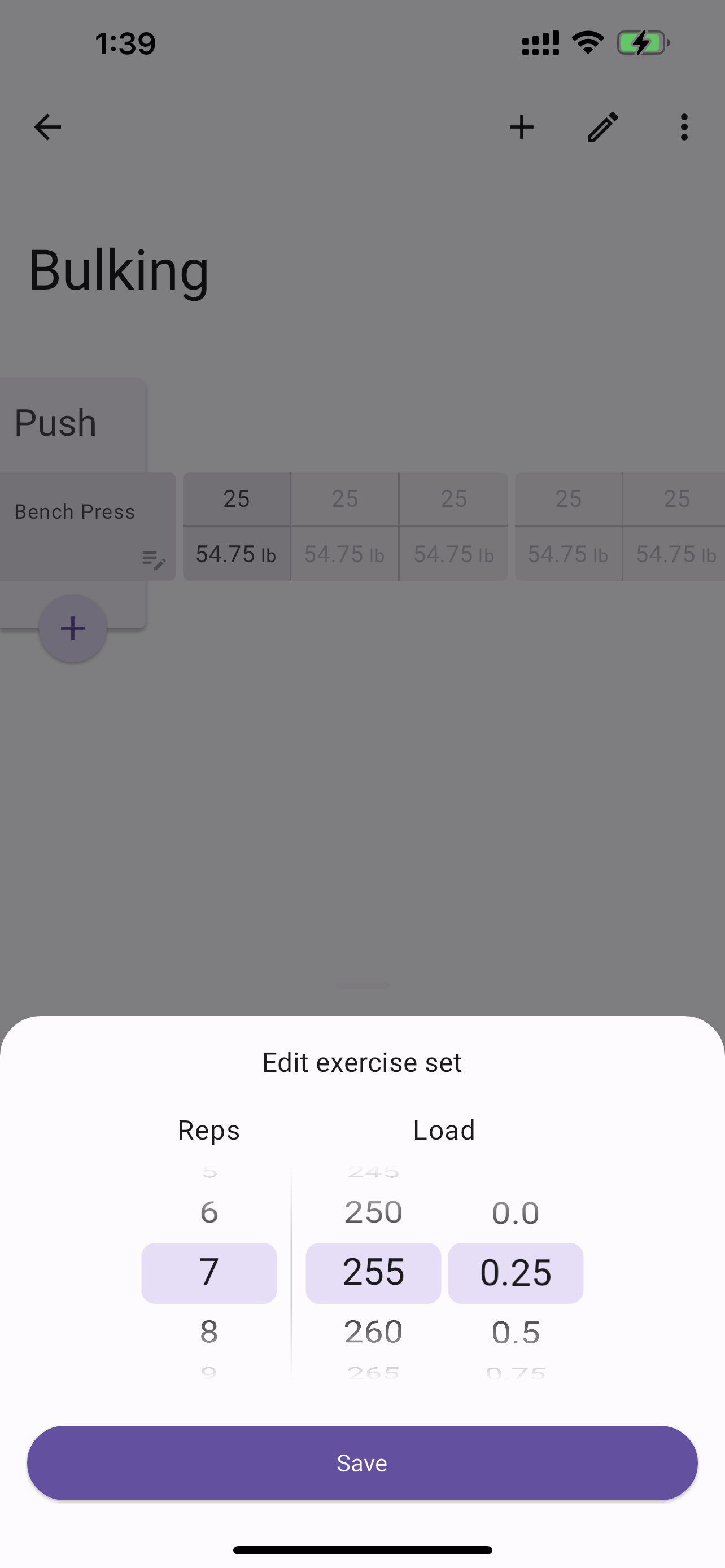
请注意,convertIndexToValue 函数可用于将索引转换为任何值。在下面的示例中,我们将索引转换为双精度值以表示四分之一磅。
SizedBox(
  width: 200,
  height: 200,
  child: SelectorWheel(
    childCount: 10,
    convertIndexToValue: (int index) {
      // This is just to illustrate, that the index can be converted
      // to any value. In this case, we are converting the index to
      // a quarter of a pound.
      final quarter = index / 4;

      return SelectorWheelValue(
        // The label is what is displayed on the selector wheel
        label: '${quarter.toString()} lb',
        value: quarter,
        index: index,
      );
    },
    onValueChanged: (SelectorWheelValue<double> value) {
      // print the value that was selected
      print(value);
    },
  ),
)
可以通过以下方式覆盖 ThemeData 来自定义选择器滚轮的颜色
// Overriding the colors of the selector wheel
Theme(
  data: ThemeData(
    textTheme: Theme.of(context).textTheme.copyWith(
      titleLarge: Theme.of(context).textTheme.titleLarge?.copyWith(
        fontSize: 24.0,
        fontWeight: FontWeight.w600,
      ),
    ),
    colorScheme: Theme.of(context).colorScheme.copyWith(
      surface: Colors.black,
      onSurface: Colors.white,
      secondaryContainer: Colors.amber,
    ),
  ),
  child: SizedBox(
    width: 200,
    height: 200,
    child: SelectorWheel(
      childCount: 10,
      highlightBorderRadius: 16.0,
      highlightHeight: 40.0,
      highlightWidth: 100.0,
      convertIndexToValue: (int index) {
        return SelectorWheelValue(
          label: index.toString(),
          value: index,
          index: index,
        );
      },
      onValueChanged: (value) {
        // print the value that was selected
        print(value);
      },
    ),
  ),
)
请注意,我们还自定义了“高亮”项目的边框半径、高度和宽度。要查看所有可自定义属性,请查看 SelectorWheel 类。
贡献
欢迎贡献!如果您发现错误或有功能请求,请在GitHub仓库中打开一个问题。
许可证
此软件包根据MIT许可证授权。更多详情,请参阅仓库中包含的 LICENSE 文件。


