
宝丽来轮播
一个独特的 Flutter 包,用于创建具有项目从前到后或从后到前滑动的动画的宝丽来风格轮播。使用此包以有趣且互动的方式显示您的内容,为您的 Flutter 应用增添一丝怀旧感。
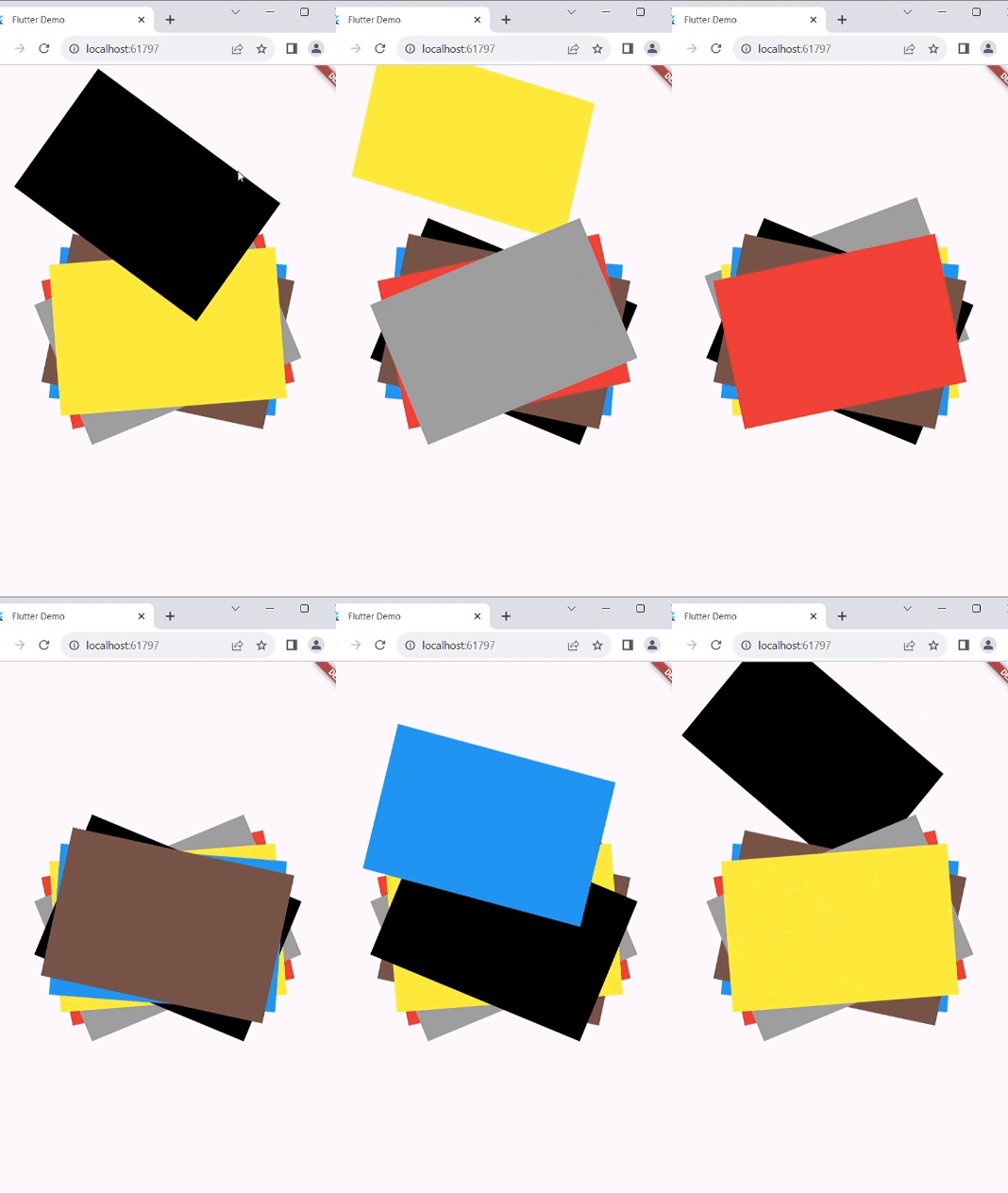
特点
- 使用 order 属性的前到后和后到前的项目滑动动画。
- 可自定义的轮播项目旋转(x、y、z)和翻译方向(左、右、上、下)。
- 流畅的动画曲线,带来愉悦的用户体验。
安装
要使用此包,请按照以下步骤操作
- 将包的最新版本添加到您的
pubspec.yaml文件并运行dart pub get
   dependencies:
     polaroid_carousel: ^1.0.0
- 在您的 Dart 代码中导入包并在您的 Flutter 应用中使用它
import 'package:polaroid_carousel/polaroid_carousel.dart';
用法
以下是如何在您的 Flutter 应用中使用 PolaroidCarousel widget 的示例
- 此 widget 接受 widget 列表并在动画中显示它们。如果您希望为每个项目进行特定旋转,请将每个子项包装在 transform 中,并使用 rotateZ() 指定所需的旋转角度,如 示例 中所示。
class Example extends StatelessWidget {
  const Example({Key? key}) : super(key: key);

  @override
  Widget build(BuildContext context) {
    List<Widget> list = [
      Container(
        height: 200,
        width: 300,
        color: Colors.black,
      ),
      Container(
        height: 200,
        width: 300,
        color: Colors.blue,
      ),
      Container(
        height: 200,
        width: 300,
        color: Colors.brown,
      ),
      Container(
        height: 200,
        width: 300,
        color: Colors.red,
      ),
      Container(
        height: 200,
        width: 300,
        color: Colors.grey,
      ),
      Container(
        height: 200,
        width: 300,
        color: Colors.yellow,
      ),
    ];

    return Scaffold(
      body: Center(
          child: PolaroidCarousel(
          //these to property are necessary

          // value to which list item translate
          // advice : if the children are rotated like the example and you are not able to specify the translateFactor
          // then the max translateFactor should be √((childHeight^2, childWidth^2)) of child with maximum size
          //but try to adjust translateFactor according to your need
          translateFactor: 360,

          children: list,

          // these properties are optional

          // duration: const Duration(seconds: 1),
          // rotate: const Rotate(x: 0.001,y: 0.02,z: 0.001),
          // curve: Curves.easeInOut,
          // order: Order.frontToBack,
          // translate: Translate.top,
          ),
      ),
    );
  }
}
示例
查看 示例 以了解 PolaroidCarousel widget 在您的应用中的不同用例和想法。
详细说明
您可以在 Medium 上找到有关此包的完整文章。
贡献
如果您发现错误或有功能请求,请打开一个 issue。欢迎贡献!
许可证
此包已获得 MIT 许可证。有关详细信息,请参阅 LICENSE 文件。


