
日历视图


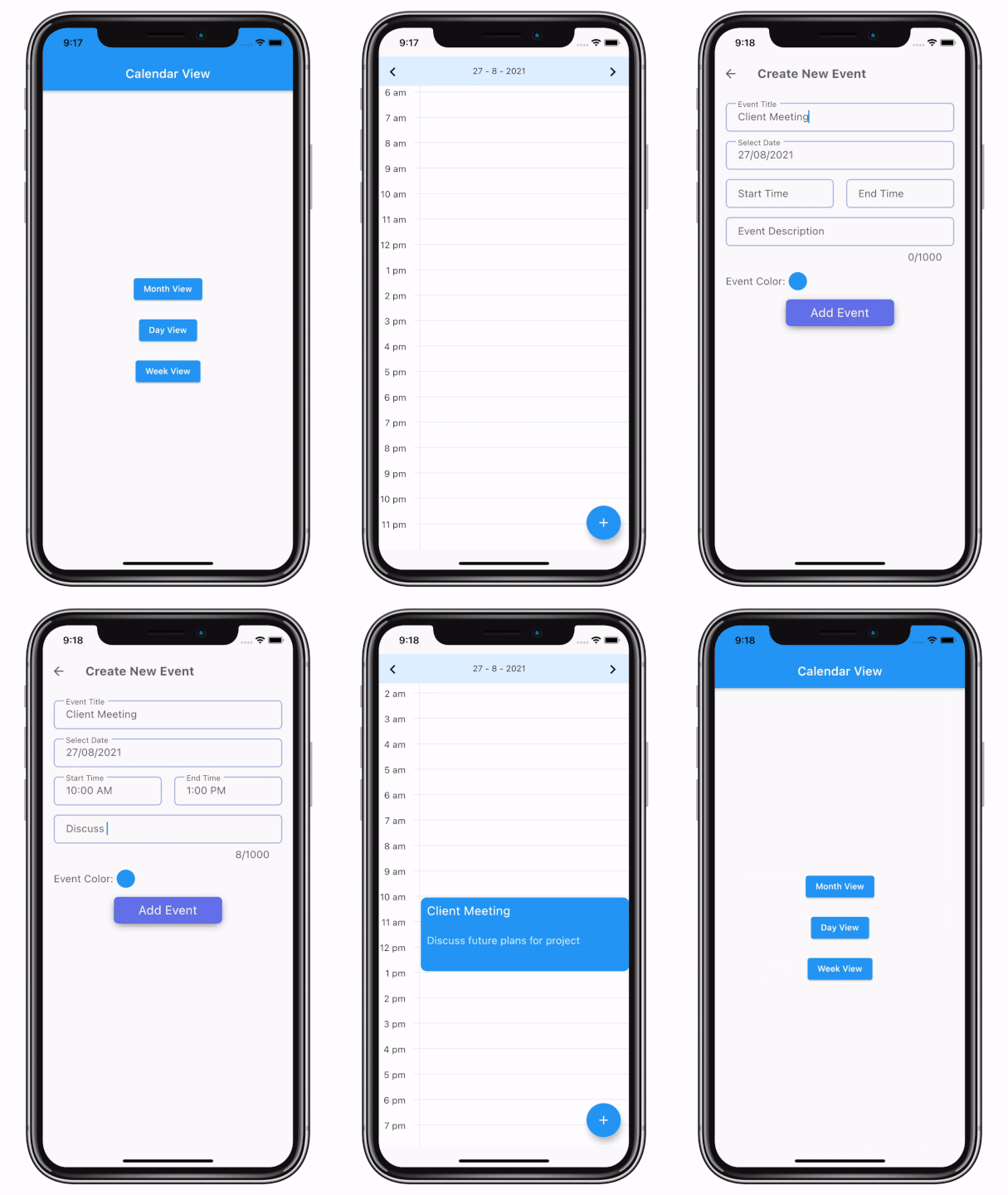
一个Flutter包,可以轻松实现所有日历UI和日历事件功能。
如需Web演示,请访问 日历视图示例。
预览
安装
-
将依赖项添加到
pubspec.yaml在pub.dev的“安装”选项卡中获取最新版本
dependencies:
    calendar_view: <latest-version>
-
运行pub get。
flutter pub get
-
导入包。
import 'package:calendar_view/calendar_view.dart';
实施
-
使用
CalendarControllerProvider包装MaterialApp,并为其分配EventController。CalendarControllerProvider( controller: EventController(), child: MaterialApp( // Your initialization for material app. ), )
-
添加日历视图。
月视图
Scaffold(
    body: MonthView(),
);
日视图
Scaffold(
    body: DayView(),
);
周视图
Scaffold(
    body: WeekView(),
);
有关属性的更多信息,请访问 文档。
-
使用
controller添加或删除事件。添加事件
final event = CalendarEventData(
    date: DateTime(2021, 8, 10),
    event: "Event 1",
);

CalendarControllerProvider.of(context).controller.add(event);
在日期范围内添加事件
final event = CalendarEventData(
        date: DateTime(2021, 8, 10),
        endDate: DateTime(2021,8,15),
        event: "Event 1",
    );

    CalendarControllerProvider.of(context).controller.add(event);
删除事件
CalendarControllerProvider.of(context).controller.remove(event);
在您从控制器添加或删除事件后,它将自动更新已分配给该控制器的日历视图。有关更多信息,请参见事件控制器用法。
-
使用
GlobalKey更改页面或跳转到特定页面或日期。有关更多信息,请参见GlobalKey用法。
日历视图更多信息
日历视图中的可选配置/参数
月视图
MonthView(
    controller: EventController(),
    // to provide custom UI for month cells.
    cellBuilder: (date, events, isToday, isInMonth) {
        // Return your widget to display as month cell.
        return Container();
    },
    minMonth: DateTime(1990),
    maxMonth: DateTime(2050),
    initialMonth: DateTime(2021),
    cellAspectRatio: 1,
    onPageChange: (date, pageIndex) => print("$date, $pageIndex"),
    onCellTap: (events, date) {
        // Implement callback when user taps on a cell.
        print(events);
    }
    // This callback will only work if cellBuilder is null.
    onEventTap: (event, date) => print(event);
);
日视图
DayView(
    controller: EventController(),
    eventTileBuilder: (date, events, boundry, start, end) {
        // Return your widget to display as event tile.
        return Container();
    },
    showVerticalLine: true, // To display live time line in day view.
    showLiveTimeLineInAllDays: true, // To display live time line in all pages in day view.
    minMonth: DateTime(1990),
    maxMonth: DateTime(2050),
    initialMonth: DateTime(2021),
    heightPerMinute: 1, // height occupied by 1 minute time span.
    eventArranger: SideEventArranger(), // To define how simultaneous events will be arranged.
    onEventTap: (events, date) => print(events),
);
周视图
WeekView(
    controller: EventController(),
    eventTileBuilder: (date, events, boundry, start, end) {
        // Return your widget to display as event tile.
        return Container();
    },
    showLiveTimeLineInAllDays: true, // To display live time line in all pages in week view.
    width: 400, // width of week view.
    minMonth: DateTime(1990),
    maxMonth: DateTime(2050),
    initialMonth: DateTime(2021),
    heightPerMinute: 1, // height occupied by 1 minute time span.
    eventArranger: SideEventArranger(), // To define how simultaneous events will be arranged.
    onEventTap: (events, date) => print(events),
);
要查看所有参数列表和详细参数说明,请访问 文档。
EventController用法
EventController用于向日历视图添加或删除事件。当我们向控制器添加或删除事件时,它将自动更新所有已分配此控制器的视图。
EventController提供的方法
| 名称 | 参数 | 描述 |
|---|---|---|
| add | CalendarEventData<T> event | 将一个事件添加到控制器并重新构建视图。 |
| addAll | List<CalendarEventData<T>> events | 将事件列表添加到控制器并重新构建视图。 |
| remove | CalendarEventData<T> event | 从控制器中删除事件并重新构建视图。 |
| getEventsOnDay | DateTime date | 返回date上的事件列表 |
GlobalKey用法
用户需要定义全局键来访问诸如更改页面或跳转到特定页面或日期等功能。用户还可以使用全局键访问分配给相关视图的controller。
通过为日历视图分配全局键,您可以访问相关视图状态类定义的方法和字段。
MonthViewState类定义的方法
| 名称 | 参数 | 描述 |
|---|---|---|
| nextPage | 无 | 跳转到下一页。 |
| previousPage | 无 | 跳转到上一页。 |
| jumpToPage | int page | 跳转到由page定义的页面索引。 |
| animateToPage | int page | 动画到由page定义的页面索引。 |
| jumpToMonth | DateTime month | 跳转到具有由month定义的日历的页面 |
| animateToMonth | DateTime month | 动画到具有由month定义的日历的页面 |
DayViewState类定义的方法。
| 名称 | 参数 | 描述 |
|---|---|---|
| nextPage | 无 | 跳转到下一页。 |
| previousPage | 无 | 跳转到上一页。 |
| jumpToPage | int page | 跳转到由page定义的页面索引。 |
| animateToPage | int page | 动画到由page定义的页面索引。 |
| jumpToDate | DateTime date | 跳转到具有由date定义的日历的页面 |
| animateToDate | DateTime date | 动画到具有由date定义的日历的页面 |
WeekViewState类定义的方法。
| 名称 | 参数 | 描述 |
|---|---|---|
| nextPage | 无 | 跳转到下一页。 |
| previousPage | 无 | 跳转到上一页。 |
| jumpToPage | int page | 跳转到由page定义的页面索引。 |
| animateToPage | int page | 动画到由page定义的页面索引。 |
| jumpToWeek | DateTime week | 跳转到具有由week定义的日历的页面 |
| animateToWeek | DateTime week | 动画到具有由week定义的日历的页面 |
同步日历视图之间的事件
有两种方法可以同步日历视图之间的事件。
- 将同一个
controller对象提供给项目中使用的所有日历视图。 - 在实现中定义的,使用
CalendarControllerProvider包装MaterialApp,并提供控制器作为参数。
许可证
MIT License

Copyright (c) 2021 Simform Solutions

Permission is hereby granted, free of charge, to any person obtaining a copy
of this software and associated documentation files (the "Software"), to deal
in the Software without restriction, including without limitation the rights
to use, copy, modify, merge, publish, distribute, sublicense, and/or sell
copies of the Software, and to permit persons to whom the Software is
furnished to do so, subject to the following conditions:

The above copyright notice and this permission notice shall be included in all
copies or substantial portions of the Software.

THE SOFTWARE IS PROVIDED "AS IS", WITHOUT WARRANTY OF ANY KIND, EXPRESS OR
IMPLIED, INCLUDING BUT NOT LIMITED TO THE WARRANTIES OF MERCHANTABILITY,
FITNESS FOR A PARTICULAR PURPOSE AND NONINFRINGEMENT. IN NO EVENT SHALL THE
AUTHORS OR COPYRIGHT HOLDERS BE LIABLE FOR ANY CLAIM, DAMAGES OR OTHER
LIABILITY, WHETHER IN AN ACTION OF CONTRACT, TORT OR OTHERWISE, ARISING FROM,
OUT OF OR IN CONNECTION WITH THE SOFTWARE OR THE USE OR OTHER DEALINGS IN THE
SOFTWARE.


