
calendar_slider
一个具有大量自定义功能的 Flutter 日历滑块小部件。
入门
- 依赖它
将其添加到您的包的 pubspec.yaml 文件中
dependencies:
  flutter:
    sdk: flutter
  calendar_slider: version
- 安装它
从命令行安装软件包
flutter pub get calendar_slider
- 导入它
导入到您的项目中
import 'package:calendar_slider/calendar_slider.dart';
| SelectedDayPosition.center | SelectedDayPosition.Left | SelectedDayPosition.Right |
|---|---|---|
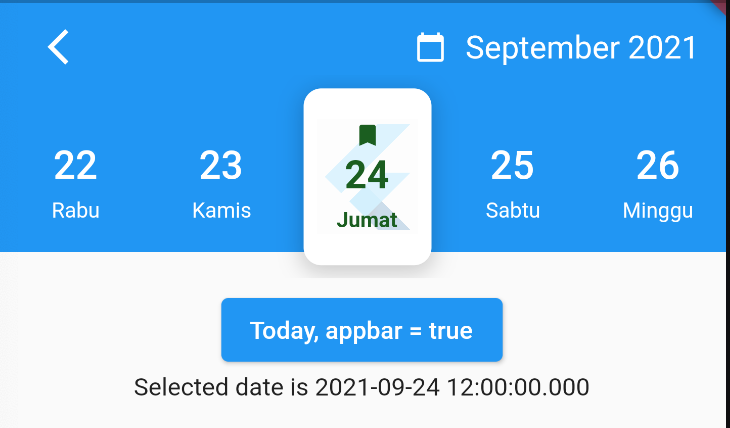 |
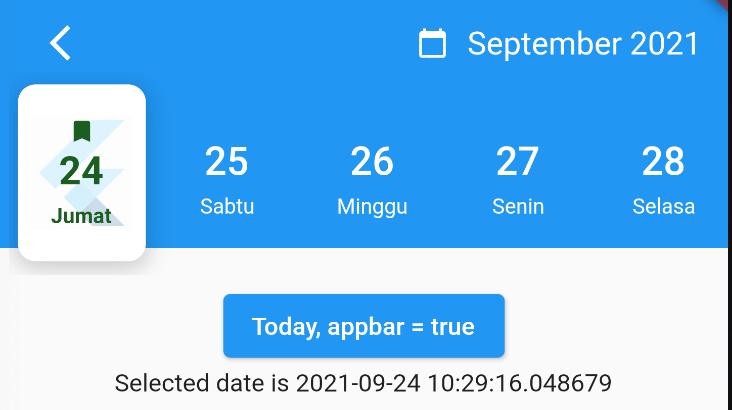 |
 |
| FullCalendarScroll.vertical | FullCalendarScroll.horizontal |
|---|---|
 |
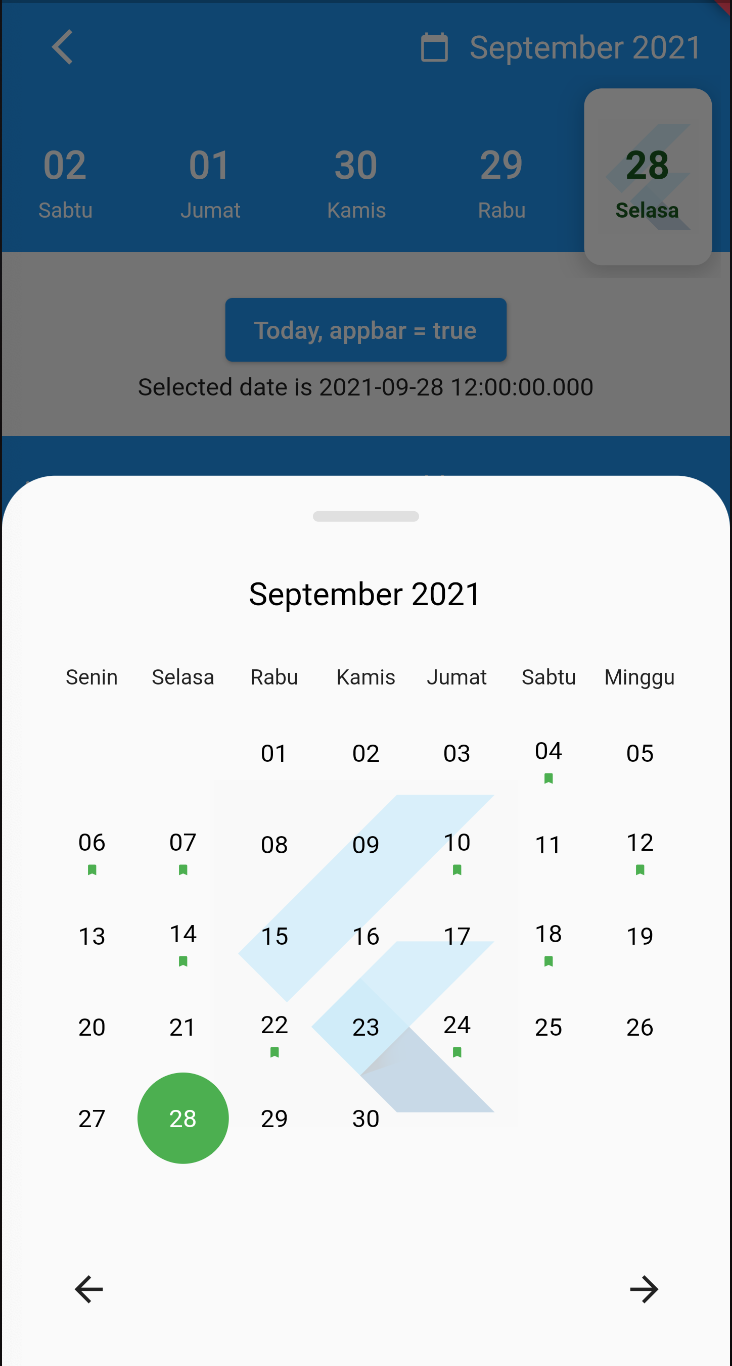 |
演示

如何使用?
使用 CalendarAgenda 小部件
CalendarAgenda(
initialDate: DateTime.now(),
firstDate: DateTime.now().subtract(Duration(days: 140)),
lastDate: DateTime.now().add(Duration(days: 4)),
onDateSelected: (date) {
print(date);
},
)
Props
| Props | 类型 | 必需 | 默认值 |
|---|---|---|---|
| initialDate | DateTime(日期时间) | True | |
| firstDate | DateTime(日期时间) | True | |
| lastDate | DateTime(日期时间) | True | |
| onDateSelected | 函数 | False | |
| backgroundColor | Color? | False | |
| selectedDayLogo | ImageProvider<Object>? | False | |
| 控制器 | CalendarAgendaController? | False | |
| selectedDateColor | Color? | False | Colors.black |
| dateColor | Color? | False | Colors.white |
| calendarBackground | Color? | False | Colors.white |
| calendarEventSelectedColor | Color? | False | Colors.white |
| calendarEventColor | Color? | False | Colors.blue |
| locale | String? | False | 'en' |
| leading | Widget? | False | |
| appbar | 布尔值 | False | False |
| events | List<DateTime>? | False | |
| fullCalendar | 布尔值 | False | True |
| fullCalendarScroll | FullCalendarScroll | False | FullCalendarScroll.vertical |
| fullCalendarDay | WeekDay | False | WeekDay.short |
| weekDay | WeekDay | False | WeekDay.short |
| selectedDayPosition | SelectedDayPosition | False | SelectedDayPosition.left |


