
SwipeThroughText Flutter 包


SwipeThroughText 是一个可自定义的 Flutter 小部件,它允许用户滑动文本,并在达到特定滑动阈值时将其划掉。该包适用于各种类型的 Flutter 应用,包括待办事项列表、笔记等。
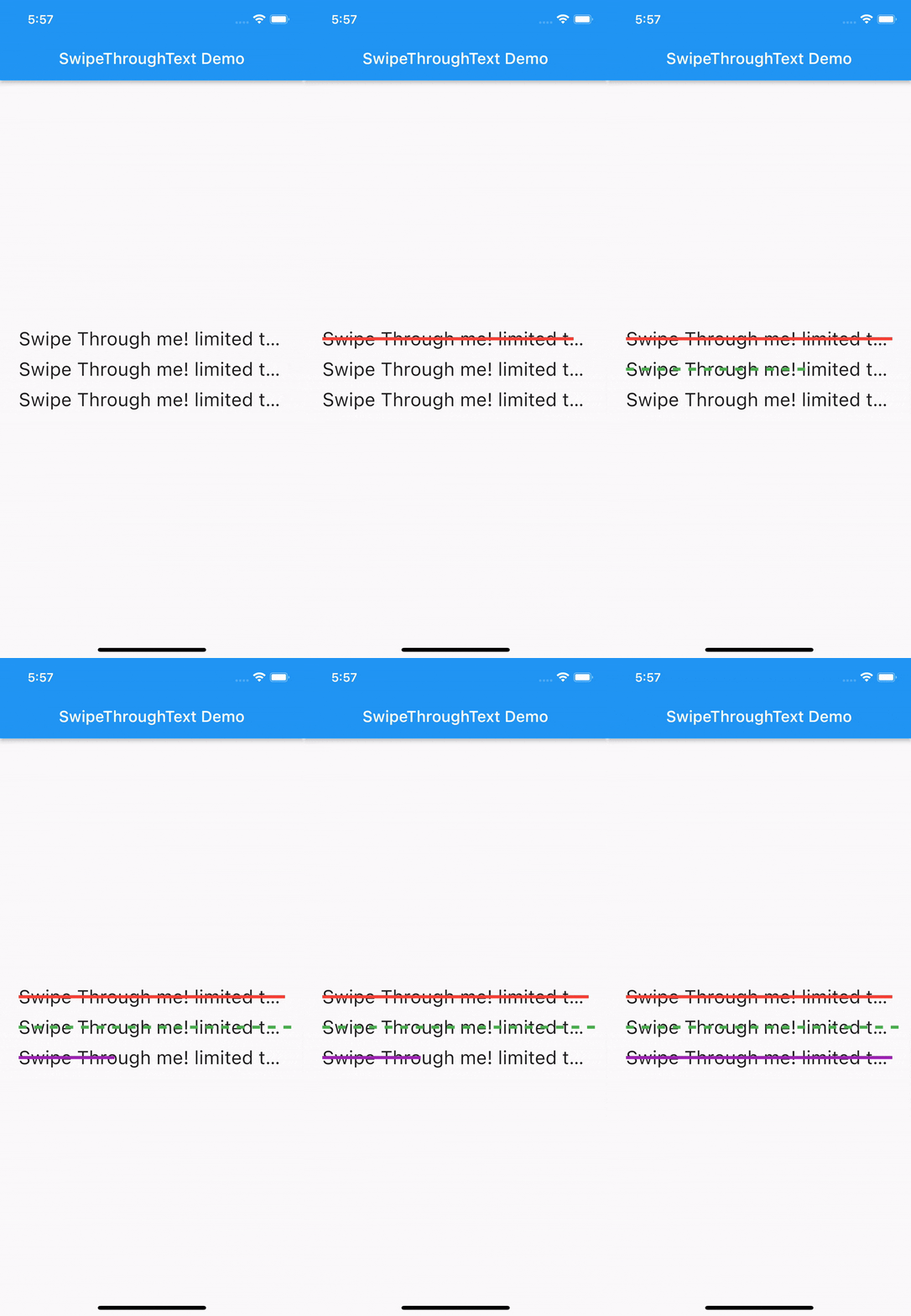
预览
限制
目前该包仅支持单行文本,溢出文本将被截断并在末尾添加省略号
...。但这只是暂时的限制,欢迎贡献以支持多行。
入门
安装
在您的 pubspec.yaml 文件中添加以下行
dependencies:
  swipe_through_text: ^0.0.4
然后,在您的终端中运行 flutter pub get。
用法
将包导入您的 Dart 代码
import 'package:swipe_through_text/swipe_through_text.dart';
要使用 SwipeThroughText 小部件,只需将其添加到您的 widget 树中,并提供必需的参数,例如 text 和 textStyle,以及任何可选参数,例如 strikethroughColor、strikethroughLineHeight、swipeThreshold、onSwipeComplete、onSwipeCancel 和 dashArray。
SwipeThroughText(
  text: 'Swipe me!',
  textStyle: TextStyle(fontSize: 24),
  strikethroughColor: Colors.red,
  strikethroughLineHeight: 4,
  swipeThreshold: 0.8,
  onSwipeComplete: (fraction) {
    // Do something when swiping is complete
  },
  onSwipeCancel: (fraction) {
    // Do something when swiping is cancelled
  },
)
您还可以使用 dashArray 参数来自定义划线。该参数接受一个双值列表,用于确定划线中虚线和间隙的长度。例如,[10, 5] 将创建一个 10 像素的实线和 5 像素的间隙的虚线。
示例
import 'package:flutter/material.dart';
import 'package:swipe_through_text/swipe_through_text.dart';

void main() {
  runApp(MyApp());
}

class MyApp extends StatelessWidget {
  @override
  Widget build(BuildContext context) {
    return MaterialApp(
      title: 'SwipeThroughText Demo',
      home: Scaffold(
        appBar: AppBar(
          title: Text('SwipeThroughText Demo'),
        ),
        body: Center(
          child: SwipeThroughText(
            text: 'Swipe me!',
            textStyle: TextStyle(fontSize: 24),
            strikethroughColor: Colors.red,
            strikethroughLineHeight: 4,
            swipeThreshold: 0.8,
            onSwipeComplete: (fraction) {
              print('Swipe completed at $fraction');
            },
            onSwipeCancel: (fraction) {
              print('Swipe cancelled at $fraction');
            },
            dashArray: [10, 5],
          ),
        ),
      ),
    );
  }
}
贡献
欢迎为该包做出贡献!如果您发现错误或有功能请求,请打开一个 issue 或提交一个 pull request。


