
出色的下拉菜单
一个可定制的下拉菜单库,处理所有触摸和点击事件,包括 iOS 和移动返回按键回调。
安装
在 pubspec.yaml 文件中添加以下依赖项。并将此导入添加到您的文件中。
awesome_dropdown:^0.0.4

import 'package:awesome_dropdown/awesome_dropdown.dart';
快速入门
Add AwesomeDropdown to the widget tree
AwesomeDropDown(
isPanDown: _isPanDown,
dropDownList: _list,
dropDownIcon: Icon(Icons.arrow_drop_down, color: Colors.grey, size: 23,),
selectedItem: _selectedItem,
onDropDownItemClick: (selectedItem) {
_selectedItem = selectedItem;
},
dropStateChanged: (isOpened) {
_isDropDownOpened = isOpened;
if (!isOpened) {
_isBackPressedOrTouchedOutSide = false; }
},
),
自定义主体
AwesomeDropDown(
isPanDown: _isPanDown,
isBackPressedOrTouchedOutSide:
_isBackPressedOrTouchedOutSide,
dropDownBGColor: Colors.white,
dropDownOverlayBGColor: Colors.transparent,
padding: 8,
dropDownIcon: Icon(Icons.arrow_drop_down, color: Colors.grey, size: 23,),
elevation: 5,
dropDownBorderRadius: 10,
dropDownTopBorderRadius: 50,
dropDownBottomBorderRadius: 50,
dropDownIconBGColor: Colors.transparent,
dropDownList: _list,
selectedItem: _selectedItem,
numOfListItemToShow: 4,
selectedItemTextStyle: TextStyle(
color: Colors.black,
fontSize: 16,
fontWeight: FontWeight.normal),
dropDownListTextStyle: TextStyle(
color: Colors.grey,
fontSize: 15,
backgroundColor: Colors.transparent),
onDropDownItemClick: (selectedItem) {
_selectedItem = selectedItem;
},
dropStateChanged: (isOpened) {
_isDropDownOpened = isOpened;
if (!isOpened) {
_isBackPressedOrTouchedOutSide = false;
}
},
),
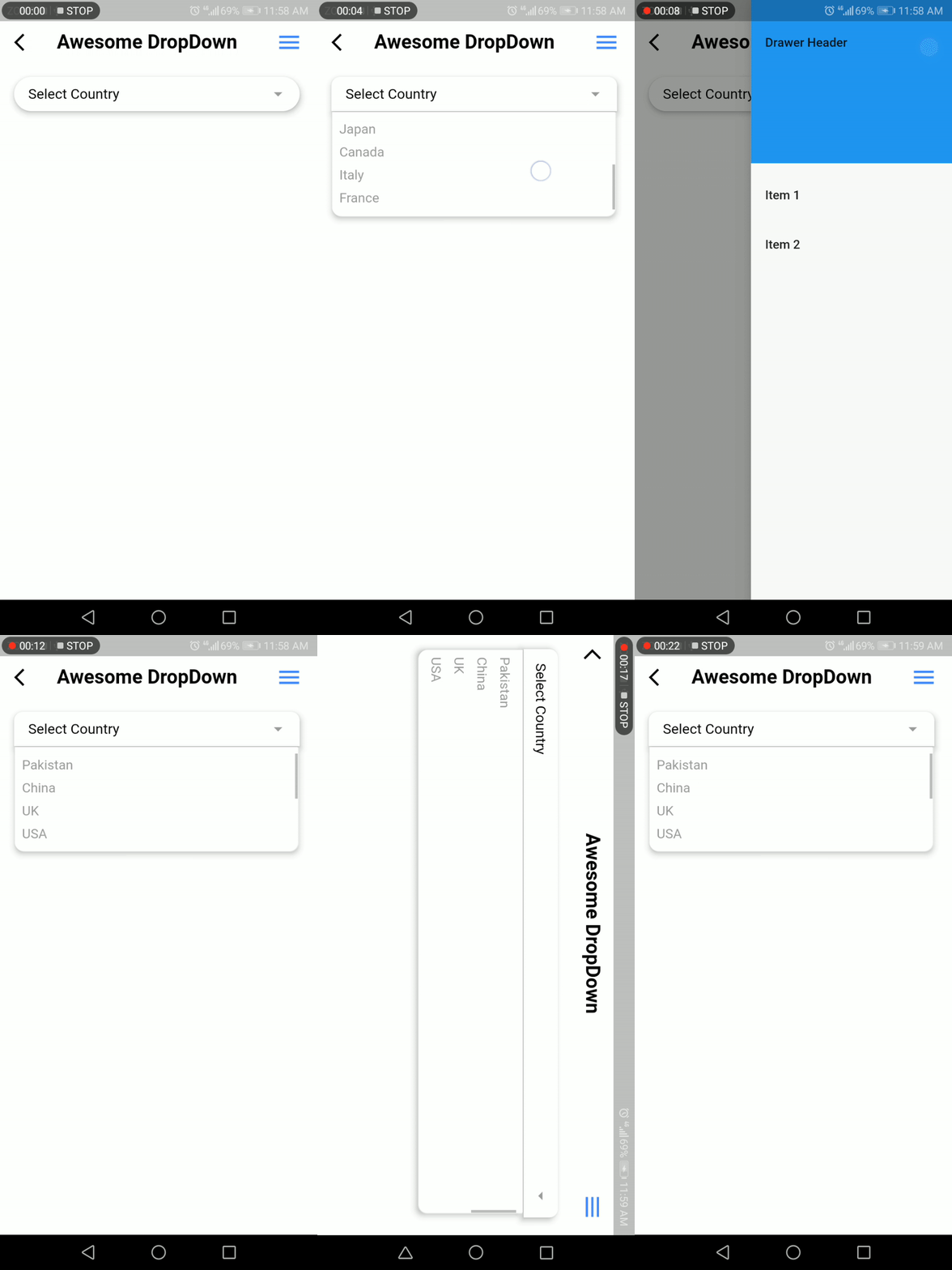
截图
开发团队
Faiza Farooqui 和我的团队成员 (Hina Hussain, Kamran Khan, Abdul Sattar)


