
通用
Commons Flutter 包可用于 Flutter Android 和 iOS 应用程序。
包含 (Includes)
- 警报对话框
- Toast消息
- 单输入对话框
- 加载屏
- 扩展函数
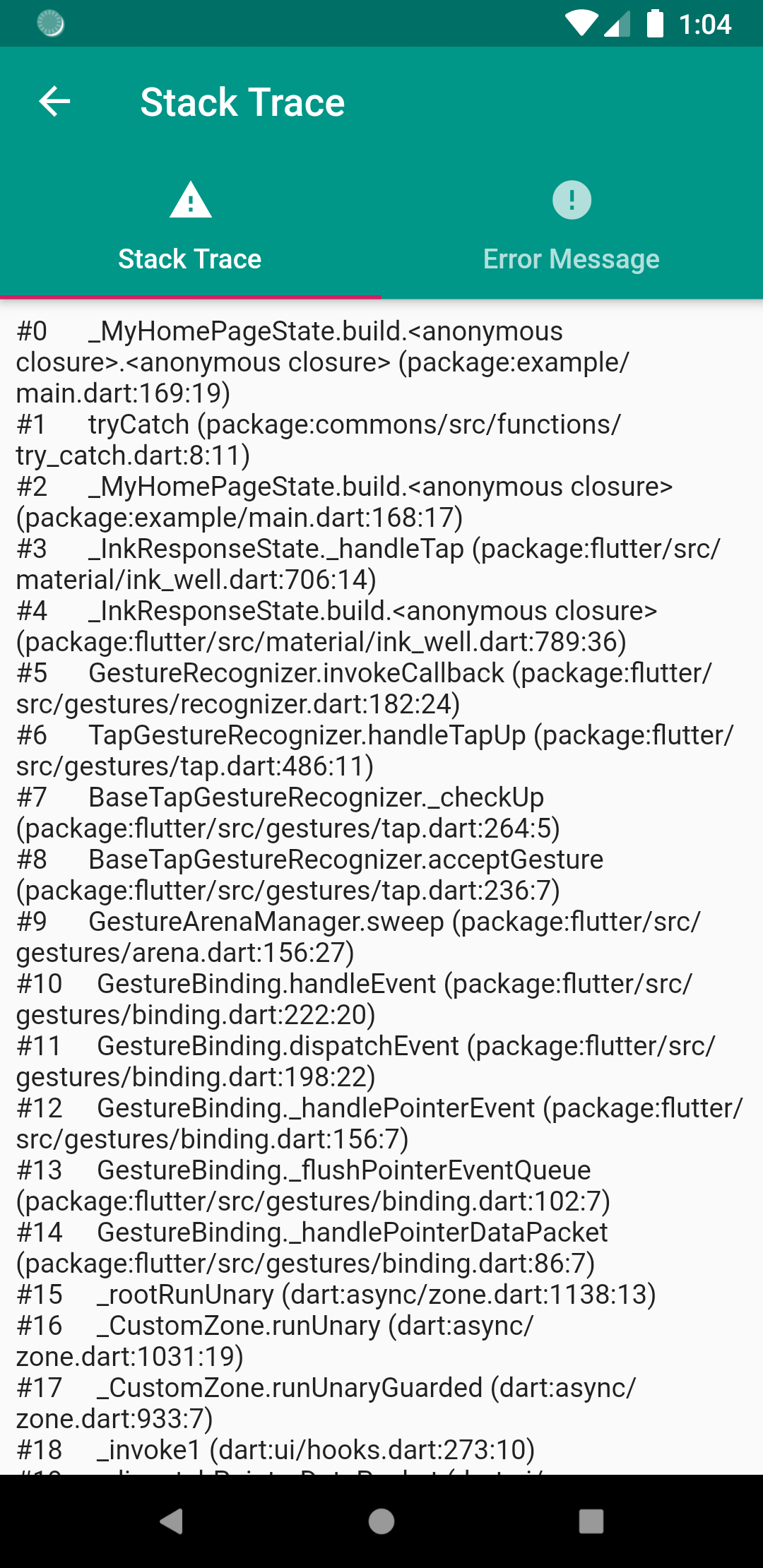
- 堆栈跟踪屏幕
- SharedPreferences函数
- 值验证器
- 日期和时间函数
- 连接函数
- http REST客户端API函数
如何使用
所需的Dart版本 >= 2.6+
1. 依赖它
将此添加到您的 package 的 pubspec.yaml 文件中
dependencies:
  commons: ^0.4.9
2. 安装它
您可以从命令行安装包
使用 Flutter
$ flutter pub get
或者,您的编辑器可能支持 flutter pub get。请查看您编辑器的文档以了解更多信息。
3. 导入它
现在,在您的 Dart 代码中,您可以使用
import 'package:commons/commons.dart';
对话框
- 成功对话框
- 错误对话框
- 警告对话框
- 信息对话框
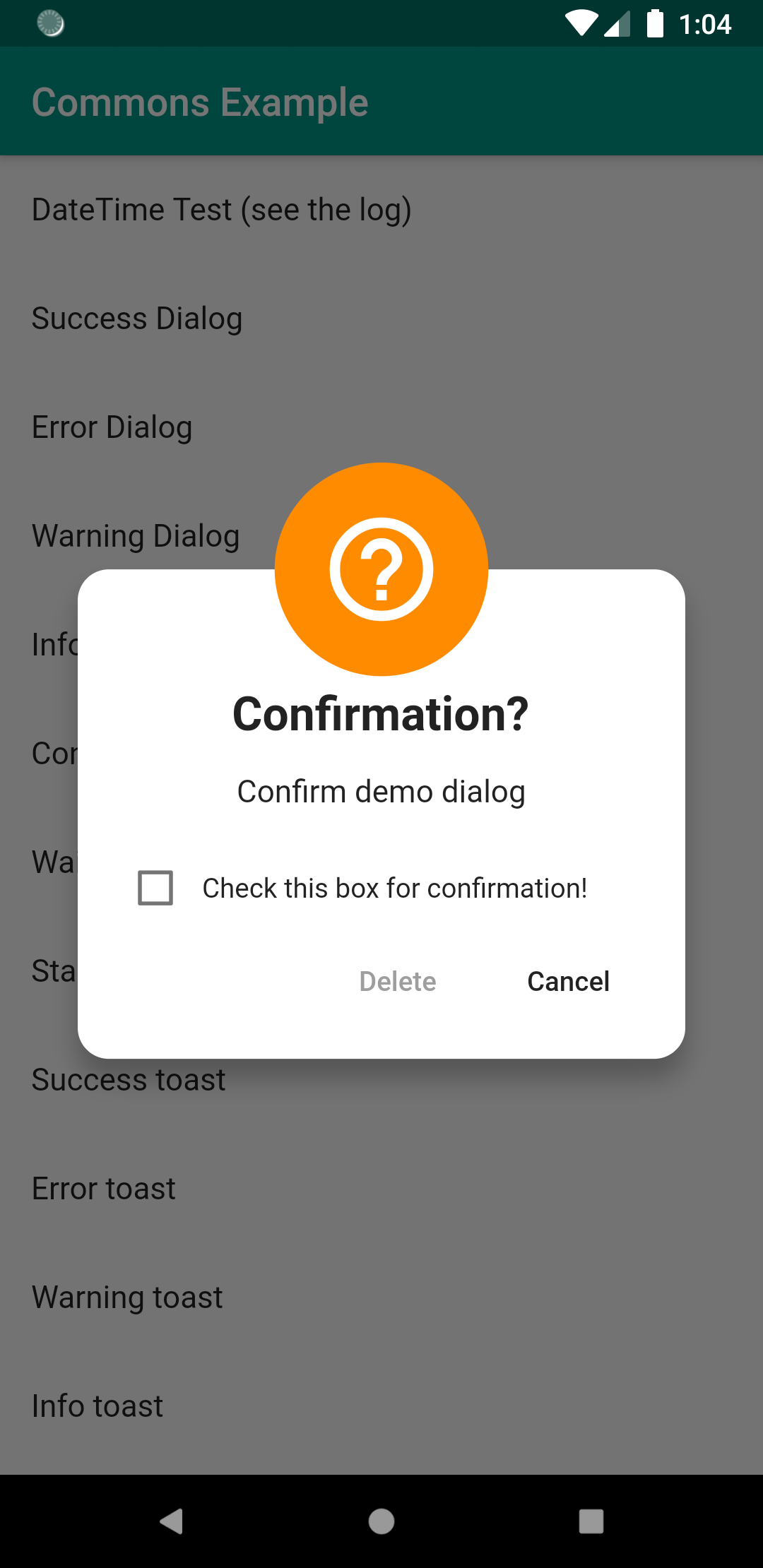
- 确认对话框
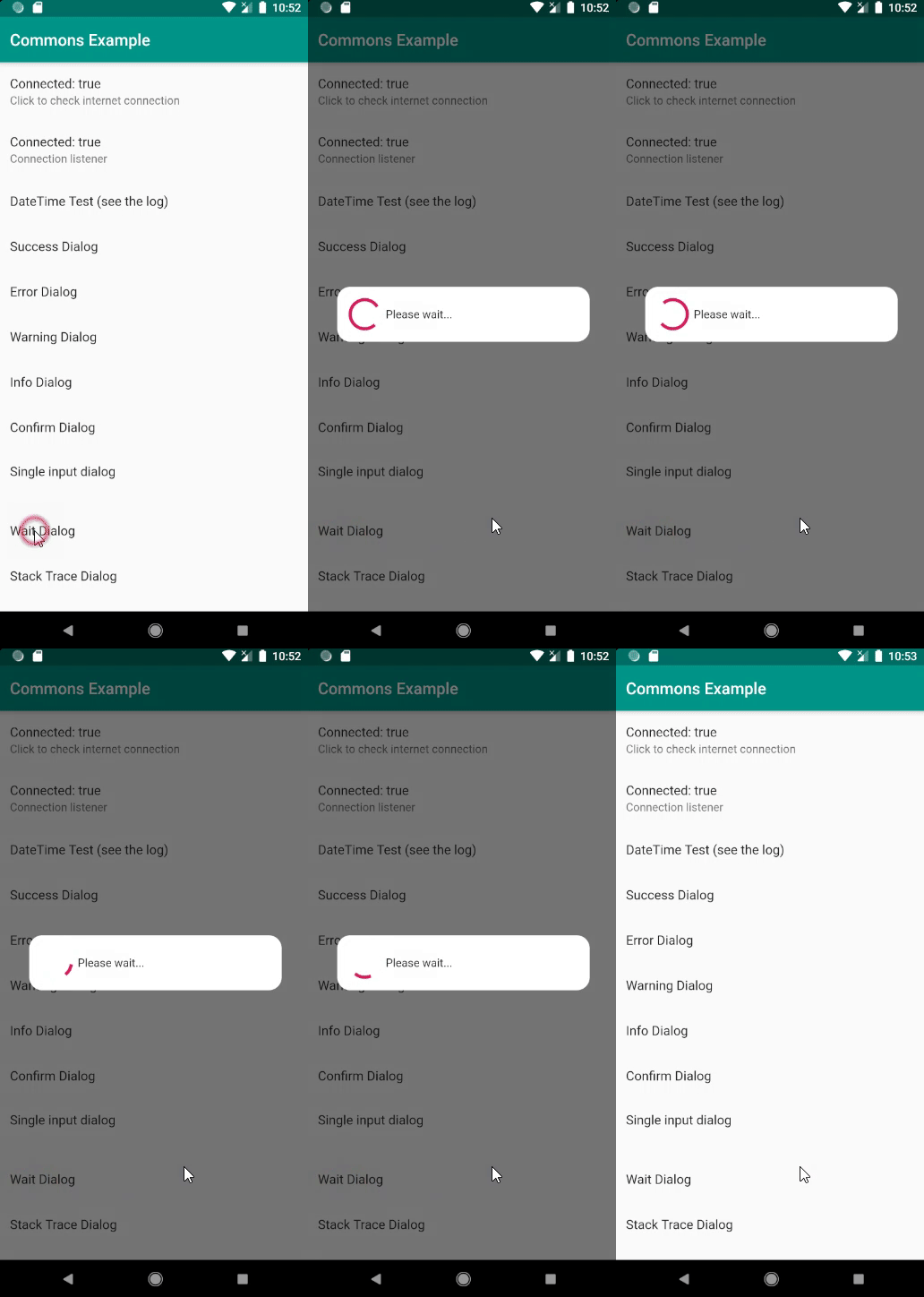
- 等待对话框
- 单输入对话框
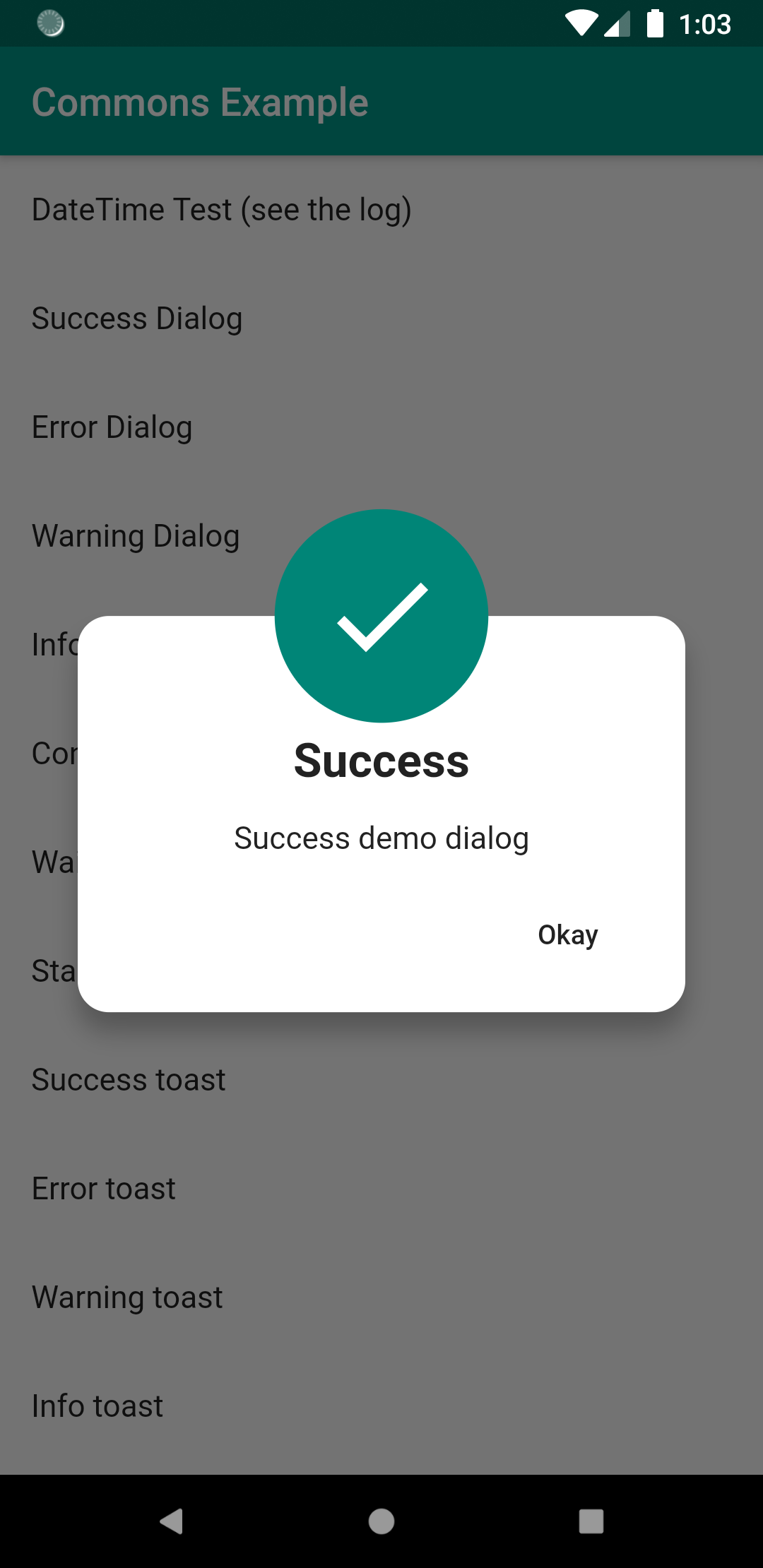
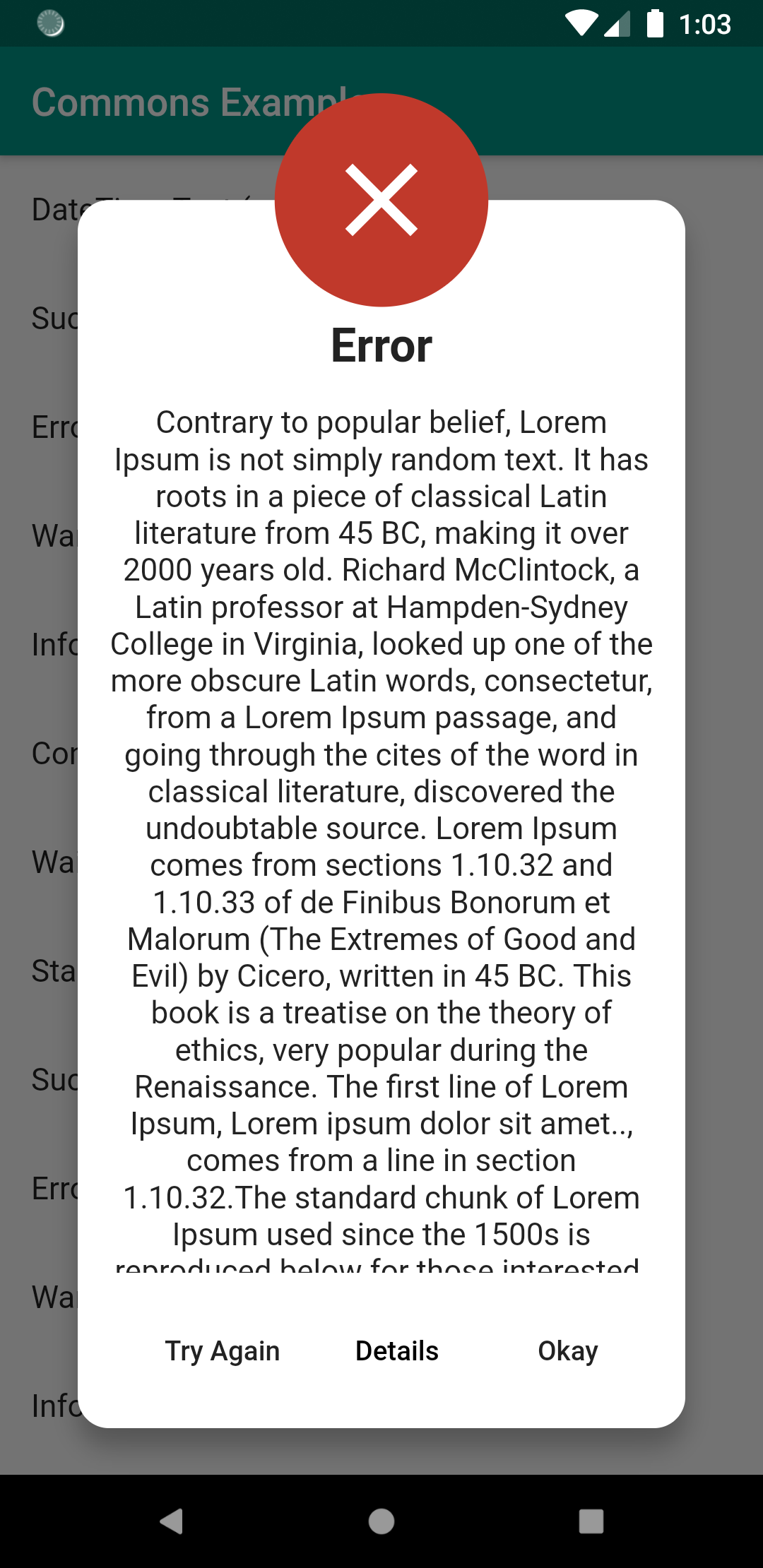
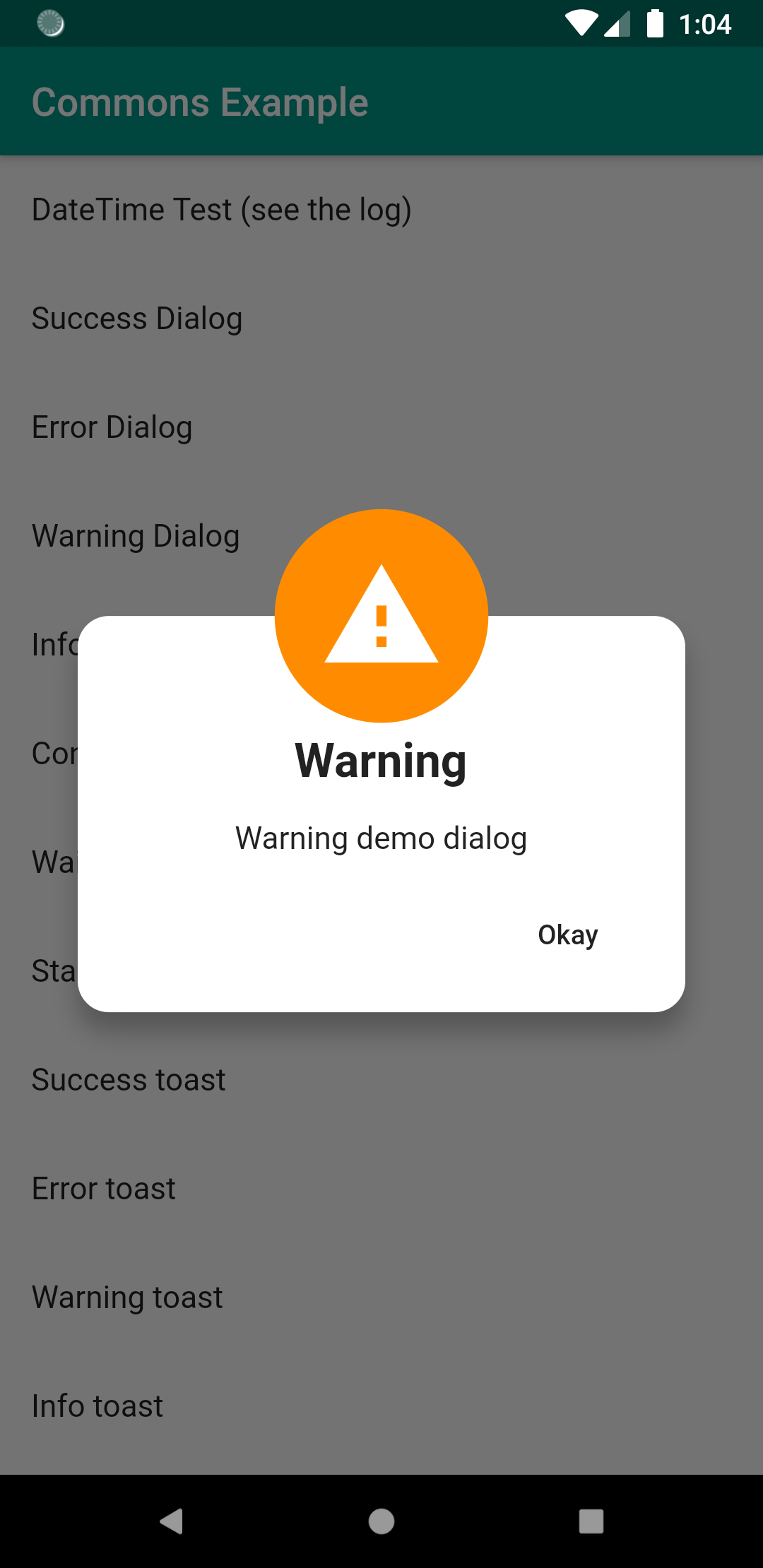
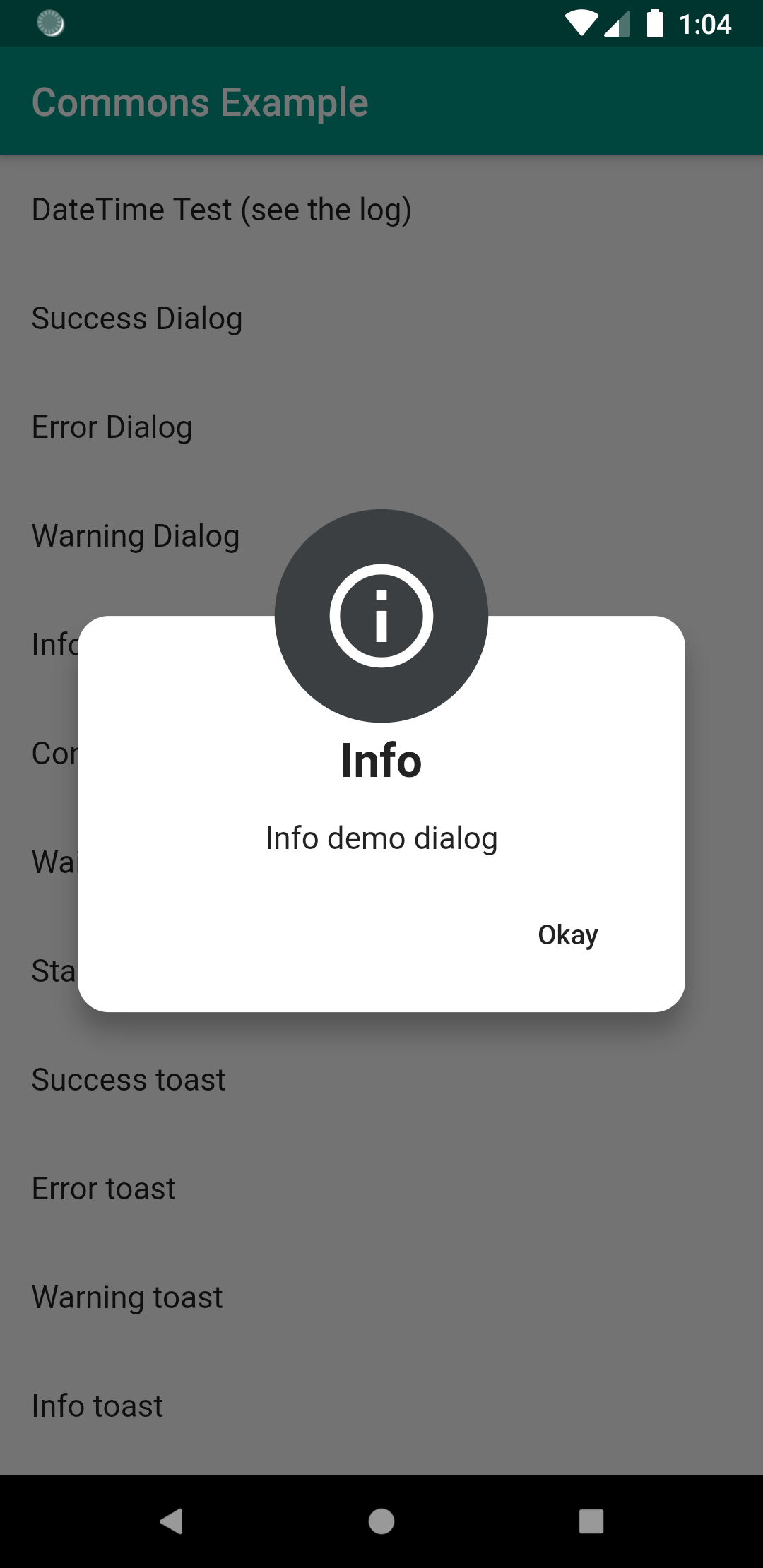
如何使用
成功对话框
successDialog(
    context,
    "Success message",
    negativeText: "Try Again",
    negativeAction: () {},
    positiveText: "Details",
    positiveAction: () {},
);
确认对话框
confirmationDialog(
    context,
    "Confirm demo dialog",
    positiveText: "Delete",
    positiveAction: () {}
);
单输入对话框
singleInputDialog(
    context,
    title: "Input Dialog",
    label: "Name",
    errorText: "Required!",
    validator: (value) {
      print("Validator: $value");
      return value.isNotEmpty;
    },
    positiveAction: (value) {
      print("Submit: $value");
    },
    negativeAction: () {
      print("negative action");
    },
    neutralAction: () {
      print("neutral action");
    },
);
Toasts
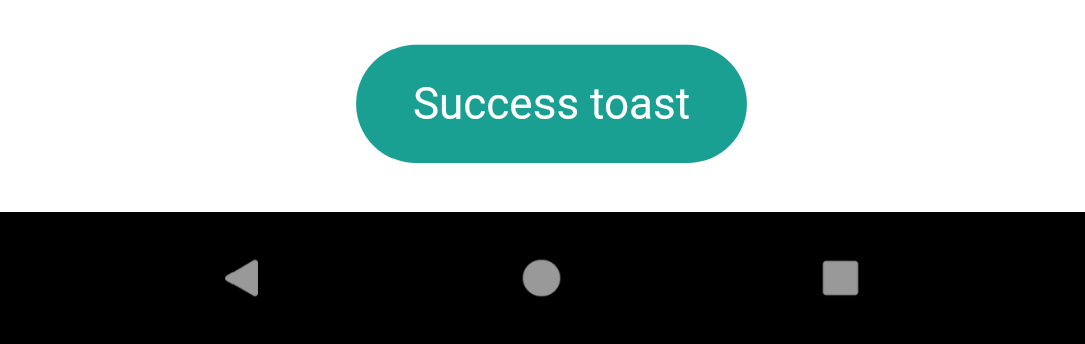
- 成功Toast
- 错误Toast
- 警告Toast
- 信息Toast
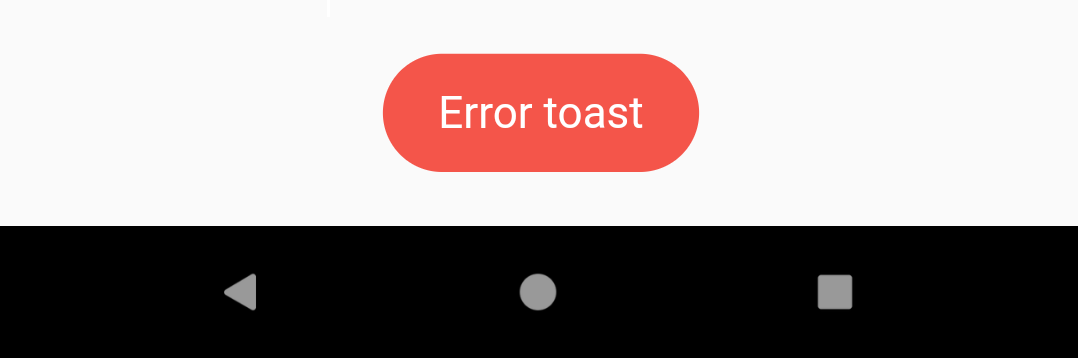
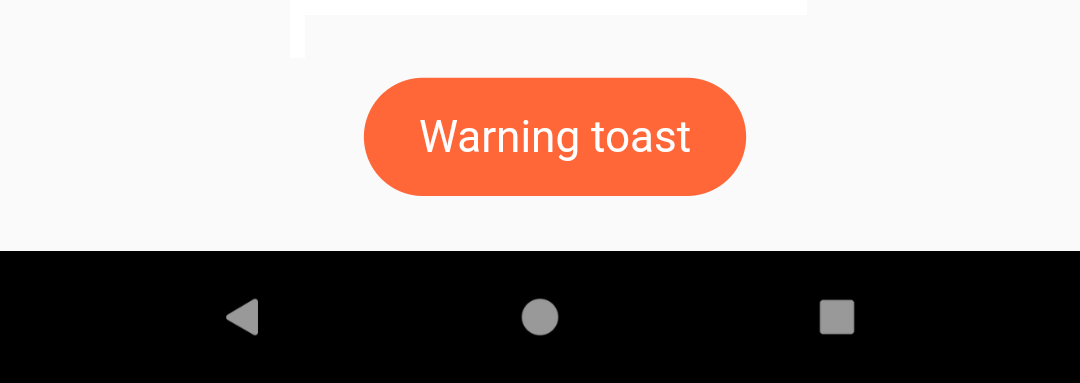
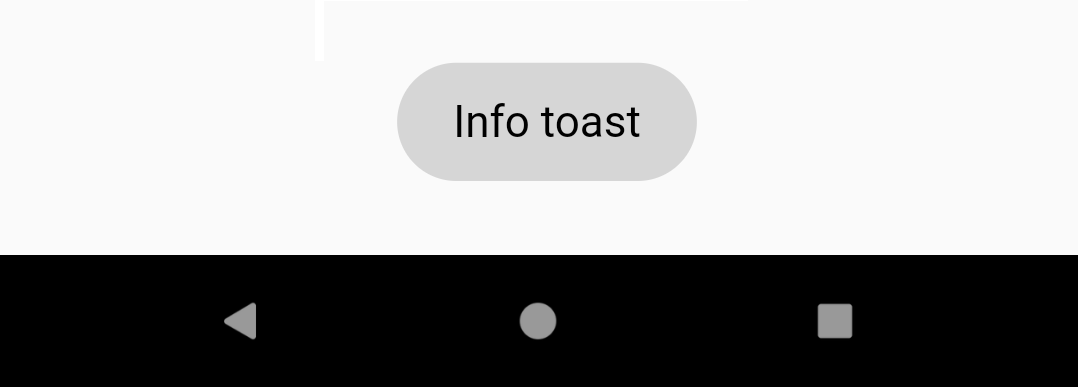
如何使用
通用功能使用 OKToast dart包,请先检查 OKToast 的要求。
successToast("Success toast");
加载屏
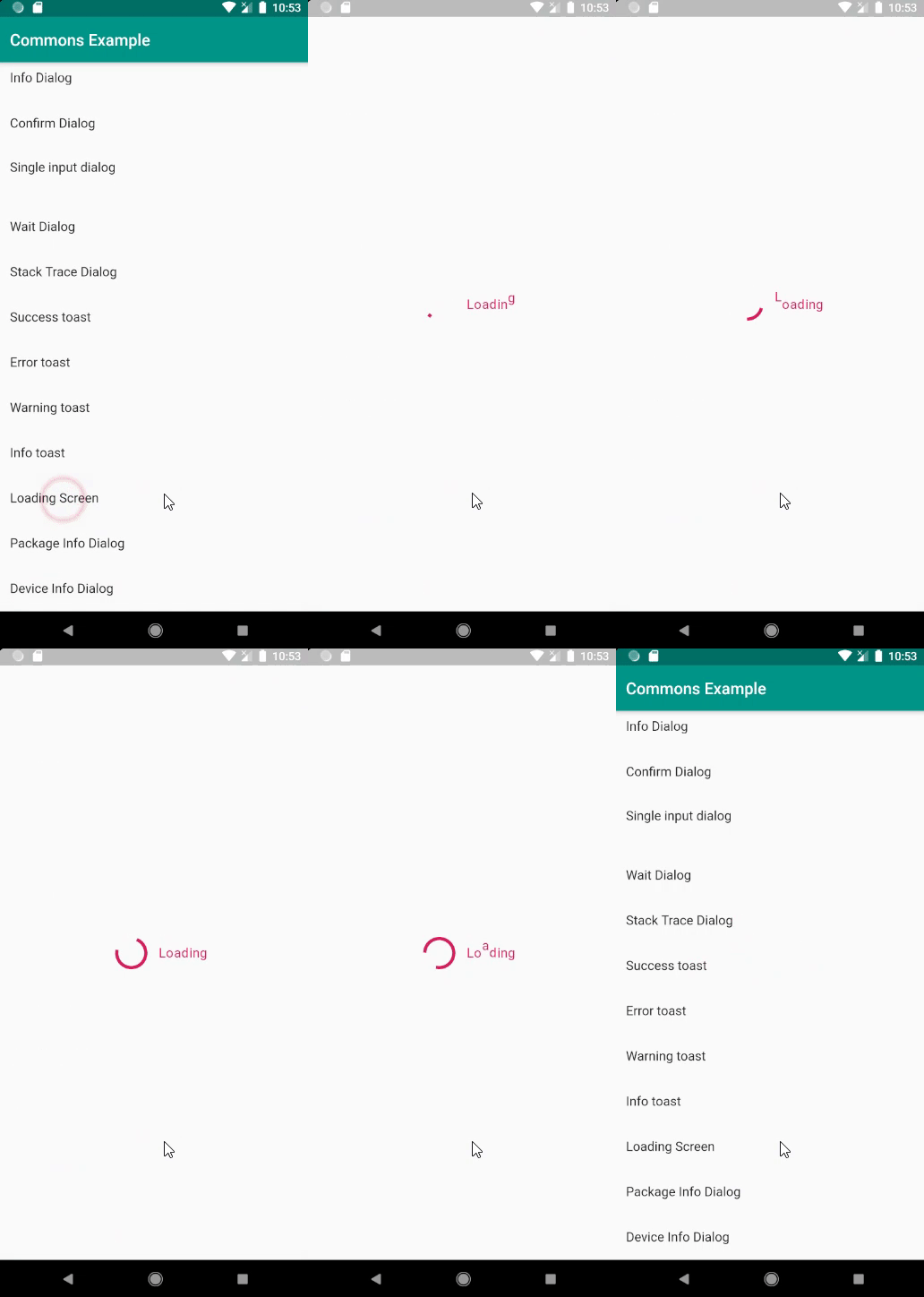
push(
    context,
    loadingScreen(
        context,
        duration: Duration(
            seconds: 5,
        ),
        loadingType: LoadingType.JUMPING,
    ),
);
完整示例
import 'package:commons/commons.dart';
import 'package:flutter/material.dart';

void main() => runApp(MyApp());

class MyApp extends StatelessWidget {
  @override
  Widget build(BuildContext context) {
    return OKToast(
      child: MaterialApp(
        debugShowCheckedModeBanner: false,
        title: 'Commons Example',
        theme: ThemeData(
          primarySwatch: Colors.teal,
          primaryColorDark: Colors.teal[900],
          accentColor: Colors.pink[600],
        ),
        home: MyHomePage(title: 'Commons Example'),
      ),
    );
  }
}

class MyHomePage extends StatefulWidget {
  final String title;

  MyHomePage({Key key, this.title}) : super(key: key);

  @override
  _MyHomePageState createState() => _MyHomePageState();
}

class _MyHomePageState extends State<MyHomePage> {
  bool _online = false;
  bool _connected = false;
  var listener;
  String singleInput = "";

  _checkInternet() async {
    listener = await ConnectionChecker()
        .getInstance()
        .setDuration(Duration(
          seconds: 1,
        ))
        .listener(
      connected: () {
        setState(() {
          _online = true;
        });
      },
      disconnected: () {
        setState(() {
          _online = false;
        });
      },
    );
  }

  @override
  void initState() {
    super.initState();
    _checkInternet();
  }

  @override
  void dispose() {
    listener.cancel();
    super.dispose();
  }

  @override
  Widget build(BuildContext context) {
    return Scaffold(
      appBar: AppBar(
        title: Text(widget.title),
      ),
      body: SafeArea(
        child: ListView(
          children: <Widget>[
            ListTile(
              onTap: () {
                checkInternet().then((connected) {
                  setState(() {
                    _connected = connected;
                  });
                });
              },
              title: Text("Connected: $_connected"),
              subtitle: Text("Click to check internet connection"),
            ),
            ListTile(
              title: Text("Connected: $_online"),
              subtitle: Text("Connection listener"),
            ),
            ListTile(
              onTap: () {
                var now = DateTime.now();
                print("${now.format()}");
                print("${now.toDateString()}");
                print("${now.toTimeString()}");
                print("${now.toDateTimeString()}");
                print("${now.toDateTimeWithMillisecondsString()}");
                print("sqlDateFormat: ${DateTimeAPI.sqlDateFormat(DateTime.now())}");
                print("sqlDateTimeFormat: ${DateTimeAPI.sqlDateTimeFormat(DateTime.now())}");
                print("sqlStartDateTimeFormat: ${DateTimeAPI.sqlStartDateTimeFormat(DateTime.now())}");
                print("sqlEndDateTimeFormat: ${DateTimeAPI.sqlEndDateTimeFormat(DateTime.now())}");
                print("formatDateOnly: ${DateTimeAPI.formatDateOnly(DateTime.now())}");
                print("formatTimeOnly: ${DateTimeAPI.formatTimeOnly(DateTime.now())}");
                print("formatDateTime: ${DateTimeAPI.formatDateTime(DateTime.now())}");
                print("lastDateOfMonth: ${DateTimeAPI.lastDateOfMonth()}");
                print("firstDateOfMonth: ${DateTimeAPI.firstDateOfMonth()}");
                print("add: ${DateTimeAPI.add(DateTime.now(), Duration(days: 5))}");
                print("subtract: ${DateTimeAPI.subtract(DateTime.now(), Duration(days: 5))}");
                print("addDay: ${DateTimeAPI.addDay(DateTime.now(), 5)}");
                print("subtractDay: ${DateTimeAPI.subtractDay(DateTime.now(), 5)}");
                print("addMonth: ${DateTimeAPI.addMonth(DateTime.now(), 1)}");
                print("subtractMonth: ${DateTimeAPI.subtractMonth(DateTime.now(), 1)}");
                print("difference: ${DateTimeAPI.difference(DateTime.now(), DateTime.now() + Duration(days: 5)).inDays}");

                print("Numbers");
                int i = 123456;
                double a = 123456.566;
                print(i.format());
                print(a.format());
              },
              title: Text("DateTime Test (see the log)"),
            ),
            ListTile(
              onTap: () {
                successDialog(context, "Success demo dialog");
              },
              title: Text("Success Dialog"),
            ),
            ListTile(
              onTap: () {
                errorDialog(
                  context,
                  "Contrary to popular belief, Lorem Ipsum is not simply random text. It has roots in a piece of classical Latin literature from 45 BC, making it over 2000 years old. Richard McClintock, a Latin professor at Hampden-Sydney College in " +
                      "Virginia, looked up one of the more obscure Latin words, consectetur, from a Lorem Ipsum passage, and going through the cites of the word in classical literature, discovered the undoubtable source. Lorem Ipsum comes from sections 1.10.32 and 1.10.33 of de " +
                      "Finibus Bonorum et Malorum (The Extremes of Good and Evil) by Cicero, written in 45 BC. This book is a treatise on the theory of ethics, very popular during the Renaissance. The first line of Lorem Ipsum, Lorem ipsum dolor sit amet.., comes from a line in section 1.10.32." +
                      "The standard chunk of Lorem Ipsum used since the 1500s is reproduced below for those interested. Sections 1.10.32 and 1.10.33 from de Finibus Bonorum et Malorum by Cicero are also reproduced in their exact original form, accompanied by English versions from "
                          "the 1914 translation by H. Rackham.",
                  negativeText: "Try Again",
                  negativeAction: () {},
                  positiveText: "Details",
                  positiveAction: () {},
                );
              },
              title: Text("Error Dialog"),
            ),
            ListTile(
              onTap: () {
                warningDialog(context, "Warning demo dialog");
              },
              title: Text("Warning Dialog"),
            ),
            ListTile(
              onTap: () {
                infoDialog(context, "Info demo dialog");
              },
              title: Text("Info Dialog"),
            ),
            ListTile(
              onTap: () {
                confirmationDialog(context, "Confirm demo dialog", positiveText: "Delete", positiveAction: () {});
              },
              title: Text("Confirm Dialog"),
            ),
            ListTile(
              onTap: () {
                singleInputDialog(
                  context,
                  title: "Input Dialog",
                  label: "Name",
                  errorText: "Required!",
                  validator: (value) {
                    print("Validator: $value");
                    return value.isNotEmpty;
                  },
                  positiveAction: (value) {
                    print("Submit: $value");
                  },
                  negativeAction: () {
                    print("negative action");
                  },
                  neutralAction: () {
                    print("neutral action");
                  },
                );
              },
              title: Text("Single input dialog"),
              subtitle: Text("$singleInput"),
            ),
            ListTile(
              onTap: () {
                waitDialog(context, duration: Duration(seconds: 3));
              },
              title: Text("Wait Dialog"),
            ),
            ListTile(
              onTap: () {
                tryCatch(context, this, () {
                  throw Exception("throw exception manully...");
                });
              },
              title: Text("Stack Trace Dialog"),
            ),
            ListTile(
              onTap: () {
                successToast("Success toast");
              },
              title: Text("Success toast"),
            ),
            ListTile(
              onTap: () {
                errorToast("Error toast");
              },
              title: Text("Error toast"),
            ),
            ListTile(
              onTap: () {
                warningToast("Warning toast");
              },
              title: Text("Warning toast"),
            ),
            ListTile(
              onTap: () {
                infoToast("Info toast");
              },
              title: Text("Info toast"),
            ),
            ListTile(
              onTap: () {
                push(
                  context,
                  loadingScreen(
                    context,
                    duration: Duration(
                      seconds: 5,
                    ),
                    loadingType: LoadingType.JUMPING,
                  ),
                );
              },
              title: Text("Loading Screen"),
            ),
            ListTile(
              onTap: () {
                getPackageInfo().then((info) {
                  infoDialog(context, info, textAlign: TextAlign.start);
                });
              },
              title: Text("Package Info Dialog"),
            ),
            ListTile(
              onTap: () {
                getDeviceInfo().then((info) {
                  infoDialog(context, info, textAlign: TextAlign.start);
                });
              },
              title: Text("Device Info Dialog"),
            ),
          ],
        ),
      ), // This trailing comma makes auto-formatting nicer for build methods.
    );
  }
}


