
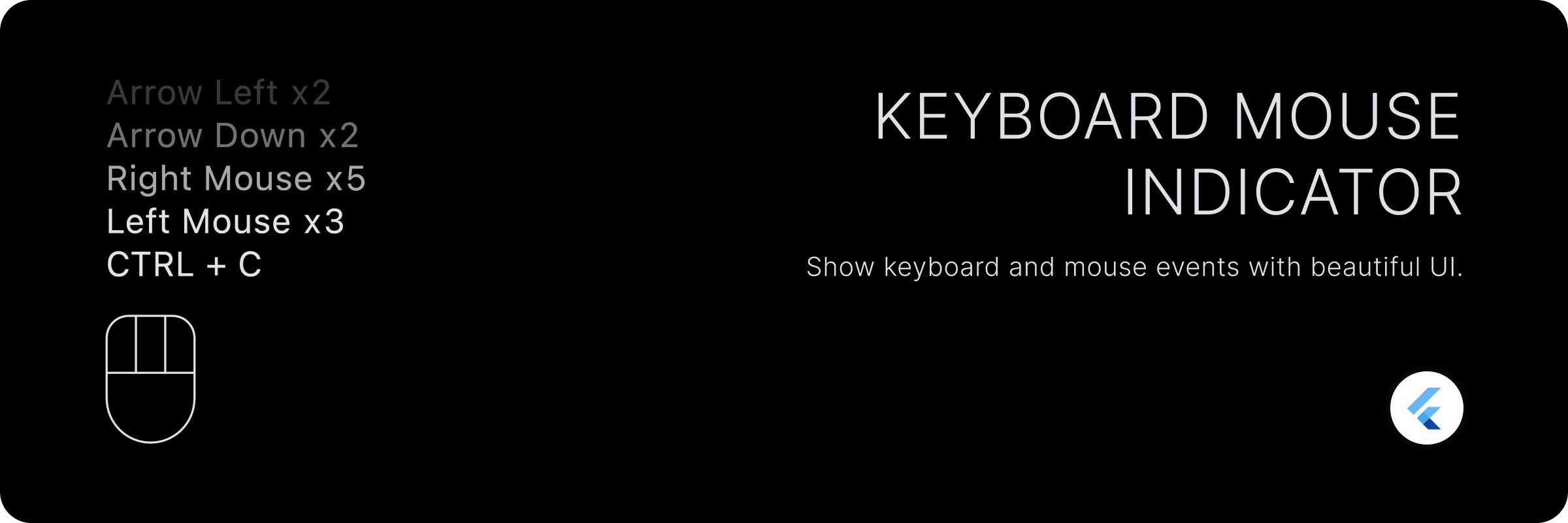
键盘鼠标指示器
一个显示鼠标和键盘事件的精美小部件。
功能
- 全局监听鼠标和键盘事件,无需焦点。
- 将事件显示为按键组合的历史记录。
- 可自定义可见的历史记录项的数量。
- 显示当前按下的按键。(最小化键盘指示器)
- 完全可自定义的鼠标指示器。
- 可自定义的键盘历史记录项。
- 显示每个独立事件和组合事件的计数。
入门
将包添加到您的 pubspec.yaml 文件中
dependencies:
  keyboard_mouse_indicator: <latest_version>
用法
使用 KeyboardMouseIndicator 小部件来显示指示器。
KeyboardMouseIndicator(
  controller: controller,
  alignment: Alignment.bottomLeft,
  showAsHistory: true,
);
| 属性 | 描述 |
|---|---|
控制器 |
用于控制指示器的控制器。 |
alignment |
指示器的对齐方式。这也会影响历史记录项文本的对齐方式。 |
showAsHistory |
是否将事件显示为历史记录或当前按键。如果设置为 false,则会显示当前按键。 |
mouseIndicator |
用于显示鼠标指示器的小部件。 |
maxLength |
要显示的历史记录的最大长度。 |
fadeText |
是否淡化历史记录项的文本以产生消失效果。 |
itemSpacing |
历史记录项之间的间距。 |
showMouseIndicator |
是否显示鼠标指示器。 |
keyLabelBuilder |
用于构建按键标签字符串的构建器。 |
itemBuilder |
用于构建历史记录项小部件的构建器。 |
这将显示键盘和鼠标事件的历史记录,最多包含 5 个事件。
自定义
显示更多历史记录。
默认情况下,小部件只显示 5 个事件作为历史记录。您可以通过设置 maxLength 属性来更改此设置。
KeyboardMouseIndicator(
  alignment: Alignment.bottomLeft,
  showAsHistory: true,
  maxLength: 10, // Show recent 10 events
);
显示当前按键。
默认情况下,小部件将事件显示为历史记录。您可以将 showAsHistory 属性设置为 false 来更改此设置。它将显示当前按键。
KeyboardMouseIndicator(
  alignment: Alignment.bottomLeft,
  showAsHistory: false,
);
手动清除历史记录/当前按键。
您可以通过在 KeyboardMouseController 上调用 clear 方法来清除历史记录/当前按键。
- 将
KeyboardMouseController传递给KeyboardMouseIndicator小部件。
final controller = KeyboardMouseController();

KeyboardMouseIndicator(
  controller: controller,
  alignment: Alignment.bottomLeft,
  showAsHistory: true,
);
- 调用
KeyboardMouseController上的clear方法来清除历史记录/当前按键。
controller.clear();
自定义鼠标指示器小部件。
您可以通过将 mouseIndicator 属性传递给 KeyboardMouseIndicator 小部件来自定义鼠标指示器小部件。
KeyboardMouseIndicator(
  controller: controller,
  alignment: Alignment.bottomLeft,
  showAsHistory: true,
  mouseIndicator: MouseIndicator(
    height: 72,
  ),
);
样式化鼠标指示器小部件
您可以通过将 style 属性传递给 MouseIndicator 小部件来样式化鼠标指示器小部件。MouseIndicatorStyle 有两种类型:MouseIndicatorStyle.filled 和 MouseIndicatorStyle.outlined。默认为 MouseIndicatorStyle.outlined。
KeyboardMouseIndicator(
  controller: controller,
  alignment: Alignment.bottomLeft,
  showAsHistory: true,
  mouseIndicator: MouseIndicator(
    height: 72,
    style: MouseIndicatorStyle.outlined(
      borderColor: Colors.white,
      indicatorColor: Colors.white,
      backgroundColor: Colors.transparent,
      borderWidth: 4,
      showScrollButton: true,
      scrollButtonWidth: 48,
      buttonsHeightFactor: 0.5,
      borderRadius: BorderRadius.circular(8),
    ),
  ),
);
| 属性 | 描述 |
|---|---|
borderColor |
鼠标指示器边框的颜色。默认为 ColorScheme.onSurface。 |
indicatorColor |
鼠标指示器指示器的颜色。默认为 borderColor。 |
backgroundColor |
鼠标指示器的背景颜色。 |
borderWidth |
鼠标指示器边框的宽度。 |
showScrollButton |
一个布尔值,指示是否显示滚动按钮。 |
scrollButtonWidth |
滚动按钮的宽度。用于调整滚动按钮的宽度。可以使用 scrollButtonWidthFactor 来代替,以百分比提供宽度。 |
buttonsHeightFactor |
鼠标按钮的高度百分比。用于调整鼠标按钮的高度。 |
scrollButtonWidthFactor |
滚动按钮的宽度百分比。滚动按钮的宽度可以以单个按钮可用宽度的百分比形式提供,就像所有 3 个按钮宽度相同一样。这可以用来代替 scrollButtonWidth。 |
border |
允许为鼠标指示器提供自定义边框。可以使用任何 OutlinedBorder。如果提供了此项,则不能提供 borderColor、borderWidth 和 borderRadius。 |
有关更多详细信息,请参阅 MouseIndicatorStyle 的文档。
同样,您可以使用 MouseIndicatorStyle.filled 来样式化鼠标指示器小部件。
KeyboardMouseIndicator(
  controller: controller,
  alignment: Alignment.bottomLeft,
  showAsHistory: true,
  mouseIndicator: MouseIndicator(
    height: 72,
    style: MouseIndicatorStyle.filled(
      indicatorColor: Colors.white,
      backgroundColor: Colors.transparent,
      showScrollButton: true,
      scrollButtonWidth: 48,
      buttonsHeightFactor: 0.5,
      spacing: 12,
    ),
  ),
);
| 属性 | 描述 |
|---|---|
indicatorColor |
鼠标指示器指示器的颜色。默认为 ColorScheme.onSurface。 |
backgroundColor |
鼠标指示器的背景颜色。 |
showScrollButton |
一个布尔值,指示是否显示滚动按钮。 |
scrollButtonWidth |
滚动按钮的宽度。用于调整滚动按钮的宽度。可以使用 scrollButtonWidthFactor 来代替,以百分比提供宽度。 |
buttonsHeightFactor |
鼠标按钮的高度百分比。用于调整鼠标按钮的高度。 |
scrollButtonWidthFactor |
滚动按钮的宽度百分比。滚动按钮的宽度可以以单个按钮可用宽度的百分比形式提供,就像所有 3 个按钮宽度相同一样。这可以用来代替 scrollButtonWidth。 |
spacing |
鼠标按钮之间的间距。 |
历史记录的自定义项目 UI。
您可以通过将 itemBuilder 属性传递给 KeyboardMouseIndicator 小部件来自定义历史记录项的 UI。
KeyboardMouseIndicator(
  controller: controller,
  alignment: Alignment.bottomLeft,
  showAsHistory: true,
  itemBuilder: (int index, KeyIndicatorEvent item) {
    // return your custom widget here
  },
);
KeyIndicatorEvent 描述了事件。它具有以下属性:
| 属性 | 描述 |
|---|---|
mouseButton |
按下的鼠标按钮。 |
keyboardKey |
按下的键盘按键。这不包括修饰键。 |
modifierKey |
按下的修饰键列表。包括 CTRL、ALT、SHIFT、META、OPTION 等。 |
count |
按键/组合键按下的次数。 |
自定义按键标签。
您可以通过将 keyLabelBuilder 属性传递给 KeyboardMouseIndicator 小部件来自定义按键标签。
KeyboardMouseIndicator(
  controller: controller,
  alignment: Alignment.bottomLeft,
  showAsHistory: true,
  keyLabelBuilder: (LogicalKeyboardKey key) => key.debugName,
);
贡献
我们非常欢迎您为本项目做出贡献!
在贡献和提议更改之前,请查看 贡献指南。
喜欢这个包?
通过点亮仓库来表示您的喜爱和支持。
或者您可以

许可证
Copyright © 2023 Birju Vachhani

Licensed under the Apache License, Version 2.0 (the "License");
you may not use this file except in compliance with the License.
You may obtain a copy of the License at

    https://apache.ac.cn/licenses/LICENSE-2.0

Unless required by applicable law or agreed to in writing, software
distributed under the License is distributed on an "AS IS" BASIS,
WITHOUT WARRANTIES OR CONDITIONS OF ANY KIND, either express or implied.
See the License for the specific language governing permissions and
limitations under the License.


