
基础 UI 工具包
A basic UI toolkit to get you started with flutter application development.
组件列表
- SchoolToolkitButton: 带忙碌指示器的按钮
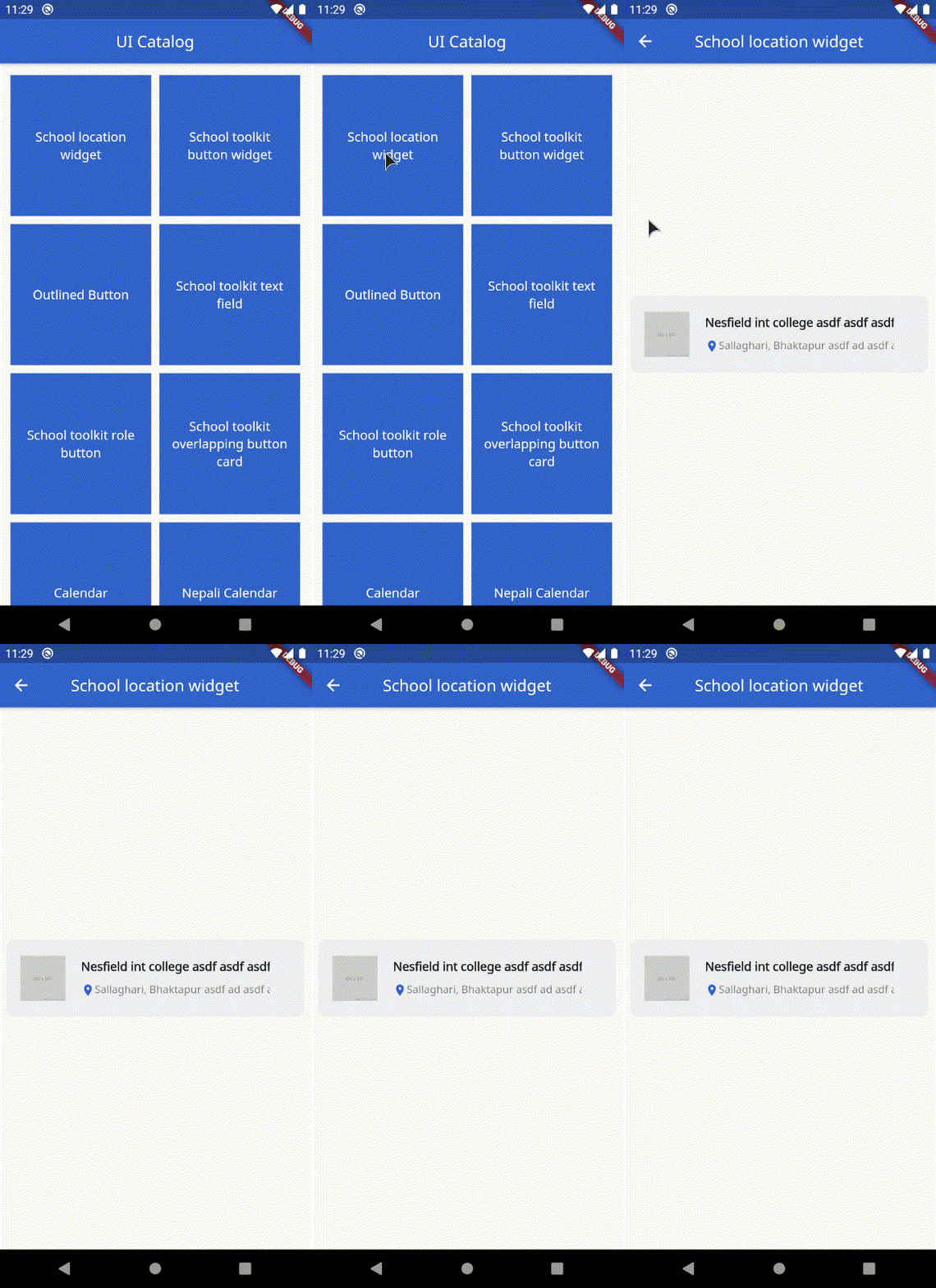
- SchoolLocationWidget: 显示学校信息的卡片
- OutlinedButton: 仅带边框的按钮,带忙碌指示器
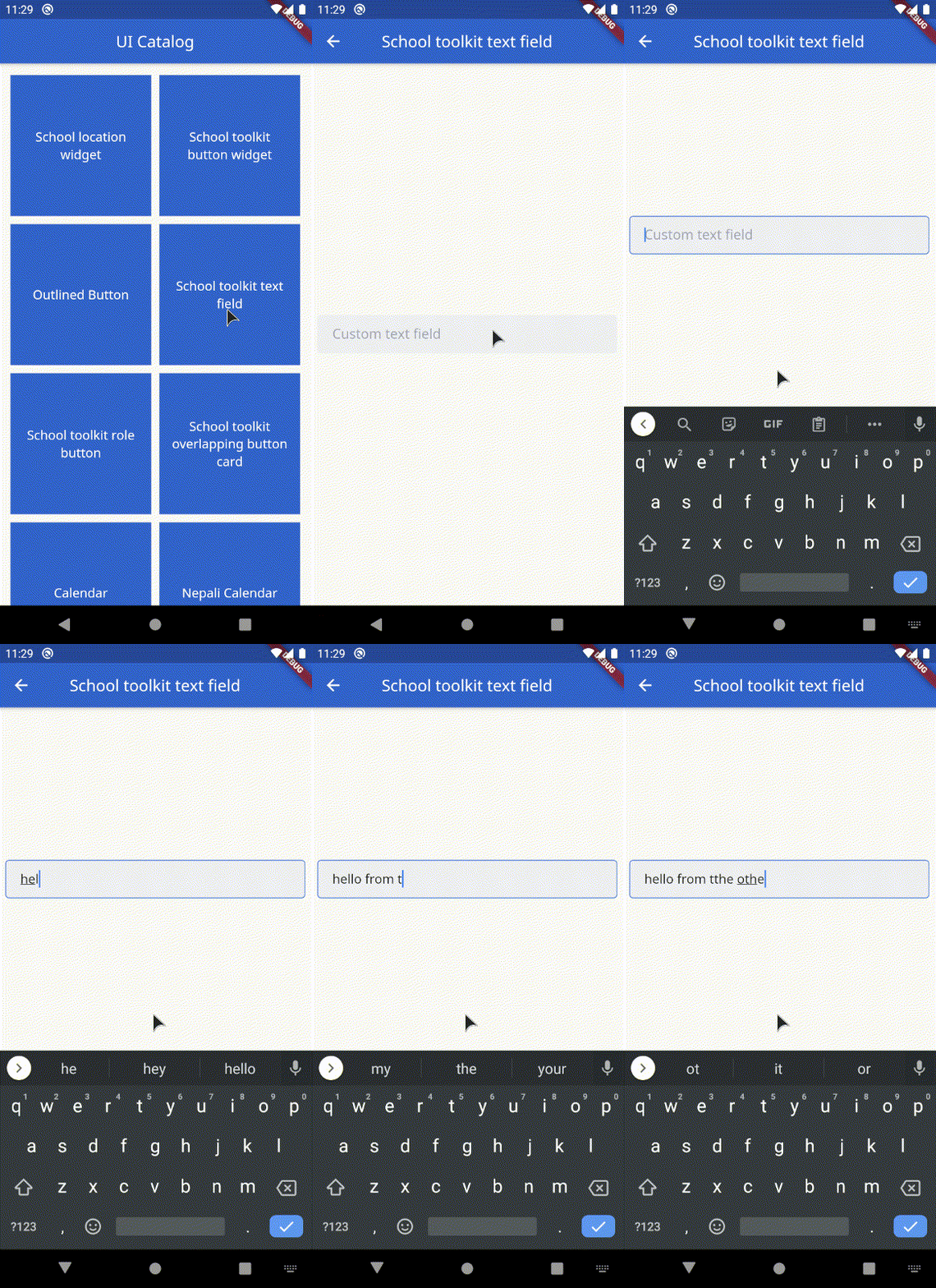
- SchoolToolkitTextField: 自定义文本框
- SchoolToolkitRoleButton: 动画角色选择按钮
- OverlappingButtonCard: 重叠容器,底部带有悬停按钮
- Calendar: 带有两种视图状态的日历:[展开(显示整个日历),收起(仅显示一周)]
- NepaliCalendar: 尼泊尔历,带有两种视图状态:[展开(显示整个日历),收起(仅显示一周)]
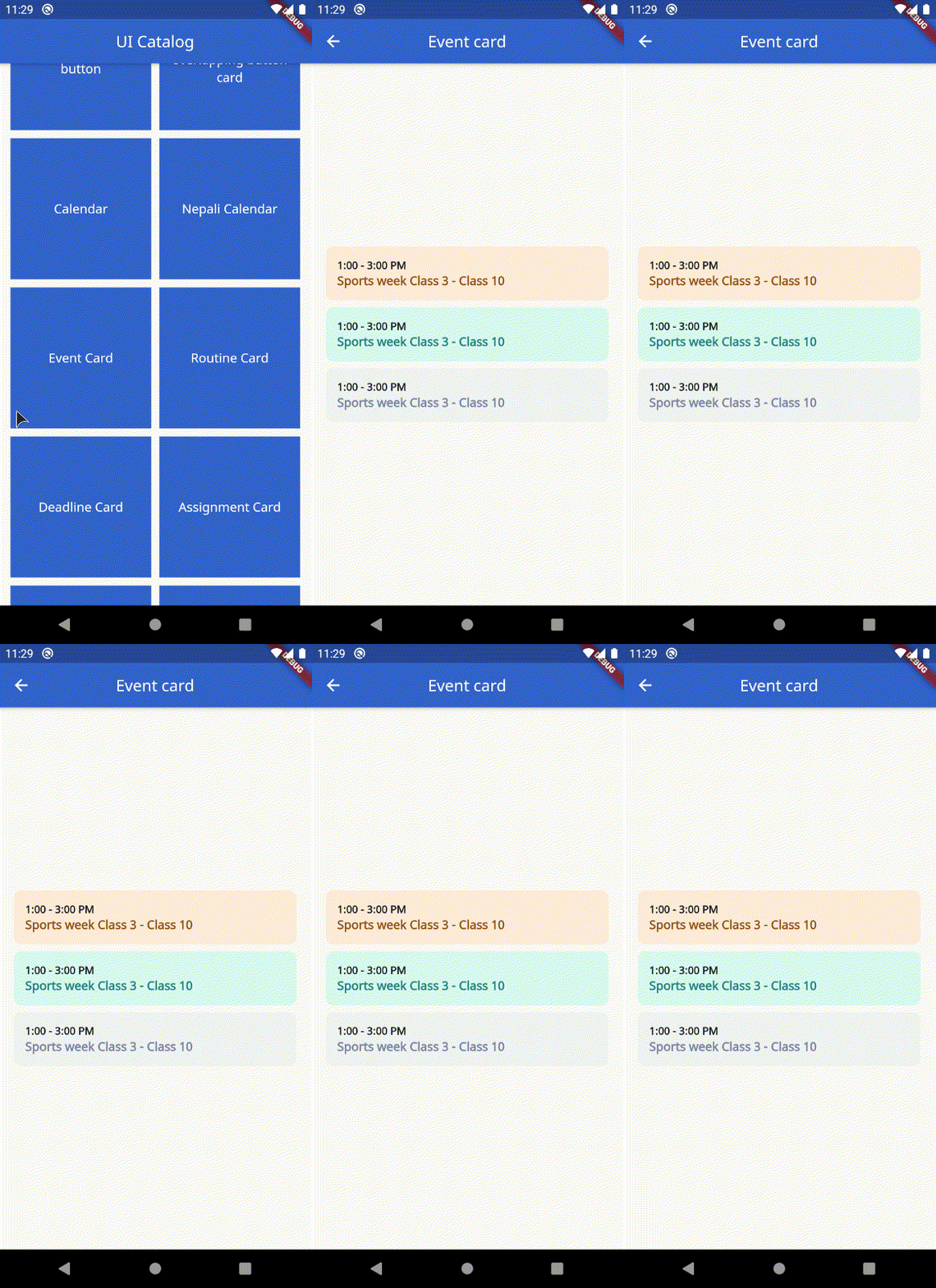
- EventCard: 显示时间和事件
- RoutineCard: 显示班级名称、科目、时间和教授。
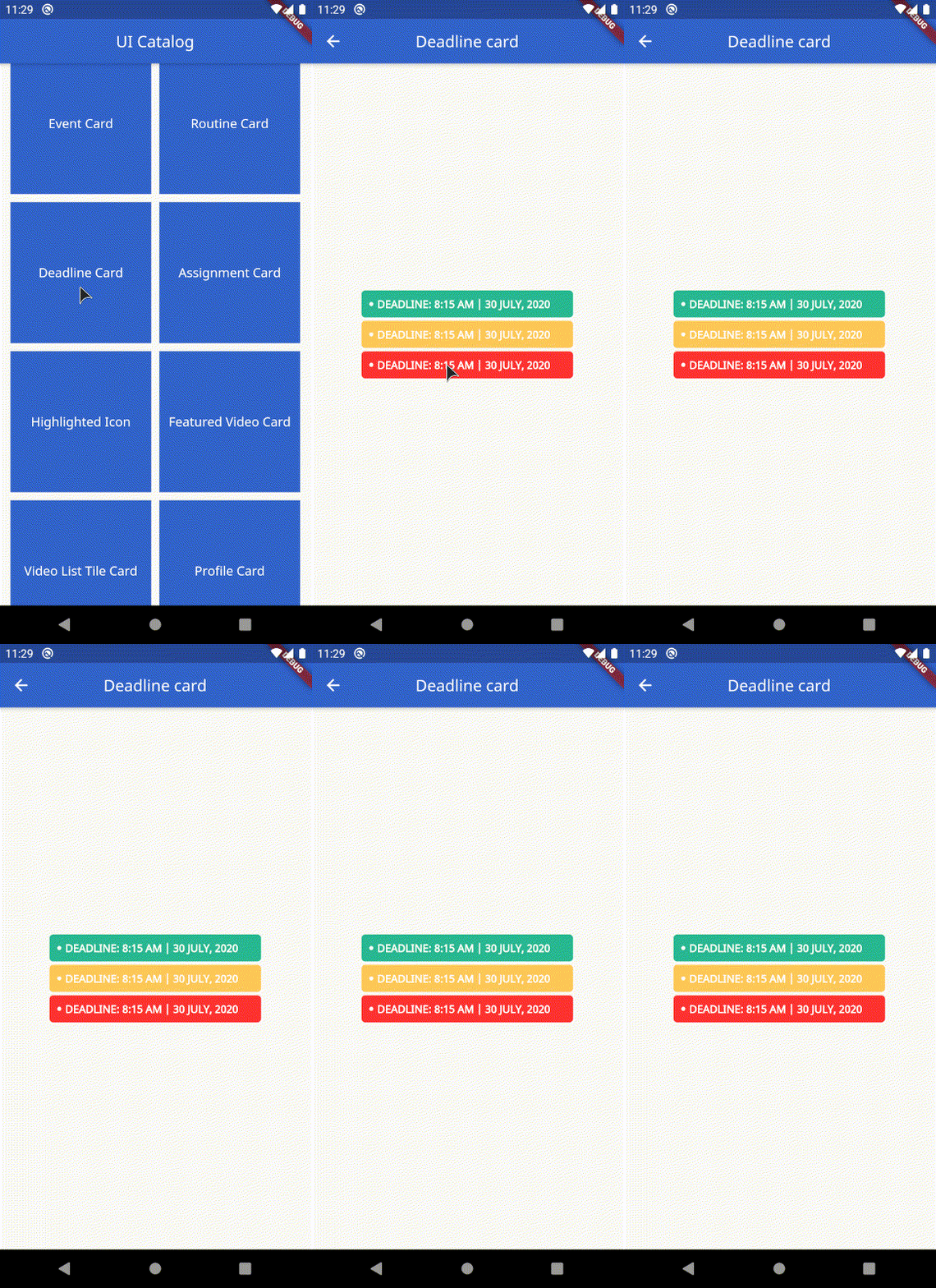
- DeadlineCard: 显示截止日期
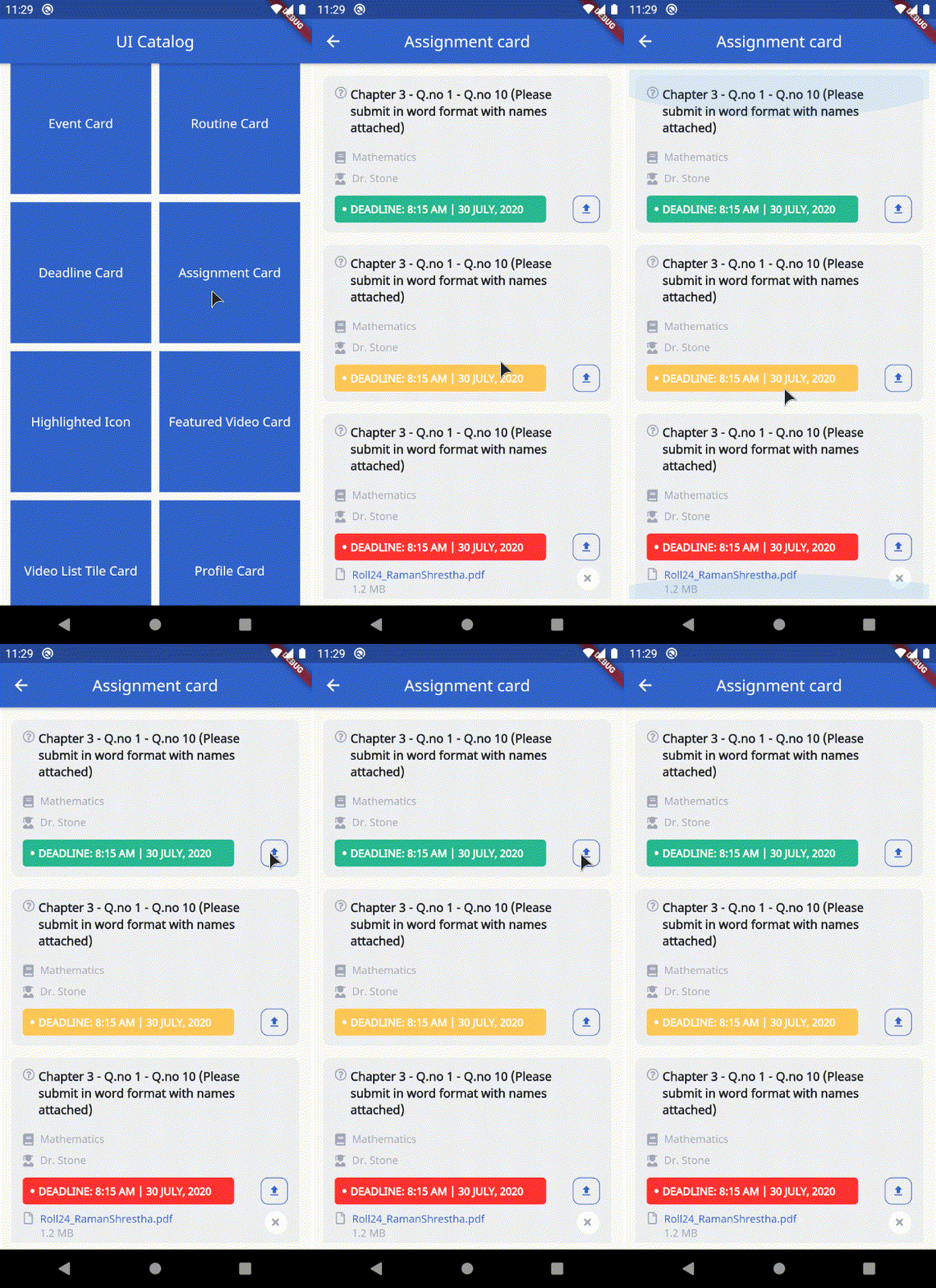
- AssignmentCard: 显示作业、截止日期、科目,并可选择参数来处理上传
- HighlightedIcon: 自定义容器,突出显示传入的图标。接受可选的忙碌参数以显示加载指示器。
- FeaturedVideoCard: 显示特色视频缩略图和标题。
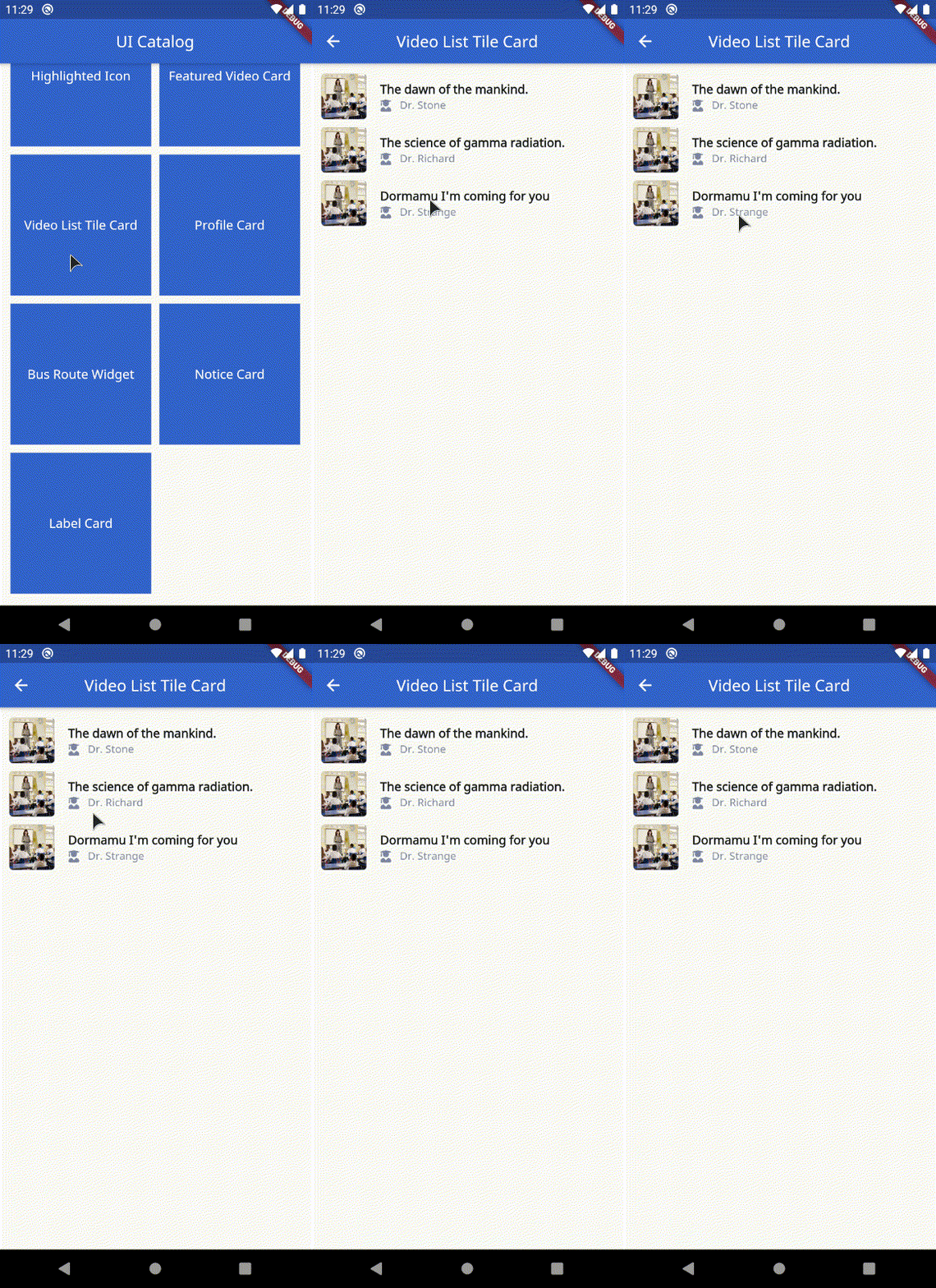
- VideoListTileCard: 显示带有缩略图、标题和作者的列表项。
- ProfileCard: 自定义个人资料卡。
- BusRouteWidget: 显示公交路线。接受标题和副标题。
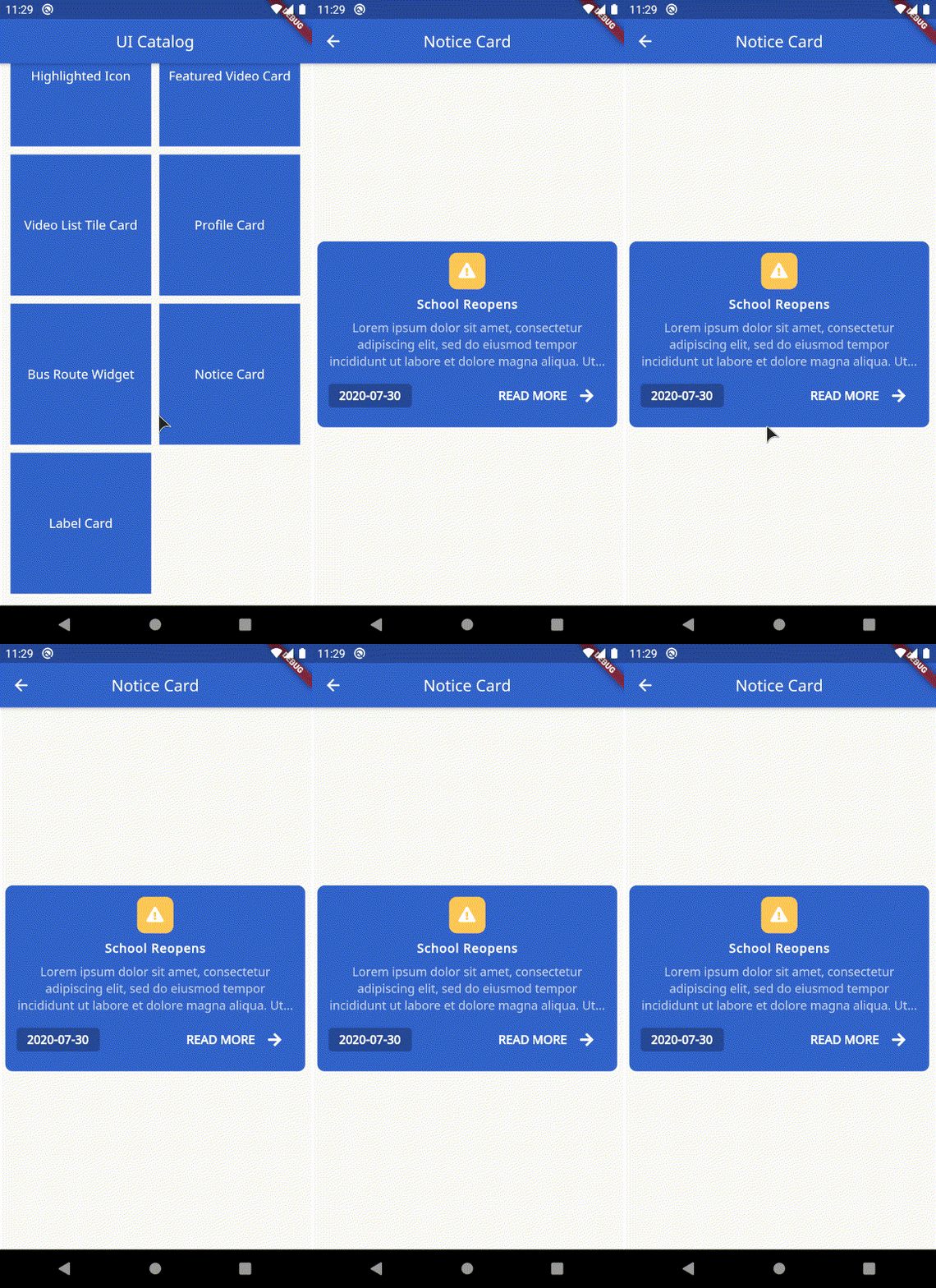
- NoticeCard: 自定义通知小部件,接受标题、副标题、格式化的日期字符串,并公开点击处理程序。
- LabelCard: 显示自定义文本标签。接受标签字符串、宽度、高度、文本样式和颜色。
示例
示例文件包含所有可用小部件的目录。
SchoolToolkitButton
SchoolToolkitButton(
    onPressed: () {
        // handle on pressed
    },
    busy: true, // defaults to false
    label: 'Text Label'.toUpperCase(),
),

SchoolLocationWidget
SchoolLocationWidget(
    imageURL: 'http://via.placeholder.com/350x350',
    address: 'Area 69',
    name: 'Alien High School',
),
OutlinedButton
OutlinedButton(
    onPressed: () {
        // handle on pressed
    },
    busy: true, // defaults to false
    label: 'Edit Info'.toUpperCase(),
),

SchoolToolkitTextField
SchoolToolkitTextField(
    hint: 'Custom text field',
    controller: ...,
    errorText: ...,
    key: ...,
    label: ...,
    obscureText: ...,
    onChanged: ...,
    onFieldSubmitted: ...,
    onSaved: ...,
    onTap: ...,
),
SchoolToolkitRoleButton
SchoolToolkitRoleButton(
    iconData: FontAwesomeIcons.userGraduate,
    label: 'Student'.toUpperCase(),
    selected: true, // defaults to false
),

OverlappingButtonCard
OverlappingButtonCard(
    width: 354,
    height: 589,
    label: 'Button label'.toUpperCase(),
    onPressed: () {
        // handle on presssed
    },
    chld: ...,
    padding: ..., // optional field
),

日历
Calendar(
    startExpanded: true, // set this to false if you need the calendar to be built shrinked (show only active week)
    onDateSelected: (date) {
        print('Selected date: $date');
        // handle date selection
    },
    onNextMonth: (date) {
        print('Next month: $date');
        // handle on next month.
    },
    onPreviousMonth: (date) {
        print('Previous month: $date');
        // handle previous month
    },
    calendarEvents: [
        CalendarEvent.fromDateTime(
            dateTime: DateTime.now(),
            color: SchoolToolkitColors.red,
        ),
    ],
    recurringEventsByDay: [
        CalendarEvent.fromDateTime(
            dateTime: DateTime(2020, 7, 1),
            color: SchoolToolkitColors.blue,
        ),
        CalendarEvent.fromDateTime(
            dateTime: DateTime(2020, 7, 2),
            color: SchoolToolkitColors.red,
        ),
    ],
    recurringEventsByWeekday: [
        CalendarEvent.fromWeekDay(
            weekDay: DateTime.sunday,
            color: SchoolToolkitColors.green,
            holiday: true,
        ),
    ],
),

NepaliCalendar
重要提示:请注意,NepaliCalendar 方法返回的日期使用 NepaliDateTime 而非 DateTime 类
NepaliCalendar(
    startExpanded: true, // set this to false if you need the calendar to be built shrinked (show only active week)
    onDateSelected: (date) {
        print('Selected date: $date');
        // handle date selection
    },
    onNextMonth: (date) {
        print('Next month: $date');
        // handle on next month.
    },
    onPreviousMonth: (date) {
        print('Previous month: $date');
        // handle previous month
    },
    calendarEvents: [
        NepaliCalendarEvent.fromDateTime(
            dateTime: NepaliDateTime.now(),
            color: SchoolToolkitColors.red,
        ),
    ],
    recurringEventsByDay: [
        NepaliCalendarEvent.fromDateTime(
            dateTime: NepaliDateTime(2020, 7, 1),
            color: SchoolToolkitColors.green,
        ),
    ],
    recurringEventsByWeekday: [
        NepaliCalendarEvent.fromWeekDay(
            weekDay: 1,
            color: SchoolToolkitColors.brown,
        ),
    ],
),

EventCard
EventCard(
    event: 'Sports week Class 3 - Class 10',
    time: '1:00 - 3:00 PM',
    secondaryColor: SchoolToolkitColors.lighterGrey,
    primaryColor: SchoolToolkitColors.grey,
),
RoutineCard
RoutineCard(
    classTopic: 'Fundamentals of Mathematics',
    classType: 'Theory Class',
    subject: 'Mathematics',
    professor: 'Mr. Ram Prasad Yadav',
    time: '8:00 - 9:00 AM',
),

DeadlineCard
 DeadlineCard(
    deadline: DateTime.now(),
    secondaryColor: ..., // optional
    primaryColor: ..., // optional
),
AssignmentCard
AssignmentCard(
    // optional, if deadline is not passed, deadline card will not be shown
    deadline: DateTime.now(),
    question:
        'Chapter 3 - Q.no 1 - Q.no 10 (Please submit in word format with names attached)',
    subject: 'Mathematics',
    teacher: 'Dr. Stone',
    deadlineBackgroundColor: SchoolToolkitColors.red,
    onUploadHandler: () {
        print('Handle upload');
        // optional, if null is passsed upload button will be hidden
    },
    // optional, if filename is not passed, file name row will not be displayed
    fileName: 'Roll24_RamanShrestha.pdf',
    // optional,
    fileSize: '1.2 MB',
    onFileTapHandler: () {
        print('Handle file tap');
        // optional
    },
    onUnSubmitHandler: () {
        print('Handle unsubmit');
        // optional
    },
),
HighlightedIcon
HighlightedIcon(
    icon: Icons.class_,
    busy: true, // optional. If busy is set to true, displays a loading indicator instead of the icons passed.
),

FeaturedVideoCard
FeaturedVideoCard(
    title: 'Professor KPR Lecture - Neuroscience Lecture 32',
    thumbnailURL:
        'https://www.teachermagazine.com.au/files/ce-image/cache/1c03ffc10fd4ef6a/Cognitive_load_theory_-_teaching_strategies_855_513_60.jpg',
    onTap: () {
        print('Handling on tap');
    },
),

VideoListTileCard
VideoListTileCard(
    author: 'Dr. Richard',
    title: 'The science of gamma radiation.',
    margin: EdgeInsets.all(5.0),
    thumbnailURL:
        'https://www.teachermagazine.com.au/files/ce-image/cache/1c03ffc10fd4ef6a/Cognitive_load_theory_-_teaching_strategies_855_513_60.jpg',
    color: ..., // Optional. use to set the background color of the tile
    onTap: ..., // Optional. use to handle on tap
    padding: ..., // Optional. use to add desired padding
    showIcon: ..., // Optional. set this to flase if you don't want the icon besides the author.
),
ProfileCard
ProfileCard(
    imageURL:
        'https://cdn1.iconfinder.com/data/icons/female-avatars-vol-1/256/female-portrait-avatar-profile-woman-sexy-afro-2-512.png',
    email: '[email protected]',
    name: 'Dr. Steven Stones',
    phoneNumber: '9843XXXXXX',
    post: 'Sorceror',
    margin: EdgeInsets.all(5.0), // optional
),

BusRouteWidget
InformationTileWidget(
    margin: EdgeInsets.all(5.0),
    icon: FontAwesomeIcons.bus,
    biggerTitle: true,
    title: 'Bus Route 1',
    subTitle: 'Tinkune-Dhobhighat-NewRoad',
    iconColor: Colors.white,
    rounded: false,
    iconBackgroundColor: SchoolToolkitColors.blue,
    onTap: ..., // Optional.
),

NoticeCard
NoticeCard(
    date: DateFormat('yyyy-MM-dd').format(DateTime.now()),
    title: 'School Reopens',
    subTitile:
        'Lorem ipsum dolor sit amet, consectetur adipiscing elit, sed do eiusmod tempor incididunt ut labore et dolore magna aliqua. Ut enim ad minim veniam, quis nostrud exercitation ullamco laboris nisi ut aliquip ex ea commodo consequat. Duis aute irure dolor in reprehenderit in voluptate velit esse cillum dolore eu fugiat nulla pariatur.',
    onTap: () {
        // Handle readmore
    },
),
LabelCard
LabelCard(
    label: 'Text label',
    color: SchoolToolkitColors.red,
    height: ..., // Optional
    width: ..., // Optional
    textStyle: ..., // Optional
),


