
可点击按钮


在 Flutter 中构建的 3D 可按压按钮。非常适合应用中的重要号召性用语。
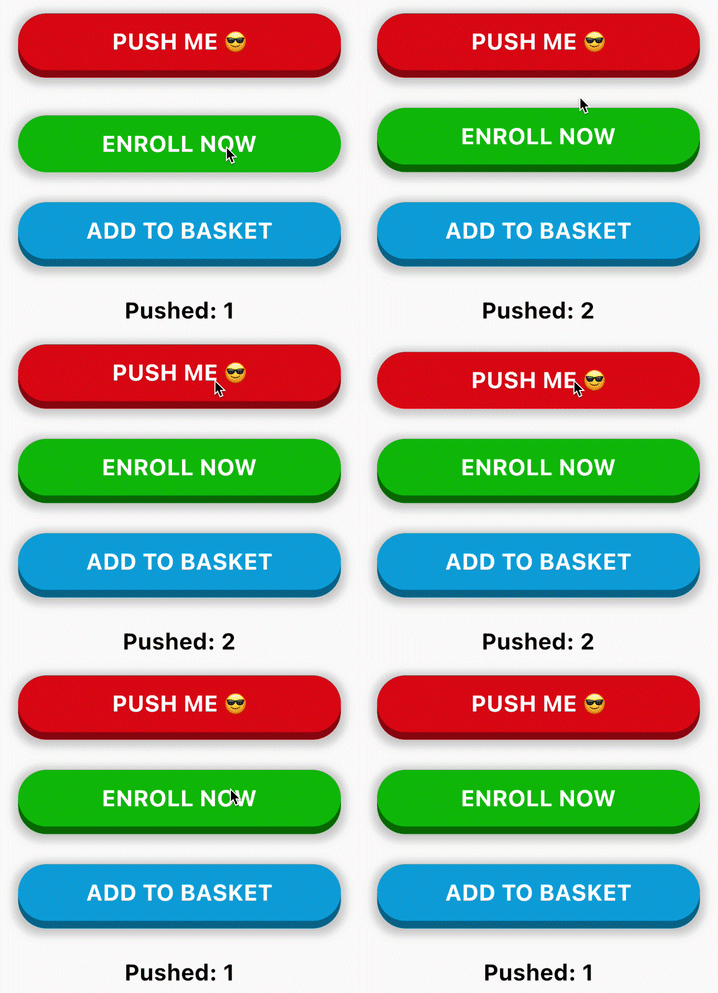
用法
PushableButton(
  child: Text('ENROLL NOW', style: someTextStyle),
  height: 60,
  elevation: 8,
  hslColor: HSLColor.fromAHSL(1.0, 120, 1.0, 0.37),
  shadow: BoxShadow(
    color: Colors.grey.withOpacity(0.5),
    spreadRadius: 5,
    blurRadius: 7,
    offset: Offset(0, 2),
  ),
  onPressed: () => print('Button Pressed!'),
)
可配置属性
- child: 子组件 (通常是一个
Text或Icon) - height: 顶部图层的高度
- elevation: 顶部和底部图层之间的抬升或“间隙”
- hslColor: 顶部图层的颜色。使用
HSLColor而不是Color,以便自动计算底部图层,通过降低亮度 - shadow: 可选阴影,使按钮看起来更好
- onPressed: 按钮回调


